
Active Pixel A9 mini
Active Pixel A9 4+4+4MP Triple Lens WiFi Outdoor Security Camera User Manual
Model: A9 mini
1. Introduction
This manual provides detailed instructions for the installation, operation, and maintenance of your Active Pixel A9 4+4+4MP Triple Lens WiFi Outdoor Security Camera. Please read this manual thoroughly before using the product to ensure correct usage and optimal performance. Keep this manual for future reference.
2. Product Overview
The Active Pixel A9 is an advanced outdoor security camera featuring a triple-lens system for expanded field of view and enhanced detail capture. It includes full-color night vision, 360° Pan-Tilt-Zoom (PTZ) capabilities, AI-powered motion tracking, human detection, and two-way audio communication. Designed for outdoor use, it boasts an IP66 waterproof rating, ensuring reliable performance in various weather conditions.

Image: Front view of the Active Pixel A9 Triple Lens WiFi Outdoor Security Camera, showcasing its three lenses and dual antennas.
3. Package Contents
Verify that all items are present in the package:
- 1x Active Pixel A9 Camera
- 1x Mounting Stand
- 1x Power Adapter
- 1x User Manual (this document)
- 1x Screw Kit for installation
4. Key Features
The Active Pixel A9 camera offers a range of features for comprehensive security:
- Triple Lens System: Provides an ultra-wide field of view with 4+4+4MP clarity for extensive coverage.
- Full-Color Night Vision: Equipped with 8 high-power LEDs for clear, full-color video in low-light conditions.
- 360° PTZ Surveillance: Remote pan (355°), tilt (90°), and zoom functionality to eliminate blind spots.
- Smart Motion Tracking & Human Detection: AI-powered detection accurately identifies and tracks human movement, reducing false alarms.
- Two-Way Audio: Built-in microphone and speaker allow for real-time communication through the camera.
- WiFi Connectivity: Stable 2.4GHz WiFi connection for remote access and control via a mobile application.
- Waterproof Outdoor Build (IP66): Durable design ensures resistance to dust and water for year-round outdoor use.
- Dual Storage Options: Supports local storage via SD card (up to 128GB) and secure cloud backup.
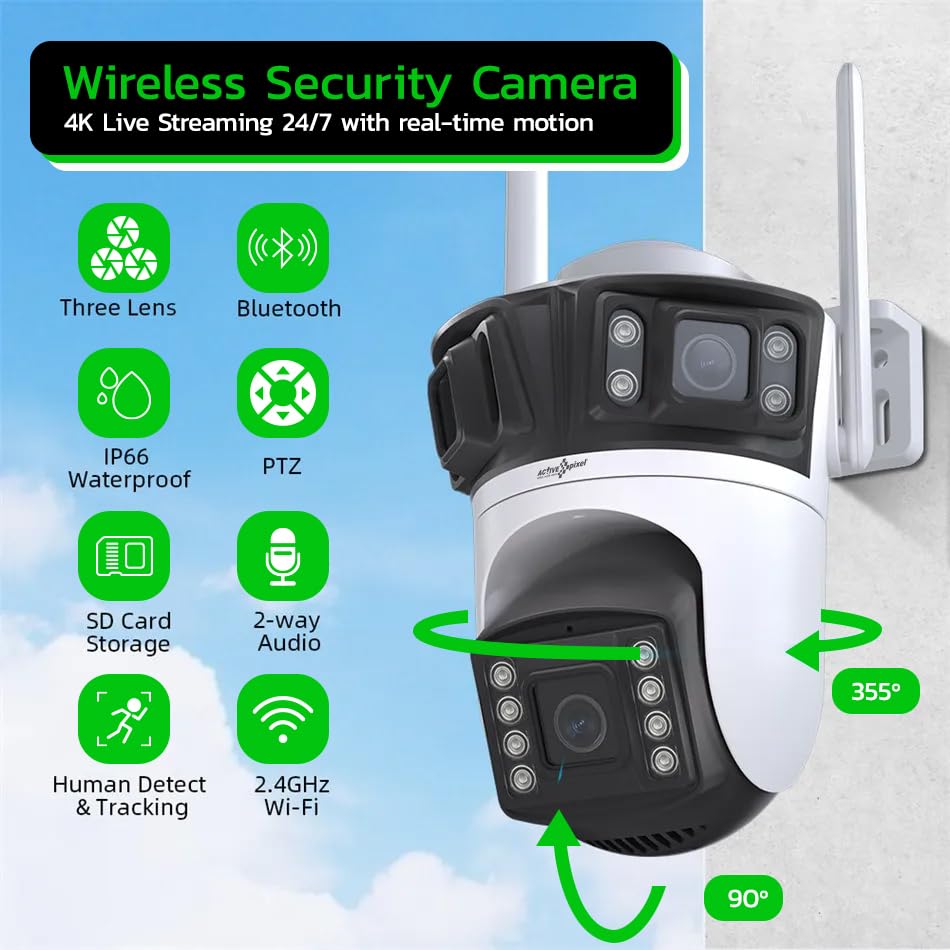
Image: Infographic highlighting key features such as Three Lenses, Bluetooth, IP66 Waterproof, PTZ, SD Card Storage, 2-way Audio, Human Detect & Tracking, and 2.4GHz Wi-Fi.
5. Setup and Installation
5.1 Mounting the Camera
- Choose a suitable outdoor location that provides the desired viewing angle and is within range of your 2.4GHz WiFi network.
- Use the included mounting stand and screw kit to securely attach the camera to a wall or ceiling. Ensure the camera is positioned to avoid direct sunlight into the lenses, which can affect image quality.
- Connect the power adapter to the camera and plug it into a power outlet.
5.2 App Download and Initial Setup
- Download the recommended mobile application (e.g., ICSEE) from your smartphone's app store (iOS or Android).
- Register for an account and log in.
- Follow the in-app instructions to add your camera. This typically involves scanning a QR code on the camera or using a Bluetooth/WiFi pairing process.
- Ensure your smartphone is connected to a 2.4GHz WiFi network during the initial setup.
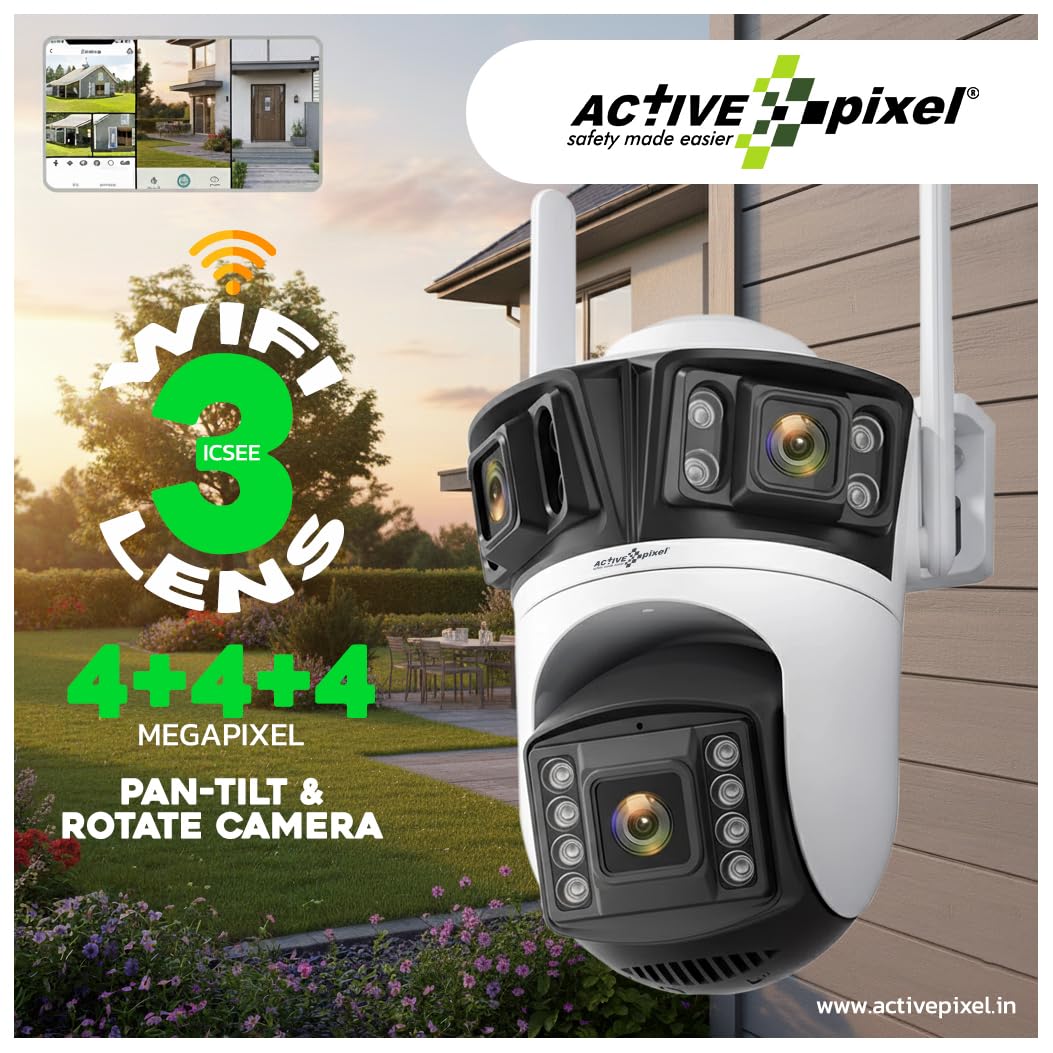
Image: The Active Pixel A9 camera mounted on an exterior wall, with a smartphone screen displaying the camera's live feed and app interface.
6. Operating Instructions
6.1 Live View and PTZ Control
Access the live feed through the mobile application. Use the on-screen controls to remotely pan the camera horizontally up to 355° and tilt vertically up to 90° to adjust the viewing angle. Digital zoom may also be available.
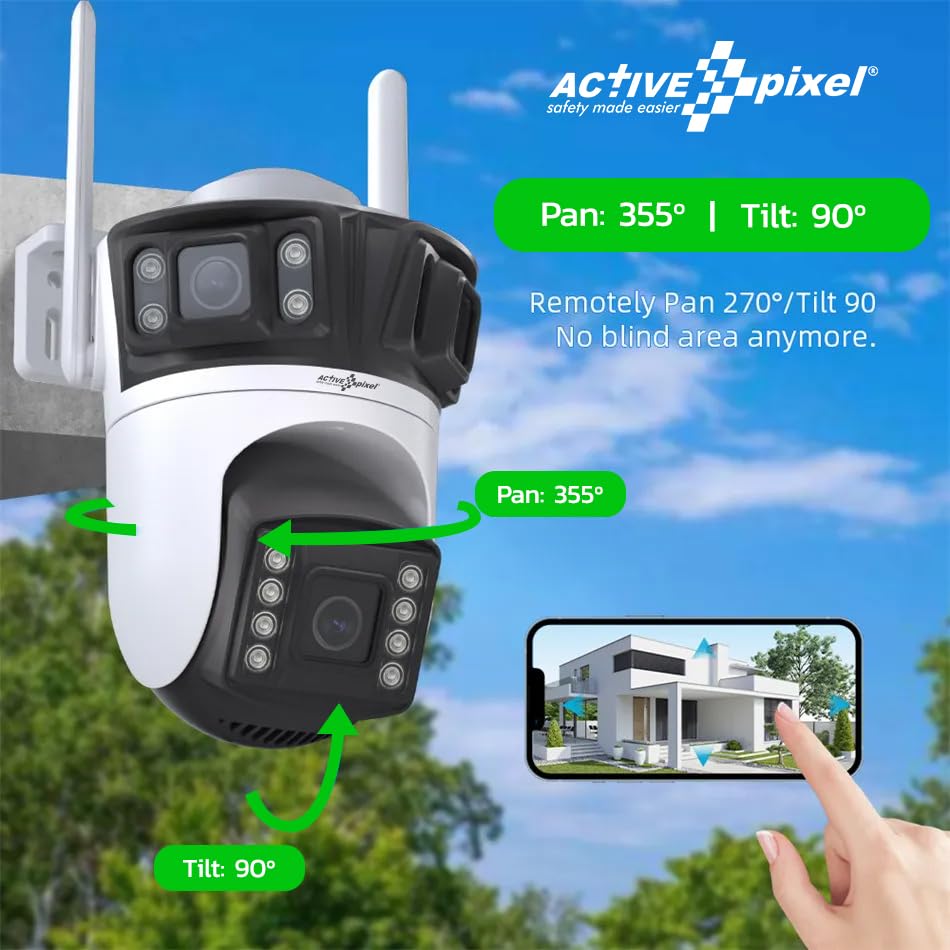
Image: Diagram illustrating the 355° pan and 90° tilt capabilities of the Active Pixel A9 camera, controlled via a smartphone app.
6.2 Motion Detection and Tracking
Enable motion detection in the app settings. The camera can be configured to send alerts to your phone when motion is detected. With human detection enabled, the camera differentiates human shapes from other moving objects, reducing false alarms. The smart motion tracking feature allows the camera to automatically follow detected human subjects within its field of view.
6.3 Two-Way Audio
Utilize the two-way audio feature to listen to the camera's surroundings and speak through the camera's built-in speaker. This is useful for communicating with visitors or deterring intruders.
6.4 Recording and Storage
The camera supports continuous recording or event-triggered recording. Recordings can be stored on a microSD card (not included, up to 128GB) inserted into the camera's designated slot, or uploaded to a cloud storage service (subscription may be required).
7. Night Vision Modes
The Active Pixel A9 camera offers three distinct night vision modes:
- Infrared Night Vision: Standard black and white night vision using infrared LEDs for discreet monitoring in complete darkness.
- Full-Color Night Vision: Activates the camera's bright white LEDs to provide full-color video footage even in very low light, enhancing detail and clarity.
- Sound and Light Alarm Night Vision: Combines full-color night vision with an audible alarm and flashing lights upon detection of suspicious activity, serving as a deterrent.
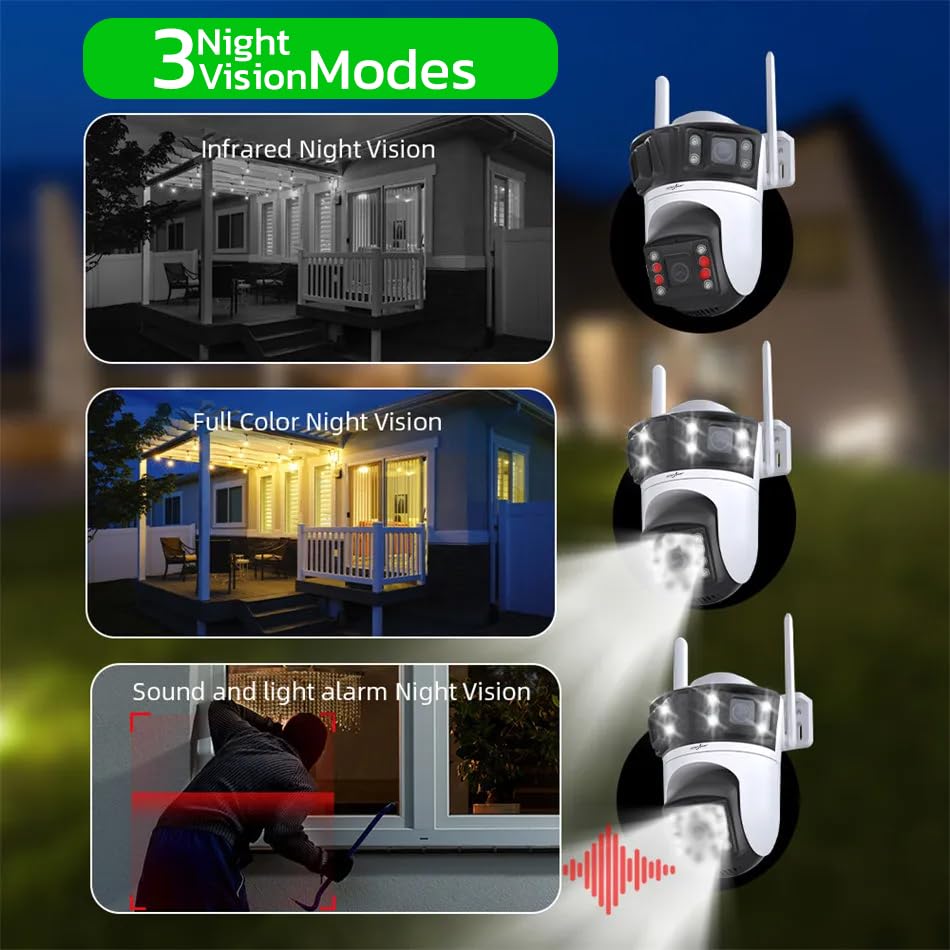
Image: Visual representation of the three night vision modes: Infrared Night Vision (black and white), Full Color Night Vision (illuminated by white LEDs), and Sound and Light Alarm Night Vision (with red alarm overlay).
8. Connectivity Options
The camera supports multiple connection methods for flexibility:
- Bluetooth Connection: For initial device discovery and simplified setup.
- 2.4GHz WiFi Connection: The primary method for wireless operation, providing remote access and control.
- RJ45 Wire Cable Connection: For a stable wired network connection, ideal for locations with unreliable WiFi or for enhanced security.
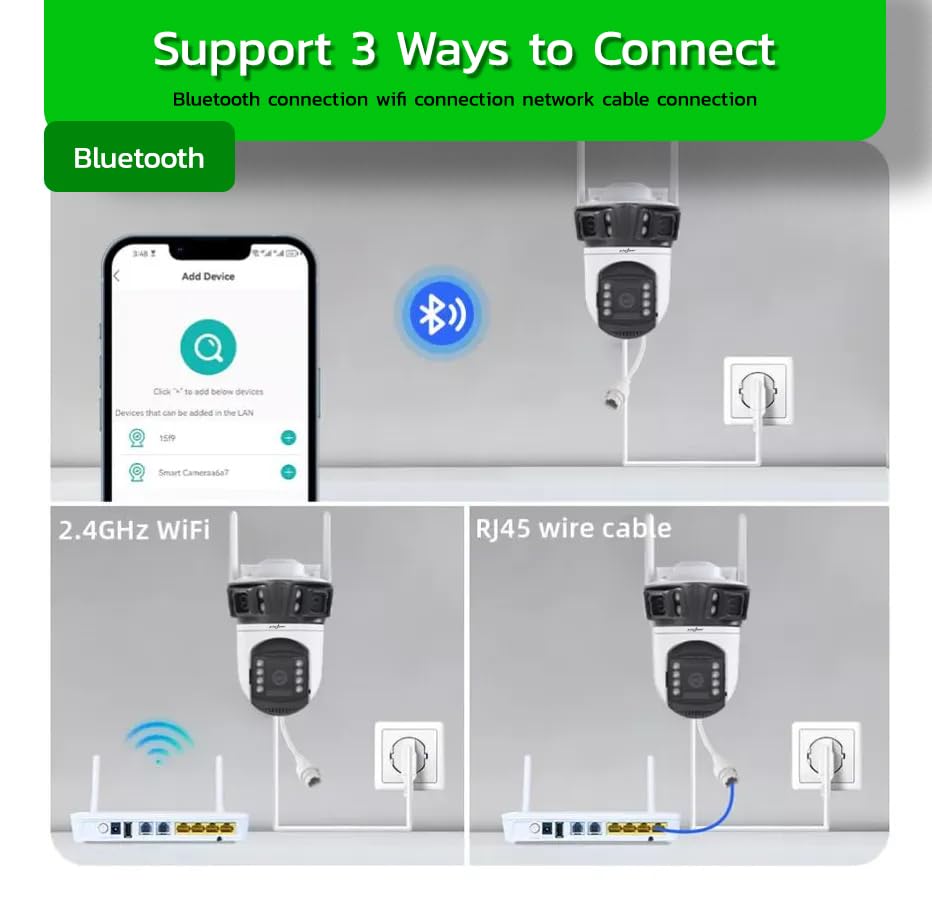
Image: Diagram showing three ways to connect the camera: via Bluetooth for adding devices, 2.4GHz WiFi for wireless operation, and an RJ45 wire cable for a direct network connection.
9. Area Detection
The mobile application allows you to define specific 'defense areas' within the camera's view. You can arbitrarily delimit these zones to focus monitoring on critical areas. The camera will then only push alarm messages when activity is detected within these designated areas, providing more precise alerts and reducing irrelevant notifications.

Image: A smartphone screen displaying the camera's view of a backyard, with a red highlighted area indicating a user-defined 'defense area' for precise motion detection.
10. Maintenance
- Cleaning: Periodically clean the camera lenses with a soft, dry cloth to ensure clear image quality. Do not use harsh chemicals.
- Firmware Updates: Check the mobile application regularly for firmware updates. Keeping the firmware updated ensures optimal performance, security, and access to new features.
- Power Supply: Ensure the power adapter and cable are free from damage. Replace if necessary.
- Mounting Security: Periodically check that the camera is securely mounted and that all screws are tight.
11. Troubleshooting
- Camera Not Connecting to WiFi: Ensure the camera is within range of a 2.4GHz WiFi network. Verify the WiFi password is correct. Try restarting your router and the camera.
- Poor Image Quality: Clean the camera lenses. Check for obstructions in the camera's field of view. Ensure adequate lighting, especially at night.
- Motion Detection Not Working: Verify motion detection is enabled in the app settings. Adjust sensitivity levels. Ensure detection zones are correctly configured.
- Two-Way Audio Issues: Check microphone and speaker settings in the app. Ensure network connection is stable.
- Camera Offline: Check power connection. Verify WiFi signal strength. If using an SD card, ensure it is not full or corrupted.
12. Specifications
| Feature | Specification |
|---|---|
| Model Number | A9 mini |
| Video Capture Resolution | 4MP (1536P) |
| Connectivity Technology | Wireless (Wi-Fi 2.4GHz), Bluetooth, Wired (RJ45) |
| Indoor/Outdoor Usage | Outdoor |
| Special Feature | Triple Lens, Full-Color Night Vision, 360° PTZ, Motion Tracking, Human Detection, Two-Way Audio, IP66 Waterproof |
| Item Dimensions (LxWxH) | 15 x 10 x 8 Centimeters |
| Item Weight | 400 Grams |
| Storage Options | SD Card (up to 128GB), Cloud Storage |
| Manufacturer | Glorious Digital Solution Pvt Ltd |
13. Warranty and Support
For warranty information, please refer to the documentation provided at the time of purchase or contact your retailer. For technical support or customer service, you may contact Glorious Digital Solution Pvt Ltd at the following number:
Customer Care: 9321367328
Related documentsA9 mini


Ask a question about this manual
Ask about setup, troubleshooting, compatibility, parts, safety, or missing instructions. Manuals+ will review the question and use this page’s manual context to help answer it.