Introduction
Thank you for choosing the uaue T70-AI Smartwatch. This device is designed to enhance your daily life with advanced features including AI assistance, comprehensive health monitoring, and smart communication capabilities. This manual provides essential information for setting up, operating, and maintaining your smartwatch.
What's in the Box
- uaue T70-AI Smartwatch
- Charging Cable (Magnetic)
- User Manual
Setup
1. Initial Charging
Before first use, fully charge your smartwatch. Connect the magnetic charging cable to the charging points on the back of the watch and plug the USB end into a power adapter (not included) or a computer's USB port. A full charge typically takes approximately 2 hours.

Image: The smartwatch displaying its charging status and battery life information.
2. App Installation and Pairing
To unlock all features, download and install the "Glory Fit" application on your smartphone. The app is compatible with both Android and iOS operating systems.
- Scan the QR code in the manual or on the watch screen (if available) or search for "Glory Fit" in your phone's app store.
- Open the "Glory Fit" app and create an account or log in.
- Follow the in-app instructions to pair your smartwatch via Bluetooth. Ensure Bluetooth is enabled on your phone.
- For AI functions and Bluetooth calls, ensure the watch is connected to the "Glory Fit" app and that the app is running in the background on your phone.
Operating the Smartwatch
Basic Navigation
- Touch Screen: Swipe left, right, up, or down to navigate through menus and features. Tap to select.
- Side Button: Typically used to return to the home screen or activate/deactivate the display.
Customizing Watch Faces
The smartwatch features a 1.91-inch HD TFT color display. You can personalize your watch face:
- Pre-installed Faces: Swipe on the home screen to change watch faces.
- "Glory Fit" App: Access over 100 watch faces through the app.
- Custom Faces: Upload your own photos via the app to create personalized watch faces.
- AI Watch Faces: Describe your preferences to the AI, and it will generate unique watch face designs.

Image: Examples of AI-generated and customized watch faces on the smartwatch display.
Health Tracking
The smartwatch provides 24/7 health monitoring with advanced sensors and optimized algorithms.
- Heart Rate Monitoring: Tracks your heart rate continuously throughout the day.
- Sleep Monitoring: Analyzes your sleep patterns, including deep sleep, light sleep, and awake times.
- SpO2 Monitoring: Measures your blood oxygen levels.
- Pedometer: Counts your steps, distance, and estimated calories burned.
- Menstrual Cycle Tracking: Supports tracking for female health.
AI Health Analysis Reports
Through the "Glory Fit" app, the smartwatch generates exclusive health reports and recommendations based on your collected health data, utilizing AI analysis.

Image: The smartwatch interface showing various health metrics and the AI health analysis feature.
AI Features
ChatGPT AI Assistant
The smartwatch integrates a ChatGPT AI assistant. When connected to your phone and paired with the "Glory Fit" app, you can:
- Ask questions and receive instant advice.
- Translate languages.
- Access emotional support and health guidance.
Note: The AI function requires a continuous Bluetooth connection to the "Glory Fit" app running on your phone.

Image: The smartwatch demonstrating its ChatGPT AI assistant functionality.
Sports Modes and Activity Tracking
The smartwatch offers over 110 sports modes for both indoor and outdoor activities, including walking, running, cycling, rope skipping, basketball, football, and more.
- Accurately records training data such as steps, heart rate, calories burned, and distance.
- Provides all-day activity tracking to monitor your fitness progress.

Image: The smartwatch interface showing sports mode tracking and activity data.
Smart Notifications and Calls
Bluetooth Calling
Equipped with a high-quality microphone and speaker, the smartwatch allows you to:
- Make, answer, or reject calls directly from your wrist.
- Synchronize contacts and view call logs.
Information Reminders
The activity tracker synchronizes SMS and application notifications (e.g., WhatsApp, Twitter, Facebook, Instagram). Notifications will display on the watch when the "Glory Fit" app is active and configured to receive messages.
Image: The smartwatch displaying Bluetooth call features and smart notifications from social media and messaging applications.
Other Smart Features
The smartwatch includes various other useful functions to simplify your daily life:
- Weather Forecasts: Get real-time weather updates.
- Music Control: Control music playback on your smartphone.
- Camera Control: Remotely trigger your phone's camera.
- Alarm Clock: Set alarms for reminders.
- Stopwatch & Timer: Essential tools for timing activities.
- AI Agents: Additional AI-powered utilities.
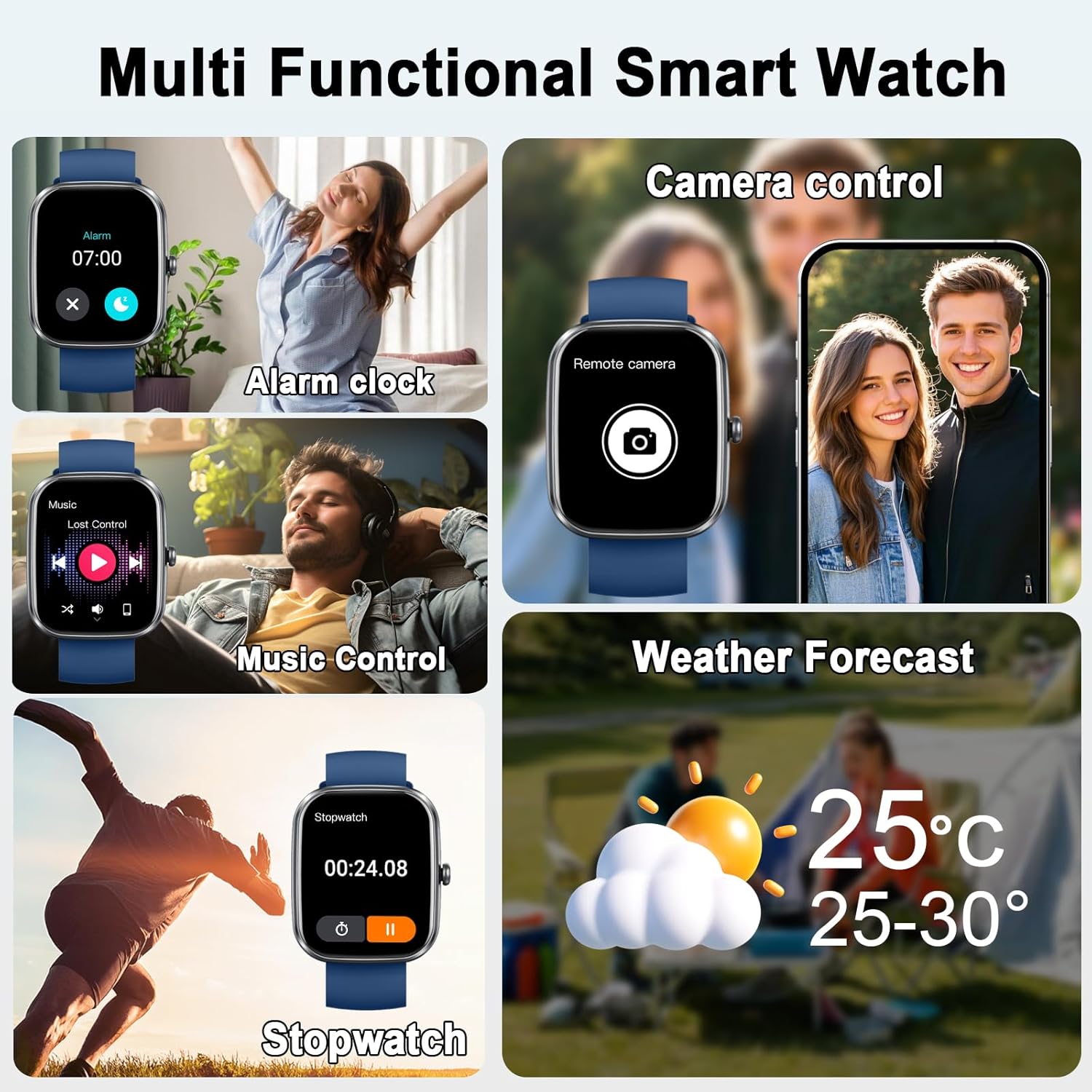
Image: The smartwatch demonstrating its multi-functional capabilities including alarm, music, camera, weather, and stopwatch.
Battery Life and Charging
The smartwatch features a magnetic charging design and a 400 mAh Lithium-polymer battery.
- Charging Time: Approximately 2 hours for a full charge.
- Average Usage: Up to 7 days.
- Standby Time: Up to 30 days.
Image: The smartwatch showcasing its long battery life and charging specifications.
Water Resistance (IP68)
The smartwatch has an IP68 water resistance rating, meaning it is protected against dust and can withstand immersion in water up to 1.5 meters for up to 30 minutes.
- Suitable for daily use, including exposure to rain, splashes, and sweat during sports activities.
- Important Note: It is not recommended to wear the watch during showering or swimming, as hot water, steam, or prolonged immersion may compromise the seal.
Image: Visual representation of the smartwatch's IP68 water resistance against rain, splashes, and sweat.
Maintenance
- Cleaning: Wipe the watch and strap regularly with a soft, dry cloth. If necessary, use a slightly damp cloth and dry thoroughly.
- Avoid Chemicals: Do not use harsh chemicals, cleaning solvents, or strong detergents, as these can damage the watch's finish and seals.
- Charging Contacts: Keep the magnetic charging contacts clean and dry to ensure efficient charging.
- Storage: Store the watch in a cool, dry place when not in use.
Troubleshooting
- Watch not turning on:
Ensure the watch is fully charged. Connect it to the charger for at least 30 minutes.
- Cannot pair with phone:
1. Ensure Bluetooth is enabled on your phone and the watch is discoverable.
2. Make sure the "Glory Fit" app is installed and running.
3. Try restarting both your phone and the smartwatch.
4. If previously paired, remove the watch from your phone's Bluetooth device list and try pairing again.
- Notifications not received:
1. Check if the "Glory Fit" app has notification permissions enabled on your phone.
2. Ensure the app is running in the background and the watch is connected via Bluetooth.
3. Verify notification settings within the "Glory Fit" app.
- AI features not working:
Ensure the smartwatch is actively connected to the "Glory Fit" app via Bluetooth and the app is running on your phone.
- Inaccurate health data:
Ensure the watch is worn snugly on your wrist, not too tight or too loose. Keep the sensor area clean.
Specifications
| Brand | uaue |
| Model Number | T70-AI |
| Display Size | 1.91 Inches |
| Operating System | Android/iOS compatible |
| Connectivity | Bluetooth |
| Special Features | AI Health Analysis, Bluetooth Calling, ChatGPT, 24/7 Heart Rate, Sleep Monitor, Smart Notifications, Activity Tracking, Pedometer, 110+ Sports Modes, Alarm, Stopwatch, Timer, Music Control, Remote Camera, Weather Forecasts, Female Health, Magnetic Charging, AI Agent |
| Battery Capacity | 400 mAh (Lithium-polymer) |
| Water Resistance | IP68 |
| Memory Storage Capacity | 1 GB |
Warranty and Support
Specific warranty information may vary by region and retailer. Please refer to your purchase documentation or contact your retailer for details regarding warranty coverage.
For technical support or further assistance, please refer to the "Glory Fit" app's help section or visit the official uaue website (if available).


