
1. Introduction
The AGXOV M302 is a versatile 144GB MP3 player designed for a comprehensive audio and video experience. Featuring Bluetooth and Wi-Fi connectivity, an Android 9.0 operating system, and a 4.02-inch touchscreen, this device allows access to streaming services like Spotify, Amazon Music, and Audible. It supports a wide range of audio and video formats and offers expandable storage up to 512GB.
2. Package Contents
Verify that all items listed below are included in your package:
- AGXOV M302 MP3 Player
- USB Cable (Type-C)
- User Manual
- Earphones
- Protective Case
- Screen Protector
- Micro SD Card (pre-installed, contributing to 144GB total storage)

Figure 2.1: Contents of the AGXOV M302 MP3 Player package. This image displays the MP3 player, a USB-C charging cable, a user manual, a pair of wired earphones, a clear protective case, and a screen protector.
3. Product Overview
The AGXOV M302 features a compact design with a 4.02-inch touchscreen for intuitive navigation. It includes an integrated speaker and a USB-C port for charging and data transfer.
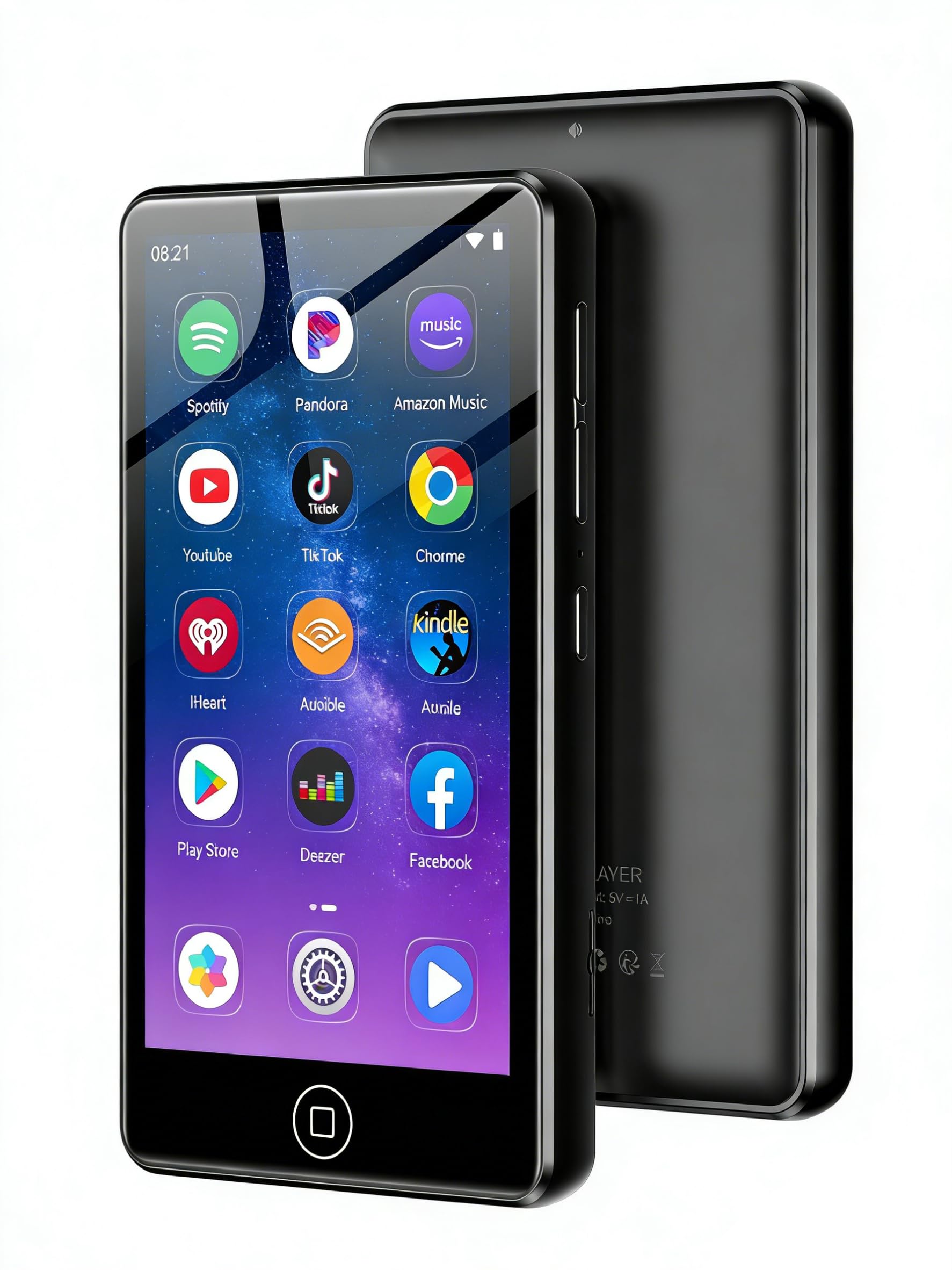
Figure 3.1: Front view of the AGXOV M302 MP3 Player, highlighting its touchscreen display.

Figure 3.2: The AGXOV M302 MP3 Player demonstrating its wide range of functions, including music, video, FM radio, voice recording, and e-book capabilities.
4. Setup
4.1 Charging the Device
Before first use, fully charge the MP3 player. Connect the provided USB-C cable to the device's USB-C port and the other end to a compatible USB power adapter (not included) or a computer's USB port.
- A full charge provides up to 50 hours of music playback or 8 hours of video playback.
- The battery indicator on the screen will show charging status.
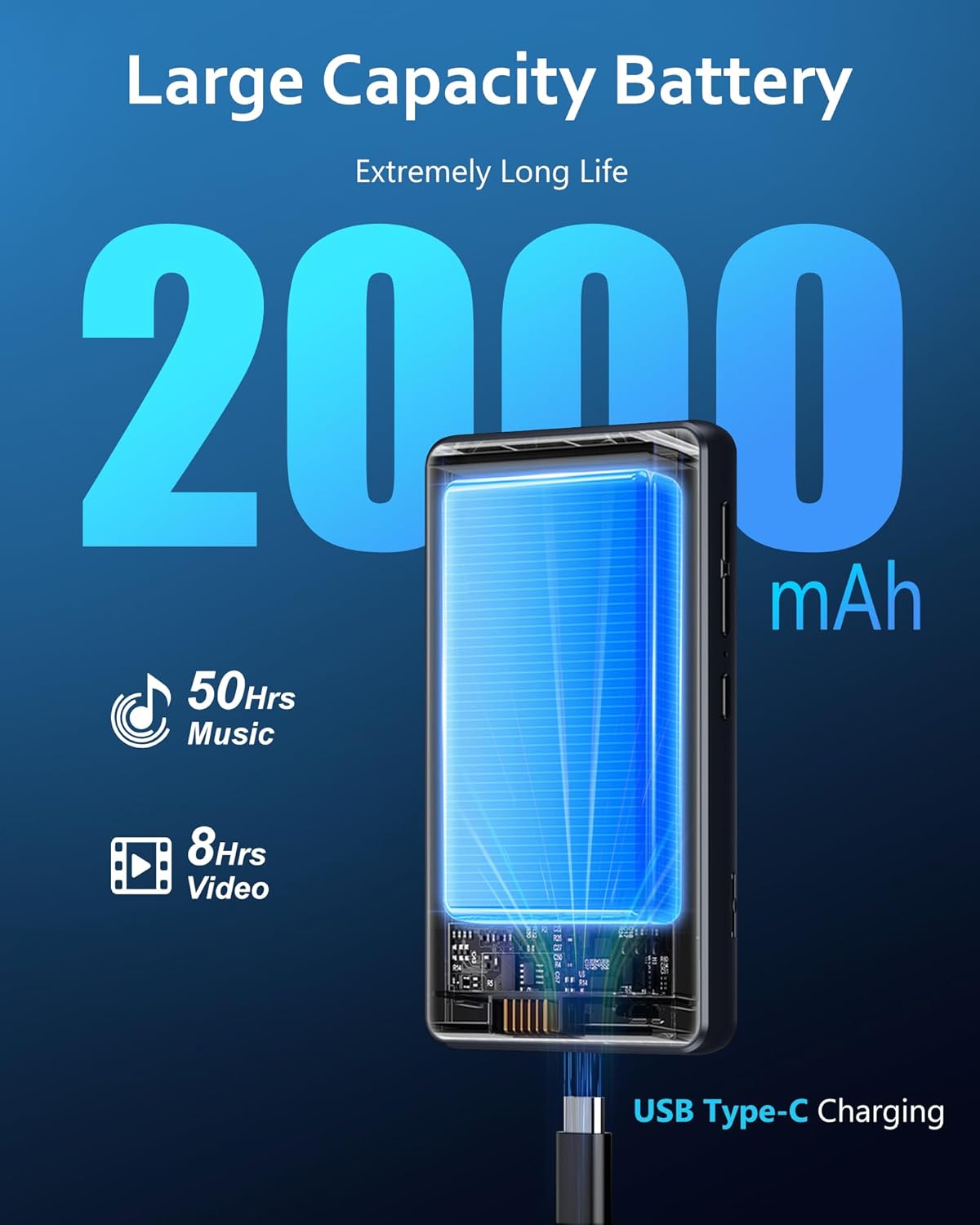
Figure 4.1: The AGXOV M302 MP3 Player being charged via its USB Type-C port, highlighting its 2000mAh battery capacity.
4.2 Power On/Off
- To Power On: Press and hold the Power button (usually on the side) until the screen lights up.
- To Power Off: Press and hold the Power button, then select "Power Off" from the on-screen options.
4.3 Initial Configuration
Upon first power-on, follow the on-screen prompts to set up your device:
- Select your preferred language.
- Connect to a Wi-Fi network for internet access and app downloads.
- Set the date and time.
- Sign in with your Google account to access the Play Store and synchronize data.
5. Operating Instructions
5.1 Basic Navigation
The AGXOV M302 uses a touchscreen interface. Swipe to navigate between screens, tap icons to open applications, and use the back button (if present) or swipe gestures to return to previous screens.
5.2 Music Playback
The device supports various audio formats including MP3, FLAC, APE, WAV, and AAC, delivering high-fidelity sound quality.
- Open the Music app to browse and play local audio files.
- Create custom playlists to organize your music.
- Adjust playback settings such as sequential play, single loop, playlist loop, or random playback.

Figure 5.1: Enjoying high-fidelity audio with the AGXOV M302 MP3 Player, which supports various music formats.

Figure 5.2: Customizing your music experience with search, playback controls, and playlist browsing features on the AGXOV M302.
5.3 Video Playback
The device supports 1080P HD video playback and various formats including RM, RMVB, FLV, MP4, DAT, MKV, MPG, MOV, and TS.
- Open the Video app to watch local video files.
- The 4.02-inch screen provides a clear viewing experience.

Figure 5.3: The AGXOV M302 MP3 Player delivering an excellent 1080P video viewing experience.
5.4 Bluetooth Connectivity
Connect your MP3 player to Bluetooth headphones, speakers, or other compatible devices for wireless audio.
- Go to Settings > Connected devices > Bluetooth.
- Turn on Bluetooth.
- Select "Pair new device" and choose your desired device from the list.
- Confirm pairing on both devices if prompted.
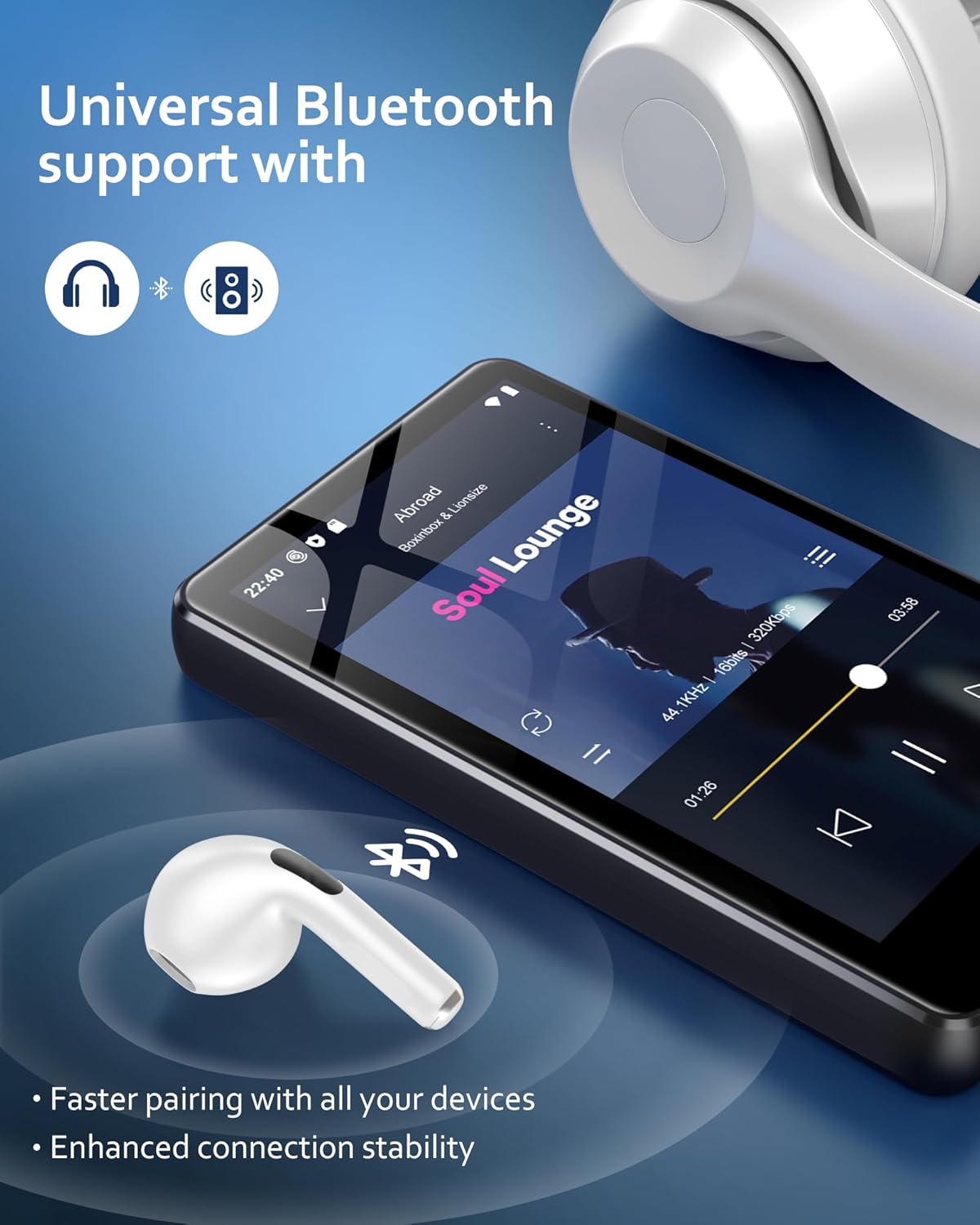
Figure 5.4: The AGXOV M302 MP3 Player demonstrating universal Bluetooth support for headphones and speakers.
5.5 Wi-Fi Connectivity
Connect to a Wi-Fi network to access online streaming services, download apps, and perform system updates.
- Go to Settings > Network & internet > Wi-Fi.
- Turn on Wi-Fi.
- Select your desired network and enter the password if required.
5.6 App Installation and Management
Running on Android 9.0, the AGXOV M302 supports the Google Play Store, allowing you to download and install various applications.
- Pre-installed Apps: Spotify and Amazon Music are pre-installed for immediate streaming access.
- Downloading Apps: Open the Play Store app, search for desired applications, and tap "Install".
- Managing Apps: To uninstall an app, go to Settings > Apps & notifications, select the app, and tap "Uninstall". This can free up storage space.

Figure 5.5: The AGXOV M302 MP3 Player supporting the download of popular applications like Spotify and Amazon Music via Wi-Fi.

Figure 5.6: Personalizing the MP3 player by installing or uninstalling applications to manage storage and customize functionality.
5.7 Storage Management
The device comes with 16GB of internal ROM and a 128GB Micro SD card, totaling 144GB of memory. It supports further expansion up to 512GB via an additional Micro SD card (not included).
- Insert a Micro SD card into the designated slot to expand storage.
- Regularly check storage usage in Settings > Storage to manage files and apps.

Figure 5.7: The internal architecture of the AGXOV M302, showcasing its powerful system and large storage capacity, including Micro SD card expansion.
6. Maintenance
6.1 Cleaning
- Use a soft, dry, lint-free cloth to clean the screen and body of the device.
- Avoid using abrasive cleaners, solvents, or aerosol sprays.
- Do not expose the device to excessive moisture.
6.2 Battery Care
- Avoid extreme temperatures, as they can degrade battery life.
- Do not leave the device fully discharged for extended periods.
- For long-term storage, charge the battery to about 50% and store in a cool, dry place.
6.3 System Updates
Regularly check for and install system updates to ensure optimal performance, security, and compatibility.
- Go to Settings > System > System update.
- Tap "Check for updates" and follow the on-screen instructions.
- Updates can be performed wirelessly via Wi-Fi, without needing a computer.

Figure 6.1: Performing a wireless system update on the AGXOV M302 MP3 Player, eliminating the need for a computer.
7. Troubleshooting
This section addresses common issues you might encounter with your AGXOV M302 MP3 Player.
7.1 Device Will Not Turn On
- Ensure the device is sufficiently charged. Connect it to a charger for at least 30 minutes.
- Press and hold the Power button for 10-15 seconds to perform a forced restart.
7.2 Cannot Connect to Wi-Fi/Bluetooth
- Ensure Wi-Fi/Bluetooth is enabled in Settings.
- Restart the MP3 player and your router/Bluetooth device.
- For Wi-Fi, verify the password and ensure you are within range of the network.
- For Bluetooth, ensure the other device is in pairing mode and within range.
7.3 Apps Crashing or Not Responding
- Close and reopen the app.
- Clear the app's cache: Go to Settings > Apps & notifications, select the app, then Storage & cache > Clear cache.
- Ensure the app and system software are up to date.
- If the issue persists, consider uninstalling and reinstalling the app.
7.4 Poor Sound Quality
- Check the volume level on both the player and connected headphones/speakers.
- Ensure headphones/speakers are properly connected (wired) or paired (Bluetooth).
- Test with different audio files or headphones to isolate the problem.
8. Specifications
| Feature | Detail |
|---|---|
| Brand | AGXOV |
| Model Number | M302 |
| Connectivity Technology | Bluetooth, USB (Type-C), Wi-Fi |
| Memory Storage Capacity | 144 GB (16GB ROM + 128GB Micro SD, expandable up to 512 GB) |
| Screen Size | 4.02 Inches |
| Operating System | Android 9.0 |
| Processor | MTK6750 Octa-core |
| Supported Audio Formats | MP3, FLAC, APE, WAV, AAC, OGG, WMA |
| Supported Video Formats | RM, RMVB, FLV, MP4, DAT, MKV, MPG, MOV, TS (1080P HD) |
| Battery Life (Music) | Up to 50 Hours |
| Battery Life (Video) | Up to 8 Hours |
| Battery Capacity | 2000mAh |
| Included Components | USB Cable, User Manual, Earphones, Protective Case, Screen Protector, Micro SD Card |
9. Warranty and Support
9.1 Warranty Information
Please refer to the warranty card included in your product packaging for detailed warranty terms and conditions. The warranty typically covers manufacturing defects for a specified period from the date of purchase.
9.2 Customer Support
If you encounter any issues not covered in this manual or require further assistance, please contact AGXOV customer support. Contact details can usually be found on the product packaging, the official AGXOV website, or through your retailer.
- Before contacting support, please have your product model number (M302) and purchase information ready.


