
1. Introduction
Thank you for choosing the Baseus 20000mAh 45W Portable Charger, Model E00311. This compact and travel-ready power bank is designed to provide efficient and fast charging for a wide range of electronic devices, including smartphones, tablets, and more. Featuring a high-capacity battery, dual built-in USB-C cables, and multiple output ports, it ensures your devices stay powered on the go. Please read this manual carefully to ensure proper use and maintenance of your device.
2. Product Overview
The Baseus E00311 portable charger combines high capacity with versatile charging options in a compact design. It features a digital display for real-time battery status and wattage output, along with integrated cables for convenience.
2.1 Key Features
- 20000mAh High Capacity: Provides multiple charges for most smartphones and tablets.
- 45W Fast Charging: Supports Power Delivery (PD) for rapid charging of compatible devices.
- Dual Built-in USB-C Cables: Eliminates the need to carry extra cables, offering both input and output functionality.
- Four-in-One Charging: Simultaneously charge up to four devices using the built-in USB-C1 cable, built-in USB-C2 cable, USB-C port, and USB-A port.
- Smart Digital Display: Shows remaining battery percentage and real-time charging wattage.
- NTC Temperature Control: Monitors and regulates internal temperature for safe operation.
- Compact and Portable: Designed for easy carrying and travel.
2.2 Package Contents
- Baseus 20000mAh 45W Portable Charger (Model E00311)
- User Manual
2.3 Component Identification
Familiarize yourself with the various parts of your portable charger:
- Digital Display: Shows battery level and charging status.
- Power Button: Activates the display and initiates charging.
- Built-in USB-C1 Cable: Supports 45W output and 30W input.
- Built-in USB-C2 Cable: Supports 45W output.
- USB-C Port: Supports 45W output and 30W input.
- USB-A Port: Supports 33W output.
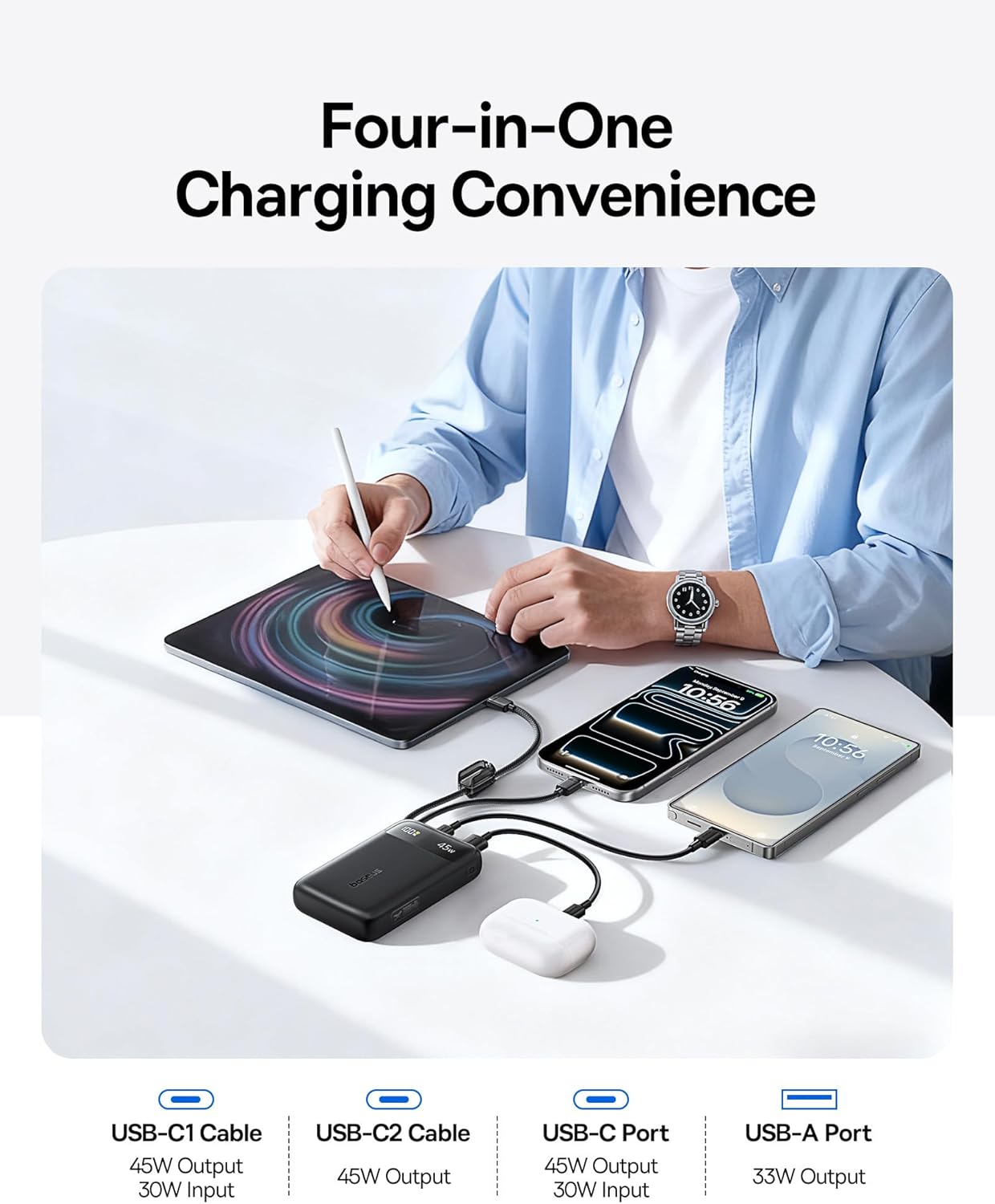
Image: The Baseus portable charger demonstrating its four-in-one charging capability, connected to a tablet, smartphone, and earbuds.
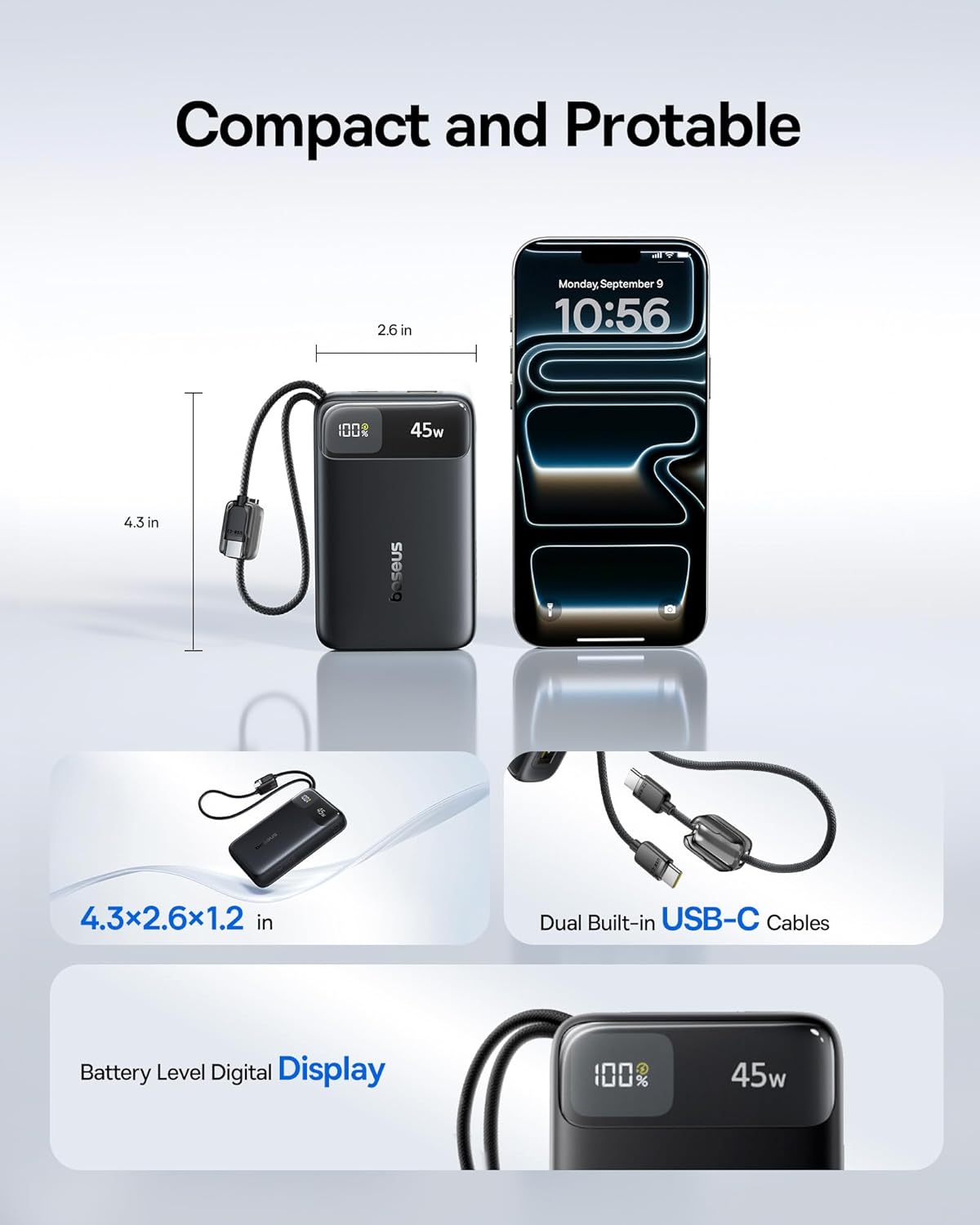
Image: Visual representation of the Baseus portable charger's compact dimensions (4.3 x 2.6 x 1.2 inches) and its dual built-in USB-C cables.
3. Setup
Before first use, it is recommended to fully charge your Baseus portable charger.
3.1 Initial Charging of the Power Bank
- Connect the built-in USB-C1 cable or an external USB-C cable to the USB-C port on the power bank.
- Plug the other end of the cable into a compatible 30W (or higher) USB-C power adapter (not included).
- The digital display will show the charging progress. The power bank is fully charged when the display shows 100%.

Image: The portable charger being recharged using its built-in USB-C cable connected to a wall adapter, illustrating 30W max input.
4. Operating Instructions
4.1 Charging External Devices
The power bank can charge various devices using its multiple output options:
- Using Built-in USB-C Cables: Extend one of the built-in USB-C cables and connect it directly to your device's USB-C charging port.
- Using USB-C Port: Connect your device to the USB-C output port on the power bank using a compatible USB-C to USB-C cable (not included).
- Using USB-A Port: Connect your device to the USB-A output port on the power bank using a compatible USB-A to device-specific cable (not included).
- The digital display will activate, showing the remaining battery percentage and the current wattage output.

Image: The portable charger using its built-in two-way USB-C cable to charge a laptop, highlighting 45W max output.
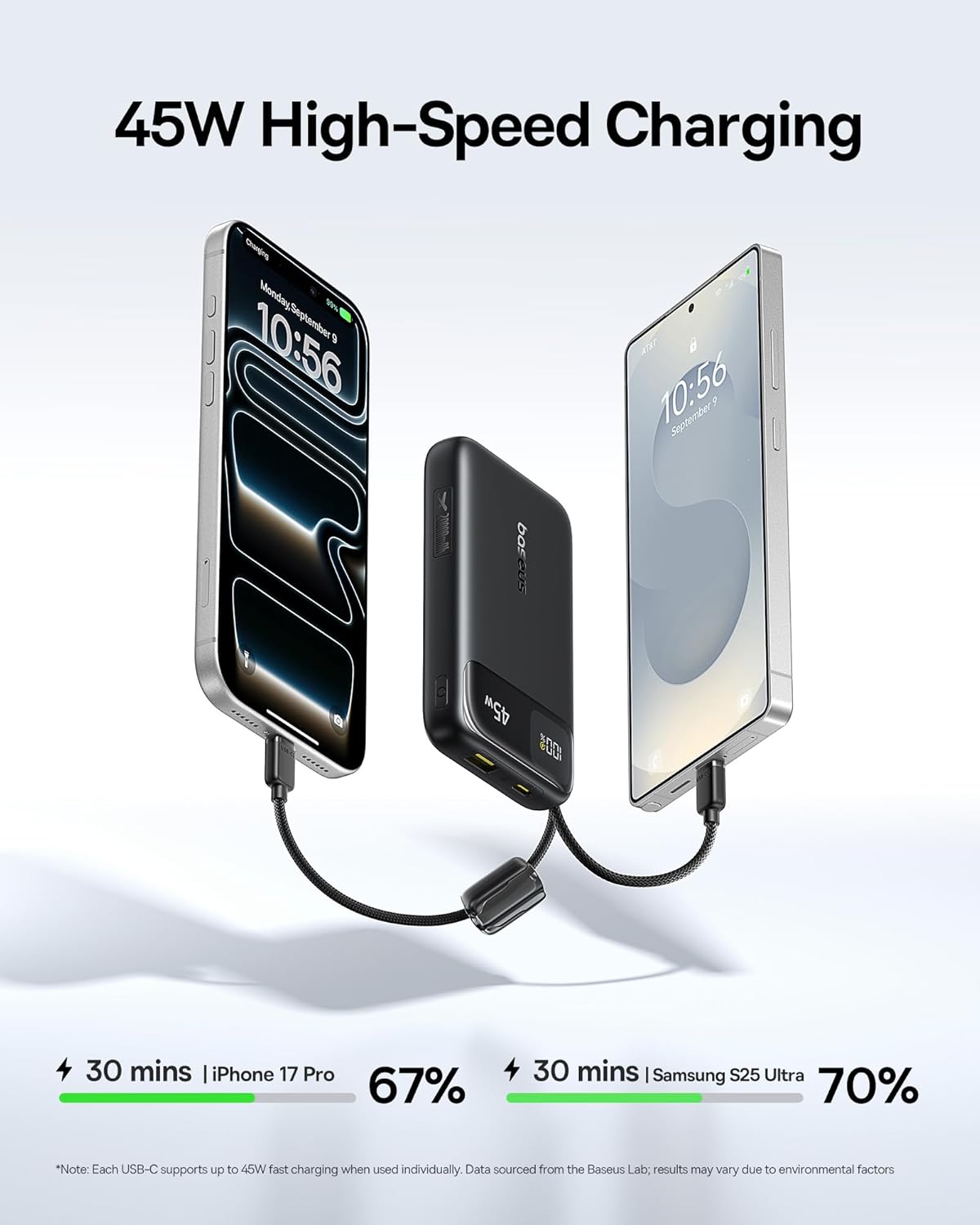
Image: Demonstration of the 45W high-speed charging, showing an iPhone 17 Pro charging to 67% and a Samsung S25 Ultra to 70% in 30 minutes.
4.2 Smart Digital Display
The integrated digital display provides crucial information:
- Battery Percentage: Indicates the remaining power in the power bank.
- Wattage Output: Shows the current charging speed (e.g., 45W).
4.3 Product Video
Video: An official product video from Baseus demonstrating the features and usage of the Baseus EnerFill FC11 45W 20000mAh Power Bank.
5. Maintenance
To ensure the longevity and optimal performance of your power bank, follow these maintenance guidelines:
- Cleaning: Use a soft, dry cloth to clean the surface of the power bank. Avoid liquid cleaners or abrasive materials.
- Storage: Store the power bank in a cool, dry place, away from direct sunlight, extreme temperatures, and humidity.
- Battery Care: For optimal battery health, avoid completely discharging the power bank frequently. Recharge it when the battery level is low. If storing for extended periods, charge it to about 50-70% every three months.
- Cable Care: Handle the built-in cables gently. Avoid excessive pulling, bending, or twisting to prevent damage.
6. Troubleshooting
If you encounter issues with your Baseus portable charger, refer to the following common solutions:
- Device Not Charging:
- Ensure the power bank has sufficient charge. Check the digital display.
- Verify that the charging cable is securely connected to both the power bank and your device.
- Try a different charging cable or port on the power bank.
- Ensure your device is compatible with the power bank's output specifications.
- Slow Charging:
- Confirm that your device supports fast charging protocols (e.g., Power Delivery) and that you are using a compatible cable.
- Charging multiple devices simultaneously may reduce the charging speed for individual devices.
- Environmental factors (e.g., extreme temperatures) can affect charging efficiency.
- Power Bank Not Recharging:
- Ensure the wall adapter is functioning correctly and provides sufficient power (30W USB-C recommended).
- Check the charging cable used to recharge the power bank for any damage.
- Try a different wall outlet or power adapter.
7. Specifications
| Feature | Detail |
|---|---|
| Model Number | E00311 |
| Battery Capacity | 20000 Milliamp Hours |
| Product Dimensions | 1.26 x 4.37 x 2.67 inches |
| Item Weight | 12.8 ounces |
| Max Output Power | 45W |
| Max Input Power | 30W |
| Special Features | Portable, Lightweight, Ultra Slim, Built-in Two USB-C Cables, CCC Certified, Pocket Size, Smart Display, Low Current Mode, Compact, NTC Temperature Control |
| Connector Type | USB Type A, USB Type C |
| Color | Black |
| Manufacturer | Shenzhen Baseus Technology Co., Ltd. |
8. Safety Information
Please observe the following safety precautions to prevent damage to the product or injury to yourself:
- Do not disassemble, modify, or repair the device yourself.
- Do not expose the power bank to water, moisture, or extreme temperatures (above 60°C/140°F or below 0°C/32°F).
- Avoid dropping, hitting, or subjecting the power bank to strong impacts.
- Keep out of reach of children.
- Do not use the power bank if it is damaged, swollen, or leaking.
- Dispose of the power bank responsibly according to local regulations.
- The built-in NTC temperature control system helps prevent overheating during operation.
- This power bank has an airline-approved capacity, making it suitable for air travel.
9. Warranty and Support
Baseus products are designed for reliability and performance. For warranty information, technical support, or any product-related inquiries, please contact Baseus customer service through their official website or the retailer where you purchased the product. Keep your purchase receipt as proof of purchase for warranty claims.


