
Introduction
This manual provides essential instructions for the installation, operation, and maintenance of your SakerPlus Smart 2K Window Security Camera (Model EC105851). Please read this manual thoroughly before using the product to ensure proper function and safety. Keep this manual for future reference.
Product Overview
Package Contents
- SakerPlus Smart 2K Window Security Camera
- Power Cable
- Mounting Sticker
- User Manual (this document)
Camera Components
Familiarize yourself with the camera's key components:

Image: Front, side, and back views of the SakerPlus Smart 2K Window Security Camera, highlighting the light sensor, lens, speaker, power port, SD card slot, and reset button. Dimensions are also shown: 5.3cm/2.08in height and 4.2cm/1.65in width.
- Lens: Captures video footage.
- Light Sensor: Detects ambient light for automatic night vision activation.
- Speaker: For two-way audio communication and alerts.
- Power Port: Connects the camera to the power supply.
- SD Card Slot: For local storage of video recordings (supports up to 128GB MicroSD card, not included).
- Reset Button: Used to reset the camera to factory settings.
Key Features
- 2K Ultra-HD Video: 3MP sensor for clear, detailed video resolution.
- Enhanced Color Night Vision: Provides clear visuals even in low-light conditions up to 32 inches.
- Smart Motion Detection: Intelligent detection system analyzes movement and sends instant alerts.
- 24/7 Continuous Recording: Supports uninterrupted video recording to a MicroSD card or optional cloud storage.
- Easy Peel & Stick Setup: Simple, tool-free installation with an adhesive mount.
- Multi-Camera Monitoring: View live feeds from up to four cameras simultaneously within the app.
- Secure Access Sharing: Share camera access with up to five family members.
- Indoor/Outdoor Use: Designed for versatile placement.
- Wireless Connectivity: Supports 2.4GHz Wi-Fi and Bluetooth for easy pairing.
Setup Instructions
Step 1: Prepare the Mounting Surface
Ensure the window or desired mounting surface is clean and dry for optimal adhesion.

Image: Visual guide for the peel-and-stick installation process. It shows cleaning the window, peeling the backing from the mounting sticker, applying the sticker to the window, and finally attaching the camera to the installed sticker.
- Clean both the inside and outside of the window thoroughly where the camera will be mounted.
- Peel off the protective backing from the mounting sticker.
- Install the adhesive sticker onto the clean window surface, pressing firmly to ensure good contact.
Step 2: Mount the Camera
- Attach the camera firmly onto the installed mounting sticker. Ensure it is securely in place.
- Connect the power cable to the camera's power port and plug it into a power outlet.
Step 3: App Download and Pairing
Download the official SakerPlus app from your smartphone's app store (available for Android and iOS).
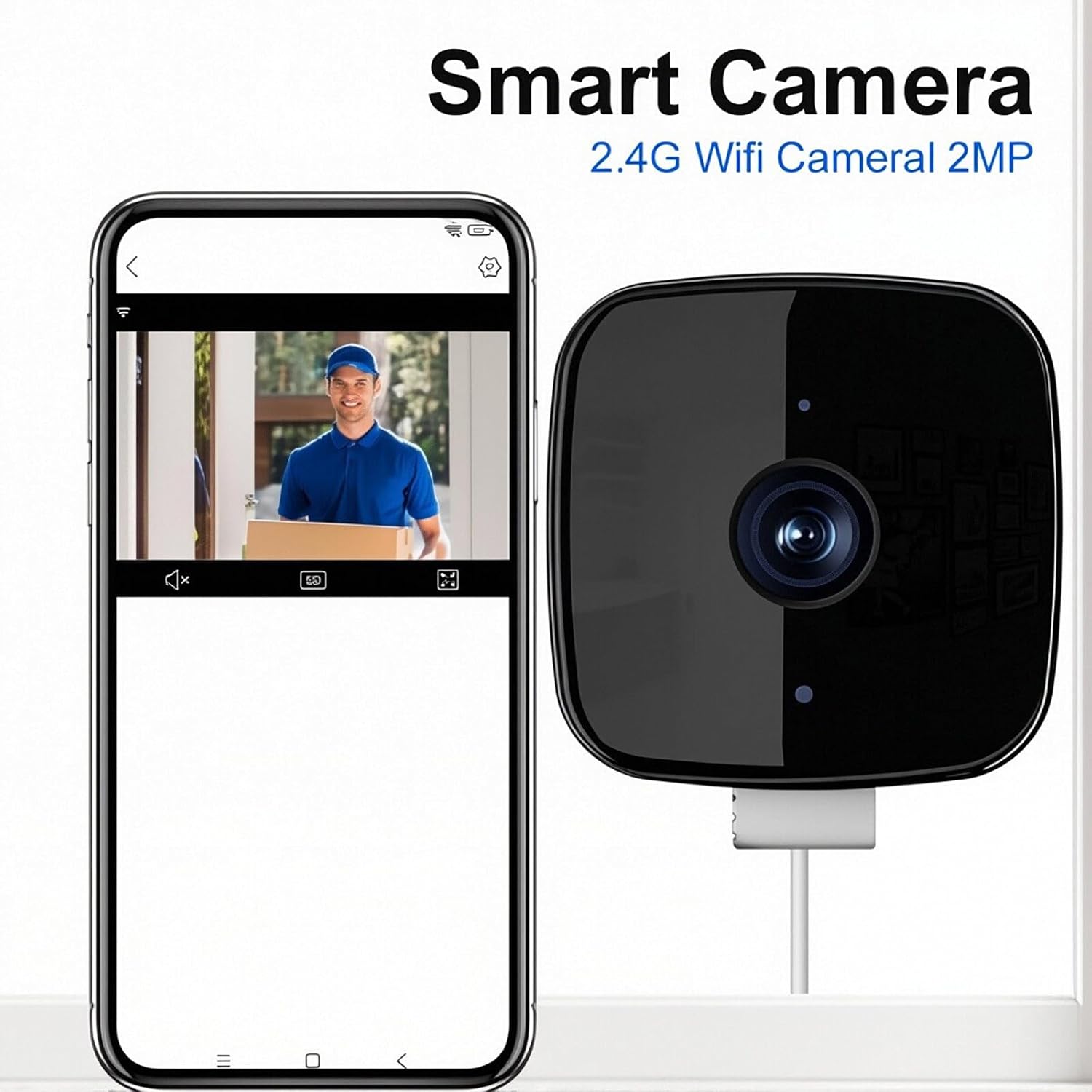
Image: The SakerPlus Smart Camera shown alongside a smartphone screen displaying the camera's live video feed, illustrating the app interface for monitoring.
- Open the SakerPlus app and create an account or log in.
- Follow the in-app instructions to add a new device. This typically involves scanning a QR code on the camera or selecting the camera model from a list.
- Connect the camera to your 2.4GHz Wi-Fi network as prompted by the app.
- Once connected, you can view the live feed and configure settings.
Operating Instructions
Live View and Recording

Image: An illustration demonstrating the camera's 24/7 continuous recording and smart detection capabilities. It shows a person being detected within the camera's 105-degree viewing angle and 60-degree detection angle, with a corresponding alert on a smartphone.
- Open the SakerPlus app to access the live feed from your camera.
- The camera supports 24/7 continuous recording. Ensure a MicroSD card is inserted for local storage, or subscribe to cloud storage for continuous recording.
- Review recorded footage through the app's timeline or event history.
Motion Detection and Alerts
- Configure motion detection sensitivity and alert preferences within the app settings.
- Receive instant notifications on your smartphone when motion is detected.
- The camera features Anti-Glare & Anti-Reflection AI-enhanced clarity with HDR for improved image quality, especially in challenging lighting conditions.

Image: A visual comparison demonstrating the camera's enhanced image clarity. It shows a clear, vivid picture labeled 'More Vivid and Clear Picture' achieved with Anti-Glare & Anti-Reflection AI-enhanced clarity and HDR, contrasted with two 'Other' images that exhibit significant glare and reflection.
Night Vision
- The camera automatically switches to enhanced color night vision in low-light conditions.
- Ensure no obstructions block the camera's view for optimal night vision performance.
Multi-Camera and Sharing

Image: An illustration showcasing the versatility of the SakerPlus Smart Camera, depicting its use in various locations such as a window, cupboard, fish tank, and office glass wall. It also highlights features like multi-device viewing, support for up to 4 cameras, and sharing access with up to 5 users.
- Add multiple SakerPlus cameras to your app for comprehensive monitoring.
- View up to four camera feeds simultaneously on a single screen.
- Share access to your camera feeds with trusted family members through the app's sharing features.
Maintenance
- Cleaning: Gently wipe the camera lens and body with a soft, dry cloth. Avoid using harsh chemicals or abrasive materials.
- Firmware Updates: Regularly check the SakerPlus app for available firmware updates to ensure optimal performance and security.
- Storage Management: If using a MicroSD card, periodically review and manage stored footage to prevent the card from filling up.
Troubleshooting
| Problem | Possible Solution |
|---|---|
| Camera does not power on. |
|
| Unable to connect to Wi-Fi. |
|
| Poor image quality or glare. |
|
| Motion alerts are not received. |
|
| MicroSD card not recording. |
|
Specifications
| Feature | Detail |
|---|---|
| Model Name | EC105851 |
| Video Capture Resolution | 2K (3MP Effective Still Resolution) |
| Connectivity Technology | Wired (Power), Bluetooth, Wi-Fi (2.4GHz) |
| Indoor/Outdoor Usage | Indoor, Outdoor |
| Special Features | HD Resolution, Image Sensor, Local Recording, Motion Sensor, Night Vision (Color) |
| Mount Type | Window Mount (Self Adhesive) |
| Compatible Devices | Smartphone, Tablet (Android, iOS) |
| Viewing Angle | 105 Degrees |
| Night Vision Range | 32 Inches |
| Storage | Micro SD (up to 128 GB) |
| Item Dimensions (L x W x H) | 2.08 x 1.65 x 1 inches |
| Power Source | Corded Electric |
Warranty Information
Specific warranty details for the SakerPlus Smart 2K Window Security Camera are typically provided with the product packaging or available on the official SakerPlus website. Please refer to these sources for comprehensive warranty terms and conditions.
Customer Support
For technical assistance, troubleshooting, or further inquiries regarding your SakerPlus Smart 2K Window Security Camera, please visit the official SakerPlus website or contact their customer support channels as listed on their website or product packaging.