
COMHOMA B200
COMHOMA Makeup Vanity Desk B200 User Manual
Model: B200
Important Safety Information
Please read and understand all safety instructions before assembly and use. Failure to follow these instructions may result in injury or damage to the product.
- Assembly may require tools and careful handling to avoid injury.
- Always unplug electrical components before cleaning or maintenance.
- Keep electrical components away from water and heat sources.
- Do not overload power outlets.
- Always follow manufacturer's instructions for safe use and assembly.
Product Overview
The COMHOMA Makeup Vanity Desk B200 is designed to provide a functional and organized space for your beauty routine. It features a large mirror with adjustable LED lighting, multiple storage drawers, and a built-in charging station.
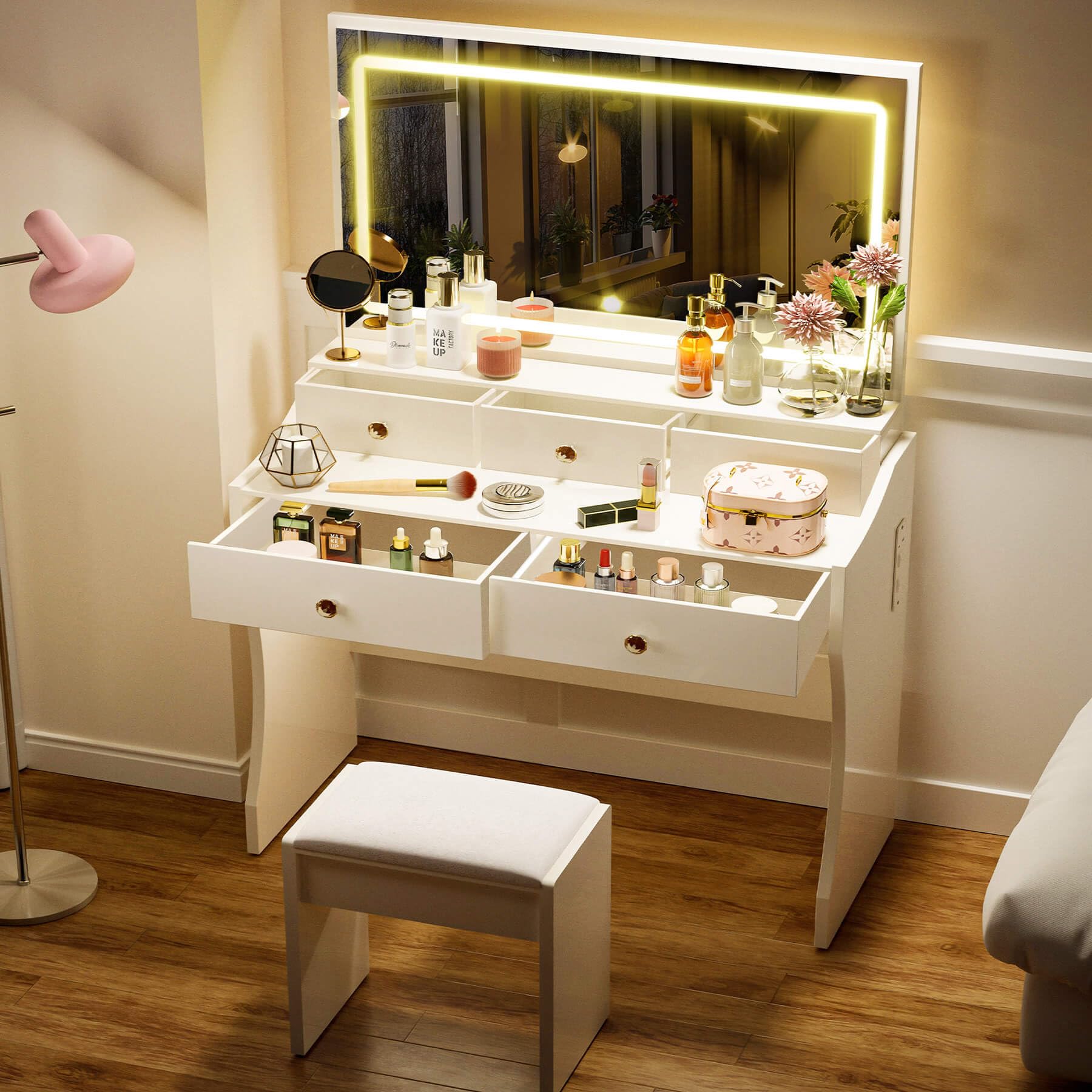
Image: The COMHOMA Makeup Vanity Desk B200 in pearl white, featuring the illuminated mirror, five drawers, and a matching stool.
Key Features:
- Large rectangular mirror with integrated LED lighting.
- LED mirror with 3 color modes (Cold white, Warm white, Warm yellow) and stepless dimmable brightness.
- Five storage drawers for organizing cosmetics and accessories.
- Built-in charging station with 2 standard AC outlets (125V/12A) and 2 USB ports (5V/2A).
- Durable engineered wood construction with crystal-inspired knobs.

Image: A diagram illustrating the dimensions of the COMHOMA Makeup Vanity Desk B200, including overall height, width, depth, and individual drawer measurements.
Setup and Assembly
The COMHOMA Makeup Vanity Desk B200 requires assembly. All necessary parts and accessories are labeled for easy identification. Follow the included instructions carefully.
Assembly Steps:
- Unpack all components and verify against the parts list provided in the packaging.
- Assemble the main desk frame according to the diagrams. Ensure all screws and fasteners are securely tightened.
- Install the drawers into their respective slots.
- Attach the mirror unit to the desk. Connect the power cable for the LED lights.
- Place the stool (if included) in front of the desk.
For a visual guide, please refer to the official installation video:
Video: Official installation guide for the COMHOMA Vanity Desk B200, demonstrating step-by-step assembly.
Operating Instructions
LED Mirror Lights:
The mirror features integrated LED lights with adjustable settings.
- Power On/Off: Locate the touch sensor on the mirror surface. Tap once to turn the lights on or off.
- Change Color Mode: With the lights on, tap the touch sensor repeatedly to cycle through the three color modes: Cold White, Warm White, and Warm Yellow.
- Adjust Brightness: With the lights on, press and hold the touch sensor to dim or brighten the lights. Release when the desired brightness is achieved.
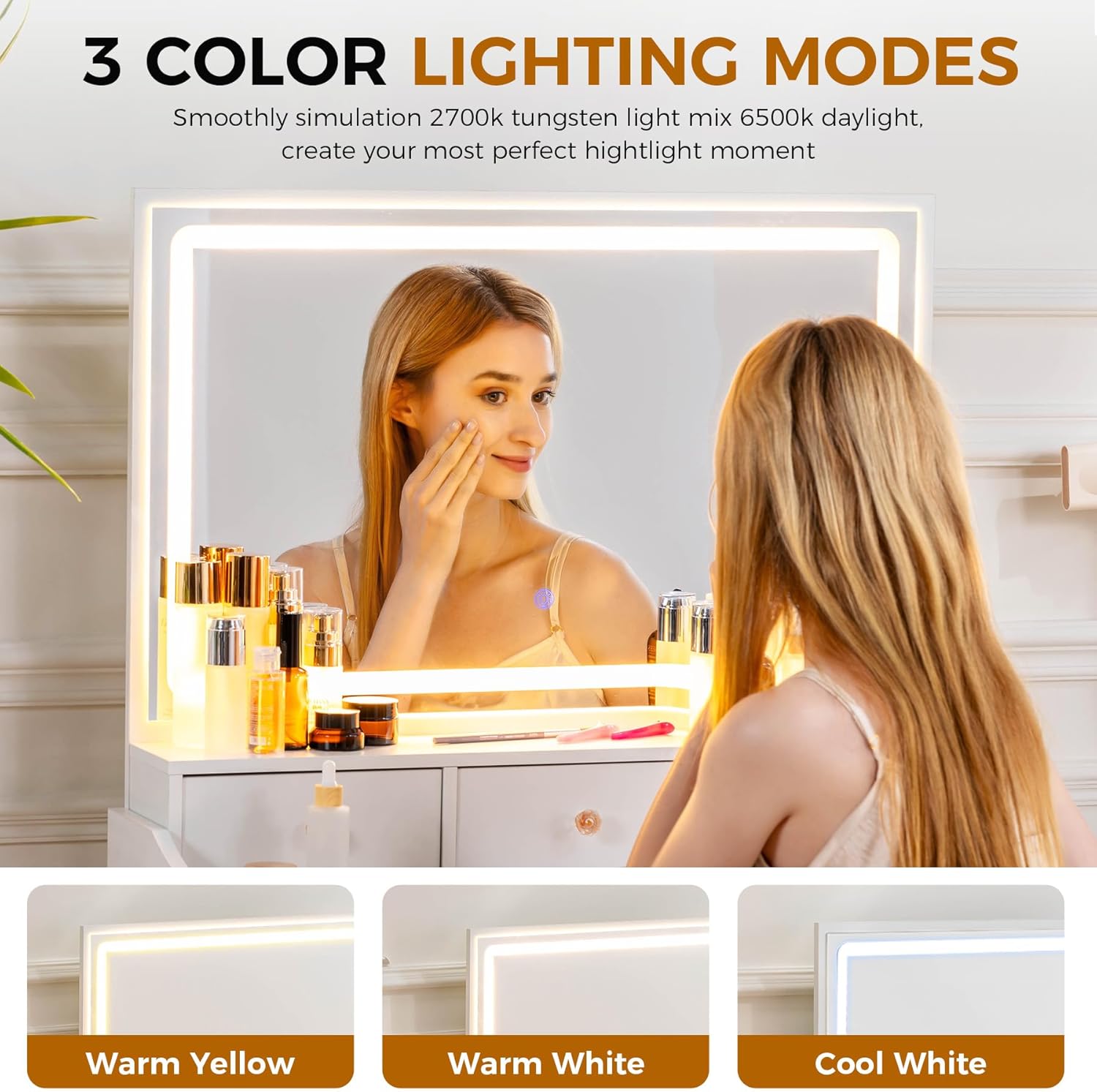
Image: The vanity mirror displaying the three available lighting modes: Warm Yellow, Warm White, and Cool White.
Built-in Charging Station:
The vanity desk includes a power strip for convenient charging of electronic devices.
- Ensure the vanity desk is properly plugged into a wall outlet.
- The charging station provides 2 standard AC outlets (125V/12A) and 2 USB ports (5V/2A).
- Plug in your devices (e.g., phone, hair dryer) into the appropriate ports.
- Do not exceed the maximum electrical load of the charging station.
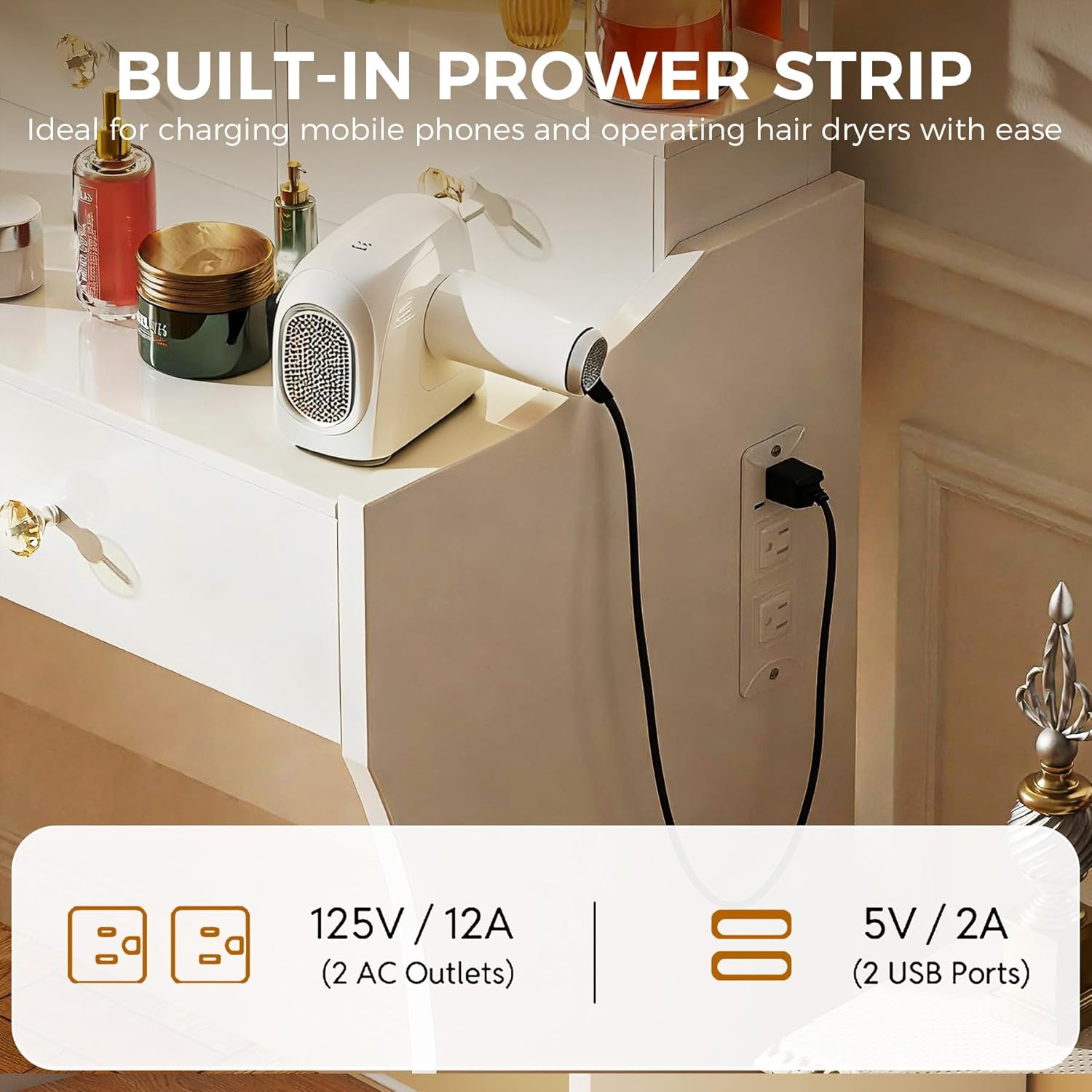
Image: A close-up of the built-in charging station on the side of the vanity desk, showing two AC outlets and two USB ports.
Drawer Usage:
The desk features five drawers for organized storage.
- Gently pull the crystal-inspired knobs to open the drawers.
- The drawers are of various sizes to accommodate different items.
- To remove a drawer for cleaning or access, pull it out fully and lift slightly.

Image: The vanity desk with several drawers open, showcasing the ample storage space for cosmetics and accessories.
Maintenance
Proper care will extend the life and appearance of your vanity desk.
- Cleaning: Wipe clean with a soft, damp cloth. Avoid harsh chemicals or abrasive cleaners that may damage the finish.
- Mirror Care: Use a glass cleaner specifically designed for mirrors. Spray onto a cloth, then wipe the mirror surface. Do not spray directly onto the mirror to prevent liquid from seeping into the LED components.
- Drawer Maintenance: Periodically check drawer slides for smooth operation. If drawers become stiff, a small amount of silicone lubricant can be applied to the slides.
- Electrical Components: Ensure all electrical connections are secure. If any part of the charging station or LED lights appears damaged, discontinue use and contact support.
Troubleshooting
If you encounter issues with your vanity desk, refer to the following common solutions:
| Problem | Possible Cause | Solution |
|---|---|---|
| LED lights do not turn on. | Power cable not connected; power outlet not working; touch sensor malfunction. | Ensure power cable is securely plugged in. Test the outlet with another device. Gently tap the touch sensor. If issue persists, contact support. |
| Lights are not dimming or changing color. | Incorrect operation of touch sensor. | Tap the sensor to change color mode. Press and hold the sensor to adjust brightness. |
| Charging station not working. | Desk not plugged in; device not properly connected; overloaded circuit. | Verify the desk is plugged into a live outlet. Ensure devices are fully inserted. Do not exceed the rated capacity of the charging station. |
| Drawers are sticking or difficult to open. | Obstruction in drawer slide; debris; misaligned. | Remove the drawer and check for obstructions. Clean the drawer slides. Realign the drawer. |
Specifications
| Feature | Detail |
|---|---|
| Model Number | B200 |
| Brand | COMHOMA |
| Color | Pearl-white |
| Material | Engineered Wood (MDF) |
| Product Dimensions (D x W x H) | 16"D x 31.5"W x 54.3"H |
| Item Weight | 49.5 Pounds |
| Number of Drawers | 5 |
| Mirror Type | LED Mirror, Stepless Dimmable, 3 Color Modes |
| Charging Station | 2 AC Outlets (125V/12A), 2 USB Ports (5V/2A) |
| Assembly Required | Yes |
| UPC | 810211832396 |
Warranty Information
COMHOMA provides the following warranty for this product:
- 1-Year Warranty: Free replacement for damaged or defective parts within 1 year from the date of purchase.
- 30-Day Quality Guarantee: Free replacement or refund for any quality problems within 30 days from the date of purchase.
Please retain your proof of purchase for warranty claims.
Customer Support
For further assistance, questions, or to report any issues, please contact COMHOMA customer service. Refer to your purchase documentation or the COMHOMA official website for contact details.
When contacting support, please have your model number (B200) and proof of purchase readily available.
Ask a question about this manual
Ask about setup, troubleshooting, compatibility, parts, safety, or missing instructions. Manuals+ will review the question and use this page’s manual context to help answer it.