Introduction
This manual provides detailed instructions for the installation, operation, and maintenance of the EGBYXSAP GPOE208 POE Switch. Please read this manual thoroughly before using the device to ensure proper functionality and safety.
Setup
Package Contents
Verify that all items are present in the package:
- EGBYXSAP GPOE208 POE Switch
- Power Cord
- User Manual
Physical Installation
- Placement: Position the POE switch on a stable, flat surface or mount it in a rack. Ensure adequate ventilation around the device to prevent overheating.
- Power Connection: Connect the provided power cord to the AC-IN port on the rear of the switch and then to a standard AC power outlet (AC100-240V, 50/60Hz).
- Network Connections:
- Connect your network devices (e.g., IP cameras, wireless access points) to the 8*10/100/1000M POE Ports. These ports provide both data and power.
- Connect your uplink devices (e.g., router, NVR) to the 2*10/100/1000M Uplink Ports.
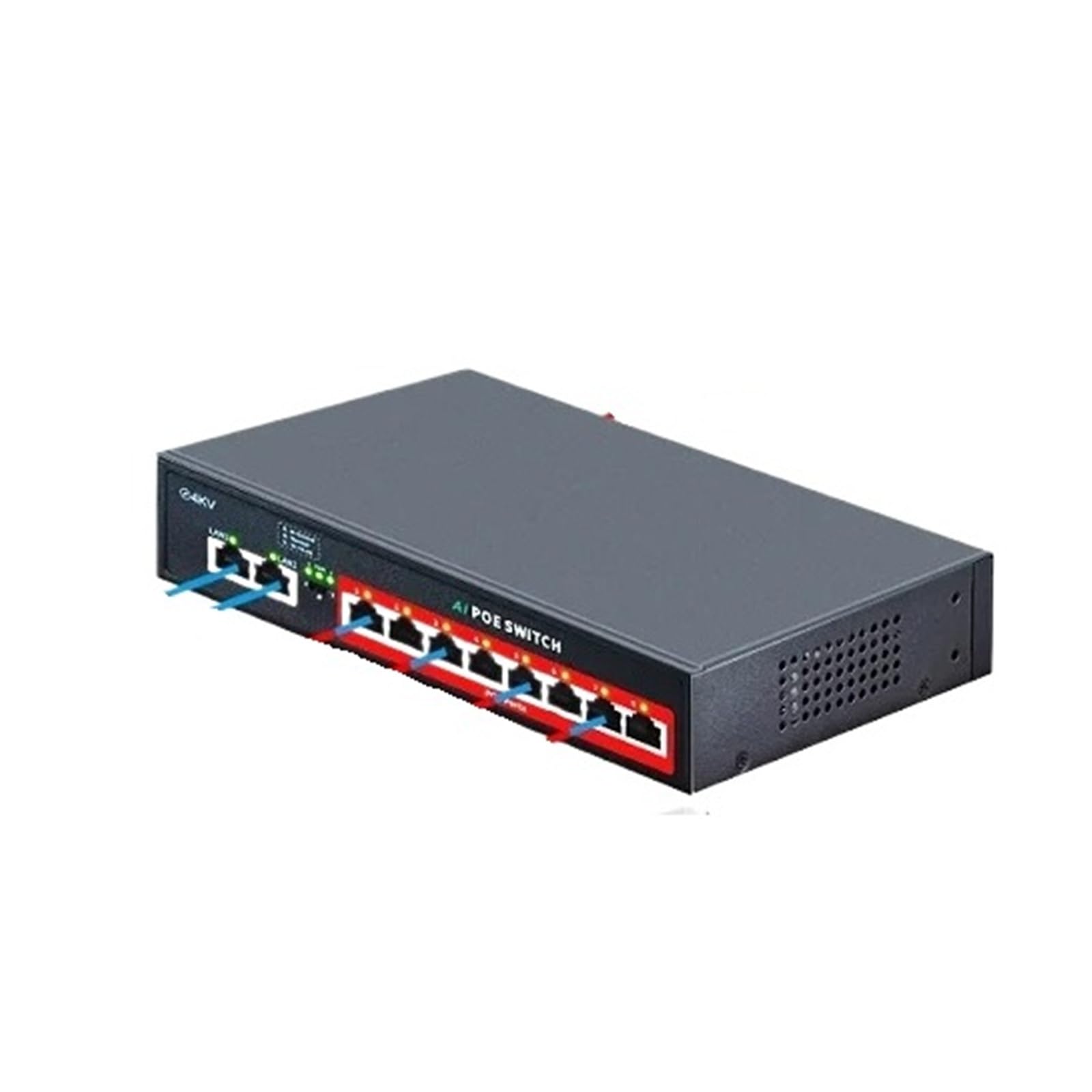 Image: Front, side, and rear views of the EGBYXSAP GPOE208 POE Switch, illustrating its dimensions (190mm x 140mm x 43mm), port configuration (8 POE ports, 2 uplink ports), and AC power input.
Operating Instructions
Powering On
Once the power cord is connected, the switch will automatically power on. The LED indicators on the front panel will illuminate to show the status of the device and connected ports.
LED Indicators
Refer to the following table for LED indicator meanings:
| LED Indicator | Status | Description |
|---|---|---|
| Power LED | Solid Green | Device is powered on. |
| Link/Act LED (per port) | Solid Green | Port is connected. |
| Link/Act LED (per port) | Flashing Green | Data activity on the port. |
| POE LED (per POE port) | Solid Green | POE power is being supplied. |
POE Functionality
The 8 POE ports automatically detect and supply power to IEEE 802.3af/at compliant Powered Devices (PDs). Each POE port can deliver up to 30W of power.
Maintenance
Cleaning
Regularly clean the exterior of the switch with a soft, dry cloth. Do not use liquid or aerosol cleaners. Ensure the ventilation openings are free from dust and obstructions.
Firmware Updates
Periodically check the manufacturer's website for available firmware updates. Follow the provided instructions carefully when performing firmware updates to avoid damaging the device.
Environmental Considerations
Operate the switch within its specified temperature and humidity ranges. Avoid exposing the device to direct sunlight, excessive heat, or moisture.
Troubleshooting
- No Power: Ensure the power cord is securely connected to both the switch and the power outlet. Verify the power outlet is functional.
- No Link/Activity: Check the network cables for proper connection and integrity. Ensure the connected device is powered on and functioning correctly.
- POE Device Not Powering On:
- Verify the connected device is IEEE 802.3af/at compliant.
- Check if the total power budget of the switch is exceeded.
- Ensure the cable length does not exceed the maximum recommended distance for POE (typically 100 meters).
- Slow Network Speed: Check for network congestion or faulty cables. Ensure all devices are operating at compatible speeds.
Specifications
| Feature | Detail |
|---|---|
| Model | GPOE208 (SSC-GPOE208) |
| Ports | 8 x 10/100/1000M POE Ports, 2 x 10/100/1000M Uplink Ports |
| POE Standard | IEEE 802.3af/at (AF/AT) |
| Max Power Per POE Port | 30W |
| Bandwidth | 20.0Gbps |
| Power Input | AC100-240V 50/60Hz, 120W/52V |
| Dimensions (L x W x H) | 190mm x 140mm x 43mm |
| Built-in Power Adapter | Yes |
Warranty Information
EGBYXSAP warrants this product against defects in material and workmanship under normal use for a period specified at the point of purchase. This warranty does not cover damage caused by accident, misuse, abuse, improper installation, or unauthorized repair. Please retain your proof of purchase for warranty claims.
Customer Support
For technical support or customer service inquiries, please contact EGBYXSAP through the retailer where the product was purchased or visit the official EGBYXSAP website for contact information.
Note: Product specifications and information are subject to change without notice.


