
1. Introduction
This manual provides essential information for the safe and efficient operation of your Aeitto ICE001 Countertop Ice Maker. Please read all instructions carefully before use and retain this manual for future reference.
2. Important Safety Instructions
- Ensure the appliance is placed on a stable, level surface away from heat sources and direct sunlight.
- Do not immerse the appliance, power cord, or plug in water or other liquids.
- Supervise children when the appliance is in use.
- Unplug the ice maker before cleaning or when not in use.
- Do not operate the appliance with a damaged cord or plug.
- Use only potable water in the water reservoir.
- Do not block ventilation openings.
- This appliance is for household use only.
3. Product Overview
Familiarize yourself with the components of your Aeitto ICE001 Ice Maker.
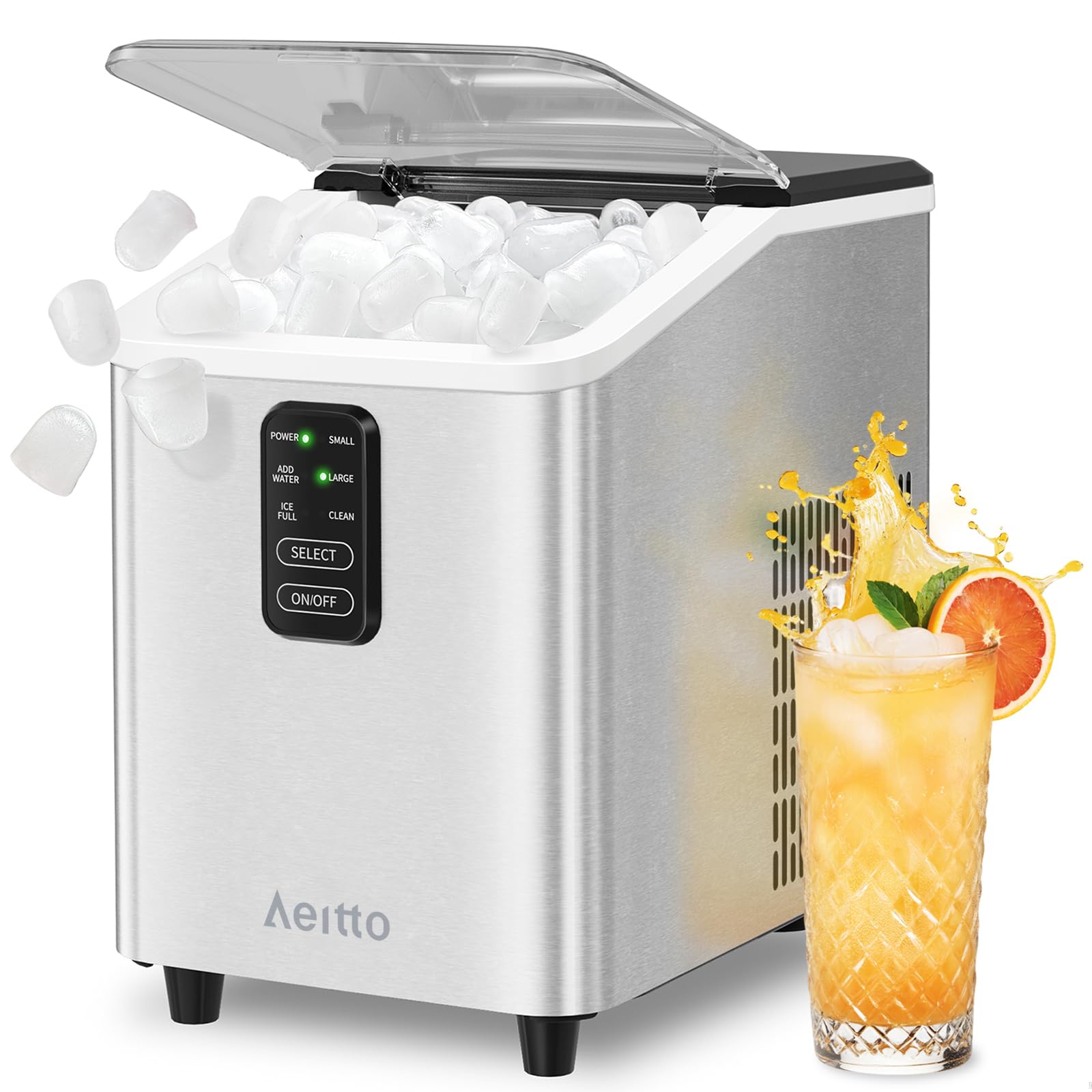
Figure 3.1: Aeitto ICE001 Countertop Ice Maker
Control Panel Features:
- POWER Indicator: Illuminates when the unit is powered on.
- SMALL/LARGE Indicators: Show the selected ice cube size.
- ADD WATER Indicator: Illuminates when the water reservoir needs refilling.
- ICE FULL Indicator: Illuminates when the ice basket is full.
- CLEAN Indicator: Illuminates during the self-cleaning cycle.
- SELECT Button: Press to choose between small and large ice cube sizes.
- ON/OFF Button: Press to turn the unit on or off. Hold for 5 seconds to activate self-cleaning.
4. Setup and First Use
- Unpacking: Carefully remove the ice maker from its packaging. Remove all packing materials, including the ice basket and scoop from inside the unit.
- Placement: Place the ice maker on a flat, stable surface. Ensure there is adequate ventilation around the unit (at least 4 inches of space on all sides).
- Initial Cleaning: Before first use, clean the interior of the ice maker.
- Open the lid and remove the ice basket.
- Clean the interior with a soft cloth and warm, soapy water. Rinse thoroughly.
- Drain any water from the reservoir.
- Power Connection: Plug the power cord into a grounded electrical outlet. The POWER indicator will blink.
- Add Water: Open the lid and fill the water reservoir with potable water up to the MAX fill line. Do not overfill.
Video 4.1: Unboxing and initial setup of the Aeitto Countertop Ice Maker.
5. Operating Instructions
- Turn On: Press the ON/OFF button. The POWER indicator will illuminate steadily, and the unit will begin the ice-making cycle. By default, it will start making small ice cubes.
- Select Ice Size: To change the ice cube size, press the SELECT button. The corresponding SMALL or LARGE indicator will light up.
- Ice Production: The first batch of ice will be ready in approximately 6-8 minutes. Subsequent batches may be faster.
- Ice Collection: Once ice is produced, it will drop into the ice basket. The ICE FULL indicator will light up when the basket is full, and the unit will pause ice production. Remove ice to resume.
- Add Water Reminder: If the water level is too low, the ADD WATER indicator will illuminate, and the unit will stop making ice. Refill the reservoir to resume operation.
- Turn Off: Press the ON/OFF button to stop the ice maker.

Figure 5.1: Control panel with indicator lights for power, ice size, water, and ice full status.

Figure 5.2: The ice maker actively producing bullet-shaped ice cubes.
6. Maintenance and Cleaning
6.1 Automatic Self-Cleaning Function
The ice maker features an automatic self-cleaning cycle to maintain hygiene and ice purity.
- Ensure the water reservoir is filled with clean water.
- Press and hold the ON/OFF button for 5 seconds. The CLEAN indicator will illuminate, and the unit will begin a 15-minute cleaning cycle.
- Once the cycle is complete, drain the water from the unit by removing the drain plug located at the bottom.
- Rinse the interior with fresh water and drain again.

Figure 6.1: Visual guide to the self-cleaning function.
6.2 Descaling
To prevent mineral buildup, descale your ice maker regularly, especially in hard water areas.
- Moderately Hard Water: Descale once a month.
- Hard to Very Hard Water: Descale every two or three weeks.
- Use a descaling solution suitable for ice makers or a mixture of water and vinegar. Follow the product's instructions for descaling.

Figure 6.2: Descaling frequency recommendations based on water hardness.
7. Troubleshooting
| Problem | Possible Cause | Solution |
|---|---|---|
| ADD WATER indicator illuminates. | Water reservoir is empty or water level is too low. | Refill the water reservoir with potable water up to the MAX fill line. |
| ICE FULL indicator illuminates. | Ice basket is full. | Remove ice from the basket. Ice production will resume automatically. |
| Ice maker is not producing ice. | No water, ice full, or unit is not powered on. | Check water level, empty ice basket, and ensure unit is plugged in and turned on. |
| Ice cubes are too small or melt quickly. | Ambient temperature is too high, or water temperature is too warm. | Ensure the unit is in a cool environment. Use colder water for faster and firmer ice. Select "LARGE" ice size. |
8. Specifications
| Feature | Detail |
|---|---|
| Brand | Aeitto |
| Model Name | ICE001 |
| Product Dimensions (D x W x H) | 11.9"D x 7.3"W x 10.8"H |
| Ice Production Capacity | Up to 26 lbs per 24 hours |
| Ice Cube Shape | Bullet |
| Ice Cube Sizes | Small, Large |
| First Ice Batch Time | Approximately 6 minutes |
| Self-Cleaning Function | Yes |
9. Warranty and Support
For warranty information, technical support, or customer service inquiries, please refer to the warranty card included with your product or visit the official Aeitto website. Keep your purchase receipt as proof of purchase.