
1. Product Overview
The ANDOLL HOME Automatic Cat Feeder (Model FT-3S) is designed to provide scheduled and portion-controlled meals for your pet, ensuring a healthy and consistent feeding routine. This 4.0 L capacity feeder is suitable for dry food with kibble sizes ranging from 2-12mm (0.07-0.5 inches).
- Smooth Feeding System: Designed to prevent food blockages and ensure consistent dispensing.
- Custom Voice Recording: Record a 10-second message to call your pet at meal times.
- Fresh Food Storage: Features a sealed ring and desiccant box to keep food dry and fresh.
- Multiple Power Options: Can be powered by a 5V DC adapter or 3 D-cell batteries (not included) for backup.
- Programmable Display: Easy-to-use screen for setting meal times and portions.
2. Safety Instructions
- Always supervise children when they are near the feeder.
- Use only dry pet food with kibble sizes between 2-12mm. Do not use wet food.
- Keep the feeder away from water and direct sunlight.
- Ensure the power cord is not chewed by pets.
- For indoor use only.
- Do not immerse the main unit in water.
3. Product Components
The ANDOLL HOME Automatic Cat Feeder comes with the following components:
- Pet Feeder Body (main unit with control panel)
- Food Storage Jar (4.0 L capacity)
- Food Distribution System (internal mechanism)
- Sealed Lid with Desiccant Box
- Feeding Basin (removable bowl)
- 5V DC Power Adapter
- USB Type-C Power Cord
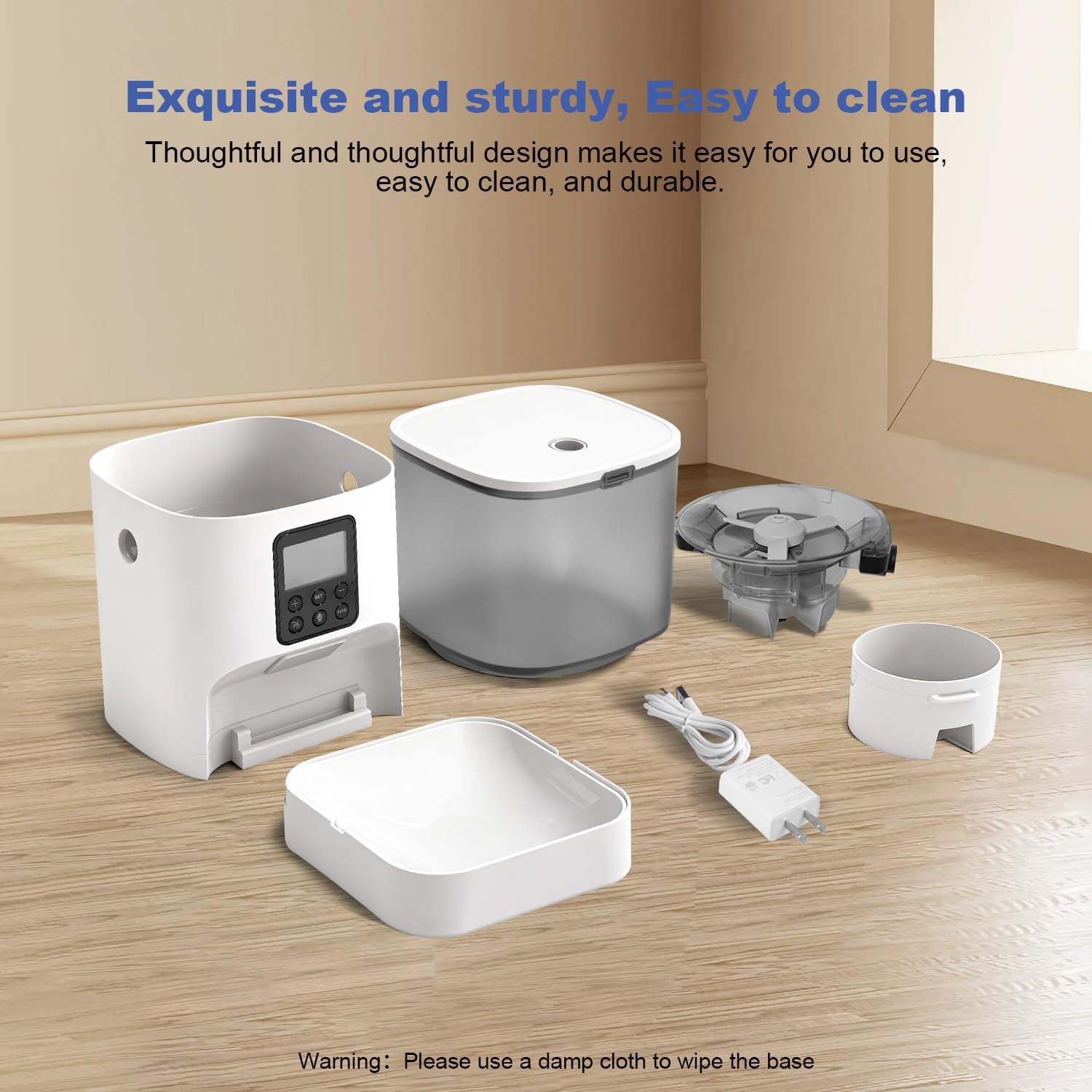
Image: All components of the ANDOLL HOME Automatic Cat Feeder, including the main unit, food storage jar, lid, feeding basin, and power accessories.
4. Setup Guide
4.1 Assembly
- Attach Feeding Basin: Slide the feeding basin onto the main feeder body until it clicks securely into place.
- Install Food Distribution System: Align the arrow mark on the food distribution system with the unlocking arrow mark on the food storage canister. Pinch the two black tabs with both hands and turn clockwise until the alignment arrow mark of the food dispenser aligns with the locking arrow mark of the food storage can.
- Place Food Storage Jar: Insert the food storage jar onto the main unit, ensuring the food dispenser's outlet faces the screen of the feeder. You will hear two clicks when it's properly secured.
- Power Connection: Open the battery compartment at the bottom of the feeder. Insert 3 D-cell alkaline batteries (not included) for power outage backup. Connect the Type-C power cord to the Type-C interface at the bottom of the feeder, routing the cable through the designated track to prevent it from being pinched. Insert the USB interface into the power adapter and plug it into a wall outlet.
- Install Desiccant: Open the sealed lid and place the included desiccant pack into the desiccant box. Close the lid securely.
- Fill Food Tank: Open the sealed lid and pour dry pet food (kibble size 2-12mm) into the food storage jar. Close the lid securely using the twist-lock design to prevent pets from opening it and to maintain food freshness.
Video: Demonstrates how to connect the food dispenser and food tank for the ANDOLL HOME Automatic Cat Feeder.
Video: Shows the step-by-step assembly process for the 4L ANDOLL HOME Automatic Pet Feeder.
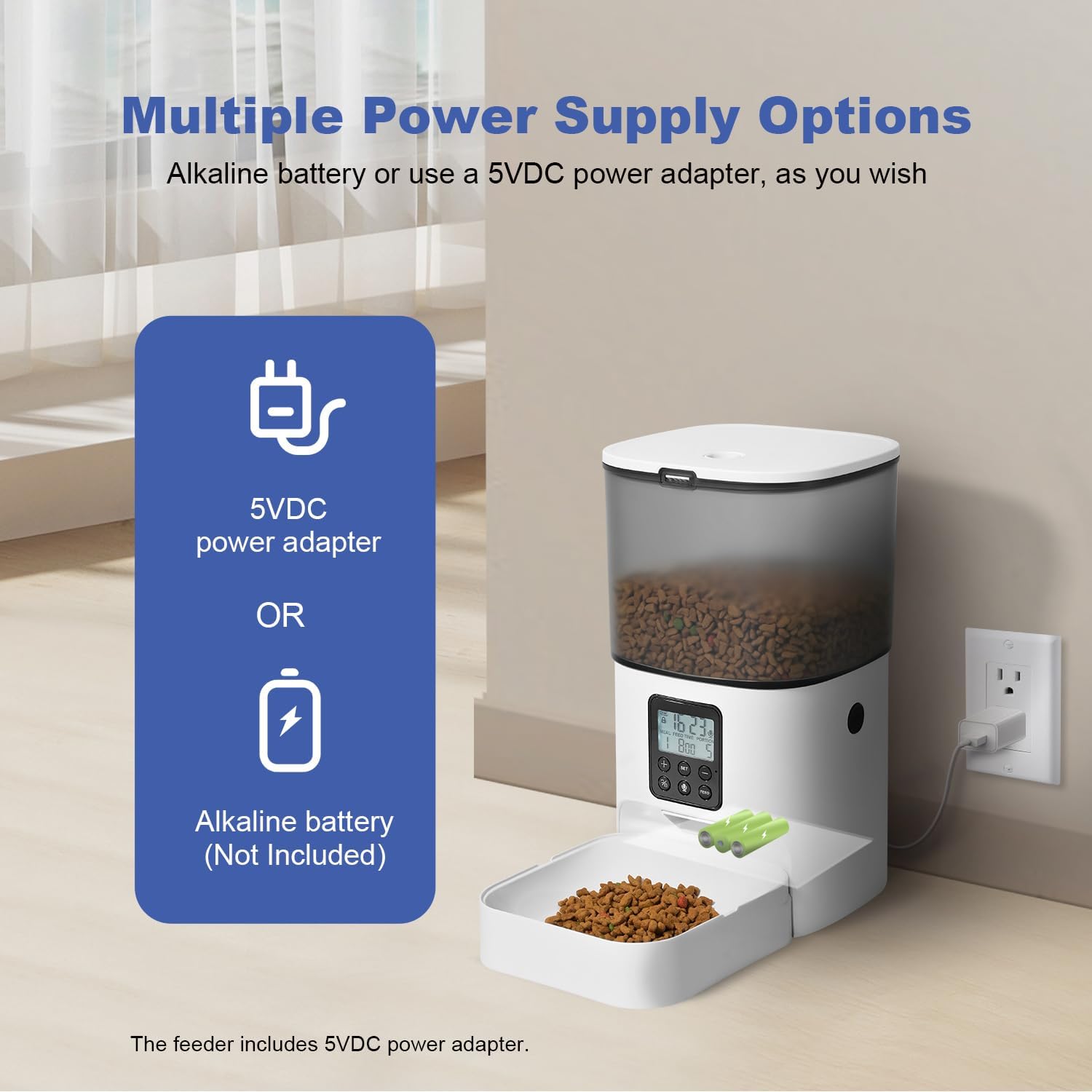
Image: The feeder can be powered by a 5V DC adapter or 3 D-cell alkaline batteries (not included) for uninterrupted operation.
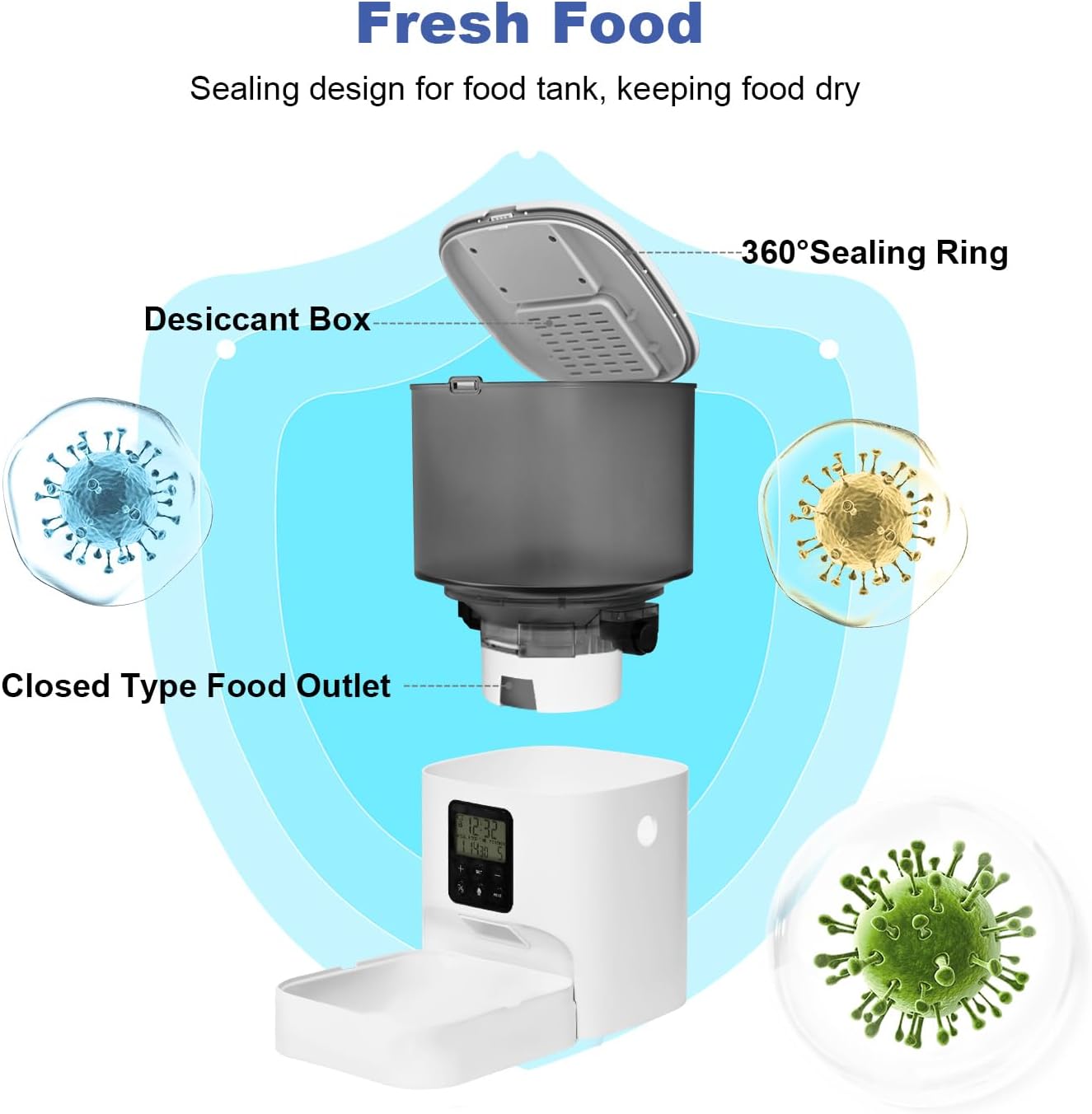
Image: Exploded view of the feeder's lid, showing the 360° sealing ring and desiccant box for keeping food fresh.
5. Operating Instructions
5.1 Control Panel Overview

Image: The large screen display shows current time, next feeding time, and portion size for easy viewing and operation.
- Lock/Unlock Button: Press and hold for 2 seconds to lock or unlock the control panel.
- SET Button: Used to enter programming mode and confirm settings.
- +/- Buttons: Used to adjust values (time, portions, meal numbers).
- Record Button (Microphone icon): Press and hold to record a 10-second voice message.
- FEED Button: Manually dispenses one portion of food.
5.2 Setting Current Time
- Unlock the control panel by pressing and holding the Lock/Unlock button.
- Press the SET button once. The hour display will flash. Use the +/- buttons to adjust the hour.
- Press SET again. The minute display will flash. Use the +/- buttons to adjust the minute.
- Press SET to confirm the time.
5.3 Programming Meal Schedules
The feeder supports up to 8 meals per day, with each meal having 1 to 50 portions.
- Unlock the control panel.
- Press SET repeatedly until the 'Meal' number (e.g., '1') starts flashing. Use +/- to select the meal number you want to program (1-8).
- Press SET. The hour for the selected meal will flash. Use +/- to set the desired feeding hour.
- Press SET. The minute for the selected meal will flash. Use +/- to set the desired feeding minute.
- Press SET. The 'Portion' number will flash. Use +/- to set the number of portions (1-50) for this meal.
- Repeat steps 2-5 for any additional meals you wish to schedule.
- Press SET until the display returns to the current time to save all settings.
5.4 Voice Recording
You can record a 10-second voice message that will play 3 times at each scheduled meal time.
- Unlock the control panel.
- Press and hold the Record button (microphone icon) until you hear a beep.
- Speak your 10-second message clearly into the microphone.
- Release the Record button to save the message.

Image: A cat near the feeder, illustrating the 10-second custom voice recording feature that plays at meal times.
5.5 Manual Feeding
To dispense a single portion of food immediately, simply press the FEED button once.
6. Maintenance
6.1 Cleaning
Regular cleaning ensures hygiene and proper functioning of the feeder.
- Disassemble: Remove the feeding basin, food storage jar, and food distribution system.
- Washable Parts: The feeding basin, food storage jar, and food distribution system can be washed with mild soap and water. Rinse thoroughly and dry completely before reassembly.
- Main Unit: Wipe the main feeder body with a damp cloth. Do not immerse it in water.
- Desiccant: Replace the desiccant pack every 2-4 weeks to maintain food freshness.
Image: The feeder disassembled into its main components, highlighting its easy-to-clean and durable design.
6.2 Food Refilling
Monitor the food level in the transparent storage jar and refill as needed to ensure your pet never misses a meal.
7. Troubleshooting
- Food Not Dispensing:
- Check if the food tank is empty.
- Ensure kibble size is within 2-12mm. Larger kibble may cause blockages.
- Verify the food distribution system is correctly installed and free of obstructions.
- Check if the feeder is powered on and the schedule is set correctly.
- Feeder Not Powering On:
- Ensure the power adapter is securely plugged into both the feeder and the wall outlet.
- If using batteries, check if they are correctly installed and have sufficient charge.
- Voice Recording Not Playing:
- Ensure a message has been recorded and saved successfully.
- Verify the volume setting (if applicable, refer to the full manual for advanced settings).

Image: Diagram illustrating the smooth food dispensing system with a good quality impeller, large dispensing containers with flexible baffle, and a wide, inclined food outlet to prevent sticking.
8. Specifications
| Feature | Detail |
|---|---|
| Model Number | FT-3S |
| Capacity | 4.0 L |
| Dimensions (LxWxH) | 7 x 7 x 13 inches |
| Item Weight | 3.78 pounds |
| Material | Acrylonitrile Butadiene Styrene, Stainless Steel |
| Kibble Size Compatibility | 2-12mm (0.07-0.5 inches) |
| Max Meals per Day | 8 |
| Max Portions per Meal | 50 |
| Voice Recording | 10 seconds |
| Power Supply | 5V DC Adapter (included), 3 D-cell batteries (not included) |
9. Warranty & Support
This ANDOLL HOME Automatic Cat Feeder comes with a 1-year manufacturer's warranty.
For any questions, troubleshooting assistance, or warranty claims, please contact ANDOLL HOME customer support through the retailer's platform or visit the official ANDOLL HOME store online.