
1. Overview
The Cooler Master ELITE Gold 850W Power Supply Unit (PSU) is a high-efficiency component designed to meet the ATX3.1 standard and PCIe5.1 specifications. It features a quiet and durable rifle bearing fan, making it an optimal choice for daily gaming and demanding PC environments. This fully modular power supply ensures stable power delivery for high-performance systems.

Figure 1: Top view of the Cooler Master ELITE Gold 850W Power Supply Unit, showcasing its design and branding.
2. Setup and Installation
Before installation, ensure your system is powered off and unplugged from the wall outlet. Handle the PSU with care to avoid damage.
2.1. Physical Installation
- Mount the PSU into your PC case using the provided screws. Ensure it is securely fastened.
- Connect the main 24-pin ATX power cable to your motherboard.
- Connect the CPU power cables (EPS 4+4-pin or 8-pin) to your motherboard.

Figure 2: The power supply unit integrated into a computer system, demonstrating a typical installation scenario.
2.2. Cable Connections
This PSU features a full modular design, allowing you to connect only the cables necessary for your components. This helps improve airflow and cable management within your PC case.
- PCIe Cables: Connect the PCIe 6+2-pin cables to your graphics card(s). Ensure all required power connectors on your GPU are utilized.
- SATA Cables: Connect SATA power cables to storage devices such as SSDs, HDDs, and optical drives.
- Peripheral Cables: Use peripheral 4-pin (Molex) cables for other components as needed.

Figure 3: Close-up of the modular cable connection ports on the power supply unit, showing clearly labeled connections for various components.
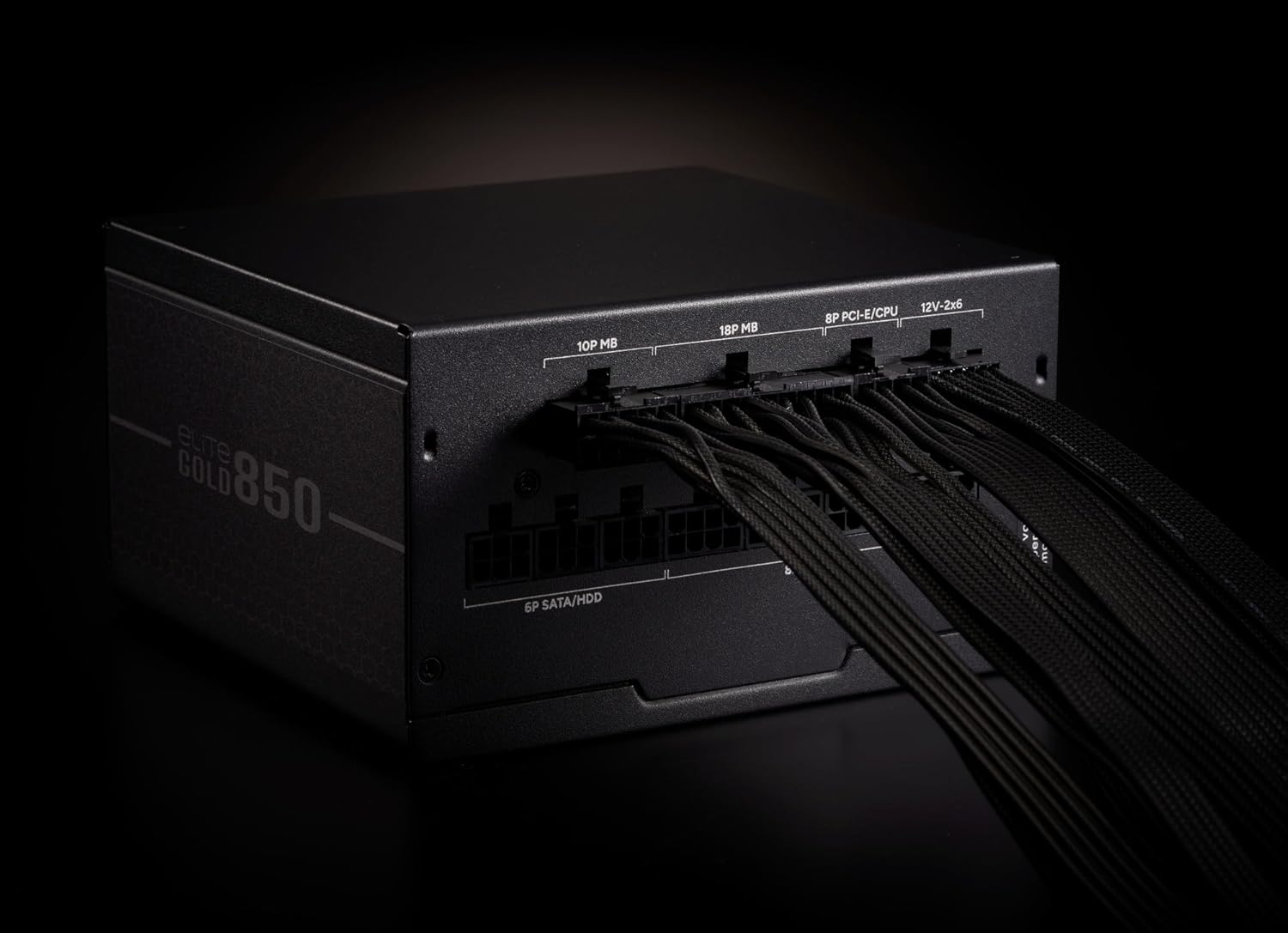
Figure 4: The power supply unit with various modular cables connected, illustrating proper cable management and connection points.
3. Operating Instructions
After all components are securely connected and the PSU is mounted, ensure the power switch on the back of the PSU is in the 'OFF' position. Plug the AC power cord into the PSU and then into a wall outlet. Flip the power switch to the 'ON' position. You can now power on your computer system.
3.1. Fan Operation
The 120mm rifle bearing fan is designed for quiet operation and efficient cooling. It features intelligent fan control, adjusting its speed based on the system's load and temperature to maintain optimal performance and minimize noise.
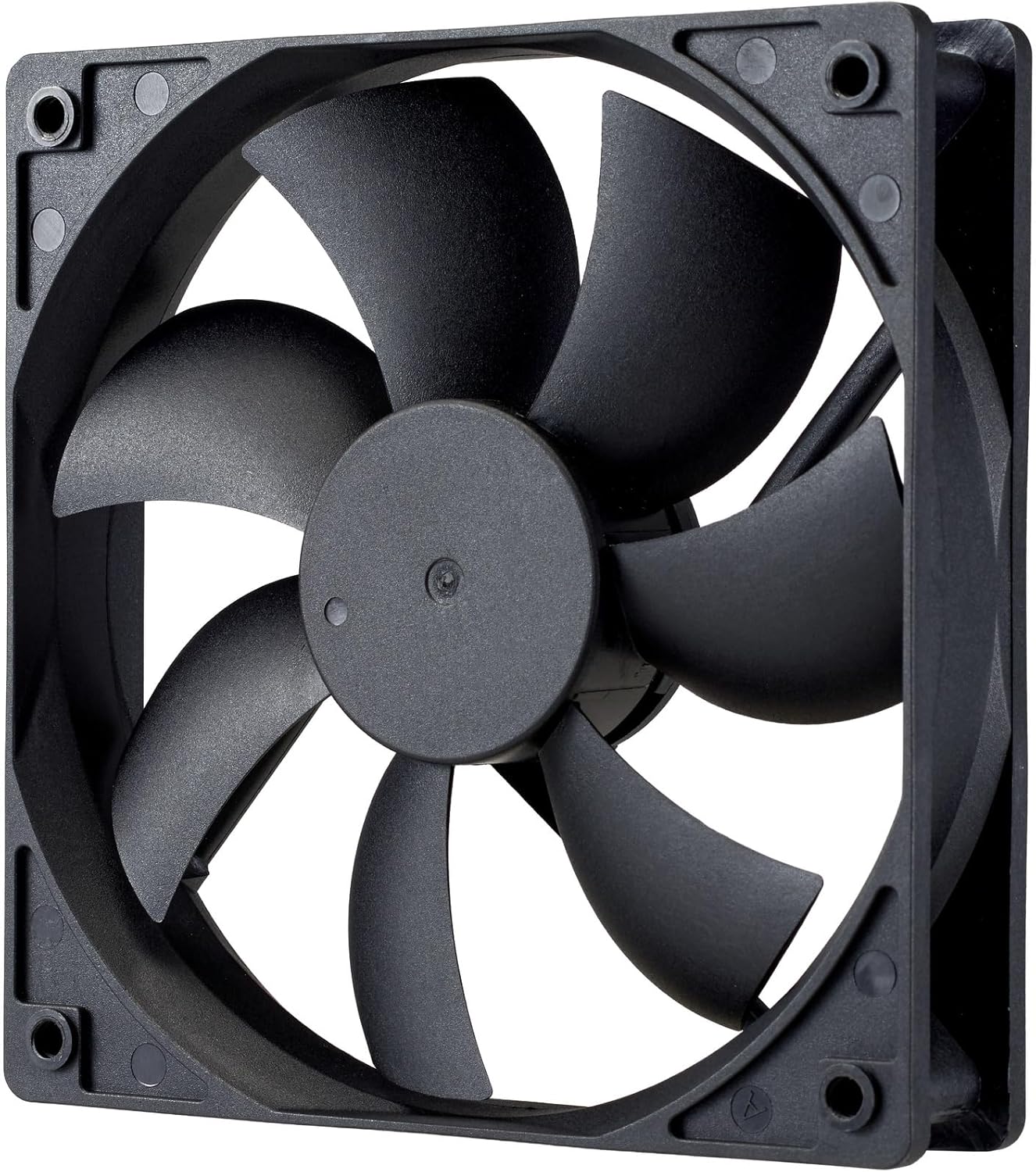
Figure 5: A detailed view of the 120mm rifle bearing cooling fan, highlighting its design for efficient heat dissipation.
4. Maintenance
To ensure the longevity and optimal performance of your Cooler Master ELITE Gold 850W PSU, periodic maintenance is recommended.
- Cleaning: Regularly clean the exterior of the PSU and the fan grille to prevent dust buildup. Use compressed air to gently clear dust from the fan blades and internal components. Always unplug the PSU from the wall outlet before cleaning.
- Ventilation: Ensure your PC case has adequate ventilation. Do not obstruct the PSU's intake or exhaust vents.
- Cable Management: Proper cable management not only improves aesthetics but also enhances airflow, contributing to better cooling for the PSU and other components.
5. Troubleshooting
If you encounter issues with your PSU, refer to the following common troubleshooting steps:
- No Power:
- Check if the AC power cord is securely plugged into both the PSU and the wall outlet.
- Ensure the PSU's power switch is in the 'ON' position.
- Verify that all modular cables are correctly and firmly connected to the PSU and the respective components.
- Test the wall outlet with another device to confirm it is supplying power.
- System Instability/Random Shutdowns:
- This could indicate insufficient power or a faulty component. Ensure your system's power requirements do not exceed the PSU's 850W capacity.
- Check for proper ventilation and ensure the PSU fan is spinning. Overheating can cause shutdowns.
- If possible, test the PSU with a different system or components to isolate the issue.
- Excessive Fan Noise:
- Clean the fan and fan grille to remove any dust buildup that might be causing obstruction or imbalance.
- Ensure the PSU is not operating under extreme load for extended periods, which can cause the fan to spin at higher RPMs.
If these steps do not resolve the issue, please contact Cooler Master customer support for further assistance.
6. Specifications
| Feature | Description |
|---|---|
| Brand | Cooler Master |
| Model Number | MPX-8505-AFAG-BJP |
| Series | ELITE Gold |
| Product Size (W×L×H) | 150 x 140 x 86 mm |
| Product Weight | 2.0 kg |
| Form Factor | ATX 12V Ver3.1 |
| Power Capacity | 850 W |
| 80 PLUS Certification | GOLD |
| Cable Type | Full Modular |
| AC Input | 100~240V / 6~12A / 50~60Hz |
| Cooling Fan Size | 120mm Rifle Bearing Fan |
| Connectors | ATX 24-pin×1, EPS 4+4-pin×1, EPS 8-pin×1, SATA×4 + Peripheral 4-pin×2, PCIe 6+2-pin×3, 12+4-pin×1 |
| Protection Circuits | OPP (Over Power Protection), OVP (Over Voltage Protection), UVP (Under Voltage Protection), SCP (Short Circuit Protection), OTP (Over Temperature Protection) |
| MTTF (Mean Time To Failure) | 100,000 hours |
7. Warranty and Support
This Cooler Master ELITE Gold 850W PSU comes with a 5-year warranty from the date of purchase through authorized distributors. For warranty claims, technical support, or service inquiries, please contact your local Cooler Master representative or visit the official Cooler Master website. Keep your proof of purchase for warranty validation.
Official Website: www.coolermaster.com


