
1. Product Overview
The PopBloom RL115 LED Aquarium Light is a professional lighting unit designed for marine saltwater tanks, specifically for optimal SPS and LPS coral growth, health, and coloration. It features advanced COB LED technology with a full spectrum output and an intelligent WiFi control system.
This light is engineered to provide concentrated light with a well-blended spectrum, focusing on essential wavelengths for coral propagation. It is suitable for medium to large reef tanks, especially those dominant in SPS corals, mixed reef tanks, and hard corals.
The RL115 includes 395nm LED chips for true UVA light, enhancing coral coloration. Its built-in WiFi system allows for control via the Tuya SmartLife App, offering customizable options and the ability to link multiple lights for synchronized control.
Video 1: PopBloom RL115 LED Light Overview. This video provides a general introduction to the PopBloom RL115 LED Aquarium Light, showcasing its features and design.
2. Package Contents
Please verify that all items listed below are included in your package. If any items are missing or damaged, please contact customer support.
- 1x RL115 WiFi Light
- 1x Power Supply
- 1x Power Cable (Plug)
- 1x Arm Mount Kit (includes Parallel Bracket, Vertical Bracket, Base & screws)
- 1x User Manual

Image 1: Package Contents. This image displays all components included in the PopBloom RL115 LED Aquarium Light package, including the light unit, power supply, power cable, mounting arm kit, and user manual.
3. Installation Guide
The RL115 LED light comes with a Gen3 mounting arm designed for easy installation on framed or frameless aquariums. The arm is made of flexible full aluminum with an oxidation bracket, ensuring durability and rust resistance.
3.1 Mounting the Light
- Attach the base and screws to the vertical bracket.
- Slide the parallel bracket onto the vertical bracket.
- Secure the RL115 light unit to the end of the parallel bracket.
- Mount the assembled bracket onto the back or side of your aquarium using the versatile mounting screw. The bracket supports aquarium glass thickness up to 3cm (1.18 inches).
- Adjust the length and height of the arm as needed. The arm offers an adjustable length of 12cm (4.8 inches) and an adjustable height of 12cm (4.8 inches) to position the light optimally over your tank.

Image 2: Adjustable Rearward Sliding Bracket. This image illustrates the components of the mounting arm and how to adjust its length and height for both rimless and rimmed aquariums. It shows the maximum glass thickness supported.
3.2 Power Connection
Connect the power supply to the RL115 light unit, then plug the power cable into the power supply and a suitable electrical outlet. Ensure all connections are secure before powering on the device.
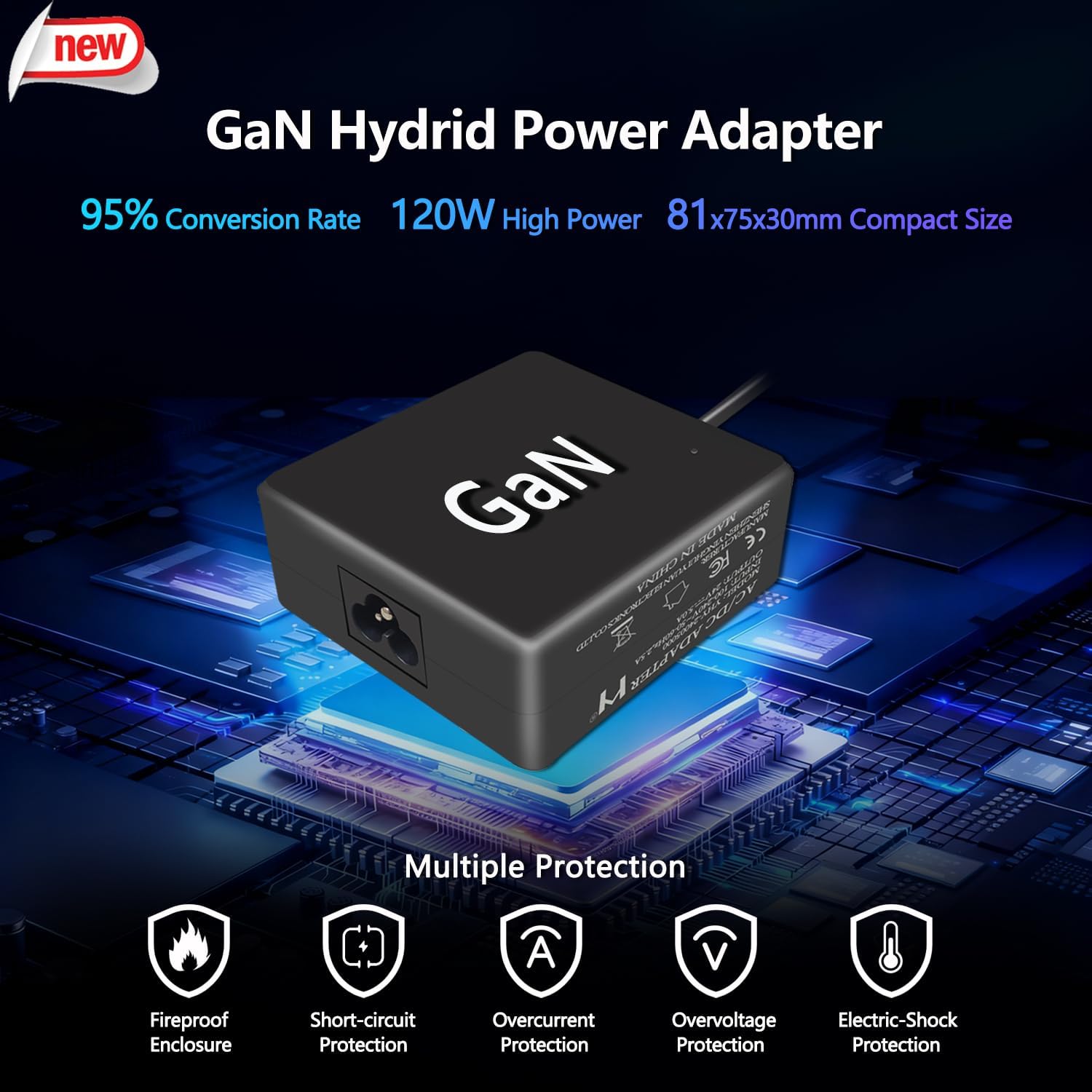
Image 3: GaN Hybrid Power Adapter. This image shows the compact and efficient GaN power adapter, highlighting its multiple protection features including fireproof enclosure, short-circuit, overcurrent, overvoltage, and electric-shock protection.
4. Operation and WiFi Control
The PopBloom RL115 features an intelligent WiFi control system, allowing you to manage your light settings conveniently via a mobile application.
4.1 App Download and Setup
- Download the free Tuya SmartLife App from your device's app store (Apple App Store for iOS or Google Play Store for Android). You can search for "Smart Life" or scan the QR code provided in the product packaging or the image below.
- Open the app and follow the on-screen instructions to create an account or log in.
- Add your RL115 light to the app. Ensure your light is powered on and your mobile device is connected to a 2.4GHz WiFi network.
- Follow the app's pairing instructions. The app allows for grouping multiple RL115 lights for synchronized control.

Image 4: WiFi Smart Control. This image illustrates the WiFi control capabilities of the RL115 light, showing the Tuya SmartLife App interface for programming light schedules, adjusting channels, and linking multiple lights. It also provides QR codes for app download.
For more information on the Tuya SmartLife App, visit smartapp.tuya.com/smartlife.
4.2 Full Spectrum Programmable Channels
The RL115 light features a full spectrum with 4 programmable channels, allowing for precise control over light output to simulate natural light cycles and optimize coral growth and coloration.
- Blue Channel: Essential for coral photosynthesis and enhancing fluorescent proteins.
- White Channel: Provides general illumination and supports overall growth.
- Moonlight Channel: Simulates lunar cycles for nocturnal activity and natural behaviors.
- Vivid Color Channel: Includes red, green, and UV (395nm) LEDs to promote optimal coral growth and enhance dramatic coloration.
Each of the 4 channels can be adjusted independently from 0% to 100% brightness via the SmartLife App. This allows users to create custom lighting schedules, including sunrise/sunset effects and lunar cycles, to achieve the best balance for their specific corals and fish.

Image 5: Specifications and Full Spectrum. This image details the RL115's dimensions, power, maximum coverage, and the full spectrum output. It also breaks down the four channels, their symbols, and wattage, alongside a spectral graph and an example of coral coloration under the light.
4.3 Optimal PAR Distribution
The RL115 LEDs are designed to provide optimal PAR (Photosynthetically Active Radiation) values throughout the aquarium, ensuring uniform light distribution without hotspots or areas with insufficient light for coral growth. This is crucial for SPS dominant, mixed reef, and hard coral tanks.

Image 6: Optimal PAR Distribution. This diagram illustrates the PAR values at various depths and locations within an aquarium when illuminated by multiple RL115 units, demonstrating the even light spread for coral growth.
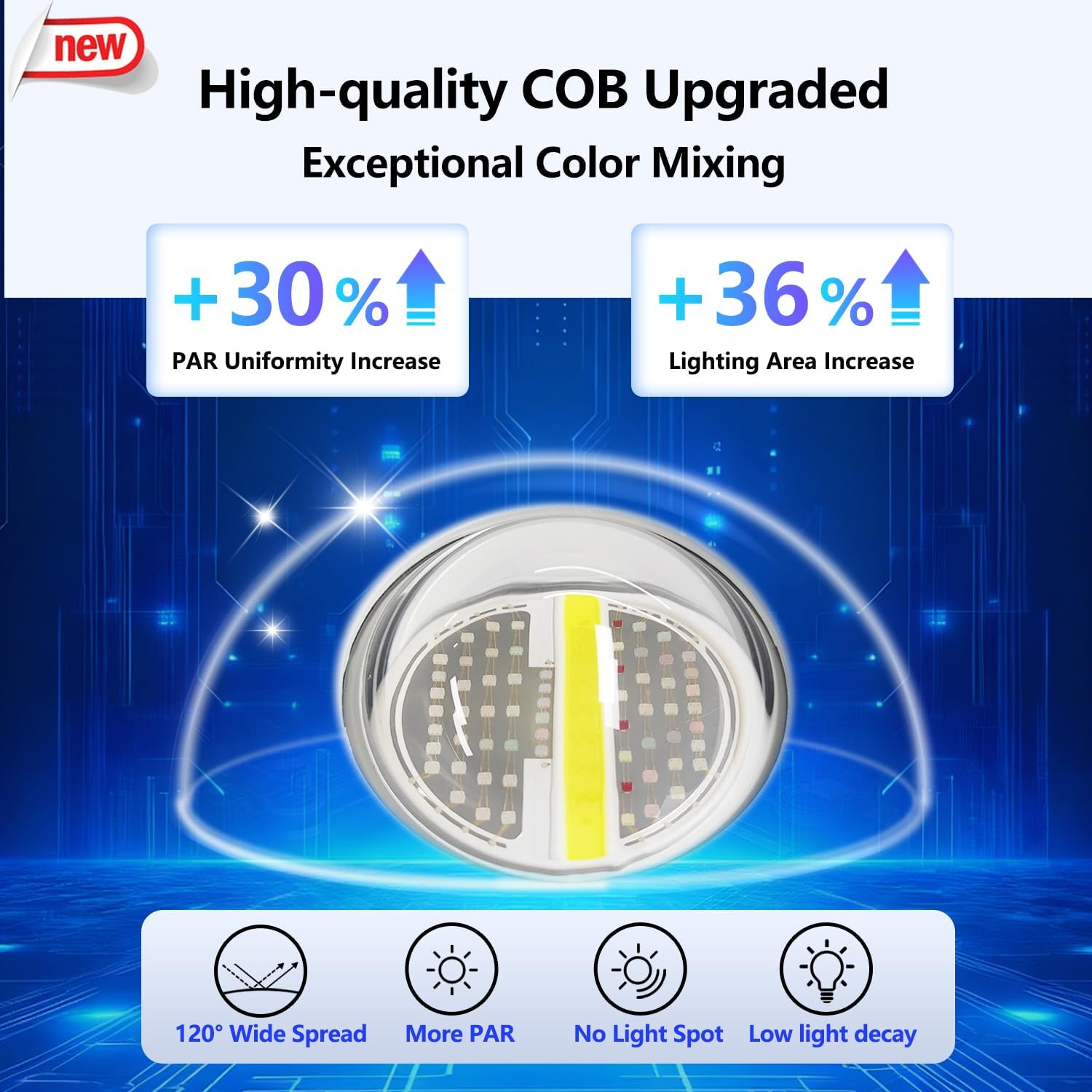
Image 7: High-quality COB Upgraded. This image highlights the advanced COB LED technology used in the RL115, emphasizing improved PAR uniformity, increased lighting area, 120° wide spread, and low light decay for exceptional color mixing.
5. Maintenance
Regular maintenance ensures the longevity and optimal performance of your PopBloom RL115 LED Aquarium Light.
- Cleaning: Periodically wipe the light's exterior and lens with a soft, damp cloth to remove salt creep, dust, and water spots. Ensure the light is unplugged before cleaning. Do not use abrasive cleaners or solvents.
- Ventilation: Ensure the light's cooling fins are free from obstructions to allow for proper heat dissipation. Good airflow around the unit is crucial for its lifespan.
- Cable Inspection: Regularly check the power cable and connections for any signs of wear, damage, or corrosion. Replace damaged components immediately.
6. Troubleshooting
If you encounter issues with your PopBloom RL115 LED Aquarium Light, refer to the following common problems and solutions:
- Light Not Turning On:
- Check if the power cable is securely plugged into the light, power supply, and electrical outlet.
- Verify that the electrical outlet is functional by plugging in another device.
- Ensure the power supply is not damaged.
- WiFi Connection Issues:
- Ensure your mobile device is connected to a 2.4GHz WiFi network. The RL115 does not support 5GHz networks.
- Restart the light unit and your WiFi router.
- Make sure the light is within range of your WiFi router.
- If pairing fails, try resetting the light's WiFi module (refer to the app's instructions or the full user manual for specific reset procedures).
- App Control Not Responding:
- Check your internet connection.
- Ensure the SmartLife App is updated to the latest version.
- Close and reopen the app.
- If multiple lights are linked, ensure all are powered on and connected to WiFi.
- Uneven Light Distribution or Dimming:
- Clean the light lens to remove any salt creep or debris.
- Verify that all channels are set to the desired brightness levels in the app.
- Ensure the light is positioned correctly over the aquarium and the mounting arm is secure.
If these steps do not resolve the issue, please contact PopBloom customer support for further assistance.
7. Product Specifications
| Feature | Detail |
|---|---|
| Model Number | HertzRL80-RL115-Reef (RL115) |
| Brand | PopBloom |
| Power Source | Corded Electric |
| Wattage | 120 Watts |
| Light Source Type | Light Emitting Diode (COB LED) |
| Spectrum | Full Spectrum (Blue, White, Moonlight, Vivid Color with 395nm UV) |
| Control | Intelligent WiFi Control via Tuya SmartLife App |
| Dimensions (L x W x H) | 4.7"L x 4.7"W x 2.2"H (12cm x 12cm x 5.5cm) |
| Material | Aluminum |
| Mounting Type | Bracket Mount (Adjustable Rearward Sliding Arm) |
| Max Glass Thickness | 3cm (1.18 inches) |
| Recommended Tank Size (1 light) | 40-70cm (16-28 inches) length, 60cm (24 inches) width, 80cm (31 inches) depth |
| Average PAR (at 80cm depth) | 150µMol |
| Smart Home Compatibility | Smart Home Compatible (Tuya SmartLife) |
8. Warranty and Support
8.1 Warranty Information
The PopBloom RL115 LED Aquarium Light comes with a 2-year manufacturer's warranty. This warranty covers defects in materials and workmanship under normal use. Please retain your proof of purchase for warranty claims.
The warranty does not cover damage caused by improper installation, misuse, accidents, unauthorized repairs, or modifications.
8.2 Customer Support
For technical assistance, troubleshooting, or warranty inquiries, please contact PopBloom customer support. You can find contact information on the official PopBloom website or through the retailer where you purchased the product.
Visit the official PopBloom store for more products and support: PopBloom Store on Amazon.
Aquarium Examples
Observe the PopBloom RL115 LED Aquarium Light in various setups, showcasing its effectiveness in different tank sizes and coral arrangements.

Image 8: Aquarium Examples. This collage of images displays the PopBloom RL115 LED light installed over several different marine aquariums, illustrating its aesthetic and functional integration with various coral and fish environments.