
1. Introduction
Thank you for choosing the Jocoevol Display Cabinet. This manual provides essential information for the safe and efficient assembly, operation, and maintenance of your new display cabinet. Please read these instructions thoroughly before assembly and retain them for future reference.
2. Safety Instructions
Important: Failure to follow these safety instructions may result in injury or damage to the product.
- Always assemble the cabinet on a soft, clean surface to prevent scratches.
- Ensure all components are securely fastened before use.
- Do not overload shelves. Refer to specifications for weight limits.
- Keep small parts away from children during assembly.
- Use only the provided hardware for assembly.
- This cabinet is designed for indoor use only.
- To prevent tipping, secure the cabinet to a wall using the anti-tip kit (if included).
- Disconnect power before cleaning or performing maintenance on electrical components.
3. Package Contents
Verify that all parts are present before beginning assembly. If any parts are missing or damaged, contact customer support.
Note: The exact number and type of fasteners may vary slightly.
- Tempered Glass Panels (various sizes for doors, shelves, sides)
- Cabinet Frame Components (top, bottom, back panels)
- Drawer Components
- RGB LED Light Strips
- Human Body Sensor Module
- Power Adapter
- Hardware Kit (screws, dowels, cam locks, anti-tip kit)
- User Manual (this document)
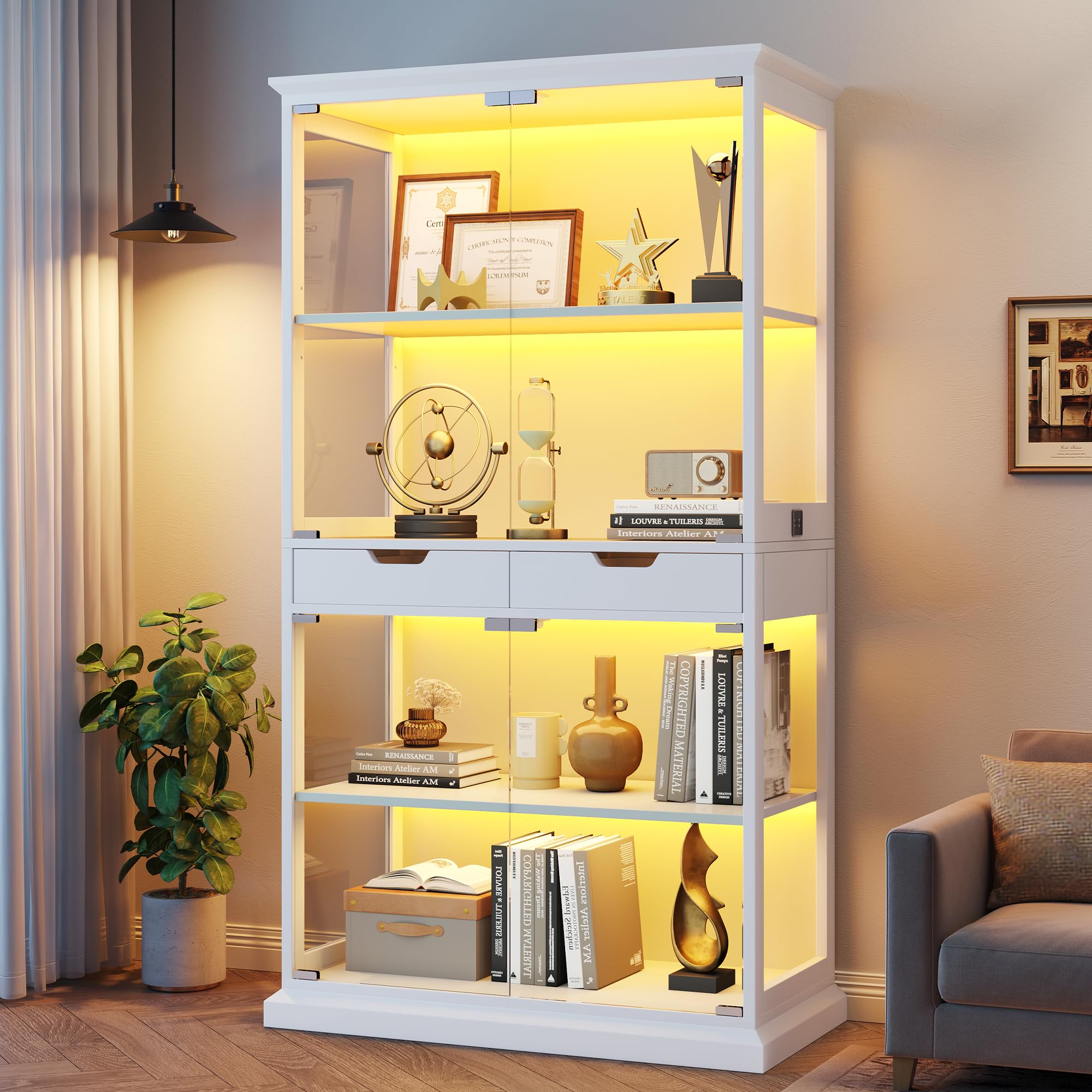
Image: Main product view of the Jocoevol Display Cabinet C-1665. This image represents the fully assembled product and helps visualize the components mentioned in the package contents.
4. Assembly Instructions
Assembly typically requires two people and takes approximately 40 minutes. Follow the numbered steps provided in the separate assembly guide included in your package. This section provides general guidance.
- Prepare the Area: Clear a spacious, clean, and soft area for assembly to prevent damage to components.
- Identify Parts: Lay out all parts and hardware. Refer to the parts list in your assembly guide to identify each component.
- Assemble Frame: Begin by assembling the main frame structure according to the diagrams. Ensure all cam locks and screws are tightened.
- Install Drawers: Assemble the two drawers and install them into the designated slots.
- Insert Glass Panels: Carefully insert the tempered glass side panels and shelves. Ensure they are seated correctly.
- Attach Glass Doors: Mount the push-to-open tempered glass doors. Test their operation to ensure smooth opening and closing.
- Install Lighting and Sensor: Attach the RGB LED light strips and the human body sensor module as indicated in the assembly guide. Connect all wiring.
- Secure Cabinet: For safety, attach the anti-tip kit to the cabinet and secure it to a wall stud.
Image: An illustrative view of the Jocoevol Display Cabinet C-1665, representing the complexity of assembly. Refer to the dedicated assembly manual for detailed step-by-step instructions.
5. Operating Instructions
5.1. Pop-Up Glass Doors
The cabinet features a push-to-open mechanism for its glass doors. To open, gently press the center of the glass door. The magnetic latch will release, allowing the door to swing open. To close, push the door firmly until the magnetic latch engages.
5.2. RGB LED Lighting and APP Control
The RGB LED light strips can be controlled via a mobile application. Follow these steps:
- Power On: Connect the cabinet's power adapter to a wall outlet.
- Download App: Scan the QR code provided in the assembly guide or search for the designated app (e.g., "Smart LED" or similar, check your specific manual) in your mobile device's app store.
- Connect via Bluetooth: Open the app and follow the on-screen instructions to connect to the cabinet's LED lighting system via Bluetooth.
- Control Features:
- Color Selection: Choose from 16 million colors.
- Brightness Adjustment: Adjust the intensity of the lights.
- Lighting Modes: Select various pre-set or customizable lighting effects.
- Music Sync: Utilize the built-in microphone feature to synchronize the lights with ambient music.
Image: An example of the Jocoevol Display Cabinet C-1665 with its RGB lighting illuminated, demonstrating the visual effect. The mobile app provides control over these lighting features.
5.3. Smart Human Body Sensor
The cabinet is equipped with a human body sensing system that automatically activates the lights when motion is detected.
- Activate Sensor: Locate the function switch on the right control panel of the cabinet. Toggle it to the "ON" position to enable the sensor.
- Operation: When a person approaches within 2–3 meters (approximately 6.5–10 feet) of the cabinet, the lights will automatically turn on.
- Deactivation: The lights will automatically turn off approximately one minute after no motion is detected within the sensor's range.
Note: Ensure the sensor is not obstructed for optimal performance.
6. Maintenance
Regular maintenance ensures the longevity and appearance of your display cabinet.
- Cleaning Glass: Use a soft, lint-free cloth and a non-abrasive glass cleaner to clean glass surfaces. Avoid harsh chemicals that may damage the glass or frame.
- Cleaning Frame: Wipe wooden or metal frame components with a soft, damp cloth. Dry immediately.
- Dusting: Regularly dust all surfaces with a dry, soft cloth.
- Electrical Components: Ensure the power is disconnected before cleaning any electrical parts. Use a dry cloth only.
- Hardware Check: Periodically check all screws and fasteners to ensure they remain tight. Retighten if necessary.
7. Troubleshooting
Refer to this section for common issues and their solutions.
| Problem | Possible Cause | Solution |
|---|---|---|
| Lights do not turn on. |
|
|
| Glass doors do not open/close smoothly. |
|
|
| Human sensor not detecting motion. |
|
|
8. Specifications
| Feature | Detail |
|---|---|
| Model Number | C-1665 |
| Brand | Jocoevol |
| Dimensions (L x D x H) | 31.5" x 15.7" x 68.3" |
| Material | Tempered Glass |
| Color | White |
| Number of Shelves | 5 |
| Special Features | APP Control, RGB LED Light, Smart Human Sensor, Push-to-Open Glass Doors |
| Item Weight | 111 Pounds |
| Assembly Required | Yes |
9. Warranty and Support
Jocoevol is committed to providing quality products and customer satisfaction. For warranty information, technical support, or to report missing/damaged parts, please contact our customer service team.
Refer to the contact information provided in your product packaging or visit the official Jocoevol website for the most up-to-date support details.
Customer Support: Visit the Jocoevol Store on Amazon