
1. Introduction
This manual provides essential information for the proper setup, operation, and maintenance of your TRAUSI Smart Watch TG08. Please read this manual thoroughly before using the device to ensure optimal performance and safety. The TRAUSI Smart Watch TG08 is designed to track various fitness and health metrics, offer smart notifications, and support a wide range of sports activities.
2. Safety Information
- Do not attempt to disassemble or modify the device. This may cause damage and void the warranty.
- Keep the device away from extreme temperatures, direct sunlight, and strong magnetic fields.
- Avoid exposing the device to corrosive chemicals or strong detergents. Clean with a soft, dry cloth.
- The device is IP67 waterproof, meaning it can withstand immersion in water up to 1 meter for 30 minutes. It is not suitable for diving, hot showers, or saunas.
- Consult a medical professional before starting any new exercise regimen, especially if you have pre-existing health conditions.
- Keep out of reach of children.
3. What's in the Box
- TRAUSI Smart Watch TG08 (Watch Dial)
- Charging Cable
- User Manual
4. Setup
4.1. Charging the Device
Before first use, fully charge your TRAUSI Smart Watch. Connect the magnetic charging cable to the charging points on the back of the watch and plug the USB end into a power adapter (not included) or a computer USB port. A full charge typically takes approximately 1.5 hours.

Image: The TRAUSI Smart Watch TG08 connected to its magnetic charging cable, illustrating the charging process and highlighting its long-lasting battery capabilities.
4.2. App Installation and Pairing
Download the companion app (refer to the Quick Start Guide for app name) from your smartphone's app store (compatible with iPhone and Android devices). Open the app, create an account, and follow the on-screen instructions to pair your smart watch via Bluetooth. Ensure Bluetooth is enabled on your phone.

Image: A TRAUSI Smart Watch TG08 displaying various app icons, connected wirelessly to a smartphone, demonstrating the effortless link-up process for smart notifications and data synchronization.
4.3. Band Attachment
The watch comes with a standard black plastic band. To attach or change bands, locate the small pins on the underside of the watch body where the band connects. Slide the pin to release or secure the band. Ensure the band is firmly attached before wearing.
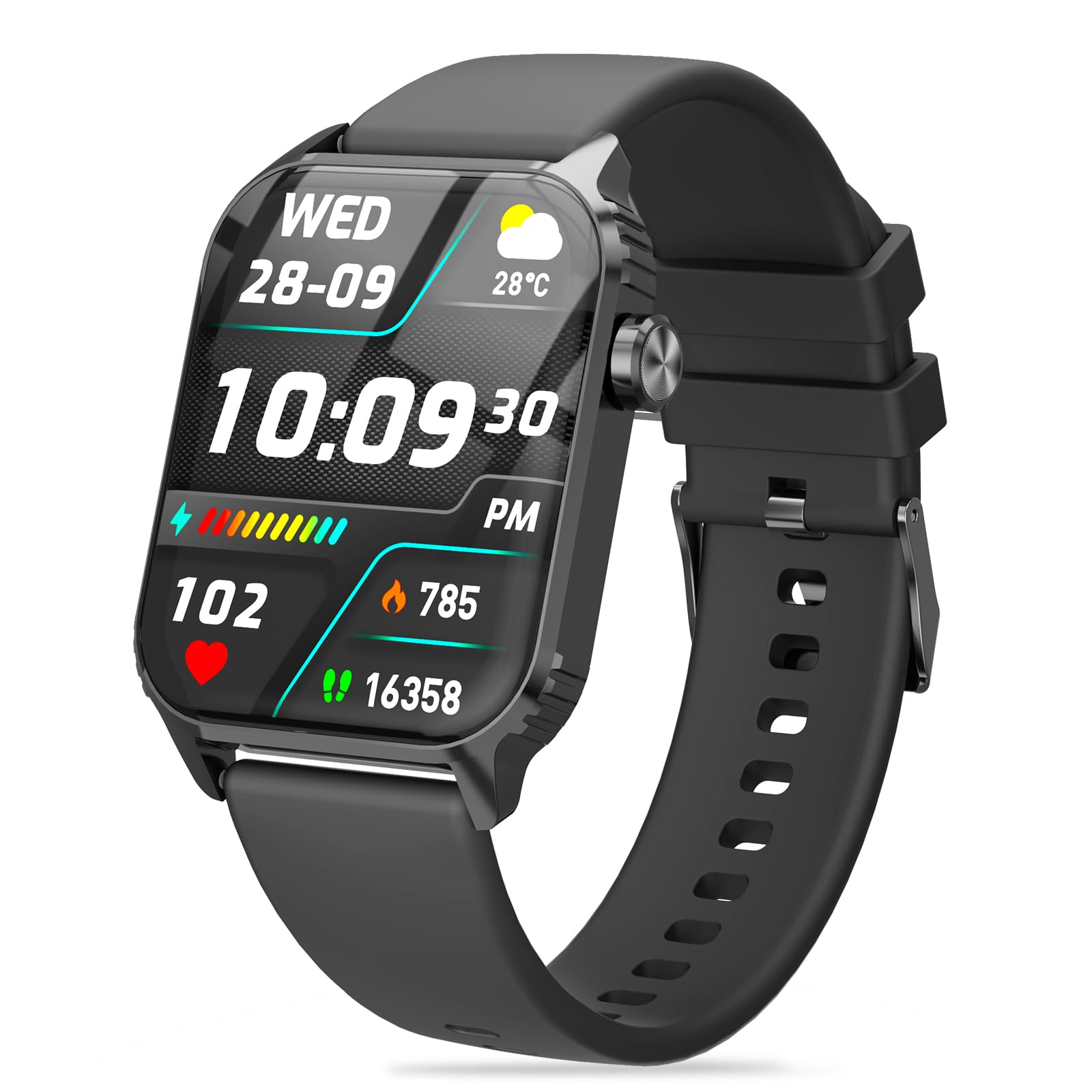
Image: The TRAUSI Smart Watch TG08 with its black plastic band, showcasing the sleek design and how the band attaches to the watch body.
5. Operating the Smart Watch
5.1. Display and Navigation
The TRAUSI Smart Watch features a 1.83-inch IPS touchscreen display. Swipe left, right, up, or down to navigate through menus, access different functions, and view data. The side button typically serves as a power button or a return-to-home screen function.

Image: The TRAUSI Smart Watch TG08 displaying various practical functions such as weather, stopwatch, music control, sleep tracking, hydration reminders, and phone call management.
5.2. Smart Notifications
Once paired with your smartphone, the watch can receive notifications for calls, messages, and various social media apps. Configure notification settings within the companion app on your phone.

Image: The TRAUSI Smart Watch TG08 displaying a phone screen with notification settings for various social media and communication apps, indicating its smart notification capabilities.
5.3. Activity Tracking
The watch tracks daily steps, calories burned, and distance. View your progress directly on the watch or in detail within the companion app. Set daily goals to monitor your activity levels.
5.4. Heart Rate Monitoring
The built-in heart rate sensor monitors your heart rate throughout the day. Access real-time heart rate data on the watch or review historical data in the app. Ensure the watch is worn snugly on your wrist for accurate readings.

Image: A TRAUSI Smart Watch TG08 on a wrist, displaying heart rate data, with a graph illustrating heart rate trends over time, emphasizing its continuous heart rate monitoring feature.
5.5. Sleep Monitoring
The watch automatically tracks your sleep patterns, including total sleep duration and different sleep stages (light, deep, REM). Review your sleep quality and trends in the companion app to help improve your rest.
5.6. Sports Modes
The TRAUSI Smart Watch TG08 offers 120 sports modes to track various physical activities. Select the appropriate mode before starting your workout to get accurate data on duration, calories burned, and other relevant metrics. GPS tracking is available via smartphone connection.

Image: The TRAUSI Smart Watch TG08 showcasing its 120 diverse sports tracking modes, with icons representing various activities like running, cycling, and other exercises, highlighting its comprehensive fitness capabilities.
6. Maintenance
6.1. Cleaning
Regularly clean your smart watch and band to prevent skin irritation and maintain device longevity. Wipe the screen and body with a soft, lint-free cloth. For the band, use a mild soap solution and rinse thoroughly, ensuring it is completely dry before reattaching to the watch.
6.2. Water Resistance
The TRAUSI Smart Watch TG08 has an IP67 waterproof rating. This means it is protected against dust and can withstand immersion in up to 1 meter of fresh water for a maximum of 30 minutes. It is suitable for daily use like hand washing or light rain. Avoid prolonged submersion, hot water, or exposure to high-pressure water jets.
7. Troubleshooting
| Issue | Solution |
|---|---|
| Watch does not turn on | Ensure the watch is fully charged. Connect to the charger for at least 30 minutes. |
| Unable to pair with smartphone | Check if Bluetooth is enabled on your phone. Ensure the watch is within range. Restart both the watch and your phone. Reinstall the companion app if necessary. |
| Inaccurate heart rate/activity data | Ensure the watch is worn snugly on your wrist, not too tight or too loose. Clean the sensor on the back of the watch. |
| Notifications not received | Verify notification permissions are enabled for the app and the watch in your phone's settings. Ensure the watch is connected via Bluetooth. |
| Short battery life | Reduce screen brightness, disable continuous heart rate monitoring, and limit excessive notifications. Ensure the watch is fully charged before use. |
8. Specifications
| Feature | Detail |
|---|---|
| Model Name | TG08 |
| Screen Size | 1.83 Inches |
| Display Type | LCD (IPS) |
| Resolution | 240 x 284 |
| Connectivity Technology | Bluetooth |
| Battery Capacity | 350 Milliamp Hours |
| Waterproof Rating | IP67 |
| Metrics Measured | Heart Rate Monitor, Sleep Duration, Blood Oxygen Monitor |
| Sports Modes | 120 |
| Compatible Phone Models | Android Devices (and iPhone via app) |
| Band Material Type | Plastic |
| Color | Black |
9. Warranty and Support
Your TRAUSI Smart Watch TG08 comes with a limited manufacturer's warranty. Please refer to the warranty card included in your packaging for specific terms and conditions. The manufacturer provides a 90-day warranty from the date of purchase.
For technical support, troubleshooting assistance, or warranty claims, please contact TRAUSI customer service through the contact information provided in your product packaging or on the official TRAUSI website. Keep your purchase receipt as proof of purchase for warranty services.