
Introduction
This manual provides comprehensive instructions for the Baseus Bass BH1 Lite Wireless Headphones. Please read this guide carefully to ensure proper use, optimal performance, and longevity of your device. Keep this manual for future reference.
Product Overview
The Baseus Bass BH1 Lite headphones are designed to deliver an immersive audio experience with advanced features for comfort and convenience.
Key Features
- Hi-Res Audio with LDAC: Experience ultra-clear, lossless sound quality with Hi-Res and Hi-Res Wireless certifications, supporting LDAC for 3 times more data transmission than standard Bluetooth codecs.
- SuperBass 2.0: Enjoy rich, impactful bass and detailed clarity, enhanced by biocellulose diaphragms and dynamic drivers.
- Cloud-Like Comfort: Designed for all-day wear with soft memory foam earcups, contoured shells, and a breathable headband, adapting ergonomically to your head.
- Extended Playtime: Up to 80 hours of continuous playback on a single charge. A 10-minute quick charge provides 8 hours of listening.
- Crystal-Clear Calls: Equipped with AI-powered voice boost, directional sound sensor, and ENC (Environmental Noise Cancellation) for clear calls in noisy environments.
- Seamless Wireless Connectivity: Bluetooth 6.0 technology ensures lag-free, ultra-fast, and stable audio streaming with enhanced audio quality and ultra-low latency.
- Adjustable & Portable Design: Features an adjustable headband, resilient soft cushions, and 120° rotatable earcups for easy storage and portability.
Product Components

Image: Lightweight CloudComfort Design. This image illustrates the lightweight design and soft earcups of the Baseus Bass BH1 Lite headphones, emphasizing comfort for extended wear.

Image: Super Bass Hit Technology. A detailed view of the headphone's internal driver components, highlighting the Super Bass Hit technology for rich, natural sound with ultimate clarity.
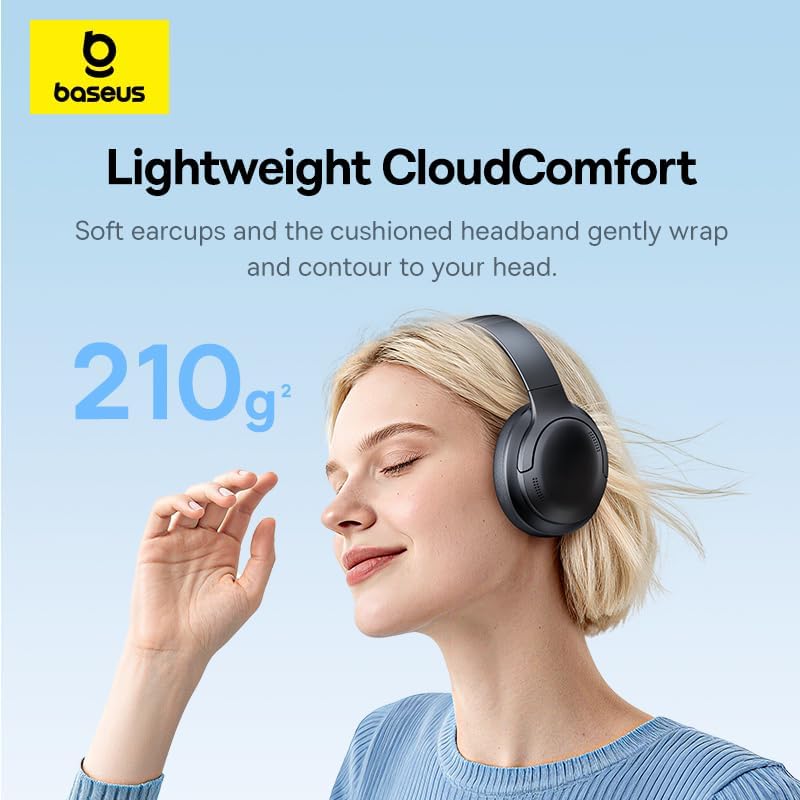
Image: 80-Hour Week-Long Playtime. This image showcases the impressive 80-hour battery life, with an additional note about Baseus Rapid Charge providing 8 hours of playtime from a 10-minute charge.

Image: Crystal-Clear Calls. This image highlights the AI-Powered Voice Boost, Directional Sound Sensor, and ENC features that contribute to clear call quality.
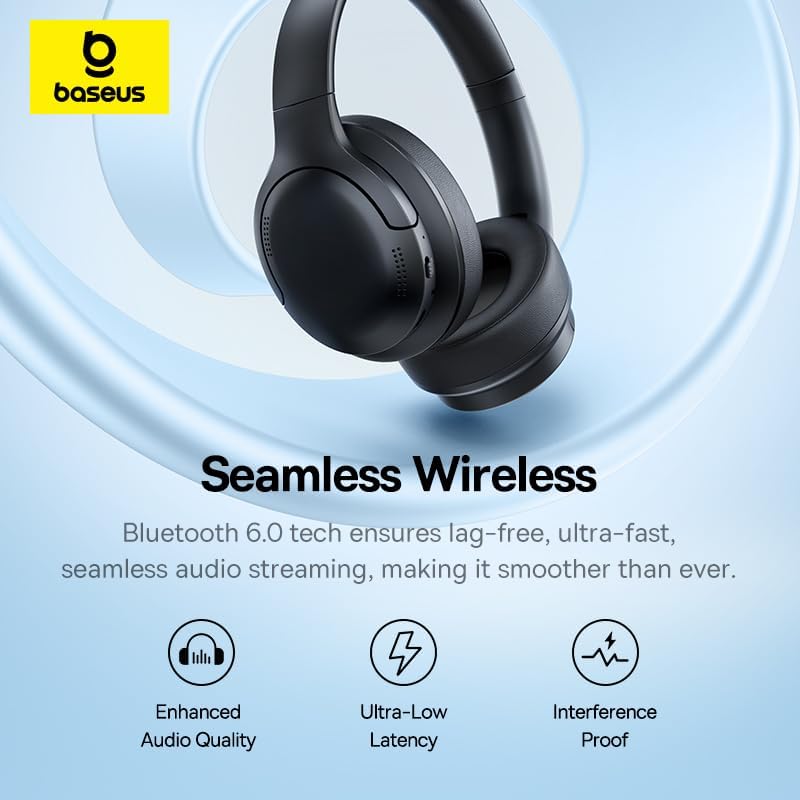
Image: Seamless Wireless Connectivity. This image illustrates the benefits of Bluetooth 6.0 technology, including enhanced audio quality, ultra-low latency, and interference-proof connection.

Image: Adjustable & Portable Design. This image demonstrates the adjustable headband, resilient soft cushions, and 120° rotatable earcups, emphasizing the headphones' portability and ergonomic design.
Setup
1. Charging the Headphones
Before first use, fully charge your Baseus Bass BH1 Lite headphones. Use the provided USB-C cable to connect the headphones to a power source (e.g., computer USB port, wall adapter).
- A full charge provides up to 80 hours of playback.
- A quick 10-minute charge can provide approximately 8 hours of listening time.
- The LED indicator will show charging status (e.g., red for charging, blue/off for fully charged).
2. Bluetooth Pairing
- Power On: Press and hold the Power button on the headphones until the LED indicator flashes blue and red, indicating pairing mode.
- Activate Bluetooth: On your device (smartphone, tablet, computer), enable Bluetooth.
- Select Device: In your device's Bluetooth settings, search for "Baseus BH1 Lite" and select it to connect.
- Confirmation: Once successfully paired, the LED indicator on the headphones will turn solid blue or off, and you may hear an audible confirmation.
- Reconnect: The headphones will automatically attempt to reconnect to the last paired device when powered on.
Operating Instructions
Basic Controls
| Function | Action |
|---|---|
| Power On/Off | Press and hold the Power button. |
| Play/Pause | Single press the Multi-function button (often the Power button or a dedicated play/pause button). |
| Volume Up | Press the Volume + button. |
| Volume Down | Press the Volume - button. |
| Next Track | Press and hold Volume + (or double-tap Multi-function button, refer to specific model instructions if available). |
| Previous Track | Press and hold Volume - (or triple-tap Multi-function button, refer to specific model instructions if available). |
| Answer/End Call | Single press the Multi-function button during an incoming call. |
| Reject Call | Press and hold the Multi-function button during an incoming call. |
| Activate Voice Assistant | Double-press the Multi-function button (or specific button if available). |
Note: Specific button functions may vary slightly. Refer to the physical buttons on your headphones for exact layout.
Calling Functions
The Baseus Bass BH1 Lite headphones feature ENC (Environmental Noise Cancellation) and 5 AI-powered microphones to ensure clear communication during calls, even in noisy environments.
- Ensure your headphones are connected to your phone via Bluetooth.
- Manage calls using the Multi-function button as described in the Basic Controls table.
Maintenance
Proper maintenance ensures the longevity and optimal performance of your headphones.
- Cleaning: Use a soft, dry cloth to clean the earcups and headband. Do not use abrasive cleaners or solvents.
- Storage: When not in use, store the headphones in a cool, dry place, away from direct sunlight and extreme temperatures. The foldable design allows for compact storage.
- Water Resistance: The headphones are water-resistant. However, avoid submerging them in water or exposing them to heavy rain for extended periods. Dry thoroughly if they get wet.
- Charging Port: Keep the USB-C charging port free of dust and debris.
Troubleshooting
If you encounter any issues with your Baseus Bass BH1 Lite headphones, refer to the following common solutions:
| Problem | Solution |
|---|---|
| Headphones do not power on. | Ensure the headphones are fully charged. Connect them to a power source using the USB-C cable. |
| Cannot pair with device. |
|
| No sound or low volume. |
|
| Call quality is poor. |
|
| Intermittent connection. |
|
Specifications
| Feature | Detail |
|---|---|
| Brand | Baseus |
| Model Name | BH1 Lite |
| Color | Black |
| Ear Placement | Over-Ear |
| Impedance | 64 Ohms |
| Connectivity Technology | Wireless (Bluetooth 6.0) |
| Bluetooth Version | 6.0 |
| Bluetooth Range | 10 Meters |
| Noise Control | Sound Isolation, Environmental Noise Cancellation (ENC) |
| Special Features | Noise Cancellation, Volume Control, Lightweight, Built-in Microphone, Water Resistant |
| Water Resistance Level | Waterproof |
| Compatible Devices | Mobile Phones, Gaming Consoles, Desktops, Laptops, Telephones |
| Material | Metal, Plastic |
| Battery Life | Up to 80 hours |
| Charging Port | USB-C |
| External Test Certification | ANATEL |
Warranty and Support
Warranty: This product comes with a 1-year manufacturer's warranty from the date of purchase, covering defects in materials and workmanship. Please retain your proof of purchase for warranty claims.
Customer Support: For technical assistance, warranty claims, or further inquiries, please contact Baseus customer support through their official website or the retailer where the product was purchased. Ensure you have your product model number (BH1 Lite) and purchase details ready.


