
1. Introduction
Thank you for choosing the Majority D100X Active Bookshelf Speakers. These speakers are designed to deliver high-quality audio for various applications, including home studios, offices, and living rooms. Featuring a powerful 2.2 stereo system, multiple connectivity options, and adjustable sound controls, the D100X provides a versatile and immersive listening experience.
2. Safety Instructions
Please read these safety instructions carefully before using your speakers and retain them for future reference. Incorrect use may result in electric shock, fire, or other hazards.
- Do not expose the unit to rain, moisture, or direct sunlight.
- Ensure proper ventilation around the speakers. Do not block any ventilation openings.
- Do not place the speakers near heat sources such as radiators, heat registers, stoves, or other apparatus (including amplifiers) that produce heat.
- Use only attachments/accessories specified by the manufacturer.
- Unplug the apparatus during lightning storms or when unused for long periods.
- Refer all servicing to qualified service personnel. Servicing is required when the apparatus has been damaged in any way, such as power-supply cord or plug is damaged, liquid has been spilled or objects have fallen into the apparatus, the apparatus has been exposed to rain or moisture, does not operate normally, or has been dropped.
- Do not open the speaker enclosures. There are no user-serviceable parts inside.
3. Package Contents
Carefully unpack your D100X speakers and ensure all items are present and in good condition. If any items are missing or damaged, please contact customer support.

Power Adaptor

Remote Control
3.5m Speaker Connection Cable
User Manual
- Majority D100X Speakers (2 units)
- Power Adaptor
- 3.5m Speaker Connection Cable
- Remote Control
- User Manual
4. Setup
Follow these steps to set up your Majority D100X speakers:
- Placement: Position the speakers on a stable, flat surface, such as a bookshelf or desk. For optimal stereo imaging, place them equidistant from your listening position.
- Connect Speakers: Use the provided 3.5m speaker connection cable to link the two D100X speaker units. Ensure a secure connection.
- Power Connection: Connect the power adaptor to the main speaker unit and then plug it into a wall outlet.
- Initial Power On: Turn on the main speaker unit using the power switch located on the rear panel.
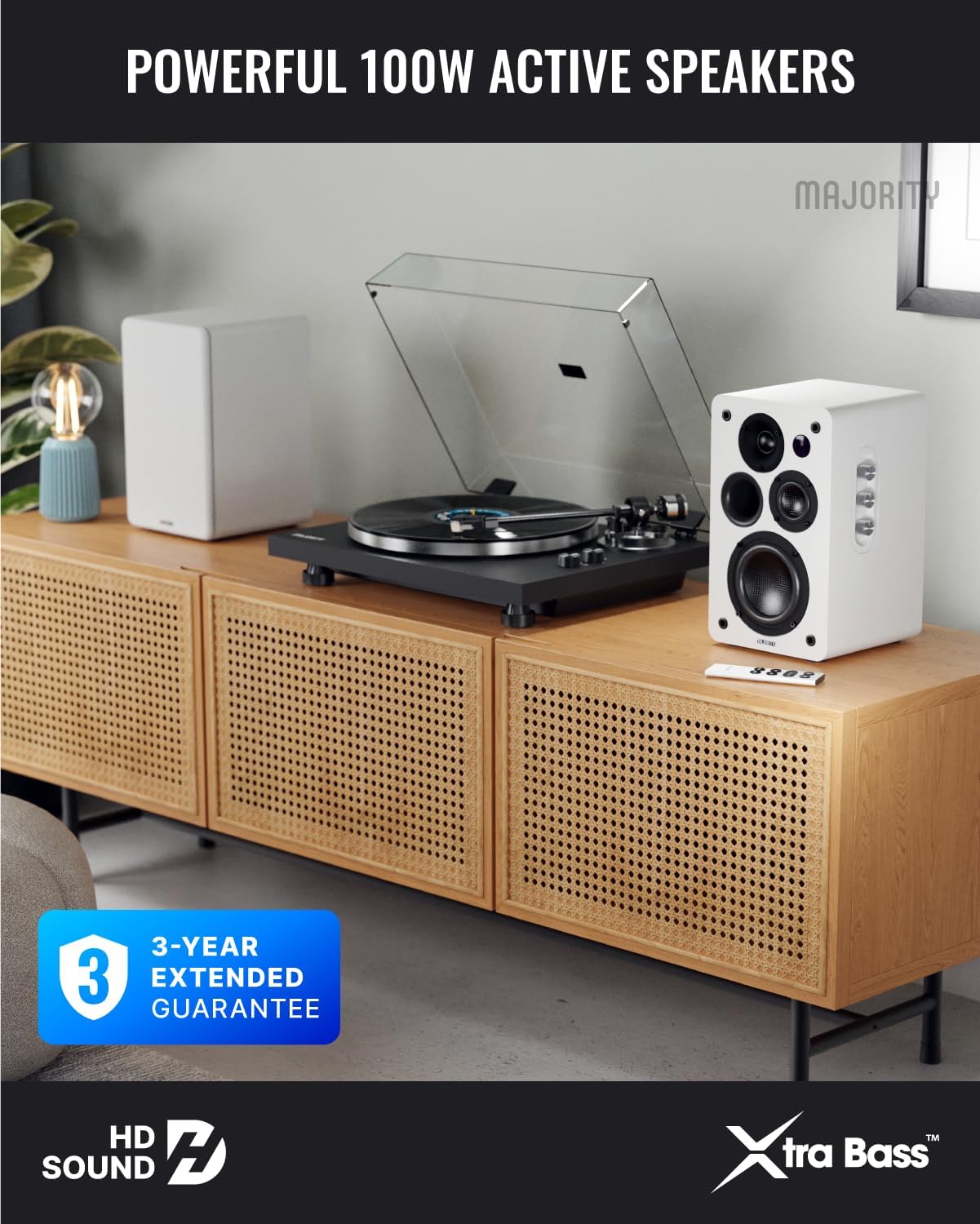
Image: Majority D100X speakers positioned on a wooden cabinet, ready for use.
5. Operating Instructions
The D100X speakers can be controlled via the intuitive front panel controls or the included remote control.
Front Panel Controls:
- Volume Knob: Rotate to adjust the overall volume level.
- Treble Knob: Adjusts the high-frequency response.
- Bass Knob: Adjusts the low-frequency response.
- Input Selector: Press to cycle through available input sources (Bluetooth, USB, AUX, HDMI ARC, Optical, Phono).
Remote Control:
The remote control provides full functionality, including power, volume, input selection, and EQ modes.
- Power Button: Turns the speakers on or off.
- Volume Up/Down: Adjusts the volume.
- Input Buttons: Dedicated buttons for selecting specific input sources.
- EQ Modes (1-3): Available when connected via HDMI ARC or Optical. These modes are designed to enhance clarity, depth, and balance for movies, music, and games.
Image: Front view of a D100X speaker with its remote control, highlighting the adjustable bass and treble controls.
6. Connectivity
The D100X offers a wide range of connectivity options to suit various audio sources.

Image: Rear panel of the D100X speaker, displaying various input ports including USB, Optical, HDMI ARC, Phono, and AUX.
6.1. Bluetooth 5.3
For wireless audio streaming from smartphones, tablets, or laptops.
- Select Bluetooth input on the speakers. The indicator light will flash.
- Enable Bluetooth on your device and search for "Majority D100X".
- Select the speaker to pair. Once connected, the indicator light will be solid.
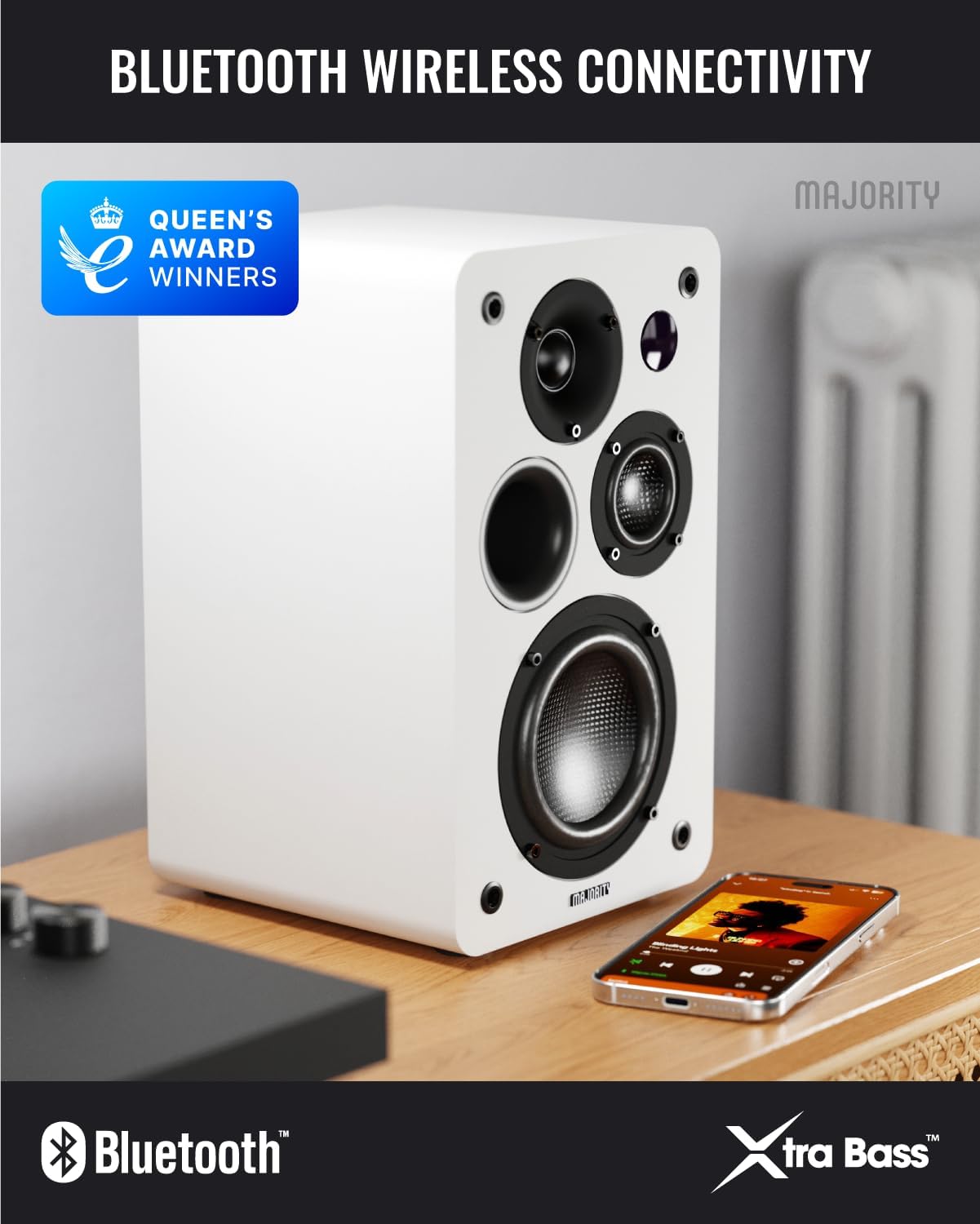
Image: D100X speaker wirelessly connected to a smartphone via Bluetooth.
6.2. HDMI ARC
Connect your TV for enhanced audio. This connection supports the EQ modes (1-3).
- Connect an HDMI cable from your TV's HDMI ARC port to the speaker's HDMI ARC port.
- Select HDMI ARC input on the speakers.
- Ensure your TV's audio output is set to HDMI ARC.
6.3. Optical
For high-quality digital audio connection from TVs or other devices. This connection also supports the EQ modes (1-3).
- Connect an optical cable from your device's optical output to the speaker's optical input.
- Select Optical input on the speakers.
6.4. Phono (RCA)
Direct connection for turntables with a built-in pre-amplifier.
- Connect RCA cables from your turntable's output to the speaker's Phono (R-PHONO-L) input.
- Select Phono input on the speakers.
- Note: If your turntable's output is higher than 100 RMS, use the AUX input instead of Phono.
6.5. AUX (3.5mm)
For connecting devices with a 3.5mm audio output, such as PCs or older audio players.
- Connect a 3.5mm audio cable from your device's headphone jack or audio out to the speaker's AUX (AUDIO IN) input.
- Select AUX input on the speakers.
6.6. USB Playback & Charging
The USB port allows for direct music playback from storage devices and charging of external devices.
- Insert a USB storage device (e.g., USB flash drive) into the USB port for music playback.
- The USB port can also be used to charge compatible devices.
7. Maintenance
Proper care will ensure the longevity and performance of your D100X speakers.
- Cleaning: Use a soft, dry cloth to clean the speaker surfaces. Do not use abrasive cleaners, waxes, or solvents.
- Dust: Regularly dust the speakers to prevent accumulation, which can affect sound quality and internal components.
- Environment: Avoid placing speakers in areas with extreme temperatures, high humidity, or direct sunlight.
8. Troubleshooting
If you encounter issues with your D100X speakers, refer to the following common problems and solutions:
| Problem | Possible Cause / Solution |
|---|---|
| No power |
|
| No sound |
|
| Poor sound quality / Distortion |
|
| Remote control not working |
|
9. Specifications
Detailed technical specifications for the Majority D100X Active Bookshelf Speakers.
| Brand | Majority |
| Model Number | D100X |
| Dimensions (L x W x H) | 18 x 16.8 x 27.5 cm (per speaker) |
| Weight | 7.16 kg (total) |
| Maximum Speaker Output Power | 100 Watts |
| Frequency Response | 20000 Hz |
| Connectivity Technology | Bluetooth, Optical, HDMI, Phono, Auxiliary, RCA |
| Bluetooth Range | 10 Meters |
| Audio Output Mode | Stereo (2.2 channels) |
| Input Voltage | 240 Volts |
| Mounting Type | Shelf Mount |
| Material | Wood |
| Woofer Diameter | 4 Inches |
| Tweeter Diameter | 1 Inch |
| Signal-to-Noise Ratio | 80 dB |
| Impedance | 4 Ohms |
| Control Method | Remote Control |
| Recommended Uses | Gaming Console, Computer, Television, Home Cinema, Studio |

Image: Detailed view of the D100X speaker's carbon fiber drivers, designed for high-quality audio.
10. Warranty and Support
The Majority D100X speakers come with a 3-year extended guarantee, ensuring peace of mind and reliable performance. For any technical support, warranty claims, or further assistance, please contact Majority customer service.
- Online Support: Visit the official Majority website for FAQs, troubleshooting guides, and contact information.
- Email Support: Reach out to our support team via email for detailed assistance.
- Phone Support: Contact our dedicated support line during business hours.
Please retain your proof of purchase for warranty purposes.

Image: Majority D100X speakers highlighting the 3-year extended guarantee.


