
1. Introduction
This manual provides essential information for the safe and effective use of your LDGSUPH BP21620D rechargeable lithium-ion battery. This battery is designed to power compatible portable cordless vacuum cleaners, offering reliable performance and extended runtime. Please read this manual thoroughly before installation and operation.
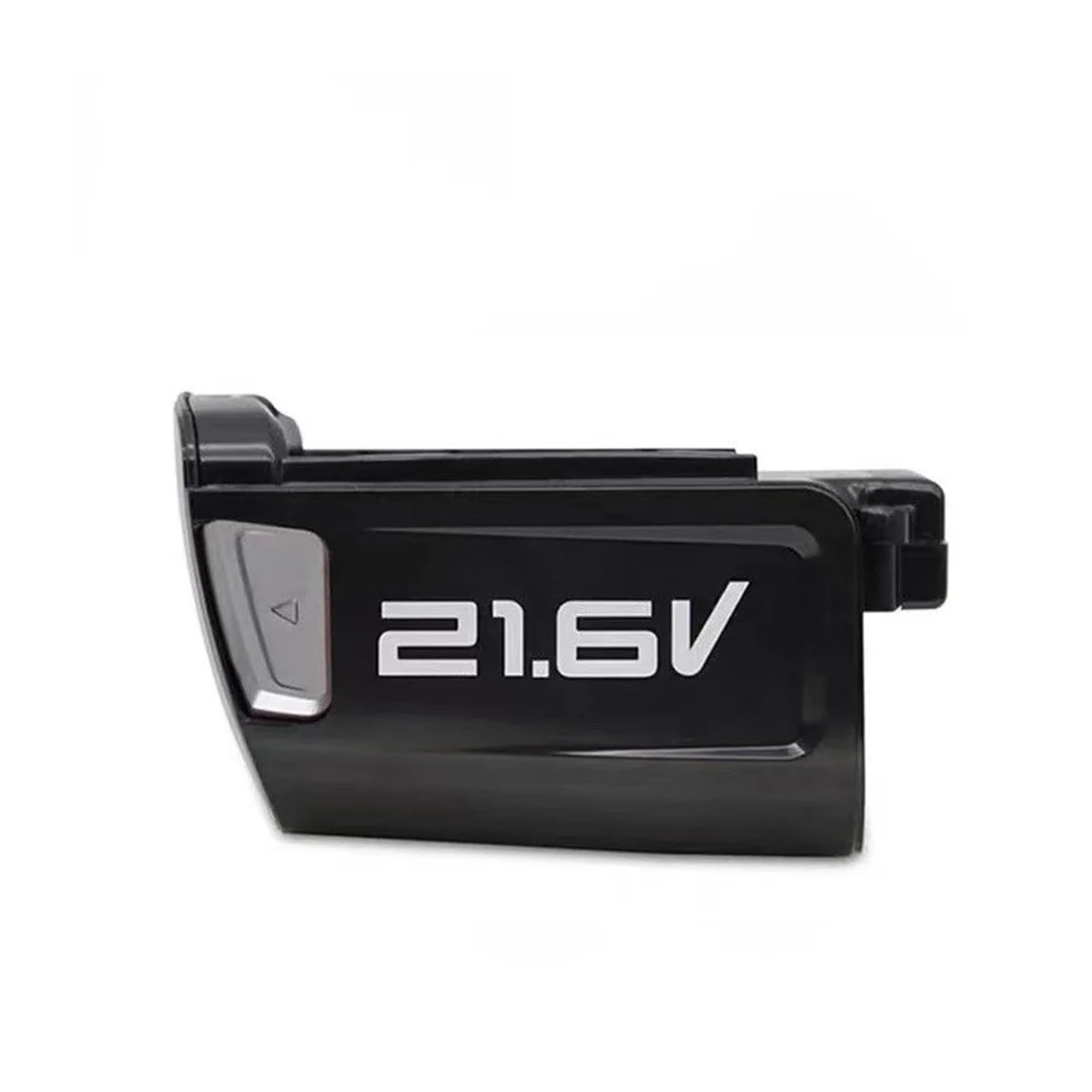
Image 1.1: Two LDGSUPH BP21620D 21.6V 2500mAh batteries.
2. Safety Information
Always observe the following safety precautions to prevent injury or damage to the battery and appliance:
- Do not disassemble, open, or shred the battery pack.
- Do not expose the battery to heat or fire. Avoid storage in direct sunlight.
- Do not short-circuit a battery pack. Do not store battery packs indiscriminately in a box or drawer where they may short-circuit each other or be short-circuited by conductive materials.
- Do not remove a battery pack from its original packaging until required for use.
- Do not subject battery packs to mechanical shock.
- In the event of a battery leaking, do not allow the liquid to come into contact with the skin or eyes. If contact has been made, wash the affected area with copious amounts of water and seek medical advice.
- Do not use any charger other than that specifically provided for use with the equipment.
- Keep battery packs out of the reach of children.
- Seek medical advice immediately if a battery pack has been swallowed.
- Always dispose of battery packs properly at designated recycling centers.
3. Product Overview
The BP21620D is a high-performance rechargeable lithium-ion battery designed for specific cordless vacuum cleaner models. It features a robust casing and a secure connection interface for reliable power delivery.

Image 3.1: Detailed view of a single BP21620D battery.

Image 3.2: Side profile of the BP21620D battery.
4. Specifications
| Parameter | Value |
|---|---|
| Product Name | Rechargeable lithium-ion battery |
| Nominal Voltage (V) | 21.6 V |
| Nominal Capacity | 2500 mAh (2.5 Ah) |
| Energy | 54 Wh |
| Model Number | BP21620D |
| Dimensions (L x W x H) | 82 x 70 x 62 mm |
| Weight | Approximately 0.4 kg (1.76 ounces) |
| Battery Type | Li-Ion |

Image 4.1: Battery dimensions and key specifications.
5. Compatibility
This LDGSUPH BP21620D battery is compatible with the following Midea portable cordless vacuum cleaner models:
- Midea P3
- Midea P5
- Midea P5S Lady
- Midea V1
- Midea V3

Image 5.1: Visual confirmation of compatible models.
6. Setup and Installation
To install the battery into your compatible cordless vacuum cleaner:
- Ensure the vacuum cleaner is turned off and unplugged from any charging source.
- Locate the battery compartment on your vacuum cleaner. Refer to your vacuum cleaner's instruction manual for specific details on battery removal and installation.
- Align the BP21620D battery with the compartment and slide it into place until it clicks securely. Ensure the battery is fully seated to establish proper electrical contact.
- To remove the battery, press the release button (if present on your vacuum model) and slide the battery out.
7. Operating Instructions
The battery powers your cordless vacuum cleaner. For optimal performance:
7.1. Initial Charge
Before first use, fully charge the battery. This helps to condition the battery for long-term performance.
7.2. Charging the Battery
- Use only the original charger supplied with your vacuum cleaner or a compatible charger specified by the vacuum cleaner manufacturer.
- Connect the charger to a power outlet and then to the vacuum cleaner (with the battery installed) or directly to the battery if your vacuum model supports external charging.
- Monitor the charging indicator lights on your vacuum cleaner or charger. These typically show when the battery is charging and when it is fully charged.
- Avoid overcharging the battery by disconnecting it once fully charged.
7.3. Usage
Operate your vacuum cleaner as per its own instruction manual. The battery provides cordless power, allowing for flexible cleaning without being tethered to a power outlet.
8. Maintenance
Proper maintenance extends the life of your battery:
- Storage: If storing the battery for an extended period, charge it to approximately 50-60% capacity. Store in a cool, dry place away from direct sunlight and extreme temperatures.
- Cleaning: Keep the battery contacts clean and free from dust or debris. Use a dry cloth to wipe them if necessary.
- Temperature: Avoid operating or charging the battery in extreme hot or cold conditions, as this can affect performance and lifespan.
- Regular Use: For best results, use and recharge the battery regularly.
9. Troubleshooting
If you encounter issues with your battery, consider the following:
- Battery not charging:
- Ensure the charger is properly connected to both the power outlet and the vacuum/battery.
- Verify that the power outlet is functional.
- Check for any visible damage to the battery or charger.
- Short runtime:
- The battery may not be fully charged. Ensure it is charged until the indicator shows full.
- Battery capacity naturally degrades over time with repeated charge cycles. If the battery is old, it may need replacement.
- Ensure the vacuum cleaner's filters are clean, as clogged filters can increase motor strain and battery drain.
- Battery not fitting:
- Double-check that your vacuum cleaner model is listed in the compatibility section (Section 5).
- Ensure the battery is aligned correctly with the compartment and inserted firmly.
If problems persist, contact customer support.
10. Warranty and Support
For warranty information and customer support, please refer to the documentation provided with your purchase or contact the seller directly. Keep your purchase receipt as proof of purchase.