
1. Product Overview
This manual provides instructions for the Ayybboo Kids Digital Watch, designed for children aged 5-13. It features a cat-themed design, 7-color backlight, alarm, stopwatch, and is 30M waterproof.

Image 1.1: Overview of the watch's multifunctional features.
Key Features:
- 7-Color Backlight: Easily read time in the dark with adjustable monochrome or seven-color lights.
- 30M Water Resistance: Suitable for daily use like hand washing, face washing, and rainy days. Not for swimming or diving.
- Alarm Clock: Set daily alarms.
- Stopwatch: Ideal for sports and timing activities.
- Date Display: Shows the current date.
- 12/24H Format: Switch between 12-hour and 24-hour time display.
- Shockproof: Durable design to withstand drops and knocks.
- Comfortable Design: Soft band and adjustable stainless steel clasp for a comfortable fit.
2. Watch Components and Buttons
Familiarize yourself with the watch's buttons to operate its functions.

Image 2.1: Watch with backlight button indicated.
- LIGHT Button (Top Left): Activates the backlight and changes backlight colors.
- MODE Button (Bottom Left): Cycles through different modes (Time, Alarm, Stopwatch).
- START Button (Top Right): Used to start/stop stopwatch, adjust settings, or view alarm.
- RESET Button (Bottom Right): Used to reset stopwatch, confirm settings, or switch 12/24H format.
3. Setup Instructions
3.1 Setting Time and Date
- From the normal time display, press the MODE button three times to enter time setting mode. The seconds will flash.
- Press the RESET button to cycle through the setting items: seconds → hours → minutes → month → date → day of the week.
- While an item is flashing, press the START button to adjust its value.
- After setting all desired values, press the MODE button once to return to normal time display.
3.2 Switching 12/24 Hour Format
In normal time display, press the RESET button to toggle between 12-hour (AM/PM) and 24-hour formats.
4. Operating Instructions
4.1 Using the Backlight
Press the LIGHT button (top left) to illuminate the display. Each press will cycle through the 7 available colors or a continuous color-changing mode.
4.2 Setting and Using the Alarm
- From the normal time display, press the MODE button once to enter Alarm Mode. The hour digits will flash.
- Press the RESET button to select between setting hours or minutes.
- Press the START button to adjust the flashing hour or minute value.
- Once the desired alarm time is set, press the MODE button to return to normal time display.
- To turn the alarm ON/OFF: In Alarm Mode, press the START button to activate or deactivate the alarm. An alarm icon will appear/disappear on the display.
- When the alarm sounds, press any button to stop it.
4.3 Using the Stopwatch
- From the normal time display, press the MODE button twice to enter Stopwatch Mode. The display will show "00:00:00".
- Press the START button to begin timing.
- Press the START button again to pause timing.
- Press the RESET button while paused to reset the stopwatch to "00:00:00".
- To exit Stopwatch Mode, press the MODE button.
4.4 Water Resistance Guidelines (30M)
The watch is rated 30M (3 ATM) water resistant. This means it is protected against splashes, rain, and brief immersion in water, such as during hand washing or face washing.
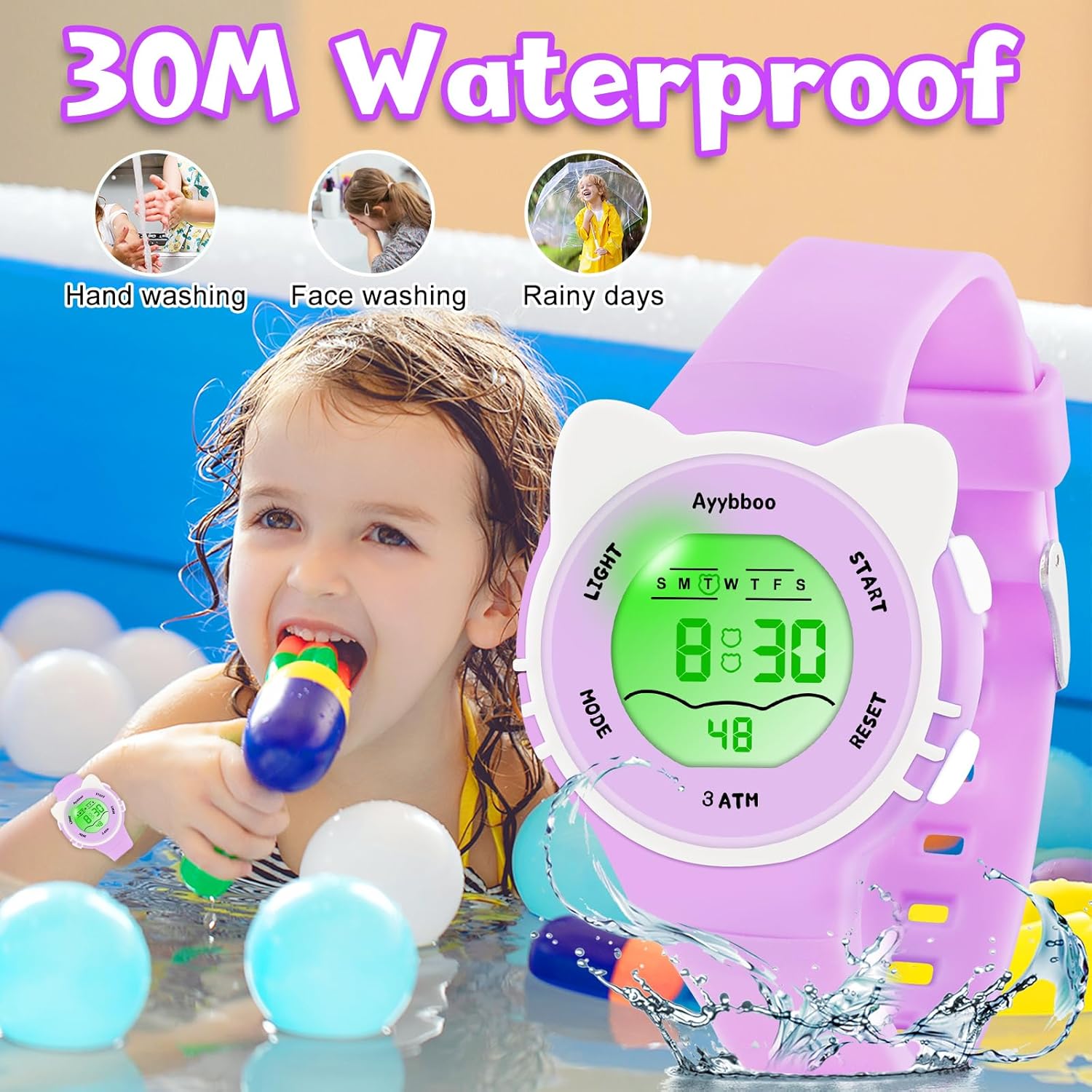
Image 4.1: Water resistance capabilities.
Important: Do not press any buttons while the watch is submerged in water, as this can compromise the water seal and cause damage.
The watch is not suitable for swimming, diving, or showering with hot water.
5. Maintenance
5.1 Cleaning
Wipe the watch regularly with a soft, dry cloth to remove dirt and sweat. For stubborn stains, a slightly damp cloth can be used, followed by drying thoroughly.
5.2 Storage
Store the watch in a cool, dry place away from direct sunlight and extreme temperatures when not in use.
5.3 Battery Replacement
The watch uses a standard button cell battery. Battery replacement should ideally be performed by a qualified watch technician to ensure the water resistance seal is maintained. Attempting to replace the battery yourself may void the warranty or damage the watch.
6. Troubleshooting
- Watch display is blank: The battery may be depleted. Consider professional battery replacement.
- Time is incorrect: Follow the "Setting Time and Date" instructions in Section 3.1 to reset the time.
- Backlight not working: Ensure the battery is not low. If other functions work, there might be an internal issue requiring professional inspection.
- Water inside the watch: Immediately stop using the watch and seek professional repair. Do not attempt to dry it yourself.
7. Specifications
| Feature | Specification |
|---|---|
| Brand | Ayybboo |
| Model | B0G497TFGS |
| Water Resistance | 30M (3 ATM) |
| Functions | Time, Date, Alarm, Stopwatch, 7-Color Backlight, 12/24H Format |
| Band Width | 1.5 cm (0.59 inches) |
| Band Length | 22.5 cm (8.85 inches) |
| Dial Case Diameter | 3.5 cm (1.37 inches) |
| Dial Case Thickness | 1.3 cm (0.5 inches) |
| Wrist Fit Circumference | 14.3 cm (5.6 inches) - 19.5 cm (7.67 inches) |
| Product Weight | 26g |
| Case Material | Resin |
| Back Material | Stainless Steel |

Image 7.1: Watch dimensions and wrist fit.
8. Warranty and Support
8.1 Warranty Information
This product is covered by a standard manufacturer's warranty against defects in materials and workmanship. Please refer to the product packaging or contact the seller for specific warranty terms and duration.
8.2 Customer Support
For any questions, technical assistance, or warranty claims, please contact the seller or manufacturer directly through the platform where the product was purchased. Provide your order number and a detailed description of the issue for prompt support.