
1. Product Overview
The Ayybboo Kids Digital Watch is designed for children, offering a range of practical functions in a durable and comfortable design. Key features include a digital time display, 7-color backlight, alarm, stopwatch, calendar, and 12/24-hour format. The watch is also water-resistant for daily use.

Image 1: Overview of the Ayybboo Kids Digital Watch highlighting its multifunctional capabilities including backlight, stopwatch, 30M water resistance, 12/24-hour display, alarm, date, and shockproof design.
2. Initial Setup
Upon receiving your watch, ensure any protective film or battery tab is removed. The watch features four buttons: LIGHT (top-left), MODE (bottom-left), START (top-right), and RESET (bottom-right). Familiarize yourself with these buttons as they are used for all operations.
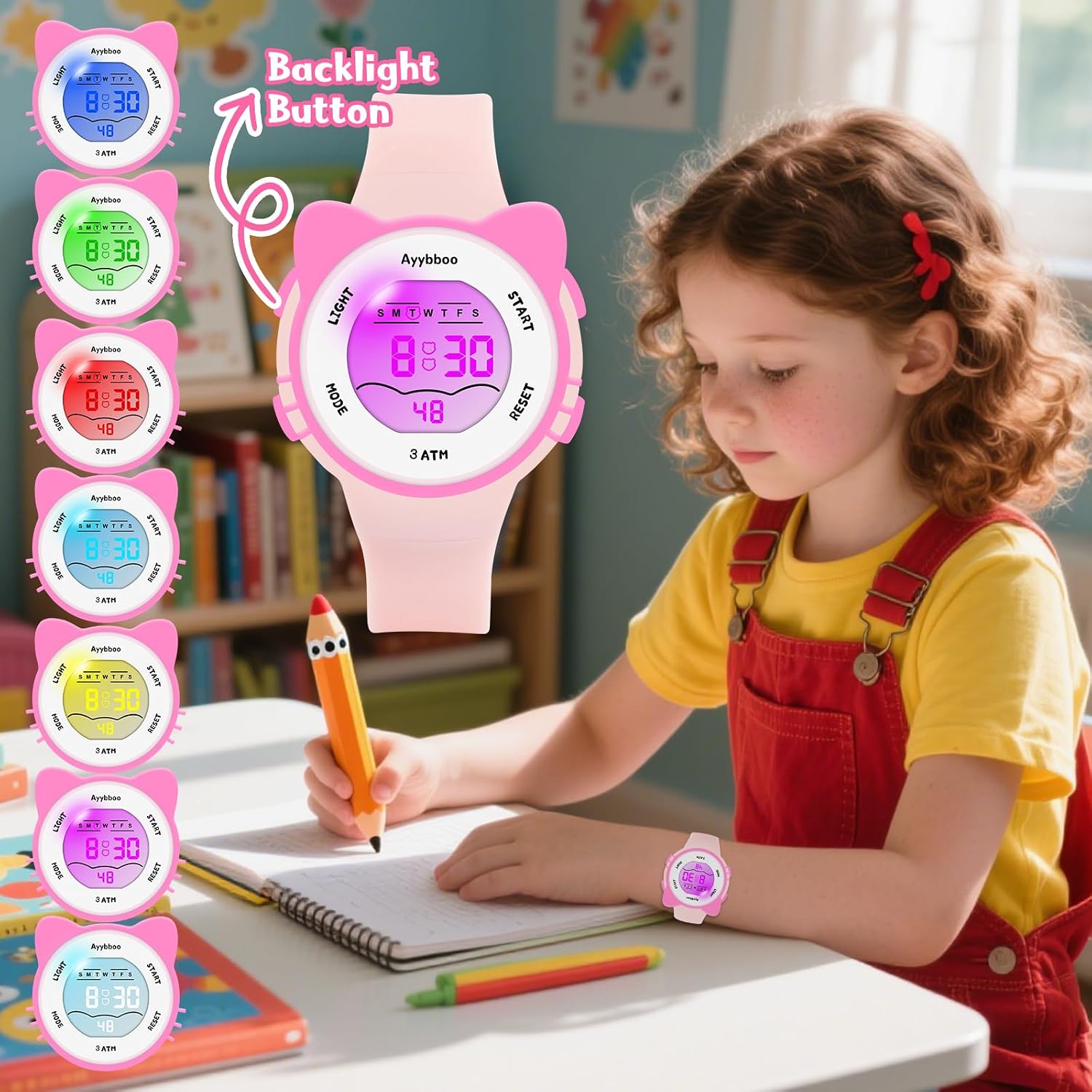
Image 2: The Ayybboo Kids Digital Watch on a child's wrist, illustrating the location of the LIGHT button for activating the backlight.
3. Operating Instructions
3.1 Time and Date Setting
- From the normal time display, press the MODE button three times to enter time setting mode. The seconds will flash.
- Press the RESET button to set the seconds to zero.
- Press the START button to move to the next setting (hours).
- Press the RESET button to adjust the hours. Note the 'A' or 'P' for AM/PM, or 'H' for 24-hour format.
- Continue pressing START to cycle through minutes, month, date, and day of the week.
- Use the RESET button to adjust each value.
- Once all settings are complete, press the MODE button to return to the normal time display.
3.2 12/24-Hour Format
In the normal time display, press the RESET button once to toggle between 12-hour (AM/PM) and 24-hour ('H') formats.
3.3 Alarm Function
- From the normal time display, press the MODE button twice to enter alarm setting mode. The hour digits will flash.
- Press the RESET button to adjust the alarm hour.
- Press the START button to move to the alarm minutes.
- Press the RESET button to adjust the alarm minutes.
- Press the MODE button to return to the normal time display.
- To activate/deactivate the alarm, press and hold the RESET button, then press the START button. An alarm icon will appear/disappear.
3.4 Stopwatch Function
- From the normal time display, press the MODE button once to enter stopwatch mode.
- Press the START button to begin timing.
- Press the START button again to pause timing.
- Press the RESET button to reset the stopwatch to zero.
- Press the MODE button to return to the normal time display.
3.5 Backlight Operation
Press the LIGHT button (top-left) to activate the 7-color backlight. The backlight will illuminate the display for a few seconds, allowing for easy time reading in low-light conditions.
4. Maintenance
4.1 Water Resistance
This watch is rated 30M (3 ATM) water-resistant. This means it is suitable for daily use, such as hand washing, splashes, and rain. It is not recommended for showering with hot water, swimming, diving, or any activities involving prolonged water immersion or high-pressure water exposure, as this can compromise the seals.
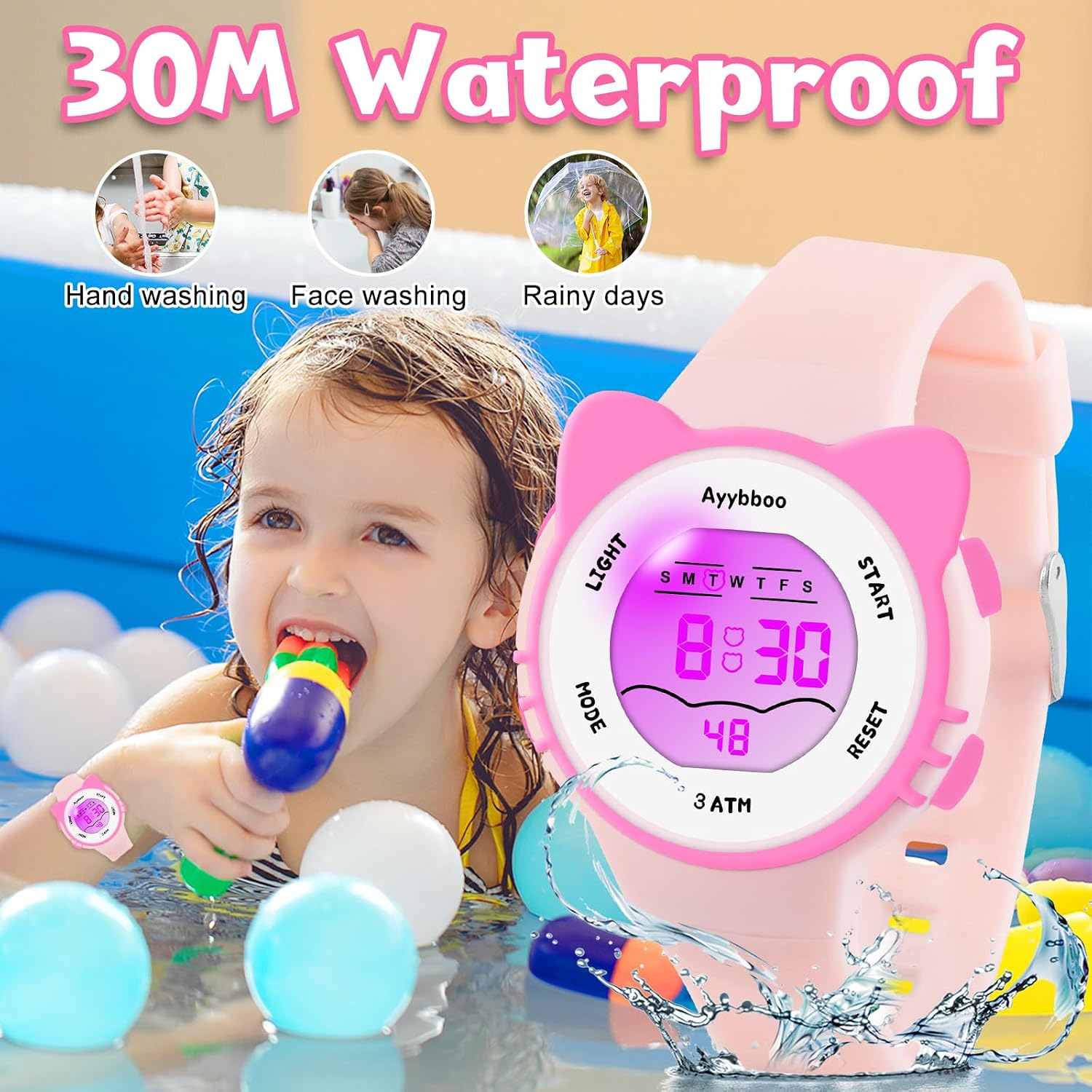
Image 3: Illustration of the watch's 30M water resistance, suitable for everyday activities like hand washing, face washing, and exposure to rain.
4.2 Cleaning
To clean the watch, wipe it gently with a soft, damp cloth. Avoid using harsh chemicals or abrasive materials, which can damage the watch's finish or components.
4.3 Battery Replacement
When the display becomes dim or unresponsive, the battery may need replacement. It is recommended to have the battery replaced by a qualified watch technician to ensure proper sealing and water resistance.
5. Troubleshooting
- Display is blank or dim: The battery may be low or depleted. Consider replacing the battery.
- Buttons are unresponsive: Ensure the watch is not in a locked mode (if applicable, though this model typically does not have one). Try replacing the battery. If issues persist, contact customer support.
- Time is inaccurate: Re-set the time and date following the instructions in Section 3.1.
- Water inside the watch: If water appears inside the watch, stop using it immediately and seek professional repair to prevent further damage.
6. Specifications
- Brand: Ayybboo
- Model: Kids Digital Watch
- Functions: Time, Date, Day of Week, Alarm, Stopwatch, 7-Color Backlight, 12/24H Format
- Water Resistance: 30 Meters (3 ATM)
- Case Material: Resin
- Back Material: Stainless Steel
- Band Material: Silicone
- Band Width: Approximately 0.59 inches (1.5 cm)
- Band Length: Approximately 8.85 inches (22.5 cm)
- Dial Case Diameter: Approximately 1.37 inches (3.5 cm)
- Dial Case Thickness: Approximately 0.5 inches (1.3 cm)
- Wrist Circumference (Min-Max): 5.6 - 7.67 inches (14.3 - 19.5 cm)
- Product Weight: Approximately 26g

Image 4: Detailed dimensions and specifications of the Ayybboo Kids Digital Watch, including band width, length, case diameter, thickness, and wrist fit range.
7. Warranty and Support
Specific warranty information for this product is not provided in the available documentation. For any questions, technical support, or warranty claims, please contact Ayybboo customer service through the retailer where the product was purchased or visit the official Ayybboo brand store online.