
boAt Airdopes 212
boAt Airdopes 212 TWS Earbuds User Manual
Model: Airdopes 212 (PA0039)
1. Introduction
Thank you for choosing the boAt Airdopes 212 True Wireless Stereo (TWS) Earbuds. This manual provides essential information for setting up, operating, and maintaining your earbuds to ensure optimal performance and longevity. The Airdopes 212 offers a seamless audio experience with features like 50 hours of total playtime, ENx Technology for clear calls, Beast Mode for low-latency gaming, and ASAP Charge for quick power-ups.
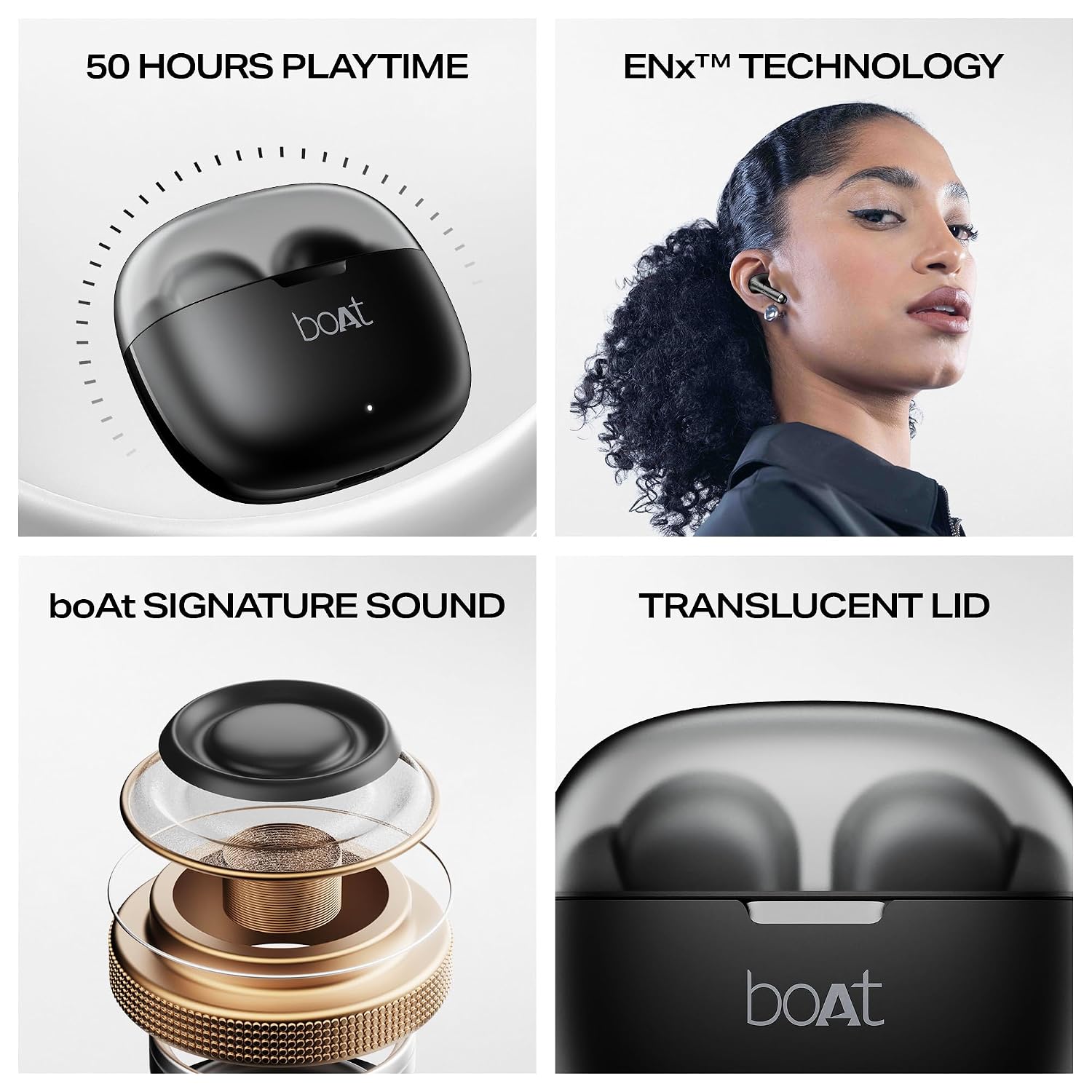
Image: boAt Airdopes 212 TWS Earbuds and their charging case.
2. What's in the Box
The boAt Airdopes 212 package includes the following items:
- TWS Earbuds (Left and Right)
- Charging Case
- Additional Earbuds (Eartips of various sizes)
- USB Charging Cable
- User Manual
3. Setup
3.1. Charging the Earbuds and Case
Before first use, fully charge the Airdopes 212. Place the earbuds into the charging case and connect the USB cable to the case and a power source. The LED indicator on the case will show the charging status. A full charge provides up to 50 hours of total playtime with the charging case.
- ASAP Charge: A quick 5-minute charge provides approximately 140 minutes of playtime.
- Battery Average Life: Up to 50 hours (including case charges).

Image: The boAt Airdopes 212 charging case, highlighting its 50-hour total playtime capacity.
3.2. Initial Pairing (IWP Technology)
- Step 1: Open the lid of the charging case. The earbuds will automatically power on and enter pairing mode.
- Step 2: Enable Bluetooth on your smartphone or other device.
- Step 3: Search for "Airdopes 212" in the list of available Bluetooth devices.
- Step 4: Select "Airdopes 212" to connect. Once connected, you will hear an audio prompt.
- Note: The earbuds feature IWP (Insta Wake N' Pair) Technology, allowing them to connect instantly to your last paired device once the case lid is opened.

Image: A smartphone displaying a successful Bluetooth connection to the Airdopes 212 earbuds.
4. Operating the Earbuds
4.1. Touch Controls
The Airdopes 212 features intuitive touch controls on each earbud for managing music, calls, and voice assistants:
- Play/Pause: Single tap on either earbud.
- Next Track: Double tap on the right earbud.
- Previous Track: Double tap on the left earbud.
- Answer/End Call: Single tap on either earbud.
- Reject Call: Long press (2 seconds) on either earbud.
- Activate Voice Assistant: Triple tap on either earbud.
- Toggle Beast Mode: Long press (3 seconds) on the right earbud.

Image: Visual representation of touch control functions on the earbud surface.
4.2. Beast Mode (Low Latency)
Activate Beast Mode for a low-latency audio experience, ideal for gaming. This mode minimizes audio delay, ensuring synchronized sound with on-screen action.

Image: Illustration of Beast Mode, emphasizing its 45ms low latency for an enhanced gaming experience.
4.3. ENx Technology (Environmental Noise Cancellation)
The Airdopes 212 features ENx Technology with dual microphones to enhance call clarity by suppressing environmental noise. This ensures your voice is heard clearly during calls, even in noisy surroundings.

Image: A user wearing the Airdopes 212, demonstrating the dual microphones with ENx Technology for clear communication.
4.4. boAt Signature Sound
Experience immersive audio with boAt Signature Sound, engineered for a balanced and powerful listening experience across various music genres.

Image: An exploded view diagram illustrating the internal structure of the earbud's audio driver, representing boAt Signature Sound.
5. Maintenance
5.1. Cleaning and Storage
- Gently wipe the earbuds and charging case with a soft, dry, lint-free cloth.
- Do not use harsh chemicals, cleaning solvents, or strong detergents.
- Ensure the charging ports are free from dust and debris.
- Store the earbuds in their charging case when not in use to protect them and keep them charged.
- Avoid exposing the earbuds to extreme temperatures or direct sunlight for extended periods.
5.2. Water Resistance (IPX4)
The Airdopes 212 earbuds are rated IPX4 for splash and sweat resistance. This means they can withstand splashes of water and sweat, making them suitable for workouts and light rain. However, they are not designed for submersion in water or exposure to heavy rain.
- Do not intentionally submerge the earbuds in water.
- Dry the earbuds thoroughly before placing them back in the charging case if they get wet.

Image: The Airdopes 212 earbuds shown with water droplets, signifying their IPX4 splash and sweat resistance.
6. Troubleshooting
If you encounter any issues with your Airdopes 212, please refer to the following common solutions:
- Earbuds not pairing:
- Ensure both earbuds are charged.
- Place earbuds back in the case, close the lid, wait a few seconds, then open again to re-enter pairing mode.
- Forget "Airdopes 212" from your device's Bluetooth settings and try pairing again.
- No sound from one earbud:
- Ensure both earbuds are charged.
- Try resetting the earbuds (refer to the full product manual for specific reset instructions if available).
- Clean the charging contacts on both the earbuds and the case.
- Earbuds not charging:
- Ensure the charging cable is securely connected to both the case and the power source.
- Check if the power source is working correctly.
- Clean the charging pins on the earbuds and the charging contacts in the case.
- Low volume:
- Adjust the volume on both your connected device and via the earbud controls.
- Ensure the eartips are properly sealed in your ear canal. Try different sized eartips.
7. Specifications
| Feature | Detail |
|---|---|
| Brand | boAt |
| Model Name | Airdopes 212 |
| Model Number | PA0039 |
| Ear Placement | In Ear |
| Form Factor | In Ear |
| Impedance | 16 Ohms |
| Control Method | Touch |
| Battery Average Life | 50 Hours (Total Playtime) |
| Battery Charge Time | 5 Minutes (for 140 mins playtime with ASAP Charge) |
| Noise Control | Environmental Noise Cancellation (ENx Technology) |
| Audio Driver Type | Dynamic Driver |
| Water Resistance Level | IPX4 (Splash Resistant) |
| Network Connectivity Technology | Bluetooth |
| Wireless Technology Type | Bluetooth |
| Item Weight | 75 Grams |
| Compatible Devices | Smartphones, Tablets, Laptops, Desktops |
8. Warranty and Support
The boAt Airdopes 212 comes with a 1-year warranty from the date of purchase. This warranty covers manufacturing defects and ensures your product is free from material and workmanship flaws under normal use.
For warranty claims, technical support, or any inquiries, please contact:
- Manufacturer: Imagine Marketing Ltd
- Manufacturer Contact Information: info@imaginemarketingindia.com
- Importer Contact Information: Imagine Marketing Ltd, Mumbai, Maharashtra 400093, India
Please retain your purchase receipt as proof of purchase for warranty services.
Related documentsAirdopes 212


Ask a question about this manual
Ask about setup, troubleshooting, compatibility, parts, safety, or missing instructions. Manuals+ will review the question and use this page’s manual context to help answer it.