
1. Introduction
Thank you for choosing the WORKPRO 600LM Rechargeable LED Flashlight. This compact and durable flashlight is designed for various applications, from home repairs and camping to hiking and emergency situations. Featuring high lumens, multiple lighting modes, and IPX7 waterproofing, it provides reliable illumination in diverse environments. Please read this manual thoroughly before use to ensure proper operation and maintenance.

Image: WORKPRO 600LM rechargeable flashlight illuminating a dark path during a night hike.
2. Safety Information
- Do not look directly into the LED light beam to avoid eye injury.
- Keep out of reach of children.
- Do not disassemble the flashlight; this may void the warranty and cause damage.
- Use only the provided charging cable or a certified USB-C cable for charging.
- Avoid exposing the flashlight to extreme heat or fire.
- Ensure the charging port is properly sealed before exposing the flashlight to water.
3. Package Contents
Please check the package for the following items:
- WORKPRO 600LM Rechargeable LED Flashlight
- USB-A to USB-C Charging Cable

Image: Diagram of the WORKPRO 600LM flashlight highlighting its components.
4. Product Features
- Bright & Reliable Illumination: Delivers up to 600 lumens with a beam distance of up to 360 feet.
- 3 Lighting Modes: Easily switch between Spotlight, Floodlight, and Spotlight + Floodlight modes for versatile use.
- Durable Construction: Crafted from rugged aluminum alloy with a rubber-protected head for drop resistance.
- IPX7 Waterproof: Withstands immersion in up to 1 meter of water for 30 minutes.
- Rechargeable Battery: Equipped with a 2600mAh lithium battery, offering up to 9 hours of runtime on low mode. USB-C port for convenient charging.
- Compact & Versatile: Designed for easy portability and suitable for home, camping, hiking, and emergency use.

Image: Super Bright 600LM with 3 Modes.
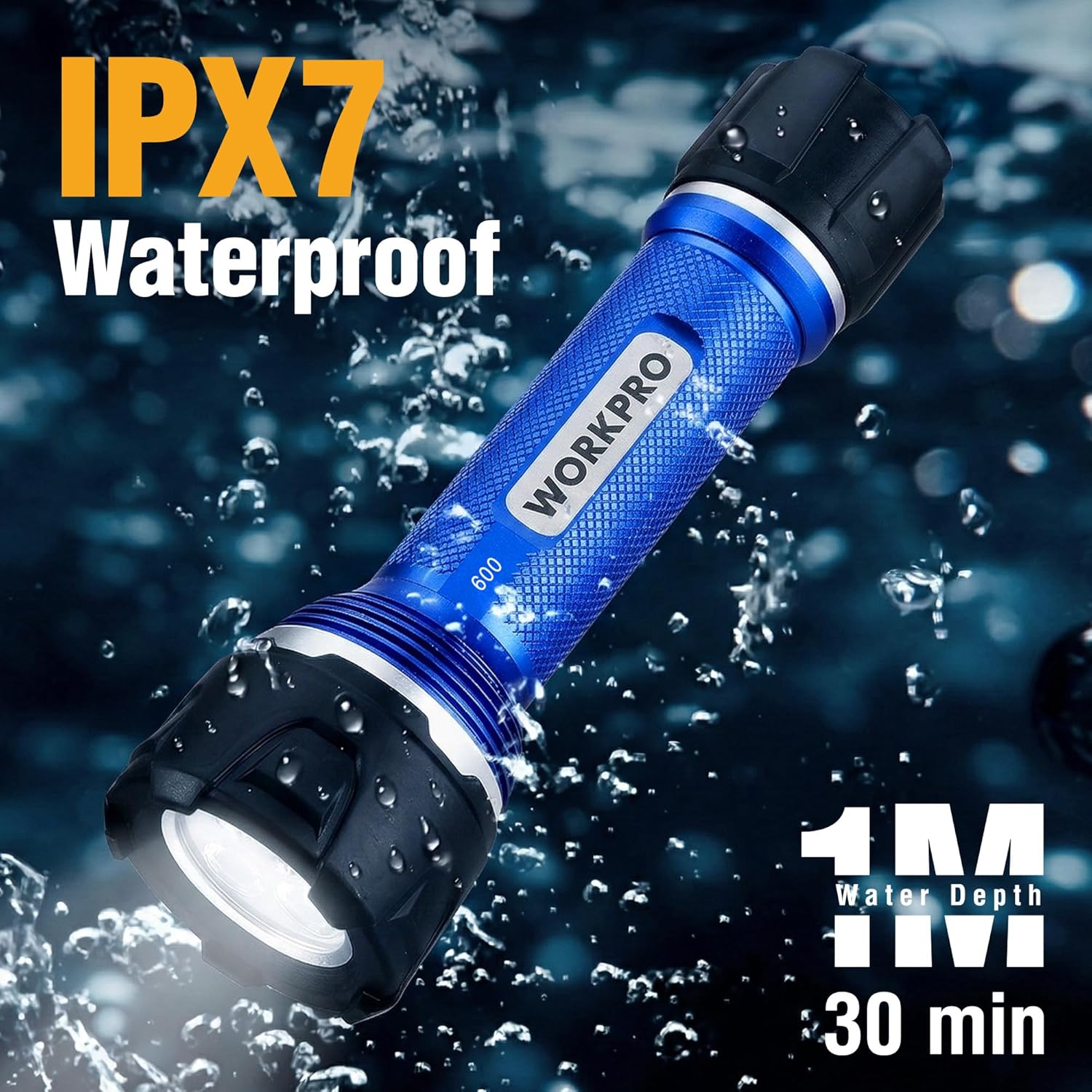
Image: IPX7 Waterproof Design.

Image: Long Lasting Battery.

Image: Reliable in Any Environment.
5. Setup
Before first use, it is recommended to fully charge the flashlight. Refer to the 'Charging Instructions' section for details.
6. Operating Instructions
The flashlight features a single button for power and mode selection.
- Power ON/OFF: Press the ON/OFF switch button located on the tail cap to turn the flashlight on or off.
- Change Modes: While the flashlight is on, press the ON/OFF switch button repeatedly to cycle through the lighting modes: Spotlight → Floodlight → Spotlight + Floodlight.

Image: Long Distance & Wide Coverage with One-Button Operation.
The versatile lighting modes make this flashlight suitable for various activities:

Image: Flashlight in use for repair, camping, fishing, and hiking.

Image: Compact size and durable aluminum alloy construction.
7. Charging Instructions
The WORKPRO flashlight is equipped with a hidden USB-C charging port.
- Access Charging Port: Gently twist the head of the flashlight to reveal the USB-C charging port.
- Connect Charger: Insert the provided USB-A to USB-C charging cable into the flashlight's port and connect the other end to a USB power source (e.g., wall adapter, computer, power bank).
- Charging Indicator: The charge indicator light will illuminate red during charging and turn green when fully charged.
- Seal Port: Once charging is complete, twist the flashlight head back to cover and seal the charging port, ensuring its IPX7 waterproof integrity.

Image: Hidden Charging Port.

Image: USB-C Rechargeable.

Image: Charging Indicator.
8. Maintenance
- Cleaning: Wipe the flashlight with a soft, damp cloth. Do not use abrasive cleaners or solvents.
- Storage: Store the flashlight in a cool, dry place away from direct sunlight and extreme temperatures. If storing for extended periods, charge the battery every 3-6 months to maintain battery health.
- Waterproof Seal: Periodically inspect the rubber seals around the charging port and tail cap for any signs of wear or damage to ensure continued waterproof performance.

Image: Rubber Protection for enhanced durability.
9. Troubleshooting
| Problem | Possible Cause | Solution |
|---|---|---|
| Flashlight does not turn on. | Battery is depleted. | Charge the flashlight fully. |
| Flashlight does not turn on. | Tail cap is loose. | Ensure the tail cap is securely tightened. |
| Light output is dim. | Low battery. | Recharge the flashlight. |
| Charging indicator not working. | Charging cable or adapter is faulty. | Try a different USB-C cable and power adapter. Ensure the charging port is clean. |
| Water ingress after exposure. | Charging port not sealed. | Always ensure the charging port is fully sealed by twisting the head back after charging. |
10. Specifications
| Model Number | W139062A |
| Light Output | 600 Lumens (White Brightness) |
| Beam Distance | Up to 360 feet |
| Light Source Type | LED |
| Lighting Modes | Spotlight, Floodlight, Spotlight + Floodlight |
| Battery Type | 2600mAh Lithium Ion (1 required, included) |
| Runtime | Up to 9 hours (on low mode) |
| Charging Port | USB-C |
| Water Resistance | IPX7 (Waterproof) |
| Material | Aluminum |
| Color | Blue and Black |
| Item Dimensions (D x W x H) | 7.37" x 2.44" x 2.36" |
| UPC | 820909628842 |
11. Warranty Information
The WORKPRO 600LM Rechargeable LED Flashlight comes with a 2-year manufacturer's warranty. This warranty covers defects in materials and workmanship under normal use. It does not cover damage caused by misuse, accidents, unauthorized modifications, or normal wear and tear. Please retain your proof of purchase for warranty claims.
12. Customer Support
For any questions, concerns, or technical assistance regarding your WORKPRO flashlight, please contact our customer support team. Refer to the product packaging or the official WORKPRO website for the most up-to-date contact information.