
1. Product Overview
The AMACOOL Portable Neck Fan (Model HF340) is a lightweight, wearable device designed to provide hands-free personal cooling. It features a durable 2600mAh rechargeable battery, offering up to 6 hours of cooling on a single charge. The fan is equipped with an upgraded leaf-blade airflow design for smooth, soft, and tangle-free wind, making it suitable for various activities without concerns about hair entanglement.
Its flexible arms allow for 360-degree adjustment, enabling users to direct airflow precisely where needed. With three adjustable wind speeds and a quiet brushless motor, it is ideal for use in diverse environments, from outdoor activities to quiet indoor settings. The compact and foldable design ensures easy portability.
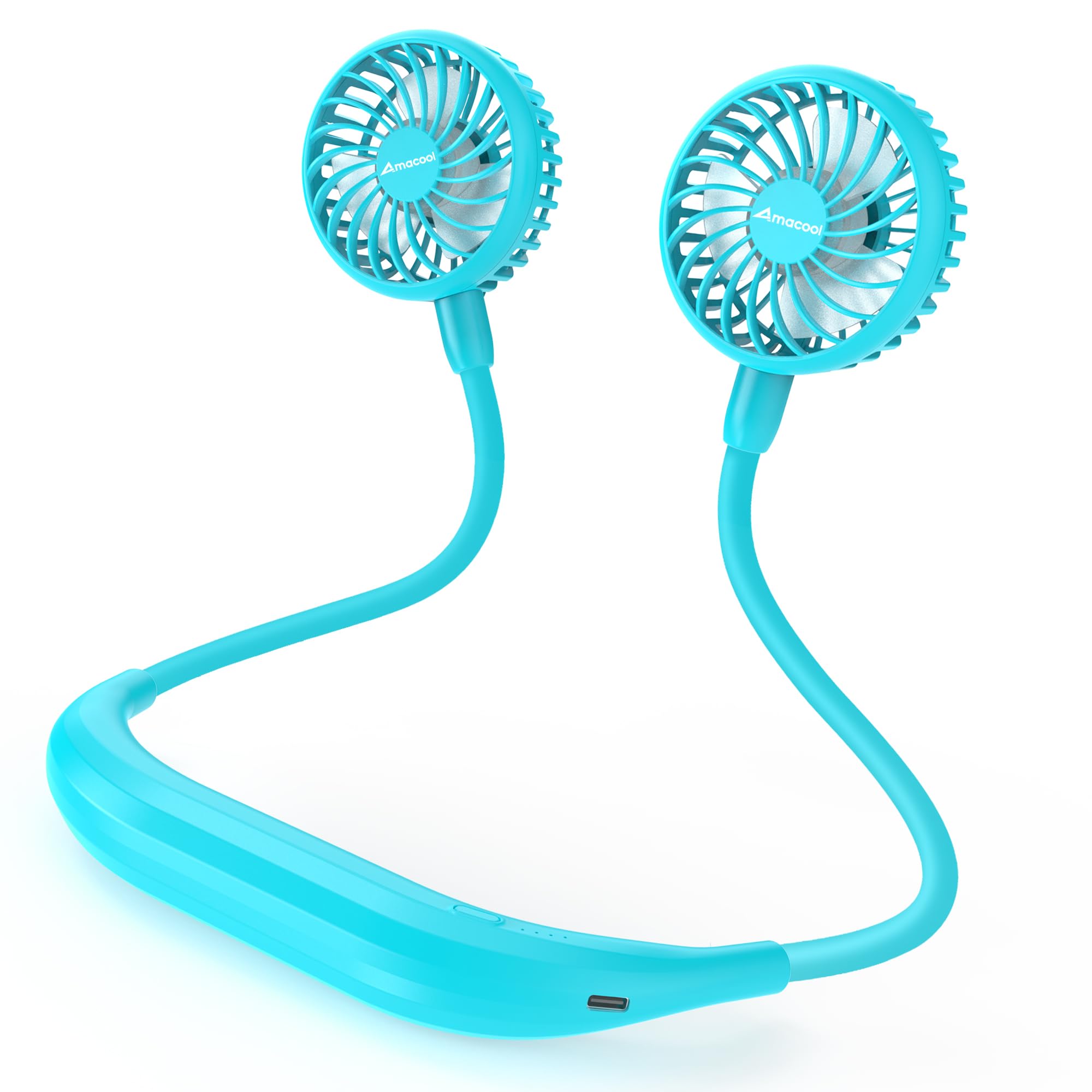
Figure 1.1: The AMACOOL Portable Neck Fan in Aqua Blue.

Figure 1.2: The neck fan provides hands-free cooling for various activities.
2. Package Contents
Ensure all items are present in the package:
- AMACOOL Portable Neck Fan (Model HF340)
- USB Charging Cable (Type-C)
- Instruction Manual
3. Setup
3.1 Wearing the Neck Fan
- Gently open the flexible arms of the fan.
- Place the fan around your neck, ensuring the central band rests comfortably on the back of your neck.
- Adjust the fan heads to direct airflow towards your face or desired area. The flexible arms allow for 360-degree rotation and bending.

Figure 3.1: The flexible arms allow for optimal airflow direction.
3.2 Hair Safety
The AMACOOL HF340 features a unique leaf-blade design that minimizes the risk of hair entanglement. For users with longer hair, it is recommended to tie up your hair to ensure maximum comfort and prevent any potential interference with the fan blades.

Figure 3.2: The fan's design helps prevent hair entanglement.
4. Operating Instructions
4.1 Power On/Off and Speed Adjustment
The fan is controlled by a single button located on the central band.
- To Power On: Press the power button once. The fan will start at Speed 1 (low).
- To Adjust Speed: Press the power button repeatedly to cycle through the speeds:
- Press once for Speed 1 (Low)
- Press twice for Speed 2 (Medium)
- Press three times for Speed 3 (High)
- To Power Off: Press the power button a fourth time after Speed 3, or press and hold the button for 2 seconds at any speed setting.

Figure 4.1: The control button and foldable design for portability.
5. Charging the Device
5.1 Battery Information
The AMACOOL HF340 is equipped with a 2600mAh rechargeable battery, providing up to 6 hours of operation depending on the speed setting. The device features LED indicators to show the battery level and charging status.
5.2 Charging Procedure
- Locate the USB-C charging port on the central band of the fan.
- Connect the provided USB-C cable to the fan's charging port.
- Connect the other end of the USB-C cable to a compatible power source, such as a laptop, power bank, wall adapter, or car charger.
- The LED indicators will illuminate to show the charging progress. Once fully charged, all indicators will remain solid.
- Disconnect the charging cable once charging is complete.

Figure 5.1: Charging the neck fan using the USB-C cable.
6. Maintenance
6.1 Cleaning
- Ensure the fan is powered off before cleaning.
- Use a soft, dry cloth to wipe the exterior of the fan.
- For dust accumulation on the fan blades, use a soft brush or compressed air to gently clean the grilles and blades.
- Do not use harsh chemicals, abrasive cleaners, or immerse the device in water.
6.2 Storage
When not in use, store the fan in a cool, dry place away from direct sunlight and extreme temperatures. The flexible arms allow for compact folding, making it easy to store in a bag or drawer.

Figure 6.1: The fan's compact design allows for easy storage.
7. Troubleshooting
- Fan does not turn on:
- Ensure the battery is charged. Connect the fan to a power source using the USB-C cable.
- Verify that the power button is pressed correctly (a single press for power on, or press and hold for 2 seconds).
- Weak airflow:
- Check the fan speed setting. Press the power button to increase the speed.
- Ensure the fan grilles are not obstructed by clothing, hair, or debris.
- The battery might be low. Recharge the fan.
- Fan makes unusual noise:
- Check for any foreign objects caught in the fan blades. Power off the fan before inspecting.
- Ensure the fan heads are securely attached and not loose.
- Charging issues:
- Verify that the USB-C cable is properly connected to both the fan and the power source.
- Try using a different USB-C cable or power adapter to rule out faulty accessories.
- Ensure the power source is active and providing power.
8. Specifications
| Feature | Specification |
|---|---|
| Brand | AMACOOL |
| Model Name | HF340 Neck Fan |
| Color | Aqua Blue |
| Electric Fan Design | Wearable Fan |
| Power Source | Battery Powered |
| Battery Capacity | 2600mAh (Rechargeable) |
| Number of Speeds | 3 |
| Motor Type | Brushless |
| Control Method | Push Button |
| Product Dimensions (D x W x H) | 1.26" x 5.11" x 7.95" |
| Material | Plastic |
| Weight | Approximately 6.5 oz (193g) |
9. Warranty and Support
For warranty information or technical support, please refer to the contact details provided on the product packaging or visit the official AMACOOL website. Keep your purchase receipt for warranty claims.