
1. Product Overview
The DICTAC Queen Corner Bed Frame is designed to optimize space and provide comfort. It features an L-shaped upholstered guardrail, two under-bed storage drawers, an integrated charging station, and RGB LED lighting. This platform bed frame is constructed with a durable metal frame and heavy-duty slats, eliminating the need for a box spring.

Image 1.1: Overview of the DICTAC Queen Corner Bed Frame with its L-shaped upholstered guardrail and integrated LED lighting.
2. Package Contents and Specifications
2.1 Included Components
- Metal Bed Frame Components
- Upholstered Guardrails
- Heavy-duty Metal Slats
- 2 Wire Netting Storage Drawers with Liners
- Charging Station (2 USB ports, 2 AC outlets)
- RGB LED Light Strip
- Mattress Slide Stoppers (2 pcs)
- Plastic Corner Protectors (4 pcs)
- Assembly Instructions and Tools
2.2 Product Specifications
| Size | Queen (U.S. Standard) |
| Material | Linen, Metal |
| Product Dimensions (L x W x H) | 80.71" x 60.81" x 31.5" |
| Item Weight | 77 Pounds |
| Maximum Weight Recommendation | 900 Pounds |
| Under-bed Vertical Storage Space | 9.06" |
| Color | Grey |
| Required Assembly | Yes |
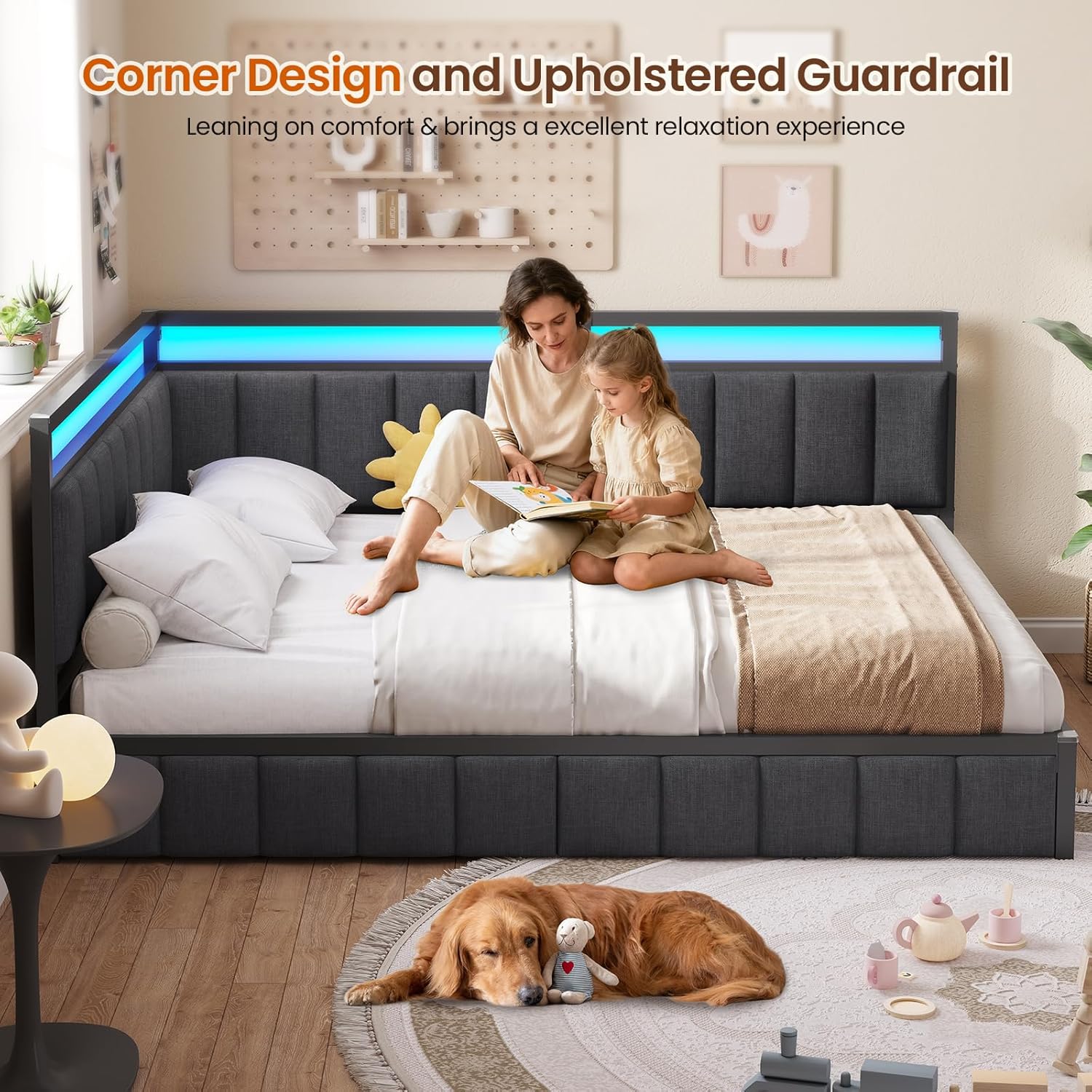
Image 2.1: Detailed dimensions and weight capacity of the bed frame, along with two possible installation orientations (left or right corner).
3. Assembly Instructions
Please follow the step-by-step instructions provided in the included assembly manual. Ensure all parts are present before beginning assembly. Two installation methods (left or right corner) are available to suit your room layout.
- Unpack Components: Carefully remove all parts from the packaging and lay them out on a clean, soft surface to prevent scratches. Verify all components listed in Section 2.1 are present.
- Assemble Main Frame: Connect the metal frame sections using the provided hardware. Ensure all connections are secure.
- Install Upholstered Guardrails: Attach the L-shaped upholstered guardrails to the main frame. These can be installed for either a left or right corner configuration.
- Insert Metal Slats: Place the heavy-duty metal slats into the designated slots on the frame. The buckle design simplifies installation and ensures strong support.
- Attach Mattress Slide Stoppers: Secure the two mattress slide stoppers to the bed frame to prevent mattress movement.
- Install Plastic Corner Protectors: Place the four plastic corner protectors on the exposed metal corners for added safety.
- Assemble Storage Drawers: Construct the two wire netting storage drawers. Insert the black drawer liners.
- Position Storage Drawers: Slide the assembled storage drawers under the bed frame. They are equipped with smooth wheels for easy access.
- Install Charging Station: Attach the charging station to the bed rail in a convenient location.
- Install LED Light Strip: Adhere the RGB LED light strip to the designated area on the bed frame.
For visual guidance, refer to the detailed diagrams in your physical instruction manual.

Image 3.1: Key structural features for stability and safety, including slat design, corner protectors, and mattress stoppers.
4. Operating Instructions
4.1 LED Lighting System
The integrated RGB LED lights can be controlled via a button controller or a dedicated smartphone application.
- Button Control: Use the physical button controller to cycle through various colors and basic lighting modes.
- APP Control: Download the recommended application (refer to the assembly manual for details) to access advanced features such as brightness adjustment, flashing modes, music-sync mode, and a wider range of colors (over 60,000 options).

Image 4.1: RGB LED lights with control options via button or smartphone application.
4.2 Charging Station
The bed frame includes a convenient charging station with 2 USB ports (5V/2A) and 2 AC outlets (120V/12A). It features a 5.2-foot power cord.
- Placement: The charging station is designed to hang anywhere on the bed rail according to your needs.
- Usage: Plug in your electronic devices such as phones, tablets, or bedside lamps for convenient charging.

Image 4.2: Details of the integrated charging station with USB and AC outlets.
4.3 Storage Drawers
The two wire netting storage drawers are located under the bed frame and operate on smooth wheels.
- Access: Gently pull the drawers out from under the bed to access the storage space.
- Organization: Use the drawers to store clothes, linens, toys, or other items. The black drawer liners help keep dust out.

Image 4.3: Under-bed storage drawers with ample space for various items.
5. Maintenance
- Frame Cleaning: Wipe the metal frame with a soft, damp cloth. Avoid abrasive cleaners.
- Upholstery Care: For the linen fabric, spot clean with a mild detergent and a damp cloth. Do not saturate the fabric.
- Drawer Maintenance: Periodically check the wheels of the storage drawers for smooth operation. Clean out any debris that may hinder movement.
- LED Lights: Ensure the LED light strip and its connections are free from dust. Do not attempt to repair the LED strip if damaged; contact customer support.
- Charging Station: Keep the charging ports clean and dry. Avoid spilling liquids on the charging station.
- Hardware Check: Periodically check all bolts and screws to ensure they remain tight and secure. Tighten if necessary.
6. Troubleshooting
- Bed Frame Squeaks: Ensure all bolts and screws are tightened. Check that the metal slats are properly seated in their positions. The frame is designed to be squeak-resistant.
- LED Lights Not Working: Check if the power adapter is securely plugged into a working outlet and the light strip. If using APP control, ensure your device is connected via Bluetooth and the app is updated.
- Charging Station Not Functioning: Verify the charging station's power cord is fully plugged into a working wall outlet. Test with different devices and cables to rule out device-specific issues.
- Drawers Not Sliding Smoothly: Check for any obstructions under the bed or in the drawer tracks. Clean the wheels and tracks if necessary.
- Mattress Sliding: Ensure the two mattress slide stoppers are correctly installed at the foot of the bed.
7. Product Videos
7.1 DICTAC Queen Corner Bed Frame Overview
Video 7.1: A comprehensive overview of the DICTAC Queen Corner Bed Frame, showcasing its features such as the L-shaped guardrail, storage drawers, charging station, and LED lights.
7.2 DICTAC Corner Bed Frame with LED Lights Demonstration
Video 7.2: A demonstration of the DICTAC Corner Bed Frame, highlighting the functionality and visual experience of the integrated LED lights.
8. Warranty and Support
For any issues or questions during the installation process or product use, our customer support team is available to assist you. Please refer to your purchase documentation for specific warranty details. You can also visit the DICTAC store on Amazon for more information: DICTAC Store.