
1. Important Safety Instructions
When using electrical appliances, basic safety precautions should always be followed to reduce the risk of fire, electric shock, and injury to persons, including the following:
- Read all instructions before operating the appliance.
- Do not touch hot surfaces. Use handles or knobs. Always use oven mitts or pot holders.
- To protect against electric shock, do not immerse cord, plugs, or the appliance housing in water or other liquid.
- Close supervision is necessary when any appliance is used by or near children.
- Unplug from outlet when not in use and before cleaning. Allow to cool before putting on or taking off parts.
- Do not operate any appliance with a damaged cord or plug, or after the appliance malfunctions or has been damaged in any manner. Contact customer support for assistance.
- The use of accessory attachments not recommended by the appliance manufacturer may cause injuries.
- Do not use outdoors.
- Do not let cord hang over edge of table or counter, or touch hot surfaces.
- Do not place on or near a hot gas or electric burner, or in a heated oven.
- Extreme caution must be used when moving an appliance containing hot oil or other hot liquids.
- Always attach plug to appliance first, then plug cord into the wall outlet. To disconnect, turn any control to 'off', then remove plug from wall outlet.
- Do not use appliance for other than intended use.
- Ensure adequate ventilation around the appliance during operation.
- A fire may occur if the appliance is covered or touching flammable material, including curtains, drapes, walls, and the like, when in operation.
- Do not place any materials other than manufacturer-recommended accessories in the appliance.
- Do not place cardboard, plastic, paper, or similar materials in the appliance.
- Do not store any materials, other than manufacturer-recommended accessories, in this appliance when not in use.
- The appliance is equipped with a double glass door for improved heat insulation and safety. The handle is designed to remain cool to the touch during operation.
2. Product Overview
The Beelicious 32QT Air Fryer Toaster Oven Combo (Model BAF-802) is a versatile kitchen appliance designed for various cooking methods. It features a large 32-quart capacity and 1800W power for efficient cooking.
Key Features:
- 19+N Presets: Offers a wide range of cooking functions including air fry, bake, roast, broil, rotisserie, toast, dehydrate, defrost, warm, and proof.
- Dual Cook Function: Allows combining two cooking functions in a single preset for complex recipes.
- 32QT Extra-Large Capacity: Accommodates a 13-inch pizza, 9 slices of toast, a 10lb turkey, or a 6lb rotisserie chicken. Features 4 layers for multi-level cooking.
- 1800W Max Crispy Flavor-Lock Tech: Generates 360° hot airflow for crispy exteriors and tender interiors with minimal oil.
- Digital Control Panel: Intuitive touch screen for easy operation.
Included Components:
The following accessories are included with your Beelicious Air Fryer Toaster Oven:
- Air Fryer Oven (Main Unit)
- Oven Rack
- Baking Pan
- Air Fry Basket
- Crumb Tray
- Rotisserie Spit Fork
- Rotisserie Lift
- Cookbook (with 30 recipes)
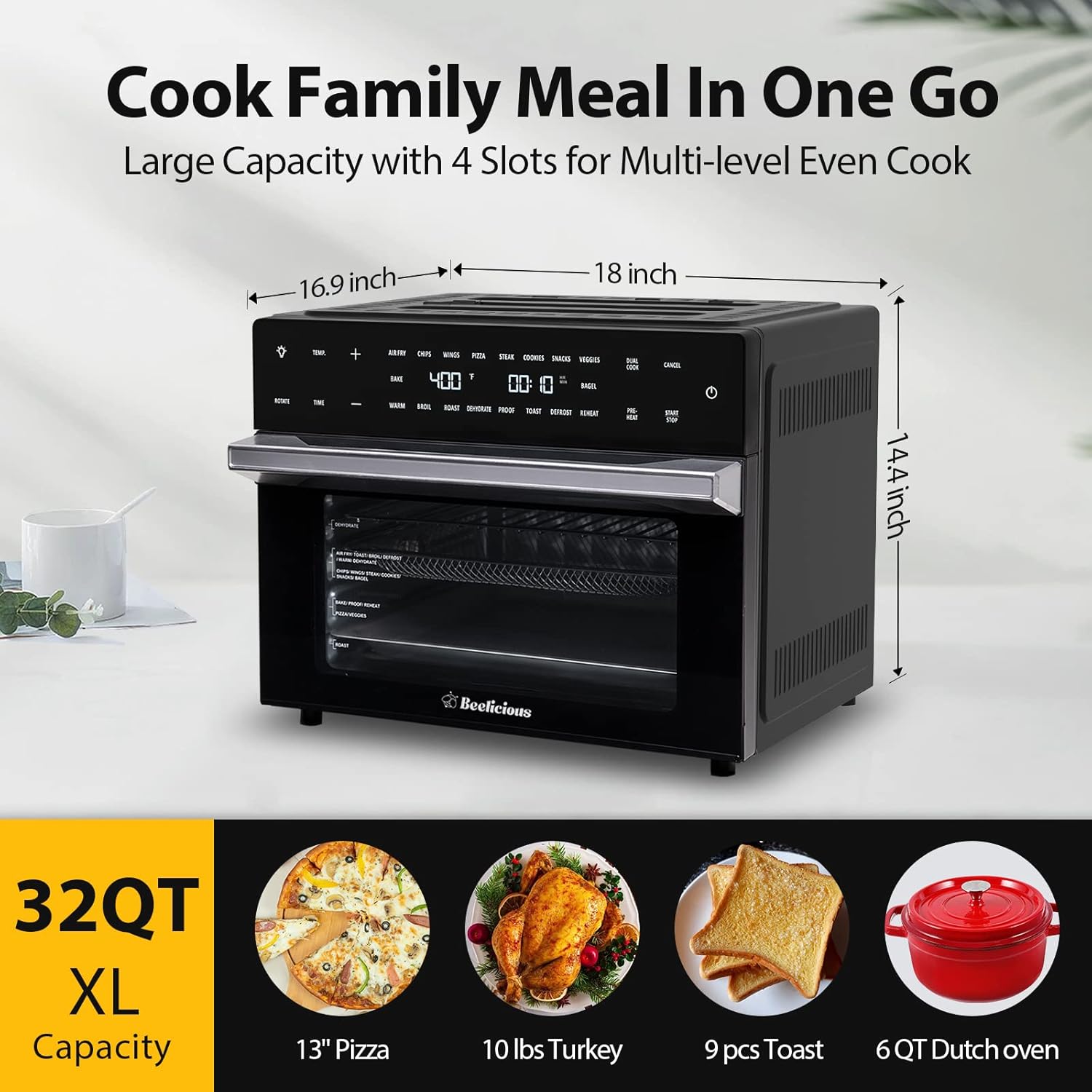
Figure 2.1: Beelicious Air Fryer Toaster Oven with dimensions (16.9"D x 18"W x 14.39"H) and examples of capacity (13" pizza, 10lbs turkey, 9 pcs toast, 6QT Dutch oven).

Figure 2.2: All included accessories: oven rack, baking pan, air fryer basket, crumb tray, rotisserie set, and cookbook.

Figure 2.3: Internal view highlighting the four layer slots for versatile cooking.
3. Before First Use
- Unpack: Carefully remove all packaging materials, including any internal packing and protective films.
- Clean Accessories: Wash all removable accessories (oven rack, baking pan, air fry basket, rotisserie set) in warm, soapy water. Rinse thoroughly and dry completely. The crumb tray is also detachable for easy cleaning.
- Wipe Down Unit: Wipe the interior and exterior of the main unit with a damp cloth. Ensure the unit is completely dry before plugging it in.
- Initial Burn-Off: To eliminate any manufacturing odors, place the crumb tray at the bottom of the oven. Plug in the appliance. Set the oven to 400°F (200°C) and run it for approximately 15-20 minutes without any food. A slight odor or smoke may be present during this initial use; this is normal. Ensure the area is well-ventilated.
- Placement: Place the appliance on a stable, heat-resistant surface, ensuring at least 4 inches (10 cm) of clearance on all sides for proper ventilation.
4. Control Panel and Functions
The Beelicious Air Fryer Toaster Oven features an intuitive digital touch screen control panel for selecting cooking functions, adjusting time and temperature, and managing other settings.

Figure 4.1: Digital control panel displaying various cooking functions and settings.

Figure 4.2: Close-up of the advanced touch screen for precise control.
Control Panel Elements:
- Power Button: Turns the appliance on/off.
- Temperature (+/-): Adjusts the cooking temperature.
- Time (+/-): Adjusts the cooking time.
- Preset Functions: Dedicated buttons for common cooking modes like AIR FRY, CHIPS, WINGS, PIZZA, STEAK, COOKIES, SNACKS, VEGGIES, BAKE, WARM, BROIL, ROAST, DEHYDRATE, PROOF, TOAST, DEFROST, REHEAT, BAGEL.
- Dual Cook: Activates the dual cook function to combine two cooking stages.
- Rotate: Activates the rotisserie rotation function.
- Preheat: Initiates a preheating cycle.
- Start/Stop: Begins or pauses the cooking cycle.
- Light Button: Turns the interior light on/off.

Figure 4.3: The appliance features precise temperature control for consistent results.
5. Operating Instructions
Basic Operation:
- Plug In: Connect the power cord to a grounded electrical outlet. The display will illuminate.
- Place Food: Place food on the appropriate accessory (e.g., air fry basket, baking pan, oven rack) and insert it into the desired rack position inside the oven.
- Select Function: Press the desired preset function button (e.g., AIR FRY, BAKE, ROAST). The default time and temperature for that function will display.
- Adjust Settings (Optional): Use the Temperature (+/-) and Time (+/-) buttons to adjust the default settings if needed.
- Preheat (Optional): For some functions, you may press the 'Preheat' button before adding food. The oven will preheat to the set temperature and beep when ready.
- Start Cooking: Press the 'Start/Stop' button to begin the cooking cycle.
- Monitor Progress: Use the 'Light' button to illuminate the interior and check on your food.
- Finish Cooking: The oven will beep when the cooking cycle is complete. Carefully remove food using oven mitts.
Using the Dual Cook Function:
The Dual Cook function allows you to program two consecutive cooking stages with different settings.
- Select First Function: Choose your first cooking function (e.g., BAKE) and set its time and temperature.
- Activate Dual Cook: Press the 'Dual Cook' button.
- Select Second Function: Choose your second cooking function (e.g., BROIL) and set its time and temperature.
- Start: Press 'Start/Stop'. The oven will execute the first stage, then automatically switch to the second stage.

Figure 5.1: Example of the Dual Cook function, combining BAKE and BROIL, or ROAST and WARM.
Using the Rotisserie Function:
The rotisserie function is ideal for cooking whole chickens or roasts evenly.
- Prepare Food: Securely attach the food (e.g., whole chicken) to the rotisserie spit fork, ensuring it is balanced.
- Insert Rotisserie: Using the rotisserie lift, carefully insert the rotisserie spit into the designated slots inside the oven.
- Select Function: Choose a suitable cooking function (e.g., ROAST) and set time/temperature.
- Activate Rotation: Press the 'Rotate' button to begin the rotisserie rotation.
- Start Cooking: Press 'Start/Stop'.
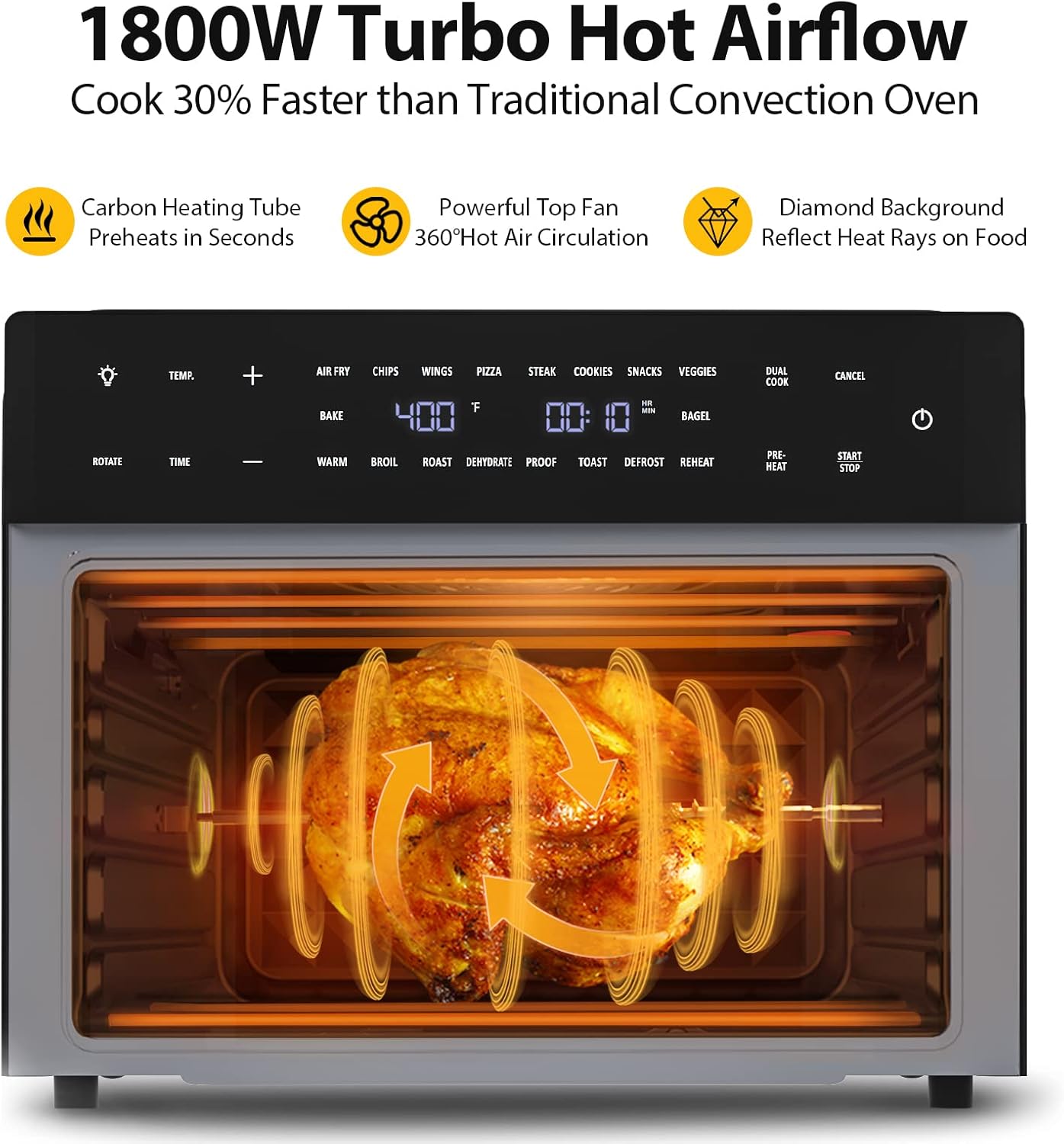
Figure 5.2: Internal view demonstrating the rotisserie function with 1800W turbo hot airflow for even cooking.
6. Cleaning and Maintenance
Regular cleaning and maintenance will ensure the longevity and optimal performance of your Beelicious Air Fryer Toaster Oven.
General Cleaning:
- Unplug and Cool: Always unplug the appliance from the power outlet and allow it to cool completely before cleaning.
- Crumb Tray: Remove the crumb tray from the bottom of the oven. Discard crumbs and wash the tray in warm, soapy water. Rinse and dry thoroughly.
- Accessories: All included accessories (oven rack, baking pan, air fry basket, rotisserie set, crumb tray) are detachable and dishwasher safe for convenient cleaning. For stubborn residue, soak in warm, soapy water before scrubbing with a non-abrasive sponge.
- Interior: Wipe the interior walls with a damp cloth and mild detergent. For baked-on food, a non-abrasive cleaner or a paste of baking soda and water can be used. Avoid harsh chemicals or abrasive scrubbers that could damage the non-stick coating.
- Exterior: Wipe the exterior housing and control panel with a soft, damp cloth. Do not use abrasive cleaners or scourers.
- Door: Clean the double glass door with a glass cleaner or a damp cloth.
- Dry Completely: Ensure all parts are completely dry before reassembling and storing the appliance.
Storage:
Store the appliance in a cool, dry place when not in use. Ensure it is clean and all accessories are properly stored inside or alongside the unit.
7. Troubleshooting
If you encounter any issues with your Beelicious Air Fryer Toaster Oven, please refer to the following common problems and solutions:
| Problem | Possible Cause | Solution |
|---|---|---|
| Appliance does not turn on. | Not plugged in; power outlet malfunction; main unit issue. | Ensure the power cord is securely plugged into a working outlet. Check your home's circuit breaker. If the issue persists, contact customer support. |
| Excessive smoke during cooking. | Food with high fat content; food residue in the oven; heating elements exposed to grease. | For fatty foods, use the baking pan below the air fry basket to catch drips. Ensure the crumb tray and interior are clean before each use. Reduce cooking temperature or time if smoke persists. Ensure proper ventilation. |
| Food is not cooking evenly. | Overcrowding; incorrect temperature/time; food not rotated. | Avoid overcrowding the oven; cook in smaller batches if necessary. Ensure correct temperature and time settings. For best results, flip or rotate food halfway through cooking. Utilize the multiple rack positions for optimal airflow. |
| Accessories are difficult to clean/stained. | Baked-on food residue; abrasive cleaning methods. | Soak accessories in warm, soapy water immediately after use. Use a non-abrasive sponge or brush. Avoid metal scourers. All accessories are dishwasher safe. |
| Rotisserie function not working. | Rotisserie spit not properly inserted; 'Rotate' button not activated. | Ensure the rotisserie spit is correctly seated in both the drive socket and the support bracket. Press the 'Rotate' button on the control panel to activate rotation. |
8. Specifications
| Feature | Specification |
|---|---|
| Brand | Beelicious |
| Model Name | BAF-802 |
| Product Dimensions (D x W x H) | 16.9" x 18" x 14.39" |
| Capacity | 32 Quarts |
| Wattage | 1800 watts |
| Control Type | Button Control (Digital Touch Screen) |
| Material | Metal |
| Color | Black |
| Special Feature | Programmable, Dual Cook, Rotisserie, Dehydrator |
| Item Weight | 27.49 Pounds |

Figure 8.1: The appliance features a double glass door, is made with food-grade materials, and is ETL certified for safety.

Figure 8.2: The cool-touch handle ensures safe opening and closing of the oven door.
9. Warranty and Customer Support
Beelicious is committed to providing quality products and customer satisfaction. Your Beelicious Air Fryer Toaster Oven is backed by our commitment to quality.
For any product-related inquiries, technical assistance, or warranty claims, please contact our customer support team. We aim to resolve all problems within 24 hours.
Please have your model number (BAF-802) and purchase information ready when contacting support.
Contact Information: Please refer to the contact details provided on the product packaging or our official website for the most up-to-date customer support information.


