
1. Introduction
The SANSUI W12 AI Translation Earbuds are designed to facilitate real-time communication across language barriers and provide a comprehensive audio experience. These 6-in-1 earbuds integrate advanced Bluetooth 6.0 technology, supporting over 100 languages for various applications including travel, business, and learning.

Image: SANSUI W12 AI Translation Earbuds and their charging case.
2. What's in the Box
Upon opening your SANSUI W12 package, you will find the following items:
- SANSUI W12 AI Translation Earbuds (Left and Right)
- Charging Case
- USB-C Charging Cable
- W12 User Manual (This document)
- SANSUI AI Smart App User Guide (with QR codes for app download)

Image: All items included in the SANSUI W12 product packaging.
3. Product Overview
The SANSUI W12 earbuds offer a versatile 6-in-1 functionality, combining advanced audio and translation features:
- Offline Translation: Translate without an internet connection.
- High-Definition Calls: Clear communication with dual microphones and noise cancellation.
- Sound Equalization: Customize audio profiles.
- Smart Meeting Recording: Record and transcribe meetings.
- DeepSeek AI Integration: Advanced artificial intelligence capabilities.
- Immersive Music Playback: High-quality audio for entertainment.

Image: Visual representation of the SANSUI W12's core functionalities.
The earbuds feature Bluetooth 6.0 technology, providing enhanced connectivity, faster data transfer speeds, wider coverage, and reduced power consumption compared to previous versions.

Image: Detailed view of the Bluetooth 6.0 technology integrated into the earbuds.
Video: A physical display of the SANSUI W12 AI Translation Earbuds, showcasing their design and components.
4. Setup
4.1. SANSUI AI Smart App Download and Installation
The SANSUI AI Smart App is essential for unlocking the full translation and customization features of your W12 earbuds. You can download the app by scanning the QR code provided in the packaging or user manual, or by searching directly in your device's app store.
4.1.1. iOS System App Download
Video: Tutorial on how to download and install the SANSUI AI Smart App on an iOS device using the QR code and App Store.
- Locate the app QR code on the product packaging or the included user guide.
- Use your iPhone's built-in QR code scanner to scan the code.
- On the webpage that appears, select the iOS system option.
- You will be redirected to the App Store. Download and open the "SANSUI" app.
- Alternatively, search for "SANSUI" directly in the App Store and download it.
4.1.2. Android System App Download
Video: Instructions for downloading and connecting the SANSUI AI Smart App on an Android device.
- Locate the app QR code on the product packaging or the included user guide.
- Use your Android phone's built-in QR code scanner to scan the code.
- On the webpage that appears, select the Google Play option.
- You will be redirected to the Google Play Store. Download and open the "SANSUI" app.
- Alternatively, search for "SANSUI" directly in the Google Play Store and download it.
4.2. Bluetooth Pairing
To connect your SANSUI W12 earbuds to your smartphone:
- Ensure Bluetooth is enabled on your smartphone.
- Open the charging case and remove both earbuds. They will automatically enter pairing mode.
- On your phone, go to Bluetooth settings and search for "SANSUI W12" in the list of available devices.
- Select "SANSUI W12" to connect. A voice prompt will confirm successful pairing.
- Open the SANSUI AI Smart App. Click the "+" sign or the search icon within the app to find and connect to your earbuds.
5. Operating Instructions
5.1. Real-Time Translation
The SANSUI W12 earbuds support over 100 languages for real-time translation through the AI Smart App. This feature is ideal for travel, business meetings, and learning new languages.
- Open the SANSUI AI Smart App and navigate to the "AI" or "Translate" section in the bottom navigation bar.
- Select your desired translation mode (e.g., Speech Translation, Text Translation, Simultaneous Interpretation, Dialogue Translation).
- Choose the source and target languages for translation.
- Press and hold the designated button on the earbud or tap the record button in the app to start speaking. The app will translate and display the text, and the earbuds will play the translated audio.

Image: Various scenarios demonstrating the use of SANSUI W12 earbuds for translation.
5.2. Audio Playback and Calls
Enjoy immersive 8D surround sound for music and clear high-definition calls.
- Music Playback: Control music (play, pause, skip tracks) directly from the earbuds using touch controls or through the app.
- Calls: Answer, end, or reject calls using the earbud controls. Dual microphones with advanced noise cancellation ensure clear voice transmission.
6. Battery Life and Charging
The SANSUI W12 earbuds provide extended battery performance:
- Up to 8 hours of playtime on a single charge.
- Total playtime of up to 42 hours with the charging case.
- The charging case fully charges the earbuds in approximately 1.5 hours via the Type-C port.
- Monitor the battery level of your earbuds and charging case directly within the "SANSUI" AI Smart App.
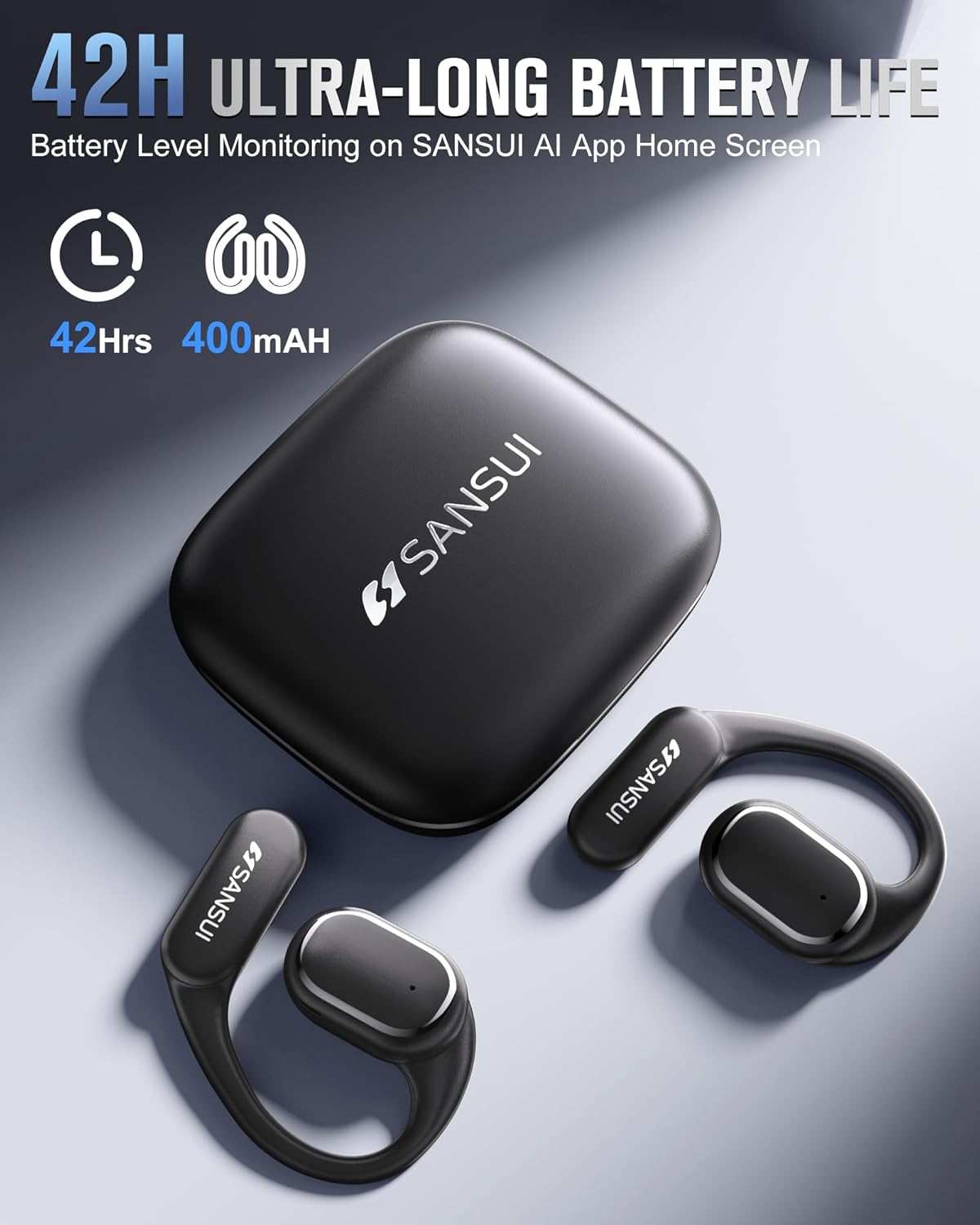
Image: Illustration of the extended battery life provided by the earbuds and charging case.
7. SANSUI AI Smart App Features
The dedicated SANSUI AI Smart App enhances your earbud experience with a range of intelligent features:
- AI Conversations: Engage in AI-powered dialogues.
- Customizable Sound Effects: Personalize your audio with various soundscapes (e.g., waterfalls, ocean waves).
- Image Generation from Text: Utilize AI to create images from text inputs.
- Software Updates: Receive over-the-air (OTA) updates for improved performance and new features.
- Sound Effect Guidance: Access guided sound experiences.
- EQ Settings: Adjust audio equalization to your preference.

Image: Screenshot of the SANSUI AI Smart App displaying its various settings and features.
8. Comfort and Design
The SANSUI W12 earbuds are engineered for comfort and durability, suitable for extended wear and active lifestyles:
- Ergonomic Sports Design: Innovative TPEE (elastic) ear hooks ensure a secure, allergy-free fit, preventing them from falling out during physical activity.
- Water Resistance: A nano-coating provides protection against sweat and rain, making them suitable for workouts and outdoor use.
- Open-Ear Design: Lightweight (8.3g per earbud) and designed to sit comfortably without deep insertion, allowing for ambient sound awareness for safety.
- Glasses-Friendly: Slim ear hooks are designed to accommodate glasses wearers without discomfort.

Image: Visual comparison demonstrating the open-ear design of the SANSUI W12 earbuds.

Image: The earbuds are designed to be comfortable for users who wear glasses.
9. Specifications
| Feature | Detail |
|---|---|
| Model Number | SANSUI W12 |
| Product Dimensions | 2.95 x 2.61 x 1.02 inches |
| Item Weight | 2.4 ounces |
| Batteries | 2 Lithium Ion batteries (included) |
| Connectivity | Bluetooth 6.0 |
| Translation Support | 100+ Languages, Real-Time, Offline |
| Sound Technology | 8D Surround Sound, Dual Microphones, Noise Cancellation, 14.2mm Dynamic Driver |
| Water Resistance | Nano-coating for sweat and rain protection |
10. Troubleshooting
If you encounter any issues with your SANSUI W12 AI Translation Earbuds, please refer to the following common solutions:
- Earbuds not pairing: Ensure Bluetooth is enabled on your device and the earbuds are removed from the charging case. Try restarting your phone's Bluetooth or the earbuds.
- No sound: Check the volume levels on both your phone and the earbuds. Ensure the earbuds are properly connected via Bluetooth and selected as the audio output device.
- Translation issues: Verify that the SANSUI AI Smart App is open and connected to the earbuds. Check your internet connection for online translation modes. Ensure correct source and target languages are selected.
- App not connecting to earbuds: Make sure the earbuds are paired via your phone's Bluetooth settings first, then attempt to connect within the SANSUI AI Smart App.
- Battery not charging: Ensure the USB-C cable is securely connected to both the charging case and a power source. Check if the charging case itself has power.
For persistent issues, please contact SANSUI customer support.
11. Maintenance
To ensure the longevity and optimal performance of your SANSUI W12 AI Translation Earbuds, follow these maintenance guidelines:
- Cleaning: Regularly wipe the earbuds and charging case with a soft, dry, lint-free cloth. Avoid using abrasive materials or harsh chemicals.
- Storage: Store the earbuds in their charging case when not in use to protect them from dust, dirt, and physical damage. Keep them in a cool, dry place away from extreme temperatures.
- Charging: Use only the provided USB-C cable or a certified equivalent for charging. Avoid overcharging or completely draining the battery frequently.
- Water Exposure: While the earbuds are water-resistant, avoid submerging them in water or exposing them to high-pressure water jets. Dry them thoroughly if they get wet.
- Software Updates: Keep the SANSUI AI Smart App updated to ensure you have the latest features and performance enhancements.
12. Warranty and Support
SANSUI is committed to providing quality products and customer satisfaction. For any warranty claims or technical support, please refer to the following:
- Warranty Information: Please consult the warranty card included in your product packaging for specific terms and conditions.
- Customer Support: For assistance with product setup, troubleshooting, or general inquiries, please visit the official SANSUI website or contact their customer service team.
- Online Resources: Additional FAQs and support documents may be available on the SANSUI brand store page on Amazon or their official website.
SANSUI offers 24/7 quick reply, free replacement, faster delivery, and lifetime quality support.

Image: SANSUI customer support commitment.
