
Introduction
Welcome to your new xdobo Home 1978 II Soundbar. This soundbar is designed to enhance your home entertainment experience with powerful 80W audio and versatile connectivity options. Please read this manual carefully before use to ensure proper setup and operation.
What's in the Box
- xdobo Home 1978 II Soundbar
- Power Adapter
- User Manual
Product Features
- Powerful 80W Audio: Four 20W full-range drivers with dual air ducts for deep bass and clear highs.
- Multiple Connectivity: Supports HDMI ARC, Optical, AUX, USB, and Coaxial connections.
- Bluetooth 5.3: Stable wireless streaming from smartphones and tablets.
- Wide Soundstage: Four-driver speaker structure for immersive audio.
- Slim Design: 900mm length fits under most TVs.

Image: Internal view of the soundbar highlighting its four full-range speakers, designed for powerful and clear audio output.
Setup
1. Soundbar Placement
Place the soundbar on a stable, flat surface directly in front of your television. Ensure there are no obstructions blocking the sound output.

Image: The xdobo Home 1978 II Soundbar positioned centrally under a television, demonstrating optimal placement for an immersive home viewing experience.
2. Power Connection
Connect the power adapter to the DC IN port on the soundbar, then plug the adapter into a wall outlet.
3. Audio Connection Options
Choose one of the following methods to connect the soundbar to your TV or other audio source:
HDMI ARC Connection (Recommended)
Connect an HDMI cable from the HDMI ARC port on the soundbar to the HDMI ARC port on your TV. Ensure your TV's HDMI ARC function is enabled in its settings.
Optical Connection
Connect an Optical cable from the OPTICAL port on the soundbar to the Optical Digital Audio Out port on your TV.
AUX Connection
Connect a 3.5mm AUX cable from the AUX port on the soundbar to the headphone jack or audio out port on your TV or device.
Coaxial Connection
Connect a Coaxial cable from the COAXIAL port on the soundbar to the Coaxial Digital Audio Out port on your TV.
USB Connection
Insert a USB drive into the USB port on the soundbar to play audio files directly.
Operating Instructions
1. Power On/Off
Press the Power button on the soundbar or remote control to turn the unit on or off.
2. Input Source Selection
Press the Input button on the soundbar or remote control repeatedly to cycle through available input sources: HDMI ARC, Optical, AUX, Coaxial, USB, and Bluetooth.
3. Volume Control
Use the Volume Up (+) and Volume Down (-) buttons on the soundbar or remote control to adjust the volume.
4. Bluetooth Pairing
- Select Bluetooth mode on the soundbar. The indicator light will flash.
- On your mobile device, enable Bluetooth and search for "XDOBO Home 1978 II".
- Select the soundbar from the list to pair. Once connected, the indicator light will stop flashing.
- You can now stream audio from your device to the soundbar.
Maintenance
Cleaning
Wipe the soundbar with a soft, dry cloth. Do not use liquid cleaners or abrasive materials. Ensure the soundbar is powered off and unplugged before cleaning.
Storage
If storing the soundbar for an extended period, disconnect it from power and store it in a cool, dry place.
Troubleshooting
No Power
Ensure the power adapter is securely connected to the soundbar and a working power outlet.
No Sound
Check that the correct input source is selected on the soundbar. Verify that the volume is not muted or set too low. Ensure audio cables are securely connected to both the soundbar and your TV/device. For HDMI ARC, confirm your TV's ARC function is enabled.
Bluetooth Pairing Issues
Ensure the soundbar is in Bluetooth pairing mode. Move your device closer to the soundbar. Disconnect and re-pair the device. Clear previous Bluetooth connections on your device if necessary.
Specifications
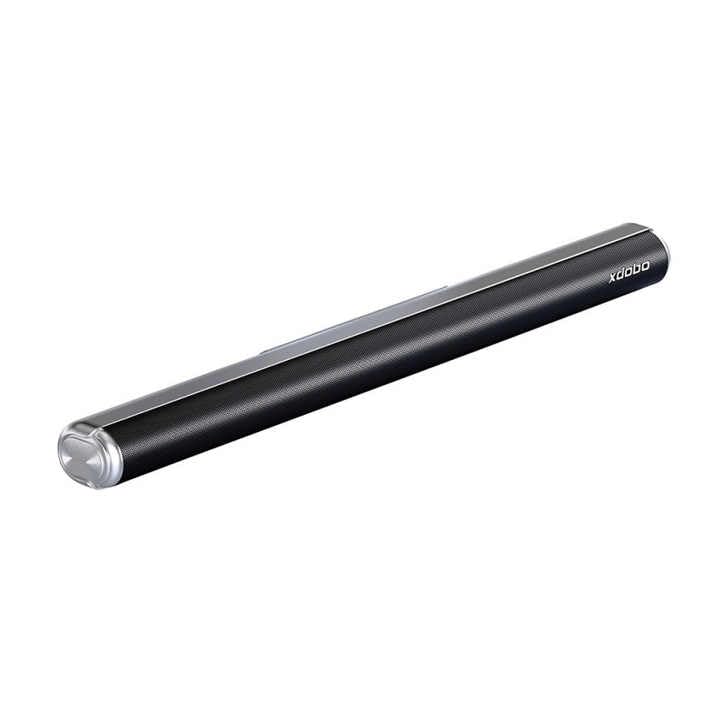
Image: A detailed view of the xdobo Home 1978 II Soundbar, emphasizing its compact form factor and branding.
| Model Name | XD-Home 1978 II |
| Output Power | 80 Watts |
| Connectivity | Bluetooth 5.3, HDMI ARC, Optical, AUX, USB, Coaxial |
| Frequency Response | 70 Hz |
| Speaker Type | Soundbar |
| Dimensions (D x W x H) | 3.6" x 35.5" x 2.9" |
| Weight | 3 Kilograms |
| Input Voltage | 120 Volts |
Warranty and Support
Warranty Information
This xdobo Home 1978 II Soundbar comes with a 1-Year Manufacturer Warranty. Please retain your proof of purchase for warranty claims.
Customer Support
For technical assistance or warranty inquiries, please visit the official xdobo website or contact their customer service department.


