
Introduction
This manual provides detailed instructions for the installation, operation, and maintenance of your Eonon GMX6S2 8-inch car stereo. This advanced head unit is designed for seamless integration with compatible Chevrolet, GMC, and Buick models from 2007-2013, offering features such as Octa-Core processing, 6GB RAM, 64GB ROM, Wireless CarPlay, Android Auto, 5G LTE, WiFi 6, DSP Audio, and versatile output options.
Setup and Installation
Package Contents
Verify that all items listed below are included in your package:
- GMX6S2 Car Radio (x1)
- A0127 Reversing Camera (x1)
- Power Cable (x1)
- GPS Antenna (x1)
- 4G Antenna (x1)
- USB Adapter Cable (x2)
- Audio/Video Adapter Cable (x2)
- Reversing Video Input Cable (x1)
- 15A Fuse (x1)
- SIM Card Holder (x1)
- External Microphone (x1)
- CANBUS (x1)
- Instruction Manual (x1)
- Double-sided Adhesive Tape (x1)
- Radio Antenna Adapter Cable (x1)
- Small Speaker (x1)

Image: A visual representation of all components included in the Eonon GMX6S2 package.
Compatible Vehicle Models
The GMX6S2 head unit is compatible with the following vehicle models:
- Chevrolet: Silverado (2007-2013), Avalanche (2007-2013), Tahoe (2007-2014), Impala (2006-2013), Traverse (2008-2012), Suburban (2007-2012), Express Van (2008-2019)
- GMC: Sierra (2007-2013), Yukon (2007-2014), Acadia (2007-2012), Savana (2008-2019)
- Buick: Enclave (2008-2012)
- Hummer: H2 (2008-2009)

Image: A chart detailing compatible Chevrolet, GMC, Buick, and Hummer models and years.
General Installation Steps
The GMX6S2 is designed for plug-and-play installation, retaining most original vehicle functions. No additional frame or cable changes are typically required.
- Carefully remove the factory stereo unit from your vehicle's dashboard. Use appropriate trim removal tools to avoid damage.
- Connect the main wiring harness to the new GMX6S2 unit and your vehicle's factory wiring. Ensure all connections are secure.
- Route the GPS antenna and external microphone cables to desired locations (e.g., dashboard for GPS, A-pillar for microphone) and connect them to the head unit.
- If retaining the original rear entertainment system, an Eonon A0595 video output adapter (not included) may be required.
- Test the unit's functionality (power, audio, steering wheel controls, backup camera, CarPlay/Android Auto) before fully reassembling the dashboard.
- Carefully reassemble the dashboard trim, ensuring all wires are tucked away and not pinched.

Image: Illustrates the plug-and-play nature of the GMX6S2, highlighting retained OEM features like steering wheel controls, OnStar, Bose audio, reversing guidelines, and door reminders.
Wiring Diagram
Refer to the detailed wiring diagram for all connections. Each wire and connector is labeled for easy identification.

Image: A comprehensive wiring diagram showing all connections for the GMX6S2 head unit.
Operating Instructions
User Interface (UI)
The GMX6S2 features a brand new UI for 2025, designed to be smarter, cleaner, and faster. It includes a split-screen home screen, enhanced media support, a redesigned pull-down menu, an always-visible shortcut bar, and streamlined settings.
Video: Demonstrates the Eonon 2025 New UI, showcasing its features and responsiveness.

Image: Illustrates the split-screen multitasking capability, allowing two applications to be viewed simultaneously.

Image: Highlights the new UI for the X6S series, emphasizing its smarter, cleaner, and faster design.
Smartphone Integration
Connect your iPhone or Android device effortlessly for a seamless in-vehicle experience.
- Wireless CarPlay: Connects via Bluetooth for navigation, calls, messaging, and media.
- Android Auto: Accessible through both Bluetooth and USB connections for full-featured in-vehicle system use.
- Screen Mirroring: Project movies and content from your mobile phone onto the large screen.
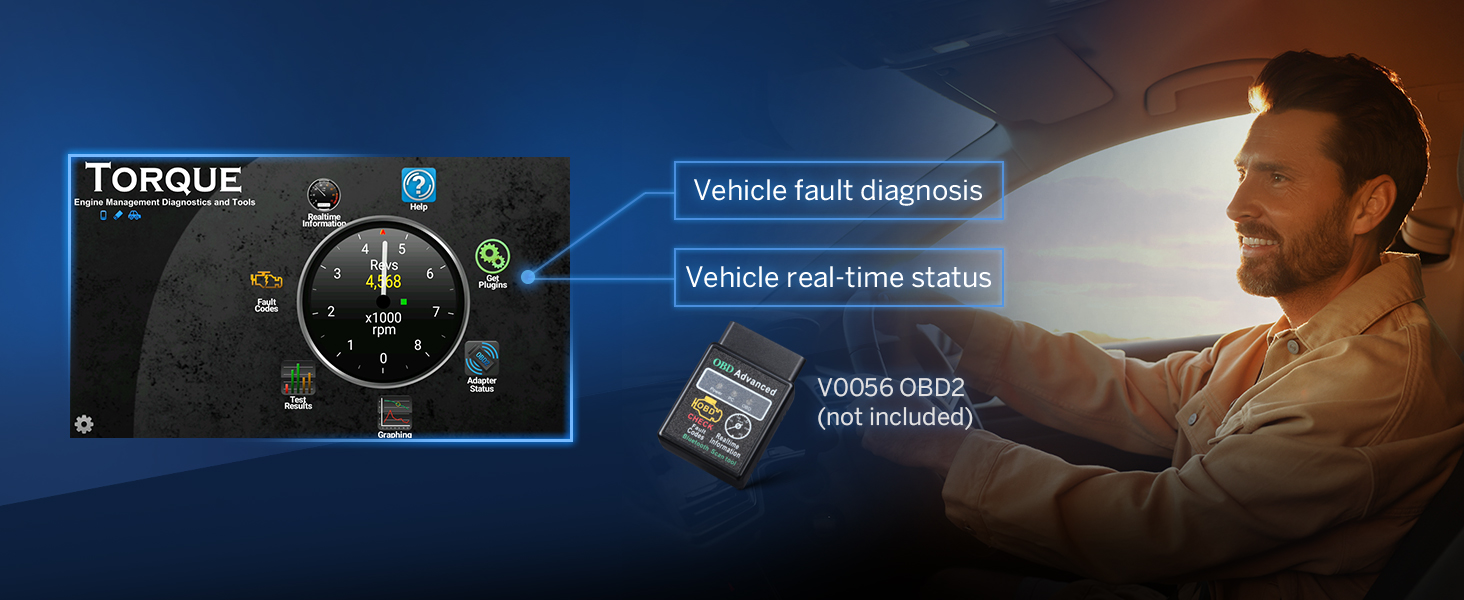
Image: Demonstrates the Wired & Wireless Apple CarPlay functionality, including voice control via Siri.

Image: Illustrates the Wired & Wireless Android Auto functionality, including voice control via Google Assistant.
Display Features
The 8-inch QLED touch screen with 1280*720 HD resolution provides vivid colors and a wide 178° viewing angle. Three brightness modes (Light, Dark, Auto) ensure a safer and more comfortable driving experience.

Image: Highlights the features of the 8-inch QLED display, including vivid colors, brightness, viewing angle, and resolution.
Performance
The Eonon GMX6S2 is powered by a Qualcomm QCM6225-AD Octa-core processor with 6GB of RAM and 64GB of ROM. Featuring 6nm low-power process technology, it delivers high-performance capabilities for smooth operation and faster response.

Image: Details the Qualcomm 685 (QCM6225-AD) automotive-grade chip, highlighting its 8-core CPU, 6GB RAM, 64GB ROM, and Adreno 610 GPU.

Image: Provides an overview of the Eonon X6S2 series chipset, emphasizing its 6-layer automotive-grade PCB and Snapdragon power for long-lasting performance.
Audio Features
The built-in Digital Signal Processing (DSP) enables time alignment for improved sound quality and precision. It features a RHOM 32107 DSP chip, a 48-band graphic equalizer, and a ST TDA7851 amplifier with 4x48W max output power.

Image: Explains the built-in DSP features, including time alignment, 48-band graphic equalizer, and 3D surround sound.
For advanced audio setups, the unit provides optical and coaxial HD audio outputs, offering maximum flexibility for connecting external amplifiers, subwoofers, and DSPs.

Image: Shows the optical and coaxial HD audio outputs on the back of the unit, emphasizing high-quality audio connectivity.
Connectivity
The GMX6S2 supports Bluetooth 5.1 for stable connections and noise reduction, along with Wi-Fi 6 and a built-in 4G module (SIM card not included) for fast data access.

Image: Highlights the independent Bluetooth 5.1 module and extra Bluetooth antenna for quick and stable connections with noise reduction.

Image: Details the Wi-Fi 6 ready and Wi-Fi 2.4/5 GHz ready capabilities, along with the built-in 4G module (SIM card not included).
Maintenance
Software Updates
Keep your car stereo up-to-date through Over-The-Air (OTA) firmware updates. These updates fix software issues and enhance security with just a few taps. Note that these updates are for the software and do not upgrade the Android system version.

Image: Illustrates the OTA (Over-the-air) firmware update process, showing a cloud icon and update notification.
Troubleshooting
Common Wiring Issues
Always refer to the detailed wiring diagram provided in the manual for correct connections. Incorrect wiring can lead to various issues.
- If steering wheel controls are not working, ensure the specific wire for steering wheel controls is properly connected.
- If you have a factory rear entertainment system, an Eonon A0595 video output adapter (not included) may be necessary to retain its functionality.
- If you experience issues with rear audio, backup camera display, or rear DVD screens (for vehicles with rear entertainment), check the main power and audio/video plugs. In some GM vehicles, the plugs for front and rear audio/video can be inadvertently swapped, leading to these symptoms. Ensure the correct plugs are connected to their respective inputs.
Specifications
| Feature | Detail |
|---|---|
| Brand | EONON |
| Model Number | GMX6S2-U |
| Connectivity Technology | Bluetooth, USB, Wi-Fi/Hotspot |
| Controller Type | Android/iOS, Hand Control |
| Special Features | Android Auto, Apple CarPlay, Built-In Bluetooth/Wi-Fi, Digital Display Screen, Screen Mirroring, DSP, Equalizer, QCM6225-AD Octa Core 6+64GB, RCA, Subwoofer |
| Compatible Devices | Amplifier, Smartphone |
| Connector Type | RCA, USB Type-C |
| Audio Output Mode | Stereo |
| Video Encoding | H.264, H.265/HEVC |
| Output Power | 48 Watts |
| Number of Channels | 2 |
| Supported Internet Services | YouTube |
| Control Method | Touch, Voice |
| Audio Output Type | Bluetooth, Coaxial, Optical |
| Wireless Technology | Bluetooth, Wi-Fi |
| Format | 4K, Dolby |
| Manufacturer | Eonon |
Warranty
The Eonon GMX6S2 car stereo comes with a 2-year warranty from the manufacturer.
Support and Accessories
For further assistance or to enhance your driving experience, consider the following:
- Software Updates: Regularly check for OTA updates via the Updater app to ensure optimal performance and security.
- Compatible Accessories: The unit supports the Eonon dashcam (A100) and the DAB+ box (502), which are sold separately. The Eonon rearview camera (A0127) is included with your purchase.
- Vehicle Diagnostics: The unit is compatible with the Eonon V0056 OBD2/OBDII Diagnostic Scanner for vehicle fault diagnosis and real-time status monitoring (sold separately).


