
1. Introduction
The Bigme B1051C Pro is an advanced 10.3-inch color E-Ink eReader and e-paper tablet designed for an optimal reading and writing experience. Featuring a Kaleido 3 display with 300PPI, Android 14 OS, and robust hardware, this device offers a paper-like visual comfort with modern tablet functionalities. This manual provides essential information for setting up, operating, maintaining, and troubleshooting your device.
2. What's in the Box
Upon unpacking your Bigme B1051C Pro, please ensure all the following items are present:
- Bigme B1051C Pro E-Ink eReader Tablet device
- Stylus
- Protective Case
- Charging cable
- User Manual (this document)
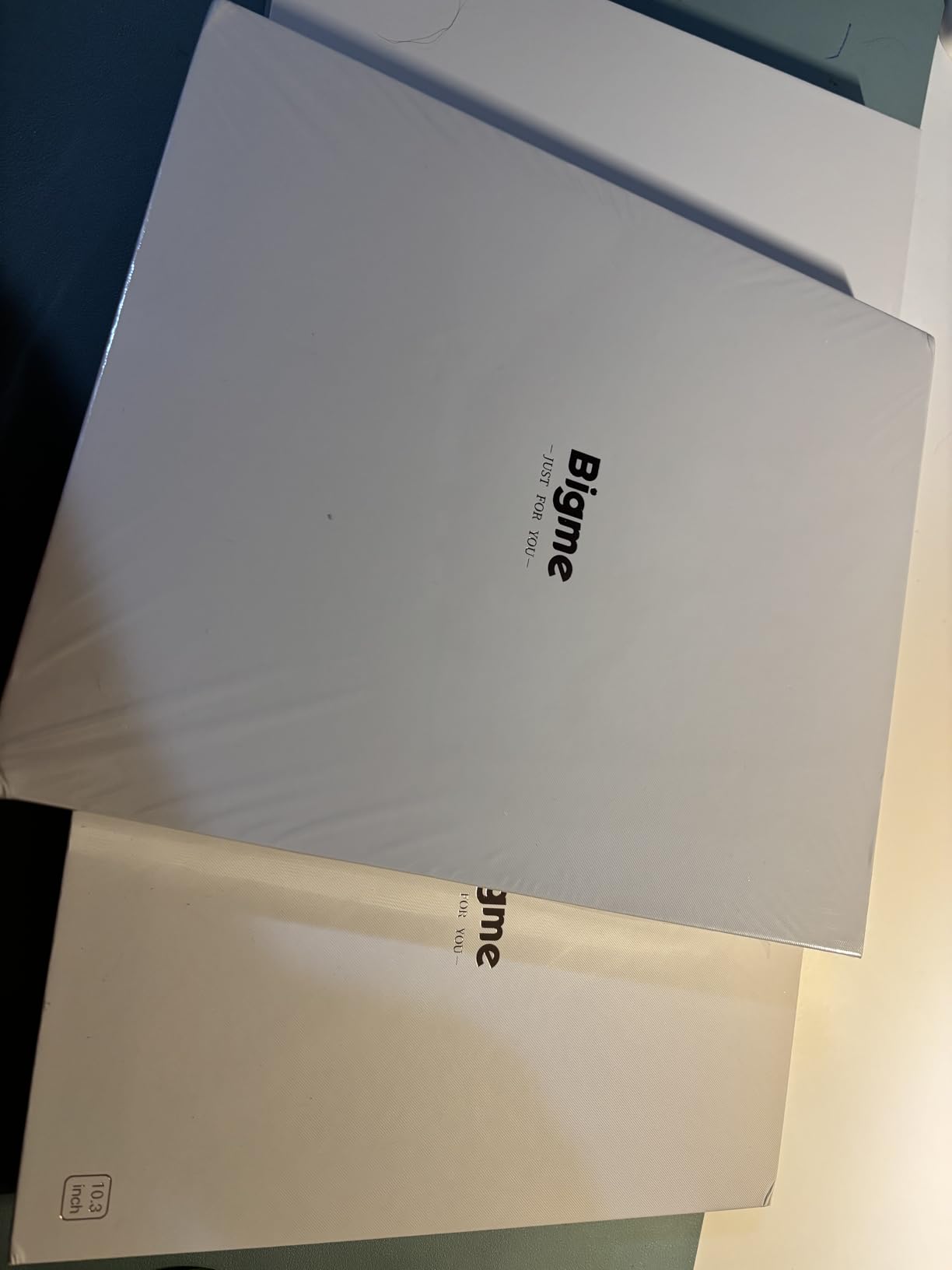
- Giftbox
3. Product Overview
Key Features
- 10.3" Color E-ink Kaleido 3 Display: Offers clear text and vivid images with zero blue light and flicker-free technology for comfortable long-term reading.
- Octa-core CPU & Large Storage: Equipped with a MediaTek Dimensity 1080 Octa-core processor (2.6GHz), 8GB RAM, and 256GB internal storage, expandable up to 2TB via microSD card (not included).
- Android 14 OS & Fingerprint Recognition: Runs on Android 14, supporting 2.4G & 5G Wi-Fi, Bluetooth, and third-party apps. Features a HD rear camera, fingerprint recognition, and intelligent OCR.
- Wireless Charging Stylus: Included stylus supports efficient note-taking, document annotation, and creative tasks.
- Eye-friendly & Fast Refresh Rate: Supports ultra-fast refresh for smooth performance in various tasks. Features a 36-level adjustable dual front light (warm and cold) for optimal brightness day and night.
- Versatile Functionality: Supports voice-to-text, real-time voice translation, OCR handwriting recognition, free photo recognition, split-screen, annotation, and nearly 20 ebook & image formats.
Device Components

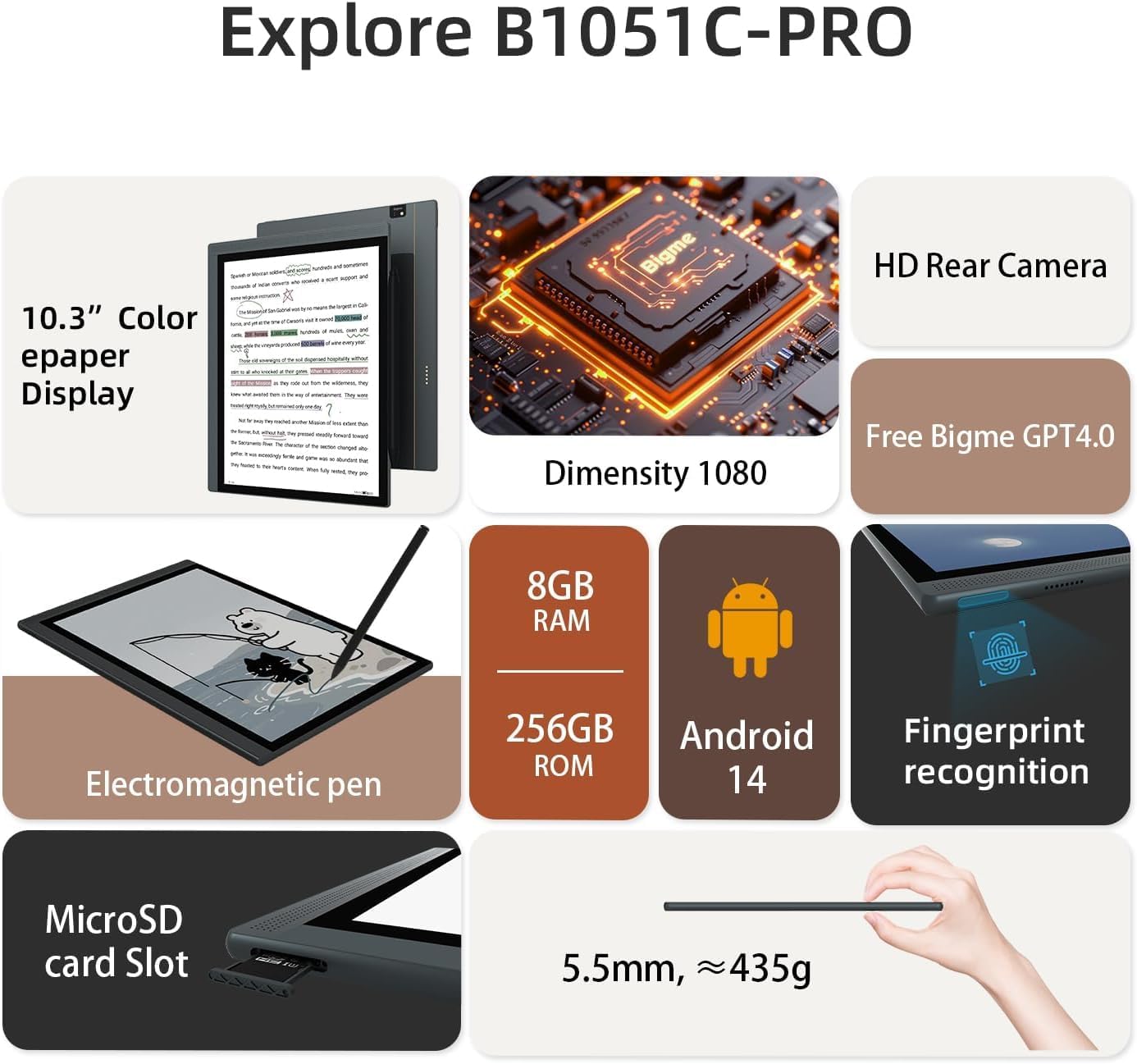
This image illustrates the Bigme B1051C Pro eReader, highlighting its 10.3-inch color e-paper display, Dimensity 1080 processor, 8GB RAM, 256GB ROM, Android 14 OS, fingerprint recognition, electromagnetic pen, HD rear camera, and MicroSD card slot. It also shows the device's slim profile and weight.

This image displays the physical dimensions of the Bigme B1051C Pro (236.5mm x 184.4mm x 5.5mm) and its weight (approximately 435g). It also shows the included stylus, charging cable, a white gift box, and a dark blue protective case.
A hand holding the stylus is shown writing or drawing on the Bigme B1051C Pro screen, demonstrating the smooth writing and drawing experience, similar to real paper.
This image illustrates the adjustable front light feature of the Bigme B1051C Pro, showing a user reading in bed with the screen's brightness and color temperature controls (36 levels of warm and cold light).
4. Setup
4.1 Initial Charging
Before first use, fully charge your Bigme B1051C Pro using the provided USB-C charging cable and a compatible power adapter (not included). The device has a long battery life, typically lasting a few weeks on a single charge.
4.2 Powering On/Off
- To Power On: Press and hold the power button (usually located on the side or top edge) for a few seconds until the Bigme logo appears.
- To Power Off: Press and hold the power button until a power-off menu appears on the screen. Select 'Power Off'.
- To Sleep/Wake: Briefly press the power button to put the device to sleep or wake it up.
4.3 Fingerprint Recognition Setup
For enhanced security, you can set up fingerprint recognition:
- Go to 'Settings' on your device.
- Navigate to 'Security & Privacy' or 'Biometrics & Password'.
- Select 'Fingerprint' and follow the on-screen instructions to register your fingerprint.
4.4 Wi-Fi and Bluetooth Connection
Connect to networks and devices:
- Wi-Fi: Go to 'Settings' > 'Network & Internet' > 'Wi-Fi'. Turn on Wi-Fi, select your desired network, and enter the password if prompted. The device supports 2.4G and 5G Wi-Fi.
- Bluetooth: Go to 'Settings' > 'Connected devices' > 'Bluetooth'. Turn on Bluetooth, then pair with compatible devices like headphones or keyboards.
4.5 Stylus Pairing and Charging
The included stylus supports wireless charging. Simply attach it to the designated magnetic area on the side of your Bigme B1051C Pro to charge. The stylus should automatically pair with the device when in proximity.
5. Operating Instructions
5.1 Basic Navigation
The Bigme B1051C Pro uses a touchscreen interface. Swipe, tap, and pinch gestures are used for navigation, opening apps, scrolling, and zooming.
5.2 Reading Ebooks
The device supports nearly 20 ebook and image formats, including EPUB, GIF, JPEG, MOBI, PDF, and PNG. Open your preferred reading application and select a book from your library. Use touch gestures to turn pages, adjust font size, and navigate chapters.
5.3 Note-Taking and Annotation
Utilize the included stylus for precise note-taking and document annotation. Open a compatible application (e.g., a dedicated notes app or a PDF reader) and use the stylus to write, draw, or highlight directly on the screen. The device also supports OCR handwriting recognition.
5.4 App Installation
Running on Android 14, the device allows installation of third-party applications. Access the integrated App Store or other compatible sources to download and install apps.
5.5 Voice Features
- Voice to Text: Use the built-in microphone and compatible applications to convert spoken words into text.
- Real-time Voice Translation: Access translation features to translate spoken language in real-time.
5.6 Adjusting Front Light
The device features a 36-level adjustable dual front light. Access the quick settings panel or display settings to adjust the brightness and color temperature (warm to cold light) to suit your environment and preference.
5.7 Storage Expansion
To expand storage, insert a microSD card (up to 2TB, not included) into the dedicated microSD card slot. The device will automatically detect the card, allowing you to store more books, documents, and files.
6. Maintenance
6.1 Cleaning the Screen
To clean the E-Ink screen, gently wipe it with a soft, lint-free cloth. For stubborn smudges, slightly dampen the cloth with water or a screen-safe cleaning solution. Avoid using harsh chemicals or abrasive materials.
6.2 Battery Care
To prolong battery life, avoid exposing the device to extreme temperatures. Charge the device regularly, but avoid leaving it fully discharged for extended periods. For long-term storage, charge the battery to about 50%.
6.3 Software Updates
Periodically check for software updates in the 'Settings' menu under 'System' or 'About device'. Keeping your device's software up-to-date ensures optimal performance, new features, and security enhancements.
7. Troubleshooting
7.1 Device Not Turning On
- Ensure the device is sufficiently charged. Connect it to a power source and wait a few minutes before attempting to power on again.
- Perform a hard reset by holding the power button for 10-15 seconds.
7.2 Screen Issues (Ghosting, Flickering)
- E-Ink screens naturally have some ghosting. Most devices have a full refresh option in settings or automatically refresh after a certain number of page turns.
- Ensure the device is not exposed to extreme temperatures.
7.3 Wi-Fi/Bluetooth Connectivity Problems
- Toggle Wi-Fi or Bluetooth off and on again in settings.
- Restart your device.
- For Wi-Fi, ensure you are within range of the router and the password is correct.
7.4 Stylus Not Responding
- Ensure the stylus is charged. Attach it to the device's magnetic charging area.
- Restart the device.
8. Specifications
| Feature | Specification |
|---|---|
| Brand | Bigme |
| Model Name | HKB1051C PRO |
| Display Technology | Electronic Ink (Kaleido 3) |
| Screen Size | 10.3 Inches |
| Display Resolution | 3072 x 2160 (300 PPI) |
| Processor | MediaTek Dimensity 1080 Octa-core (2.6GHz) |
| RAM | 8 GB |
| Internal Storage | 256 GB |
| Expandable Storage | Up to 2 TB via MicroSD card (not included) |
| Operating System | Android 14 |
| Connectivity | Bluetooth, Wi-Fi (2.4G & 5G) |
| Battery Life | Approximately 2 weeks |
| Supported File Formats | EPUB, GIF, JPEG, MOBI, PDF, PNG, and more |
| Human-Interface Input | Touchscreen |
| Item Dimensions (L x W x Thickness) | 5.5"L x 3.94"W x 0.21"Th (approx. 140mm x 100mm x 5.3mm) |
| Item Weight | 175 Grams |
| Color | Light Blue |
9. Warranty and Support
9.1 Warranty Information
The Bigme B1051C Pro comes with a 1-year manufacturer's warranty. This warranty covers defects in materials and workmanship under normal use. Please retain your proof of purchase for warranty claims.
9.2 Customer Support
For technical assistance, troubleshooting, or warranty inquiries, please contact Bigme customer support. If purchased through Amazon, the seller 'HK Bigme Group' can also provide support. Refer to your purchase documentation for specific contact details.