

Product Overview
The SmallRig Wireless Remote Controller 5462 is designed to provide remote control functionality for various action cameras and smartphones. It enables users to capture photos, record videos, and manage camera settings from a distance of up to 30 meters (98.4 feet) in open environments. This remote is ideal for self-portraits, group photos, and situations requiring hands-free camera operation.
Key Features:
- Multi-Brand Compatibility: Works with popular action cameras like GoPro, Insta360, DJI, and various smartphones.
- Extended Remote Range: Operates up to 30 meters (98.4 feet) in open spaces for flexible shooting.
- Long Battery Life: Provides approximately 40 hours of operation on a single charge for uninterrupted sessions.
Package Contents
Verify that all items listed below are included in your package:
- 1 x SmallRig Wireless Remote Controller 5462
- 1 x USB-C Charging Cable
- 1 x Wrist Strap

Image showing the SmallRig Wireless Remote Controller 5462, a USB-C charging cable, and a wrist strap, which are included in the package.
Product Diagram and Dimensions
Familiarize yourself with the physical layout and measurements of the remote controller.
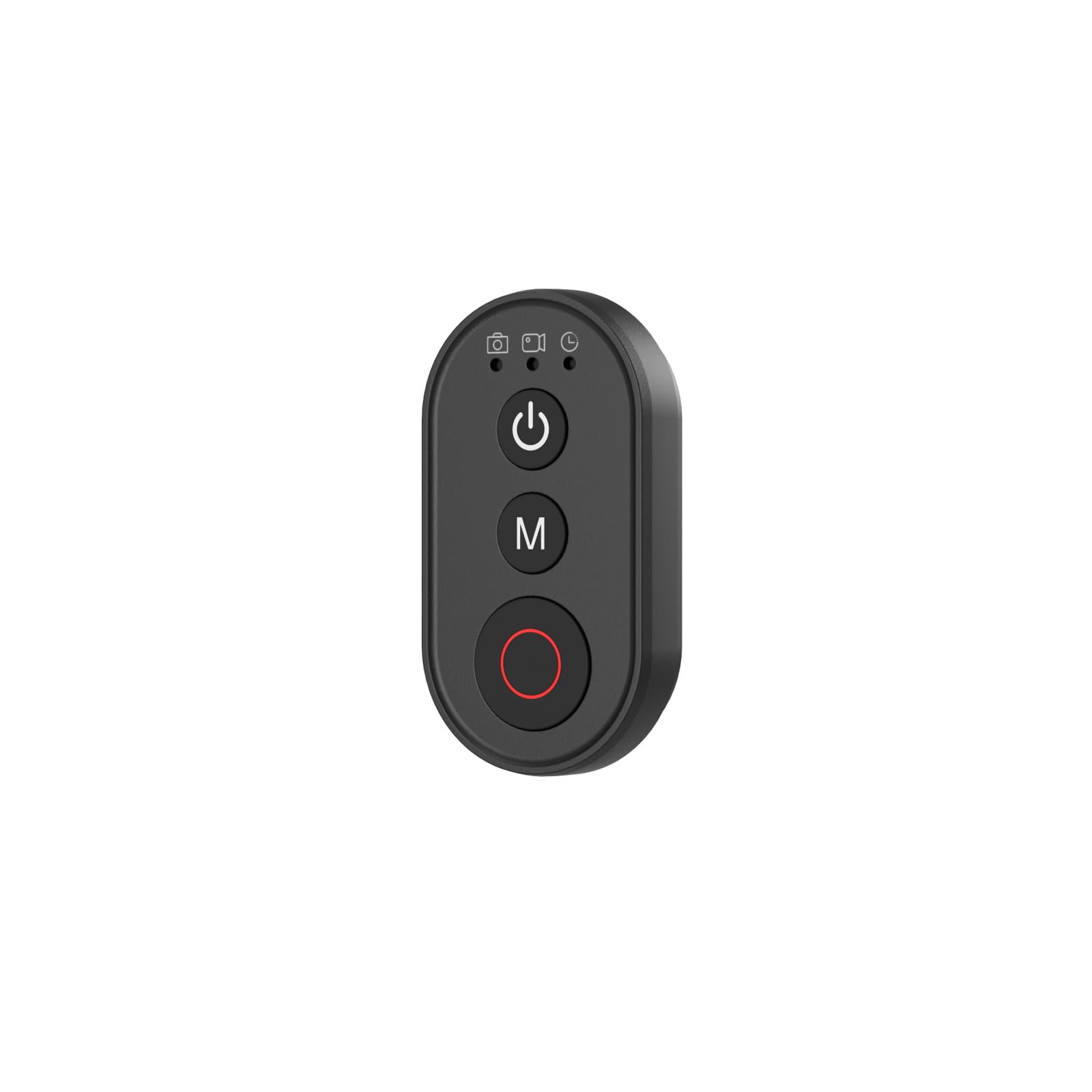
Diagram illustrating the dimensions of the SmallRig Wireless Remote Controller 5462. The remote measures 46.5mm in length, 25.0mm in width, and 10.8mm in thickness.
Setup
1. Charging the Remote Controller
The remote controller comes with a built-in rechargeable battery. Before first use, fully charge the device using the provided USB-C cable. Connect the USB-C cable to the remote's charging port and a standard USB power adapter (not included). The charging indicator light will show charging status.
2. Pairing with Devices
Pairing with Action Cameras (GoPro, DJI Osmo Action, Insta360)
- Ensure your action camera is powered on and in pairing mode (refer to your camera's manual for specific instructions).
- On the SmallRig Remote Controller, press and hold the Power button (U) until the indicator light flashes, indicating pairing mode.
- Select the remote controller from your camera's Bluetooth pairing menu.
- Once successfully paired, the indicator light on the remote will stabilize.
Pairing with Smartphones (iPhone, Samsung, Xiaomi, Huawei, Vivo)
- Enable Bluetooth on your smartphone.
- On the SmallRig Remote Controller, press and hold the Power button (U) until the indicator light flashes.
- On your smartphone, go to Bluetooth settings and select 'SmallRig Remote' or a similar device name to pair.
- Once connected, the remote can trigger the shutter button in your phone's camera app.
Note: The mode switch (M) button on the remote is not functional with smartphones. Mode changes (e.g., photo to video) must be performed directly on the smartphone.
Operating Instructions
Power On/Off
Press and hold the Power button (U) for approximately 3 seconds to power on or power off the remote controller.
Shutter/Record Button
Press the red circular button to trigger the shutter for photos or to start/stop video recording. Functionality depends on the selected mode on your action camera or smartphone camera app.
Mode Switching (Action Cameras Only)
Press the 'M' button to cycle through available shooting modes (e.g., Photo, Video, Time-lapse) on compatible action cameras. The specific modes and their order may vary by camera brand and model.
Sleep Mode
If the remote is inactive for a period, it may enter sleep mode to conserve battery. Press any button to wake it up.
Compatibility
The SmallRig Wireless Remote Controller 5462 is compatible with a wide range of devices:
- Action Cameras: for GoPro HERO13 / 12 / 11 Black, for DJI Osmo Action 5 Pro / 4, for Insta360 X5 / X4 / X3, GO 3S / GO 3, Ace Pro / Ace Pro 2.
- Smartphones: for iPhone 16 Pro / 15 Pro / 14 Pro Max, for Samsung Galaxy S24 Ultra / Galaxy S20, and other major smartphone brands.

An image showing the SmallRig Wireless Remote Controller 5462 positioned in front of various compatible devices, including action cameras like GoPro, DJI Osmo Action, Insta360, and several smartphones, illustrating its broad compatibility.
Maintenance
- Keep the remote controller dry. Do not expose it to moisture or extreme temperatures.
- Clean the device with a soft, dry cloth. Avoid using harsh chemicals or abrasive materials.
- Charge the battery regularly, even if not in use, to maintain battery health.
- Store in a cool, dry place when not in use for extended periods.
Troubleshooting
Remote Not Pairing
Ensure the remote is fully charged. Verify that Bluetooth is enabled on your camera/smartphone and that the remote is in pairing mode. Move closer to the device to rule out range issues. Try restarting both the remote and the device.
Limited Range
The specified range of 30 meters is for open environments. Obstacles, electromagnetic interference, and other wireless devices can reduce the effective range. Ensure a clear line of sight between the remote and the connected device.
Mode Button Not Working with Smartphone
This is expected behavior. The 'M' button for mode switching is only functional with compatible action cameras. For smartphones, change modes directly within the camera application.
Battery Drains Quickly
Ensure the remote is powered off when not in use. Extreme temperatures can affect battery performance. If the issue persists, contact customer support.
Specifications
| Model | 5462 |
| Dimensions (L x W x H) | 46.5 x 25.0 x 10.8 mm (2.54 x 1.02 x 4.57 cm) |
| Weight | 11.3 g |
| Connectivity | Wireless (Bluetooth) |
| Operating Range | Up to 30 meters (98.4 feet) in open environments |
| Battery Type | Rechargeable Lithium Ion |
| Battery Life | Approximately 40 hours (usage dependent) |
| Charging Port | USB-C |
| Special Feature | Lightweight design |
| Country of Origin | China |
Warranty and Support
SmallRig products are designed and manufactured to high-quality standards. For warranty information, please refer to the warranty card included with your product or visit the official SmallRig website. If you encounter any issues or require technical assistance, please contact SmallRig customer support.
Online Support: www.smallrig.com/support


