
1. Introduction
The FiiO M27 is a flagship portable HiFi player designed for exceptional audio performance and a smooth user experience. It combines cutting-edge computing power with audiophile-grade sound components, making it suitable for demanding audio enthusiasts. This manual provides essential information for setting up, operating, and maintaining your FiiO M27.
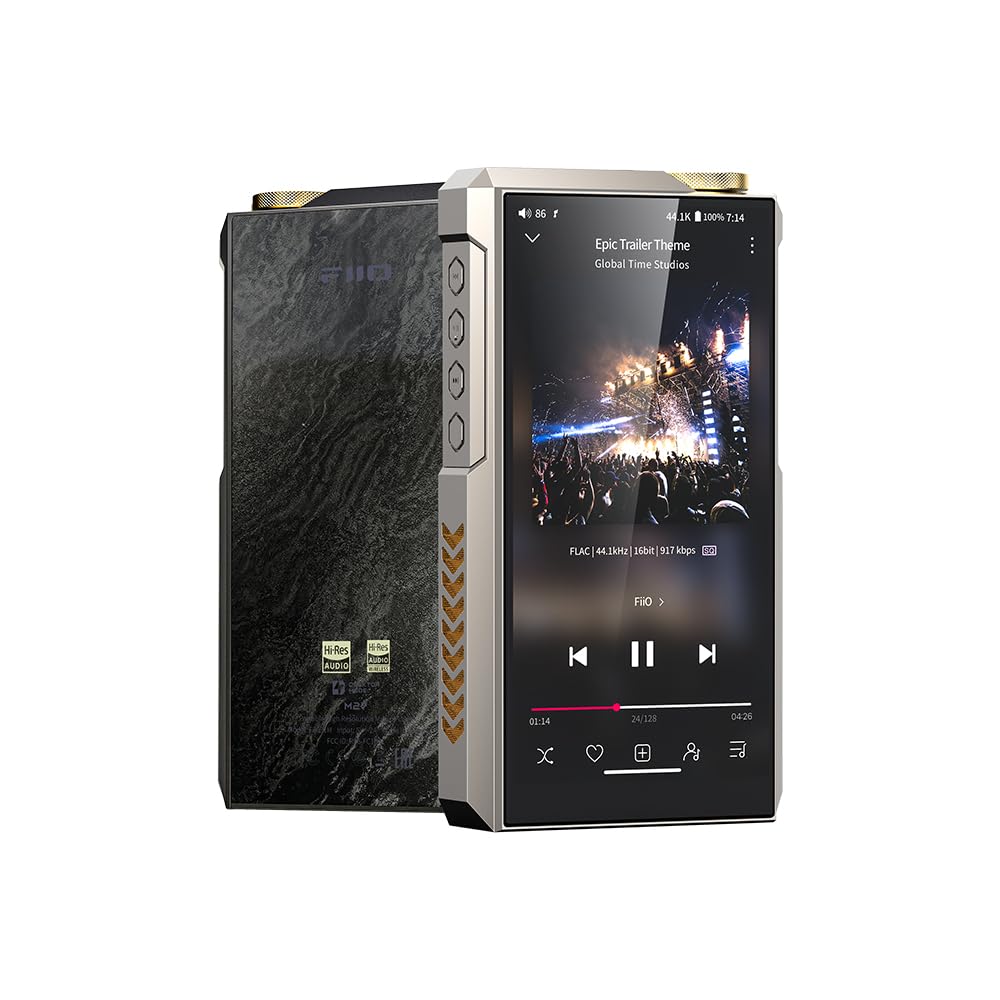
Figure 1: Front view of the FiiO M27 Android HiFi Music Player. The device features a large display and a robust, metallic chassis, indicating its premium build quality and focus on portable high-fidelity audio.
2. Setup
2.1 Charging the Device
- Connect the FiiO M27 to a compatible USB-C charger using the provided cable.
- The device supports 35W fast charging. Ensure your charger is capable of delivering this power for optimal charging speed.
- A full charge is recommended before first use.
2.2 Initial Power On
- Press and hold the power button (typically located on the side) until the FiiO logo appears on the screen.
- Follow the on-screen prompts to complete the initial Android setup, including language selection and Wi-Fi connection.
2.3 Storage Expansion
- The M27 comes with 256GB of internal storage. For additional space, locate the dual high-speed microSD card slots.
- Insert microSD cards into the slots until they click into place. The device supports seamless access to massive lossless libraries.
3. Operating Instructions
3.1 Basic Navigation
- The M27 runs on Android, offering a familiar touchscreen interface. Swipe to navigate between screens and tap icons to open applications.
- Use the physical buttons on the side for volume control, power, and playback functions (play/pause, next/previous track).
3.2 Audio Playback
- Connect your headphones to one of the available outputs: 3.5mm, 4.4mm balanced, or 6.35mm.
- Open your preferred music application (e.g., FiiO Music app, streaming services) and select your desired audio.
- Adjust the volume using the dedicated volume buttons or the on-screen controls.
3.3 Desktop Mode
- When connected to an external fast-charging power supply, the M27 can operate in "Desktop Mode."
- In this mode, the internal 9200mAh battery is isolated, preventing charge cycles and ensuring optimal power delivery for high-performance listening.
- This mode is ideal for extended listening sessions at home or in a studio environment.
3.4 Super Power Mode
- To unlock the full 5000mW + 5000mW balanced output, activate "Super Power Mode" when using an external fast-charging power supply.
- This mode provides ample power to drive even the most demanding full-size headphones.
4. Key Features
- QCS6490 Platform: Powered by Qualcomm’s advanced QCS6490 platform, built on the same architecture as Snapdragon 778G, the M27 features A78 cores up to 2.7GHz, delivering a fast, fluid Android experience for multitasking, streaming, and large music libraries.
- 8GB+256GB Storage with Dual High-Speed microSD Card Slots: Comes with 8GB RAM + 256GB internal storage, plus two high-speed microSD slots to easily expand your music collection. Read/write speeds are significantly improved, allowing seamless access to massive lossless libraries.
- Desktop-Grade Connectivity in a Portable Body: Equipped with 3.5mm, 4.4mm, and 6.35mm headphone outputs, as well as coaxial input/output and optical output, the M27 offers unprecedented versatility—bridging portable convenience with desktop-level compatibility.
- Dual ES9039SPRO Flagship DACs with Independent Power Supply: Features two ESS ES9039SPRO 8-channel DACs and two ES9312 low-noise regulators, with four independent power rails for ultra-low distortion, higher dynamic range, and exceptional clarity across the frequency spectrum.
- Five-Stage Hardware Gain with up to 5000mW+5000mW Output: Delivers powerful, clean output across all impedance levels. Activate “Super Power Mode” using an external fast-charging power supply to unlock 5000mW + 5000mW of balanced output, easily driving demanding full-size headphones.
- 9200mAh High-Voltage Battery with Desktop Mode: The large 9200mAh battery supports 35W fast charging and is detachable and replaceable. “Desktop Mode” isolates the battery to reduce charge cycles and ensure optimal power for high-performance listening.
- Global 31-Band PEQ with AUTO EQ: The M27 introduces global 31-band high-precision PEQ, allowing detailed tuning and headphone frequency curve correction. AUTO EQ simplifies the process by automatically adjusting sound based on headphone data and target curves.
5. Specifications
| Feature | Detail |
|---|---|
| Model Name | M27 |
| Operating System | Android |
| CPU Speed | 2700 MHz |
| RAM Memory Installed Size | 8 GB |
| Memory Storage Capacity | 256 GB (Internal) + Dual microSD slots |
| Screen Size | 5.99 Inches |
| Resolution | 1920 x 1080 |
| DACs | Dual ES9039SPRO 8-channel DACs |
| Amplifier Output | Up to 5000mW + 5000mW (Balanced, Super Power Mode) |
| Audio Jack | 3.5 mm, 4.4 mm, 6.35 mm |
| Connectivity Technology | Bluetooth, Wireless |
| Special Features | Hi-Res Audio, 31-Band PEQ with AUTO EQ, Desktop Mode |
| Battery Capacity | 9200 Milliamp Hours |
| Battery Power Rating | 34.96 Watt Hours |
| Item Weight | 3.5 pounds |
| Package Dimensions | 10.63 x 7.09 x 6.3 inches |
6. Maintenance
6.1 Cleaning
- Use a soft, dry, lint-free cloth to clean the device's screen and body.
- Avoid using harsh chemicals or abrasive materials, as these can damage the finish.
6.2 Software Updates
- Regularly check for and install software updates to ensure optimal performance and access to the latest features.
- Updates can typically be found in the device's settings menu under "System" or "About device."
6.3 Battery Care
- To prolong battery life, avoid fully discharging the device frequently.
- Utilize "Desktop Mode" when possible for extended listening sessions to reduce battery wear.
- The battery is detachable and replaceable by authorized service personnel.
7. Troubleshooting
7.1 Device Not Powering On
- Ensure the device is sufficiently charged. Connect it to a power source and wait a few minutes before attempting to power on again.
- If the issue persists, try performing a hard reset (refer to the FiiO support website for specific instructions).
7.2 No Sound Output
- Check that your headphones are properly connected to the correct audio output port.
- Verify that the volume is not muted or set too low.
- Test with different headphones or audio files to isolate the problem.
7.3 Slow Performance or App Crashes
- Close any unnecessary background applications to free up RAM.
- Ensure the device's software is up to date.
- If problems continue, consider performing a factory reset (back up your data first).
8. Warranty and Support
The FiiO M27 comes with a manufacturer's warranty. Please refer to the warranty card included in your product packaging or visit the official FiiO website for detailed warranty terms and conditions.
For technical support, product registration, or service inquiries, please visit the official FiiO support page or contact your local dealer.