
1. Introduction
Welcome to the FiiO M27 Android HiFi Music Player. This device is a breakthrough flagship portable HiFi player designed for exceptional audio quality and ultra-smooth performance. It seamlessly blends cutting-edge computing power with true audiophile-grade sound components, offering an unparalleled listening experience.
The FiiO M27 is powered by the advanced Qualcomm QCS6490 platform, built on the same architecture as the Snapdragon 778G, ensuring fast multitasking and effortless streaming across all major audio and video platforms.
Key features include:
- Qualcomm QCS6490 Platform: For ultra-smooth performance.
- Dual ES9039SPRO DACs: Flagship digital-to-analog converters with independent power supply for superior audio fidelity.
- 8GB RAM + 256GB Internal Storage: Ample space for your music library.
- Dual microSD Card Slots: For extensive storage expansion.
- 5000mW Balanced Amplifier: Powerful output to drive demanding headphones.
- Multiple Audio Outputs: 3.5mm, 4.4mm, and 6.35mm headphone outputs, plus coaxial and optical outputs.
- LDAC/aptX Lossless Support: High-quality wireless audio transmission.
- 31-Band PEQ: Global high-precision parametric equalizer for detailed sound tuning.
- 9200mAh High-Voltage Battery: With Desktop Mode for optimized power management.
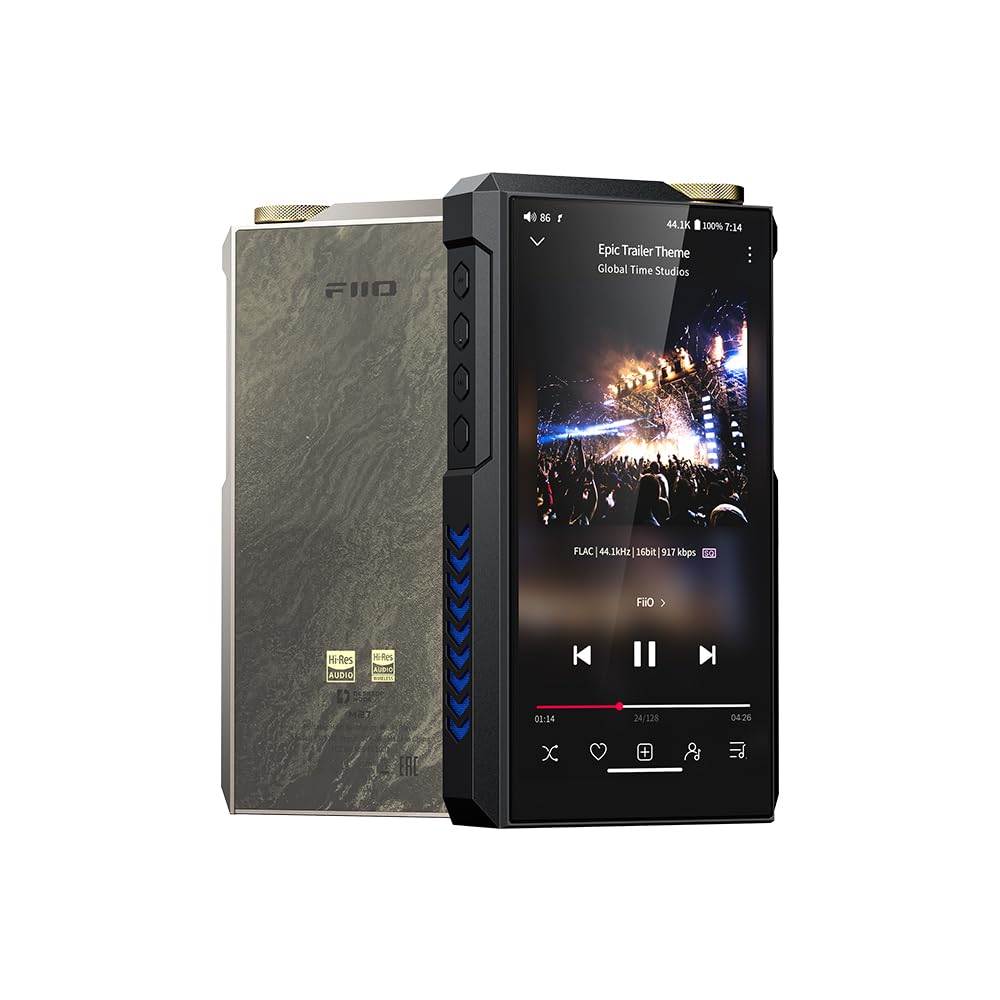
Figure 1: FiiO M27 Android HiFi Music Player
2. Setup
2.1 Unboxing and Initial Inspection
Carefully unpack your FiiO M27. Verify that all components are present:
- FiiO M27 unit
- USB charging/data cable
- Quick Start Guide and Warranty Card
2.2 Initial Charging
Before first use, fully charge the M27. Connect the provided USB cable to the device's USB-C port and to a compatible USB power adapter (not included). The 9200mAh high-voltage battery supports 35W fast charging.
2.3 Power On/Off
To power on, press and hold the power button located on the side of the device until the screen illuminates. To power off, press and hold the power button, then select 'Power Off' from the on-screen options.
2.4 Storage Expansion
The M27 comes with 256GB of internal storage. For additional space, insert up to two high-speed microSD cards into the dedicated slots. Ensure the cards are inserted correctly until they click into place.
2.5 Network Connection
To access streaming services and download applications, connect your M27 to a Wi-Fi network. Navigate to Settings > Network & Internet > Wi-Fi, select your desired network, and enter the password if prompted.
3. Operating Instructions
3.1 Android Interface Navigation
The M27 operates on a customized Android system. Navigate using touch gestures on the screen. Swipe down from the top for quick settings, swipe up for the app drawer, and use the navigation buttons at the bottom of the screen.
3.2 Audio Outputs
The M27 offers a comprehensive range of audio outputs:
- 3.5mm Headphone Output: Standard single-ended output for most headphones.
- 4.4mm Balanced Headphone Output: For balanced headphones, offering improved sound separation and power.
- 6.35mm Headphone Output: A larger balanced output, often found on desktop-grade amplifiers, for high-fidelity headphones.
- Coaxial Input/Output & Optical Output: For connecting to external DACs, amplifiers, or other digital audio equipment.
3.3 Gain Settings and Super Power Mode
The M27 features a five-stage hardware gain control. Adjust the gain setting (Low, Medium, High, Super High, Ultra High) to match the sensitivity and impedance of your headphones. For maximum power, activate "Super Power Mode" by connecting an external fast-charging power supply. This unlocks up to 5000mW + 5000mW of balanced output, ideal for driving the most demanding headphones.
3.4 Desktop Mode
When the M27 is connected to an external power source, you can enable "Desktop Mode". In this mode, the device bypasses the internal battery and draws power directly from the external supply. This feature helps to reduce battery charge cycles and prolong the overall lifespan of the battery, while ensuring stable power for high-performance listening.
3.5 Equalization (PEQ)
The M27 incorporates a global 31-band high-precision Parametric Equalizer (PEQ). This allows for detailed customization of the sound signature. You can use the AUTO EQ function to automatically adjust sound based on headphone data and target curves, or manually fine-tune each band to suit your personal preferences and optimize for specific headphones or music genres.
3.6 Wireless Audio
The M27 supports high-resolution wireless audio codecs such as LDAC and aptX Lossless, ensuring a high-fidelity listening experience with compatible Bluetooth headphones or speakers.
4. Maintenance
4.1 Cleaning
Regularly clean the exterior of your M27 with a soft, dry, lint-free cloth. Avoid using abrasive materials, solvents, or harsh chemicals, as these can damage the finish or internal components. Keep ports free of dust and debris.
4.2 Battery Care
To maximize the lifespan of the 9200mAh battery, avoid exposing the device to extreme temperatures. Do not leave the device fully discharged for extended periods. If storing the device for a long time, ensure it has a partial charge (around 50-70%). The battery is designed to be detachable and replaceable by authorized service personnel.
4.3 Software Updates
FiiO regularly releases firmware updates to improve performance, add new features, and fix bugs. It is recommended to periodically check for and install these updates via the device's settings or the FiiO official website.
4.4 Storage
When not in use, store your M27 in a cool, dry environment, away from direct sunlight and high humidity. Using a protective case can help prevent scratches and minor damage.
5. Troubleshooting
5.1 Device Does Not Power On
- Ensure the battery is sufficiently charged. Connect the device to a power source and allow it to charge for at least 30 minutes before attempting to power on.
- Try using a different USB cable and power adapter to rule out faulty accessories.
- Perform a forced restart by holding the power button for an extended period (e.g., 10-15 seconds).
5.2 No Sound Output
- Check that your headphones are securely connected to the correct audio output port (3.5mm, 4.4mm, or 6.35mm).
- Verify the volume level on the M27 is not set to zero or muted.
- Ensure the correct audio output mode is selected in the device's settings if using coaxial or optical outputs.
- If using Bluetooth, ensure the headphones are paired and connected, and the volume is adjusted on both the M27 and the headphones.
5.3 Wi-Fi or Bluetooth Connectivity Issues
- Restart the M27 and the Wi-Fi router or Bluetooth device you are trying to connect to.
- Forget the network/device in the M27's settings and attempt to reconnect/re-pair.
- Ensure the M27 is within range of the Wi-Fi network or Bluetooth device.
5.4 Slow Performance or App Crashes
- Close any unnecessary background applications.
- Clear the cache of problematic applications via Settings > Apps & Notifications > [App Name] > Storage & Cache > Clear Cache.
- Ensure the device has sufficient free storage space.
- Consider performing a factory reset as a last resort (Settings > System > Reset options > Erase all data (factory reset)). Note: This will erase all data on the device. Back up important files first.
6. Specifications
| Feature | Detail |
|---|---|
| Platform | Qualcomm QCS6490 |
| DACs | Dual ESS ES9039SPRO |
| RAM | 8GB |
| Internal Storage | 256GB |
| Expandable Storage | Dual microSD card slots |
| Headphone Outputs | 3.5mm, 4.4mm, 6.35mm |
| Other Outputs | Coaxial Input/Output, Optical Output |
| Balanced Output Power | Up to 5000mW + 5000mW (Super Power Mode) |
| Battery Capacity | 9200mAh (detachable and replaceable) |
| Fast Charging | 35W |
| Equalizer | Global 31-band PEQ with AUTO EQ |
| Wireless Audio Codecs | LDAC, aptX Lossless |
| Operating System | Android |
| Screen Size | 5.99 Inches |
| Color | Gray |
| Manufacturer | FiiO |
7. Warranty and Support
For detailed warranty information, technical support, and service inquiries, please visit the official FiiO website or contact FiiO customer service directly. Retain your proof of purchase for any warranty claims.
FiiO Official Website: www.fiio.com


