
Parsonver PSSW9
Parsonver Smart Watch PSSW9 User Manual
Model: PSSW9
Introduction
The Parsonver Smart Watch PSSW9 is a versatile fitness tracker designed for active lifestyles, featuring advanced swim analysis, built-in GPS and compass, and comprehensive health monitoring. This manual provides essential information for setting up, operating, and maintaining your device.
What's in the Box
- 1x Smartwatch
- 1x Charging Cable
- 1x User Manual
Product Overview
The PSSW9 Smart Watch features a 1.32-inch Ultra-HD AMOLED display (466×466, 60Hz) for clear visuals. It includes a single physical button for navigation and a soft, skin-friendly silicone band for comfortable wear during various activities.

Figure 1: Front view of the Parsonver Smart Watch PSSW9, highlighting the display and silicone band.

Figure 2: Side view of the watch, illustrating the single physical button for interaction.
Setup
1. Charging the Device
Before first use, fully charge your smartwatch. Connect the magnetic charging cable to the back of the watch. The watch will display charging progress. A full charge takes approximately 2 hours.

Figure 3: Magnetic charging cable attaching to the watch's charging points.
2. App Connection
Download the companion app (compatible with Android 9.0+ and iOS 13.0+) from your smartphone's app store. Follow the in-app instructions to pair your smartwatch via Bluetooth. This enables data synchronization and access to advanced features.
3. Band Replacement
The silicone band is removable and replaceable. To remove, locate the small pins on the underside of the watch where the band connects. Slide the pin to release the band. To attach a new band, align the pins with the watch lugs and slide them into place until they click securely.
Video 1: Official product video demonstrating the removal and replacement of the watch band.
Operating Instructions
1. Basic Navigation
- Touchscreen: Swipe up, down, left, or right to navigate through menus and features. Tap to select.
- Physical Button: Press the side button to return to the home screen or access the app menu.
2. Watch Faces
Customize your watch face from over 200 options available in the app. You can also upload your own photos or videos to create personalized animated watch faces.

Figure 4: Examples of customizable watch faces available for the smartwatch.
3. Waterproof Mode
The watch is 5ATM waterproof, suitable for swimming in pools and open water. To ensure optimal performance and prevent accidental screen touches underwater, activate the 'Water Lock' mode from the quick settings menu. Avoid pressing buttons underwater or exposing the watch to hot baths or saunas.
Video 2: Official product video showcasing the smartwatch's 5ATM waterproof capabilities during swimming.
4. Sports Modes & Tracking
The watch supports over 100 sports modes, including running, cycling, swimming, HIIT, yoga, and strength training. It features auto-detection for common activities like running, walking, and cycling. Built-in GPS and compass allow for phone-free workout tracking and route mapping, especially useful for open water swimming and outdoor activities.

Figure 5: The smartwatch tracking a swimmer's performance in a pool.

Figure 6: The smartwatch tracking outdoor workouts with GPS and compass functionality.
5. Health Monitoring
The PSSW9 provides 24/7 health monitoring, including continuous heart rate tracking (even underwater), sleep cycle analysis (deep, light, REM stages), blood oxygen levels, and stress levels. It also supports women's health tracking and offers reminders for goals, hydration, and breathing exercises.

Figure 7: Overview of the smartwatch's health tracking capabilities.
6. Smart Features
Stay connected with smart notifications for calls, texts, and app alerts directly on your wrist. The watch also includes features like alarms, timers, stopwatch, weather updates, calculator, camera/music control, world clock, and 'Find My Phone' functionality. 'Raise-to-wake' and adjustable brightness settings enhance user convenience.
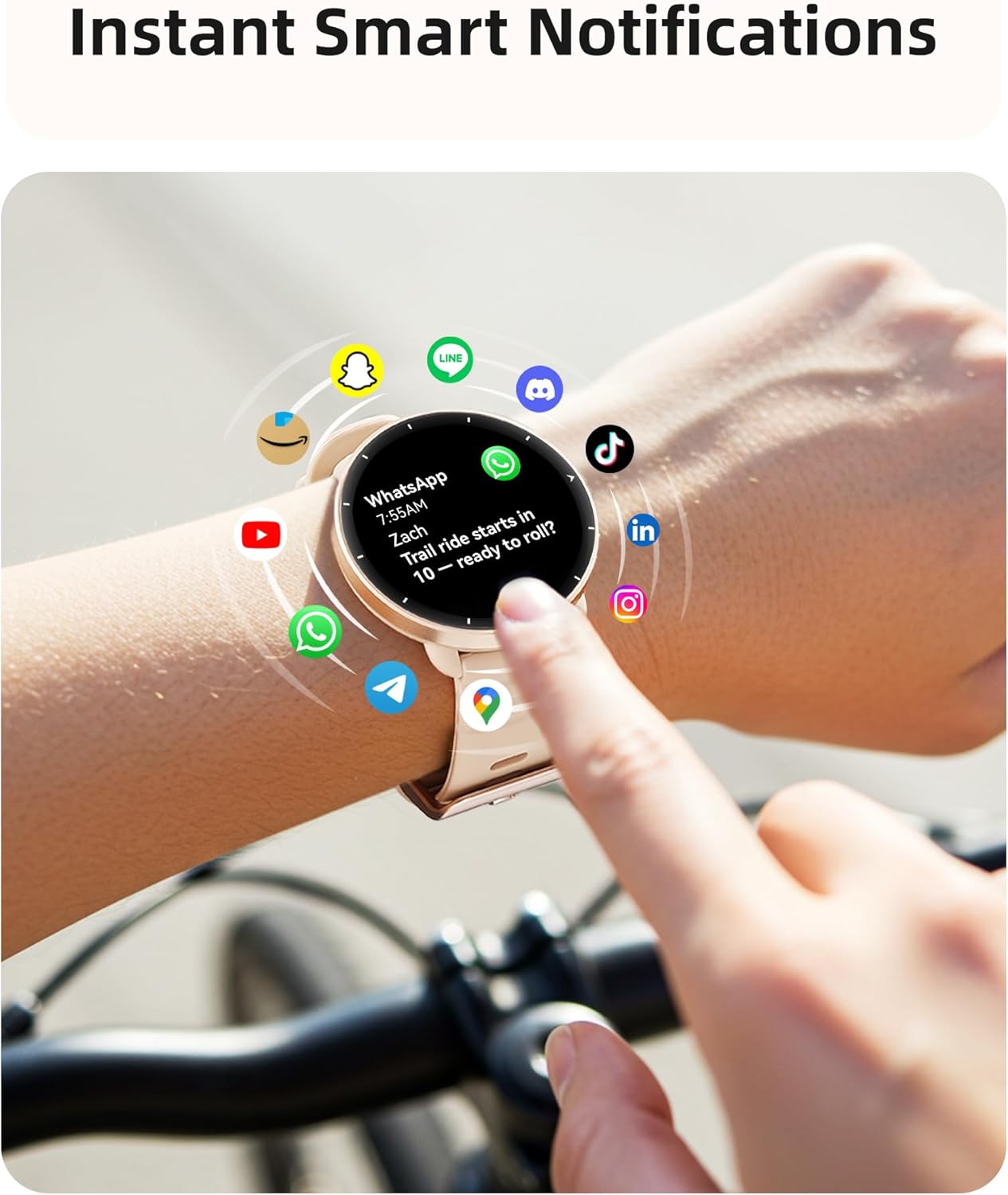
Figure 8: Smart notifications appearing on the watch display.
Battery Life
The 300mAh battery provides up to 5-7 days of active use or 40 days on standby. Charging from empty to full takes approximately 2 hours.
Specifications
| Feature | Detail |
|---|---|
| Model Number | PSSW9 |
| Display Size | 1.32 Inches AMOLED (466x466, 60Hz) |
| Waterproof Rating | 5ATM |
| GPS | Built-in GPS |
| Compass | Built-in Compass |
| Sports Modes | 100+ |
| Health Monitoring | Heart Rate, Sleep, Blood Oxygen, Stress, Women's Health |
| Battery Capacity | 300mAh |
| Battery Life | 5-7 days (active use), 40 days (standby) |
| Charging Time | 2 hours |
| Compatibility | iOS 13.0+/Android 9.0+ |
| Item Weight | 40 Grams |
Maintenance
To ensure the longevity and optimal performance of your smartwatch, follow these maintenance guidelines:
- Cleaning: Regularly wipe the watch screen and band with a soft, dry cloth. For stubborn dirt, use a slightly damp cloth and mild soap, then rinse and dry thoroughly.
- Avoid Chemicals: Do not expose the watch to strong chemicals, solvents, or detergents, as these can damage the materials.
- Storage: Store the watch in a cool, dry place away from direct sunlight and extreme temperatures when not in use.
- Water Exposure: While 5ATM waterproof, avoid prolonged submersion in saltwater and always rinse with fresh water after exposure to chlorine or salt. Do not press buttons underwater.
Troubleshooting
- Watch not turning on: Ensure the watch is fully charged. If it still doesn't turn on, try pressing and holding the side button for 10-15 seconds.
- Connectivity issues: Ensure Bluetooth is enabled on your smartphone and the watch is within range. Restart both the watch and your phone, then try pairing again through the app.
- Inaccurate data: Ensure the watch is worn snugly on your wrist. For GPS-related activities, ensure you have a clear view of the sky.
- Screen unresponsive: If the screen is wet, activate 'Water Lock' mode and then disable it to clear any water-induced touches. If dry, try restarting the watch.
Warranty & Support
Your Parsonver Smart Watch PSSW9 comes with a manufacturer's warranty. For detailed warranty information, please refer to the warranty card included in your product packaging or visit the official Parsonver website. For any technical support, troubleshooting assistance, or inquiries, please contact our dedicated customer support team. Contact details can be found in the user manual or on the Parsonver website.
Related documentsPSSW9


Ask a question about this manual
Ask about setup, troubleshooting, compatibility, parts, safety, or missing instructions. Manuals+ will review the question and use this page’s manual context to help answer it.