
1. Introduction
This manual provides detailed instructions for the safe installation, operation, and maintenance of your NKPU 52-inch Farmhouse Ceiling Fan. Please read all instructions carefully before beginning installation and retain this manual for future reference.
2. Safety Information
WARNING: To reduce the risk of fire, electric shock, or personal injury, always turn off power at the main circuit breaker or fuse box before installation or servicing.
- All electrical connections must be in accordance with local codes, ordinances, or national electrical codes. If you are unfamiliar with wiring, consult a qualified electrician.
- Ensure the installation site can support the fan's weight.
- Do not operate the fan with damaged wiring.
- Keep hands, clothing, and other objects clear of the fan blades when the fan is operating.
- This fan is suitable for indoor and covered outdoor patios. Avoid direct exposure to rain.
3. Package Contents
Verify that all components listed below are included in your package:
- 1 x Ceiling Fan with Light Kit
- 6 x Fan Blades (Dual-finish: Wood Grain / Black)
- 1 x Remote Control
- 1 x Wall-mounted Remote Control Holder
- 2 x Downrods (6-inch and 10-inch)
- 1 x User Manual
- Mounting Hardware

Image: Overview of included components for the NKPU 52-inch Farmhouse Ceiling Fan.
4. Setup and Installation
This ceiling fan supports installation on ceilings tilted up to 15 degrees. Two downrod sizes (6 inches and 10 inches) are provided for flexible mounting options.
4.1 Pre-Installation Checks
- Ensure power is disconnected at the circuit breaker.
- Confirm all parts are present as per the package contents list.
- Prepare necessary tools (not included): screwdriver, wire strippers, ladder.
4.2 Mounting Options
The fan can be installed on both flat and sloped ceilings (up to 15 degrees).

Image: Fan dimensions, downrod options, and suitable ceiling types.
4.3 Blade Assembly
The fan blades are dual-sided, offering a wood grain finish on one side and a black finish on the other. Choose the side that best suits your room's aesthetic before attaching them to the motor housing.
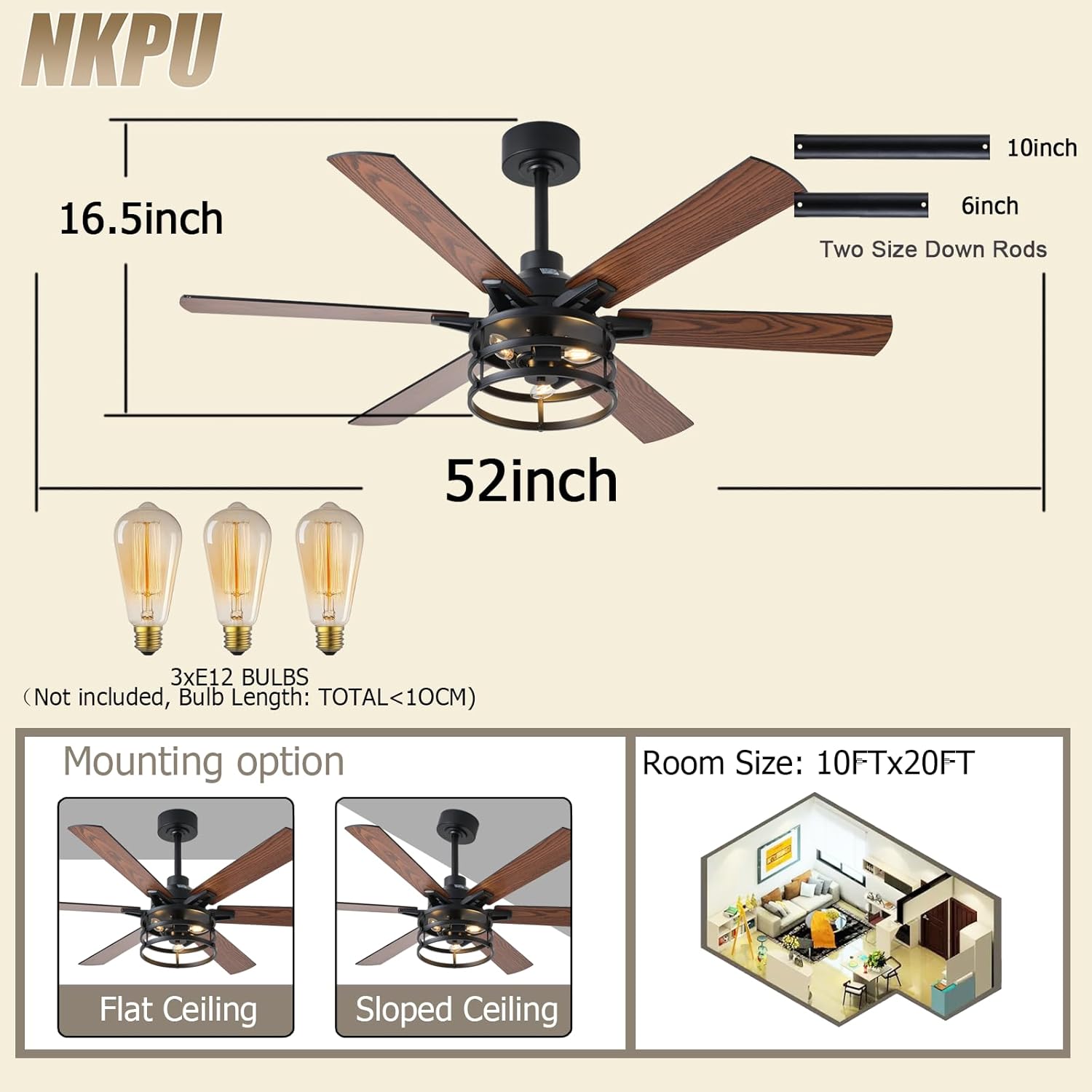
Image: Dual-sided fan blades for customizable appearance.
4.4 Wiring and Mounting
Follow the detailed steps in the installation video for secure wiring and mounting of the fan to the ceiling junction box. Ensure all connections are tight and secure.
Video: NKPU-SY28 52-Inch Farmhouse Ceiling Fan Installation Guide. This video demonstrates the step-by-step process for installing the ceiling fan, including wiring and mounting.
5. Operation
Your NKPU ceiling fan can be controlled via the included remote control or a mobile application.
5.1 Remote Control Functions
The remote control allows for comprehensive management of your fan and light settings.
- Power On/Off: Turn the fan and light on or off.
- Fan Speed: Adjust between 6 fan speeds.
- Reversible Motor: Switch between forward (summer) and reverse (winter) rotation.
- Timer: Set the fan to turn off automatically after 1, 2, or 4 hours.
- Light Control: Turn the light on/off.
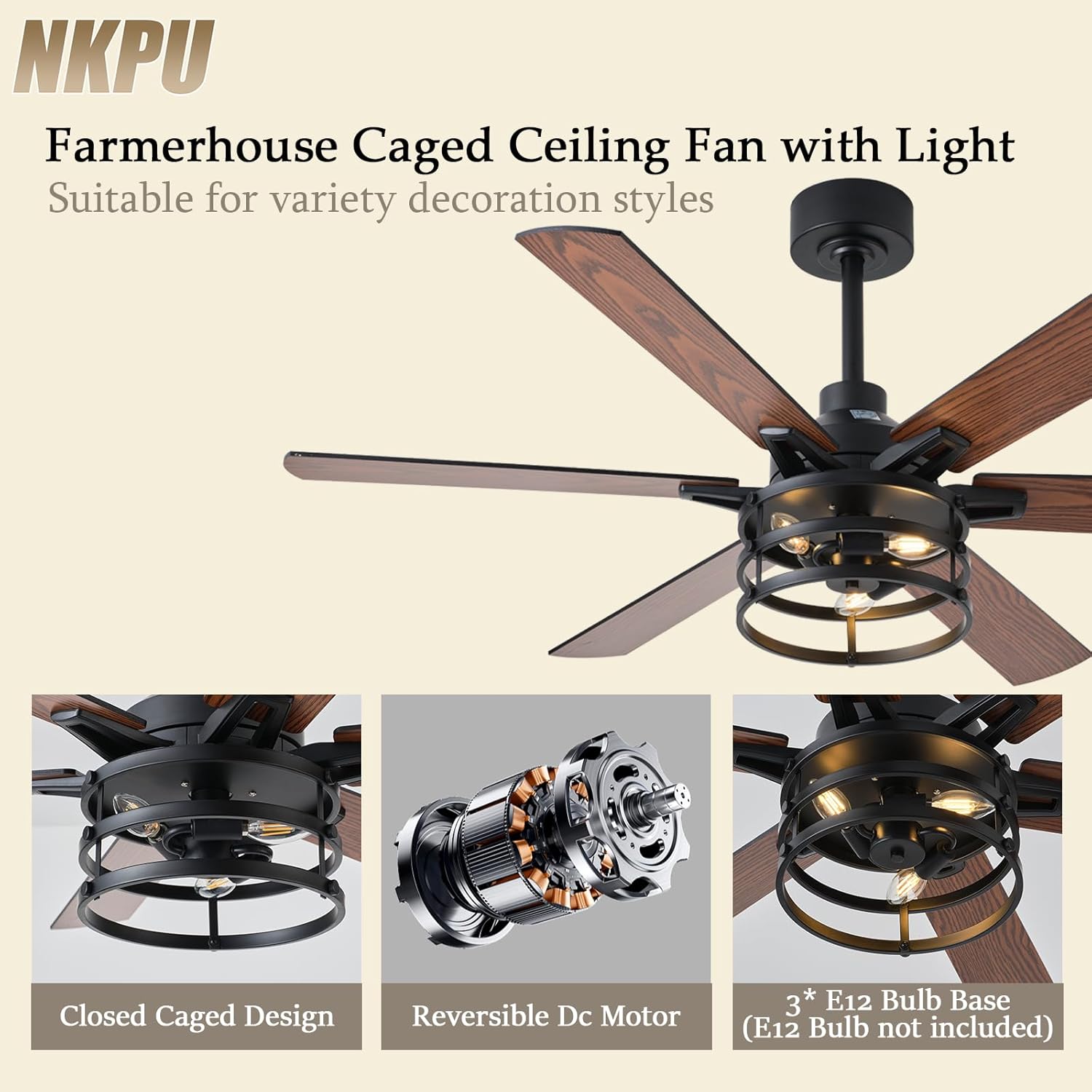
Image: Remote control layout and functions.
5.2 Mobile App Control
For additional convenience, you can control your fan using a mobile application. Scan the QR code provided in the product images or visit https://www.jasonghost.com/fanlamppro/ to download the "Fan Lamp Pro" app.
- Download and install the "Fan Lamp Pro" app.
- Ensure the fan is powered on.
- Open the app and press the "+" button to add a new device.
- Within 5 seconds of powering on the fan, press the Bluetooth pairing button on the remote control. A flashing light on the fan indicates successful pairing.

Image: Remote and app control options.
5.3 Reversible Motor Function
The fan features a reversible DC motor for year-round comfort.
- Summer Mode (Downward Airflow): Blades rotate counter-clockwise, creating a downward breeze for cooling.
- Winter Mode (Upward Airflow): Blades rotate clockwise, circulating warm air near the ceiling downwards.

Image: Reversible airflow function for seasonal use.
5.4 Fan Speed Settings
The fan offers 6 adjustable speeds to suit your comfort needs:
- Levels 1-2: Gentle, comfortable wind, ideal for sleeping.
- Levels 3-4: Natural wind, suitable for general use.
- Levels 5-6: Strong, cool wind for maximum air circulation.

Image: Fan speed levels and their applications.
Video: NKPU-SY28 52-Inch Farmhouse Ceiling Fan Display Video. This video showcases the fan's features, including speed settings, light operation, and quiet performance.
6. Maintenance
Regular maintenance ensures optimal performance and longevity of your ceiling fan.
- Cleaning: Use a soft, damp cloth to clean the fan blades and motor housing. Do not use abrasive cleaners or solvents.
- Blade Screws: Periodically check and tighten all blade screws to prevent wobbling and noise.
- Light Bulbs: Replace E12 bulbs as needed. Ensure power is off before changing bulbs.
7. Troubleshooting
If you encounter issues with your fan, refer to the following common problems and solutions:
| Problem | Possible Cause | Solution |
|---|---|---|
| Fan does not start | No power supply; Loose wiring; Remote control battery low. | Check circuit breaker; Verify all wire connections; Replace remote control batteries. |
| Fan wobbles | Loose blade screws; Improperly balanced blades; Loose mounting bracket. | Tighten all blade screws; Use a balancing kit (not included) to balance blades; Ensure mounting bracket is securely fastened. |
| Light does not work | Bulb faulty; Loose wire connection; Light switch off. | Replace bulb; Check light kit wiring; Ensure light switch on remote/app is activated. |
| Remote control not working | Low battery; Not paired correctly. | Replace remote battery; Re-pair remote control with the fan (refer to operation section). |
8. Specifications
| Feature | Detail |
|---|---|
| Brand | NKPU |
| Model Number | SY28-Brown |
| Product Dimensions | 52"D x 52"W x 16.53"H |
| Number of Blades | 6 |
| Motor Type | DC Motor |
| Number of Speeds | 6 |
| Noise Level | 30 Decibels |
| Voltage | 110 Volts |
| Wattage | 60 Watts |
| Light Bulb Base | 3 x E12 (Bulbs not included) |
| Max Light Wattage | 40W per bulb |
| Control Method | Remote Control, App Control |
| Downrod Lengths | 6 inches, 10 inches |
| Material | Copper, Metal |
| Indoor/Outdoor Usage | Indoor, Covered Outdoor |
9. Warranty and Support
NKPU provides a 2-year full-range after-sales service for this ceiling fan. If you encounter any problems during use, please contact customer service for assistance. We aim to respond and resolve issues within 24 hours.