
ceamorfco AUS-24H63RN4-820a(Bp14)
ceamorfco Mini Split AC/Heating System 115V-12000BTU User Manual
Model: AUS-24H63RN4-820a(Bp14)
1. Introduction
This manual provides essential information for the safe and efficient operation, installation, and maintenance of your ceamorfco Mini Split AC/Heating System. Please read this manual thoroughly before installation and use, and retain it for future reference. Proper installation by a professional licensed HVAC technician is strongly recommended for optimal performance and safety.
Safety Precautions
- Always ensure the unit is powered off and disconnected from the electrical supply before performing any maintenance or cleaning.
- Do not attempt to repair or modify the unit yourself. Contact qualified service personnel.
- Keep children and pets away from the unit during operation and maintenance.
- Ensure proper ventilation around the outdoor unit.
- This appliance is not intended for use by persons (including children) with reduced physical, sensory or mental capabilities, or lack of experience and knowledge, unless they have been given supervision or instruction concerning use of the appliance by a person responsible for their safety.
2. What's in the Box
Upon receiving your ceamorfco Mini Split AC/Heating System, please verify that all components are present. The system is typically shipped in two separate boxes, and delivery times may vary for each. The following items are included:
- Indoor Unit
- Outdoor Unit
- Remote Control
- Power Cord
- 16.4 ft Copper Connection Pipe (Liquid Pipe Diameter: 3/8")
- 16.4 ft Copper Connection Pipe (Air Pipe Diameter: 1/4")
- 13 ft Communication Wire
- 6.5 ft Drain Pipe (Diameter: 0.67")
- Tape
- Luting (Putty)
- Wall Sleeve
- Batteries for Remote Control

This image illustrates the main components: the indoor unit, the outdoor unit, and the included installation kit with copper lines, communication wire, drain pipe, remote control, and other accessories.
3. Setup and Installation
The installation of this mini split AC/heating system requires specialized knowledge and tools. It is strongly recommended that installation be performed by a professional licensed HVAC technician to ensure proper function, safety, and to maintain warranty validity.
Important Installation Notices:
- Unpacking: After receiving the unit, please keep it upright for at least 24 hours before installation. This allows the refrigerant and oil to settle properly.
- Two-Box Delivery: The system components are shipped in two separate boxes. Please ensure both boxes have been received before scheduling installation.
- Installation Kit: The kit includes 16.4 ft copper lines and a signal cord. An extra power cord may be needed depending on your specific electrical setup.
- Vacuuming Lines: An AC person is required to vacuum the refrigerant lines before hooking up the system. This crucial step removes moisture and non-condensable gases, preventing system damage and ensuring efficient operation.
- Location: Choose a location for both indoor and outdoor units that allows for proper airflow, drainage, and accessibility for maintenance. Avoid direct sunlight or heat sources for the outdoor unit.
4. Operating Instructions
Your ceamorfco Mini Split AC/Heating System offers multiple functions for year-round comfort. The unit is controlled via the included remote control, which operates effectively from up to 26 feet away.
Operating Modes:
- Cool Mode: Provides cooling to lower the room temperature.
- Heat Mode: Provides heating to raise the room temperature.
- Dry (Dehumidifier) Mode: Reduces humidity in the air without significant temperature change.
- Fan Mode: Circulates air without cooling or heating.
- Auto Mode: Automatically selects cooling or heating based on the set temperature and current room temperature.
- Sleep Mode: Adjusts temperature and fan speed for comfortable sleep, often increasing temperature slightly during cooling or decreasing during heating over time, and operates quietly.
- ECO Mode: Optimizes operation for energy efficiency.
Additional Features:
- 24H Timer: Allows you to set the unit to turn on or off automatically within a 0.5 to 24-hour period.
- Wind Swing: Activates automatic louver movement for even air distribution.
- Turbo Mode: Provides rapid cooling or heating for quick temperature changes.
- Screen Off: Turns off the display on the indoor unit for undisturbed sleep. The remote control display also turns off automatically after 10 seconds of inactivity.
- Mute: Reduces operational sounds.
- Child Lock: Prevents accidental changes to settings.
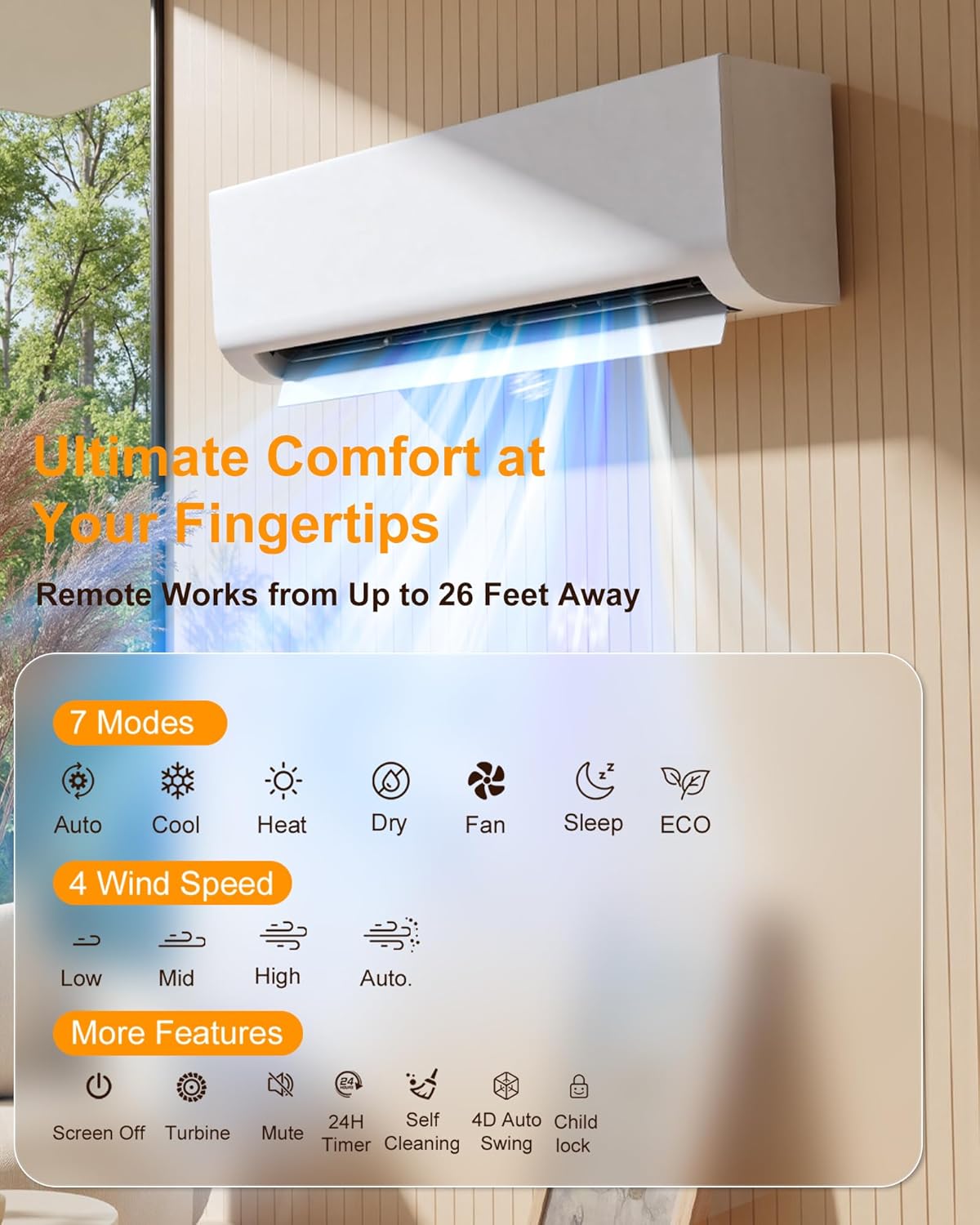
This image displays the various operating modes and features accessible via the remote control, including temperature settings, fan speeds, and special functions.
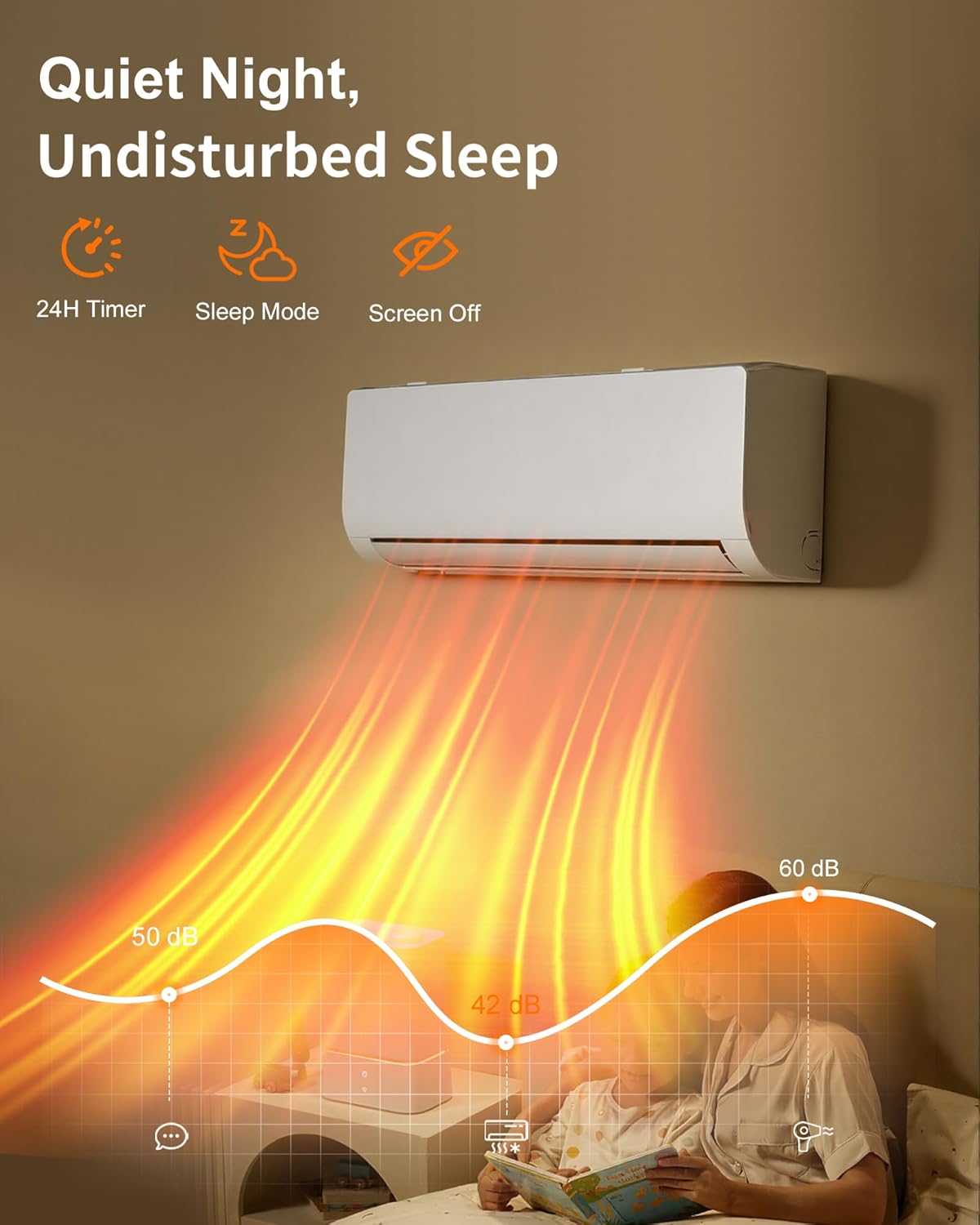
The unit is designed for quiet operation, especially beneficial during sleep, supported by features like the 24-hour smart timer and sleep mode.
5. Maintenance
Regular maintenance ensures the longevity and efficient performance of your mini split system. Always disconnect power to the unit before performing any cleaning or maintenance.
Self-Cleaning Function:
The indoor unit features a self-cleaning function that automatically cleans its interior. This process helps to prevent the buildup of dust and mold, ensuring the air circulated in your home remains fresh and clean. Consult your remote control manual for instructions on activating this feature.
Auto-Defrost Function:
The outdoor unit is equipped with an auto-defrost function. This feature operates automatically at low temperatures (down to -4°F / -20°C) to prevent ice buildup on the outdoor coil. This protects the unit from damage and enhances energy efficiency during cold weather operation.

This diagram illustrates the high-temperature auto-cleaning cycle, which involves condensing moisture, freezing it to trap contaminants, melting the ice to flush them away, and sterilizing the coil for cleaner air.
Filter Cleaning:
- The air filters in the indoor unit should be cleaned regularly (e.g., every 2-4 weeks, depending on usage).
- Open the front panel of the indoor unit and carefully remove the filters.
- Wash the filters with lukewarm water and a mild detergent. Rinse thoroughly and allow them to air dry completely before reinserting.
- Do not operate the unit without filters.
6. Troubleshooting
Before contacting customer support, please refer to the following common issues and solutions:
| Problem | Possible Cause | Solution |
|---|---|---|
| Unit does not turn on | No power supply; Remote control batteries dead; Circuit breaker tripped. | Check power connection; Replace remote batteries; Reset circuit breaker. |
| Insufficient cooling/heating | Dirty air filters; Blocked outdoor unit; Wrong mode selected; Temperature setting incorrect; Doors/windows open. | Clean air filters; Clear obstructions from outdoor unit; Select correct mode; Adjust temperature; Close doors/windows. |
| Unusual noise | Loose parts; Unit not level; Obstruction in fan. | Check for loose parts; Ensure unit is level; Remove any obstructions. If noise persists, contact service. |
| Water leakage from indoor unit | Clogged drain pipe; Improper installation. | Check and clear drain pipe; Contact a professional for inspection if installation is suspected. |
| Remote control not working | Dead batteries; Obstruction between remote and unit; Remote out of range. | Replace batteries; Remove obstructions; Move closer to the indoor unit. |
If the problem persists after attempting these solutions, please contact customer support or a qualified HVAC technician.
7. Specifications
| Feature | Detail |
|---|---|
| Brand | ceamorfco |
| Model Name | AUS-24H63RN4-820a(Bp14) |
| Cooling Power | 12000 British Thermal Units (BTU) |
| Voltage | 115 Volts (Note: Product data indicates 220V, but variant is 115V-12000BTU. Please verify actual unit voltage.) |
| Wattage | 900 watts |
| Seasonal Energy Efficiency Ratio (SEER) | 14 |
| Noise Level | 26 Decibels |
| Refrigerant | R-32 |
| Product Dimensions (Indoor Unit) | 7.5"D x 11.5"W x 34.5"H |
| Item Weight | 48.5 Pounds |
| Coverage Area | Up to 750 sq.ft. |
| Special Features | Auto Restart, Dehumidifier, Sleep Mode, Timer, Self-Cleaning, Auto Defrost, Wind Swing, Turbo, ECO Mode |
| Inverter Type | Has Inverter |
| Installation Type | Split System |
| Compressor Type | Rotary Scroll |
| Control Method | Remote Control |
| Manufacturer | Zhejiang Xabao Electric Co., Ltd |
8. Warranty Information
This ceamorfco Mini Split AC/Heating System comes with a 2-year warranty. Please retain your proof of purchase for warranty claims. The warranty covers defects in materials and workmanship under normal use. Damage resulting from improper installation, misuse, neglect, or unauthorized repairs is not covered.
For specific terms and conditions of the warranty, please refer to the documentation included with your product or contact ceamorfco customer support.
9. Customer Support
If you have any questions, require technical assistance, or need to make a warranty claim, please contact ceamorfco customer support. For the most up-to-date contact information, please visit the official ceamorfco store on Amazon or their official website.
Online Store: Visit the ceamorfco Store on Amazon
When contacting support, please have your product model number (AUS-24H63RN4-820a(Bp14)) and proof of purchase readily available.
Ask a question about this manual
Ask about setup, troubleshooting, compatibility, parts, safety, or missing instructions. Manuals+ will review the question and use this page’s manual context to help answer it.