
1. Product Overview
The Beetel X70N is a 2.4GHz digital cordless phone designed for clear and reliable communication in home and office environments. It features advanced digital technology for stable connectivity and minimal interference. Key features include a backlit LCD display, an illuminated keypad for low-light conditions, Caller ID support, and a 100-contact phonebook.
1.1. Key Features
- 2.4GHz Digital Technology: Ensures crystal-clear voice quality and stable, interference-free communication.
- Backlit LCD Display: Provides clear visibility of caller information, call details, battery status, and menu options.
- Illuminated Keypad: Facilitates easy dialing and navigation in low-light conditions.
- Caller ID: Displays incoming caller numbers for identification before answering.
- 100-Contact Phonebook: Stores frequently used numbers for quick access.
- Hands-Free Speakerphone: Allows for convenient conversations during multitasking.
- Rechargeable Battery: Provides reliable talk and standby time with a charging level indicator.
- Additional Functions: Last number redial, handset locator (paging), adjustable ringtone volume, alarm function, and mute.
1.2. Box Contents
Verify that all items are present in the package:
- Base Unit
- Handset
- Power Adaptor
- Line Cord
- Rechargeable AAA Battery
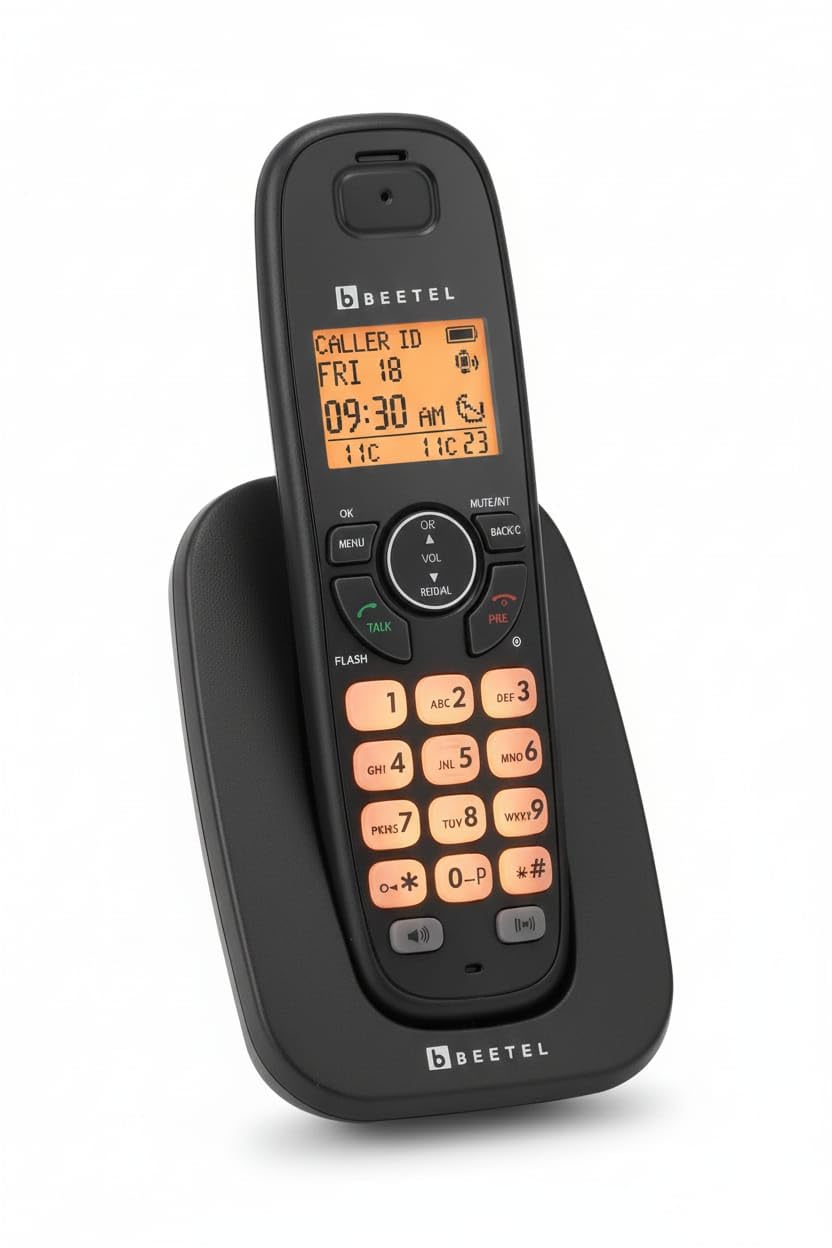
Image 1.1: Beetel X70N Cordless Phone, base unit, handset, and packaging. The phone is black with an orange backlit display and keypad. The packaging shows the model number X70N and the Beetel logo.
2. Setup
2.1. Battery Installation
- Locate the battery compartment cover on the back of the handset.
- Slide the cover downwards to open it.
- Insert the supplied rechargeable AAA battery, ensuring correct polarity (+ and -).
- Replace the battery compartment cover by sliding it upwards until it clicks into place.
2.2. Connecting the Base Unit
- Connect one end of the supplied line cord to the LINE jack on the base unit.
- Connect the other end of the line cord to your telephone wall jack.
- Connect the small plug of the power adaptor to the DC IN jack on the base unit.
- Plug the large end of the power adaptor into a standard electrical outlet.

Image 2.1: Rear view of multiple Beetel X70N base units, illustrating the connection points for the power adaptor and telephone line cord.
2.3. Initial Charging
Place the handset on the base unit. The handset will begin charging. For optimal battery performance, charge the handset for at least 12-14 hours before its first use, even if the display indicates a full charge.
3. Operating the Phone
3.1. Making and Receiving Calls
- To Make a Call: Lift the handset from the base or press the TALK button. Dial the desired phone number.
- To Receive a Call: When the phone rings, lift the handset or press the TALK button.
- To End a Call: Place the handset back on the base unit or press the END button.
3.2. Using the Speakerphone
During a call, press the SPEAKER button to activate the hands-free speakerphone. Press it again to switch back to handset mode.
3.3. Caller ID
When an incoming call is received, the caller's number (and name, if available and stored in your phonebook) will be displayed on the LCD screen. The phone stores up to 30 recent incoming call records.

Image 3.1: Beetel X70N handset resting on its base unit, with the LCD display showing call information, including date and time.
3.4. Phonebook Functions
- Storing Contacts: Navigate to the phonebook menu, select "Add New," enter the name and number, then save. The phonebook can store up to 100 contacts.
- Recalling Contacts: Press the PHONEBOOK button, scroll through the entries using the navigation keys, and press TALK to dial.
3.5. Last Number Redial
Press the REDIAL button to view the last dialed numbers. Select the desired number and press TALK to redial.
3.6. Handset Locator (Paging)
If you misplace your handset, press the PAGE button on the base unit. The handset will ring, allowing you to locate it.
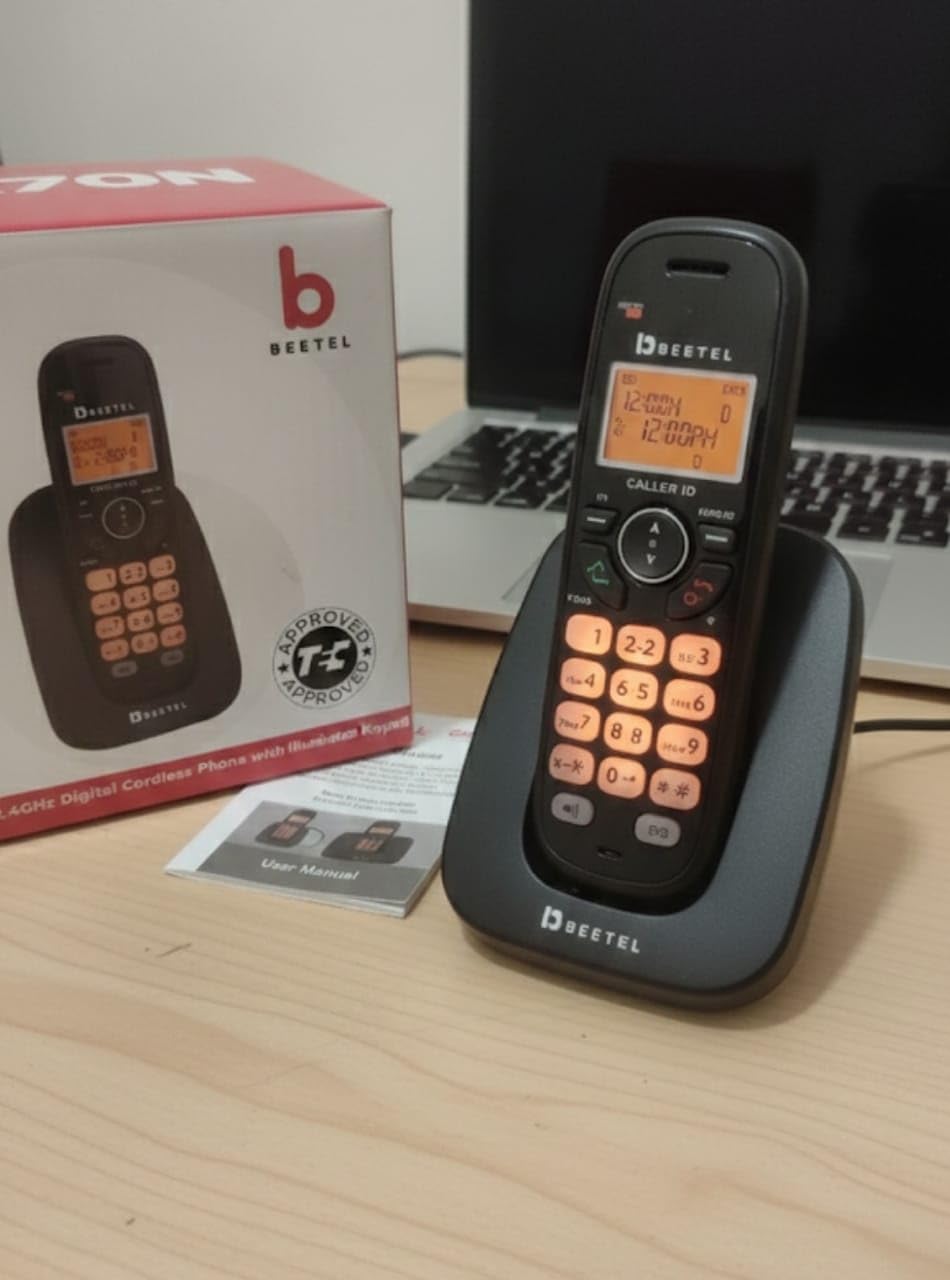
Image 3.2: Beetel X70N handset on its base unit, with the orange illuminated keypad clearly visible, aiding use in low-light conditions.
4. Maintenance
4.1. Cleaning
- Wipe the phone's surfaces with a soft, damp cloth.
- Do not use harsh cleaning agents, abrasive cloths, or chemical solvents, as these can damage the phone's finish.
- Ensure the phone is unplugged from the power outlet before cleaning.
4.2. Battery Care
- Use only the supplied rechargeable AAA battery or an approved replacement.
- Avoid exposing the battery to extreme temperatures.
- If the phone will not be used for an extended period, remove the battery to prevent leakage.
- Dispose of used batteries according to local regulations.
5. Troubleshooting
| Problem | Possible Cause | Solution |
|---|---|---|
| No dial tone | Line cord not connected properly; power adaptor not connected. | Ensure the line cord is securely plugged into the base unit and wall jack. Verify the power adaptor is connected to the base unit and a working electrical outlet. |
| Handset not charging | Handset not properly seated on the base; dirty charging contacts; faulty battery. | Ensure the handset is correctly placed on the base unit. Clean the charging contacts on both the handset and base with a dry cloth. Replace the battery if it is old or damaged. |
| Poor sound quality / Interference | Handset too far from base; interference from other electronic devices. | Move the handset closer to the base unit. Relocate the base unit away from other electronic devices (e.g., Wi-Fi routers, microwaves). |
| Caller ID not displaying | Caller ID service not subscribed; feature not enabled. | Contact your telephone service provider to ensure Caller ID service is active. Check phone settings to ensure Caller ID display is enabled. |
| Handset out of range warning | Handset is too far from the base unit. | Move the handset closer to the base unit. The effective range is typically up to 50 meters indoors and 300 meters outdoors, but can vary based on environment. |
6. Specifications
| Feature | Detail |
|---|---|
| Model Number | X70N |
| Telephone Type | Cordless |
| Technology | 2.4GHz Digital |
| Color | Black |
| Display | Backlit LCD |
| Keypad | Illuminated |
| Caller ID | Yes |
| Phonebook Capacity | 100 Contacts |
| Incoming Call Memory | 30 Records |
| Speakerphone | 2-way Speakerphone |
| Battery Type | Rechargeable AAA Battery |
| Phone Standby Time | Up to 72 Hours |
| Material | Electronic Components, Plastic |
| Item Dimensions (L x W x H) | 20 x 12.5 x 18 Centimeters |
| Item Weight | 450 Grams |
7. Warranty and Support
7.1. Warranty Information
The Beetel X70N Digital Cordless Phone comes with a 1-Year Warranty from the date of purchase. Please retain your purchase receipt as proof of warranty.
7.2. Customer Support
For any queries, technical assistance, or warranty claims, please contact customer care:
- Customer Care Number: 1800-10-23456
- Email: Customer.care@beetel.in
- Manufacturer: Dixon Electro Appliances Pvt. Ltd.
- Address: Plot No. 1-4, Rural Ind. Complex, Village Hambran, Distt. Ludhiana - 141110 (Punjab)