
1. Introduction
This manual provides detailed instructions for the Mingdaln Military Smart Watch (Model 619704315992). This robust smartwatch is designed for active lifestyles, featuring advanced GPS and compass capabilities, a vibrant AMOLED display, GPT Voice Assistant, comprehensive health monitoring, and multiple sports modes. Please read this manual thoroughly to ensure proper use and maintenance of your device.
Key Features:
- GPS + Compass: Built-in multi-satellite positioning system for precise outdoor navigation.
- GPT Voice Assistant: AI-powered voice interaction for quick answers and commands.
- 1.56" AMOLED Display: High-definition, scratch-resistant screen for clear visuals.
- Health Monitoring: 24/7 heart rate, blood oxygen, and sleep tracking.
- Bluetooth Calls & Notifications: Hands-free calling and instant message alerts.
- Multiple Sports Modes: Over 100 sports tracking options.
- Rugged Durability: All-zinc-alloy frame, IP68 waterproof, anti-impact design.
2. Setup
2.1. What's in the Box
Your Mingdaln Military Smart Watch package includes:
- Mingdaln Military Smart Watch
- Magnetic Charging Cable
- User Manual
- Extra Pins (for strap adjustment/replacement)
- Cleaning Cloth

Image: The Mingdaln Military Smart Watch, magnetic charging cable, and user manual laid out on a dark surface.
2.2. Initial Charging
Before first use, fully charge your smartwatch. Connect the magnetic charging cable to the charging points on the back of the watch and plug the USB end into a power adapter (not included) or a computer's USB port. The watch will display a charging indicator.
2.3. App Installation & Pairing
- Download the App: Scan the QR code displayed on the watch screen or in the user manual to download the DaFit app from your smartphone's app store (Google Play for Android, App Store for iOS).
- Enable Bluetooth: Ensure Bluetooth is enabled on your smartphone.
- Open DaFit App: Launch the DaFit app and follow the on-screen instructions to create an account or log in.
- Add Device: In the app, navigate to the 'Device' section and select 'Add Device'. The app will search for nearby smartwatches.
- Pair the Watch: Select 'MT62' (or the corresponding model number) from the list of found devices. Confirm the pairing request on both your phone and the watch.
- Grant Permissions: Allow necessary permissions (e.g., contacts, call logs, notifications) for full functionality.

Image: A visual guide illustrating the 5-step process to connect the smartwatch with the DaFit app, from download to successful pairing.
3. Operating Your Smart Watch
3.1. Basic Navigation
- Swipe Up/Down: Scroll through menus and notifications.
- Swipe Left/Right: Access quick functions or different data screens.
- Tap: Select an item or confirm an action.
- Side Buttons: Use the 'HOME' button to return to the main watch face and the 'BACK' button to go back to the previous screen.
3.2. Watch Faces
Customize your watch face directly from the watch or through the DaFit app. The app offers AI-powered creative watch faces, allowing you to use personal photos.

Image: The smartwatch displaying an AI-generated watch face, surrounded by various other customizable watch face designs.
3.3. Bluetooth Calls & Message Alerts
Once paired with your smartphone, you can make and answer calls directly from your watch. You will also receive instant notifications from social media apps and messages.

Image: The smartwatch displaying an incoming call and various app notifications, demonstrating its communication features.
3.4. Music & Camera Control
Control music playback on your smartphone and remotely trigger your phone's camera directly from your smartwatch.
3.5. Flashlight
The smartwatch features a built-in LED flashlight for convenience in low-light conditions.
Video: A demonstration of the smartwatch's built-in LED flashlight feature, showing its utility in dark environments.
3.6. GPT Voice Assistant
Tap the GPT interface on your smartwatch to speak commands or ask questions. The AI will log your query and provide instant answers, enhancing convenience and accessibility.
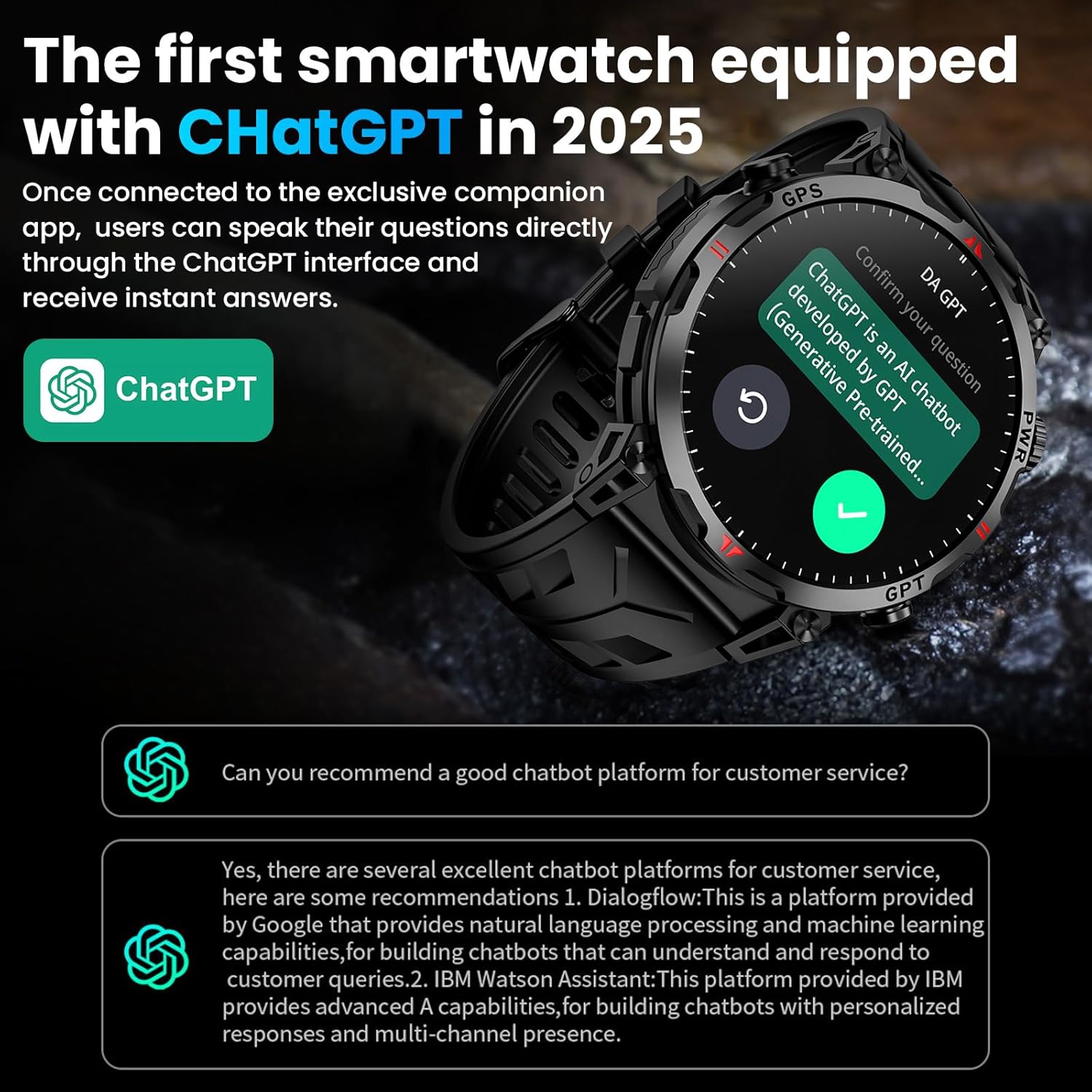
Image: The smartwatch screen showing the GPT Voice Assistant in action, processing a user's question and providing a response.
4. Health Monitoring
The Mingdaln smartwatch provides real-time health data tracking to help you maintain a healthy lifestyle.
- Heart Rate Monitoring: Continuously monitors your heart rate throughout the day.
- Blood Oxygen Monitoring: Measures your blood oxygen levels on demand.
- Sleep Monitoring: Tracks your sleep patterns, including deep sleep, light sleep, REM, and awake times, providing insights into your sleep quality.
- Activity Reminders: Set reminders for inactivity and to drink water to encourage healthy habits.

Image: Visual representation of the smartwatch's 24/7 health monitoring capabilities, including heart rate, blood oxygen, and sleep tracking.
5. Sports Modes & Outdoor Tracking
This smartwatch is equipped with advanced features for outdoor enthusiasts and fitness tracking.
- Built-in GPS + Compass: Utilizes a military-grade, single-band six-satellite positioning system (GPS, GLONASS, BeiDou, Galileo, NAVIC, QZSS) for accurate location tracking. The integrated compass provides directional guidance.
- Barometric Altimeter & Barometer: Displays real-time elevation and air pressure, crucial for mountaineering and outdoor adventures.
- Multiple Sports Modes: Supports over 100 sports, including running, cycling, skiing, climbing, and more. It accurately captures data for each session.
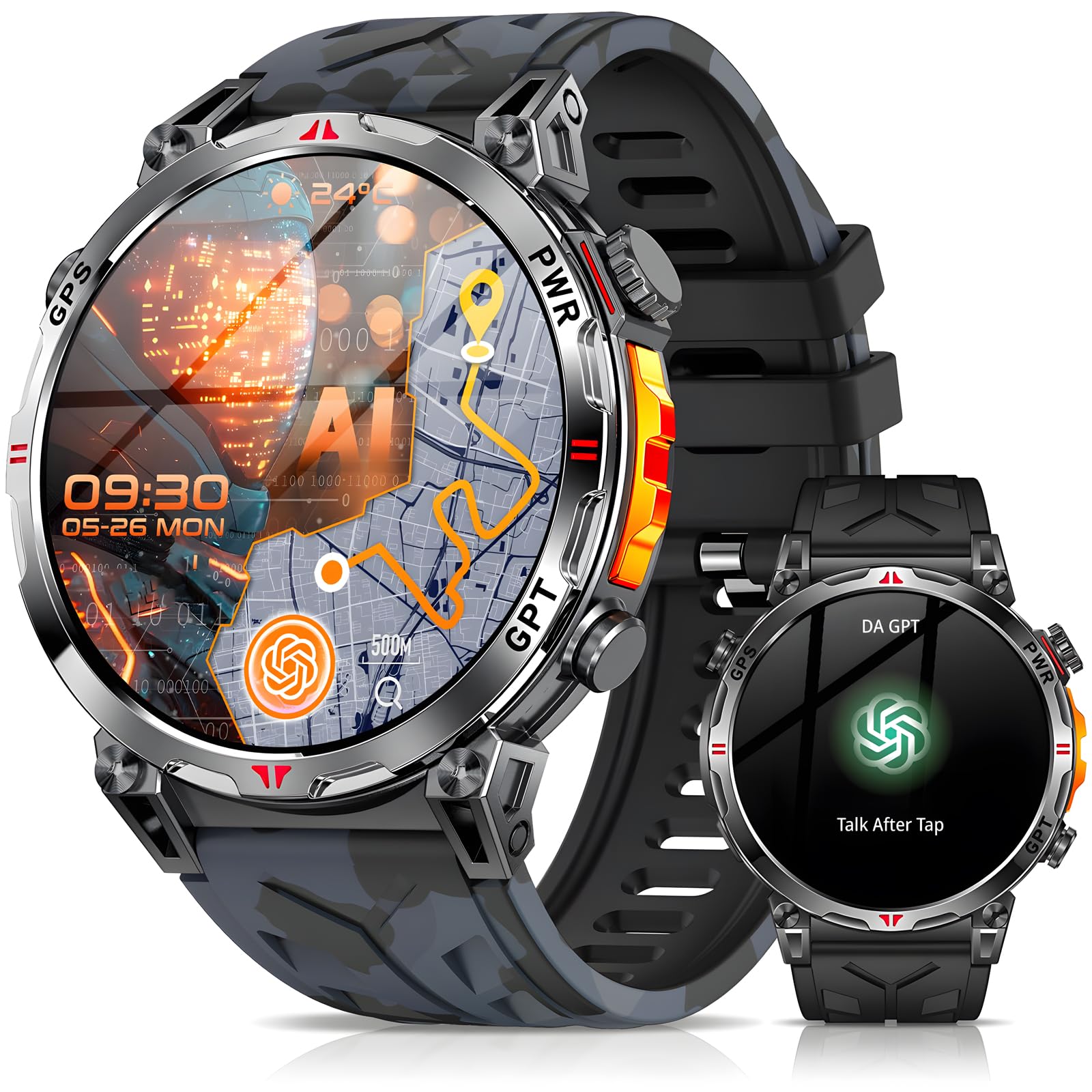
Image: The smartwatch showing GPS tracking of a route, distance, calories, and pace, set against a backdrop of outdoor adventurers.
Video: A short video showcasing the military smart watch's features, including GPS and compass, in various outdoor settings.
Video: Instructions on how to enable sport mode and GPS on your phone for enhanced tracking with the smartwatch.
6. Durability
The Mingdaln Military Smart Watch is built to withstand challenging environments.
- All-Zinc-Alloy Frame: Provides rugged durability and blends refined looks with robust construction.
- IP68 Waterproof: Designed to resist water ingress, making it suitable for various activities (Note: Not intended for swimming).
- Anti-Impact & Environmental Resistance: Engineered to withstand extreme heat, low-pressure operation, dust, and fluid corrosion.

Image: The smartwatch is shown with icons representing its resistance to water, impact, temperature extremes, dust, vibration, and corrosion.
7. Battery Life
The smartwatch is equipped with a 650 Milliamp Hours (mAh) Lithium Polymer battery, offering extended usage times:
- Typical Usage: 7-10 days
- Standby Mode: Up to 90 days
8. Specifications
| Feature | Detail |
|---|---|
| Brand | Mingdaln |
| Model Number | 619704315992 |
| Screen Size | 1.56 Inches |
| Display Type | AMOLED |
| Resolution | 400 x 225 |
| Battery Capacity | 650 Milliamp Hours |
| Connectivity Technology | Bluetooth |
| Operating System | Compatible for Android and iOS |
| Special Features | GPS & Compass, GPT Voice Assistant, Bluetooth Calls, Activity Tracking, Music & Camera Control, IP68 Waterproof, Multiple Sports Modes, Calorie Tracking, Step Distance Tracking |
| Water Resistance Level | Water Resistant (1.5 Meters) |
| Band Material Type | Silicone |
| Metrics Measured | Heart Rate Monitor, Sleep Duration, Blood Oxygen Monitor, Stress Monitor |
9. Maintenance
9.1. Cleaning
Regularly clean your smartwatch to ensure optimal performance and hygiene. Use the provided cleaning cloth or a soft, lint-free cloth. For stubborn dirt, dampen the cloth slightly with water. Avoid harsh chemicals or abrasive materials.
9.2. Care Instructions
- Avoid exposing the watch to extreme temperatures or direct sunlight for prolonged periods.
- Ensure the charging contacts are clean and dry before charging to prevent corrosion.
- While the watch is IP68 waterproof, it is not recommended for swimming or diving. Avoid hot water, steam, or strong water jets.
- For optimal GPS precision, avoid magnetic or steel watch bands.
10. Troubleshooting
10.1. Pairing Issues
- Ensure Bluetooth is enabled on your smartphone and the watch is within range.
- Restart both your smartphone and the smartwatch.
- Check if the DaFit app has all necessary permissions granted.
- If connection is unstable, try setting the app to run in the background (check phone settings).
10.2. Notifications Not Received
- Verify that push notifications are enabled in the DaFit app settings.
- Check your phone's notification settings to ensure the DaFit app is allowed to send notifications.
- Ensure the watch is connected via Bluetooth.
10.3. Inaccurate GPS Data
- Ensure you are in an open area with a clear view of the sky for optimal satellite reception.
- Avoid magnetic or steel watch bands, as they can interfere with GPS signals.
- Ensure your phone's GPS is also active if using connected GPS features.
Video: A detailed overview of the smartwatch's features and functionalities, including its display, rotating crown, strap, and health tracking.
11. Warranty & Support
11.1. Warranty Information
The Mingdaln Military Smart Watch comes with a 1-Year Manufacturer Warranty. This warranty covers defects in materials and workmanship under normal use. It does not cover damage caused by misuse, accidents, unauthorized modifications, or normal wear and tear.
11.2. Customer Support
For any questions, technical support, or warranty claims, please contact Mingdaln customer service through the retailer where you purchased the product or refer to the contact information provided in the packaging.