
Introduction
The Kwikset Aura Reach Smart Lock is a Matter-enabled smart lock designed for convenience, easy integration, and exceptional security. This deadbolt offers keyless entry, Bluetooth control, and seamless integration with major smart home platforms. It is BHMA Certified for durability and features SmartKey one-key convenience.
Key Features:
- Matter-Enabled with Thread: For compatibility with all major smart home platforms, including Apple Home, Amazon Alexa, and Google Home.
- Bluetooth Connectivity: Directly manage access codes, adjust lock settings, and share access with guests using the Kwikset app.
- Backlit Touchpad Screen: Features bright LED backlighting, a fingerprint-resistant matte coating, and tactile button-press feedback.
- Proximity Wakeup: Intelligently lights up the screen as you approach the keypad for faster and more accurate code entry.
- Hands-Free Auto Unlocking: Utilizes the Kwikset app with Bluetooth and geofence technology to unlock upon approach.
- SmartKey Security: Allows you to re-key your lock in seconds to match other Kwikset locks.
What's in the Box
Before beginning installation, ensure all components are present:
- Exterior Assembly
- Interior Assembly
- Adjustable Latch
- Strike Plate
- Mounting Plate
- 4x AA Batteries (Duracell)
- SmartKey Tool
- 2 Kwikset Keys
- Installation Hardware (screws)
- Installation Guide

Image: All components included in the Kwikset Aura Reach Smart Lock package.
Setup and Installation
Installation of the Kwikset Aura Reach Smart Lock is designed to be straightforward, requiring only a screwdriver. An interactive in-app installation guide is available to walk you through each step.
- Prepare Your Door: Ensure your door meets the required dimensions for the deadbolt. The lock fits standard doors with a 2-1/8" diameter bore hole and a door thickness of 1-3/8" to 2-1/4". The adjustable latch backset supports both 2-3/8" and 2-3/4" settings.
- Install the Latch and Strike Plate: Follow the instructions in the interactive guide to correctly position and secure the latch and strike plate.
- Install Exterior Assembly: Mount the exterior keypad assembly onto the door.
- Install Interior Assembly: Attach the interior assembly, ensuring proper alignment with the exterior unit. Connect the necessary cables.
- Insert Batteries: Install the four AA batteries into the interior assembly's battery compartment.
- Perform Door Handing Process: The lock will automatically detect the door's handing (left or right) during initial setup.
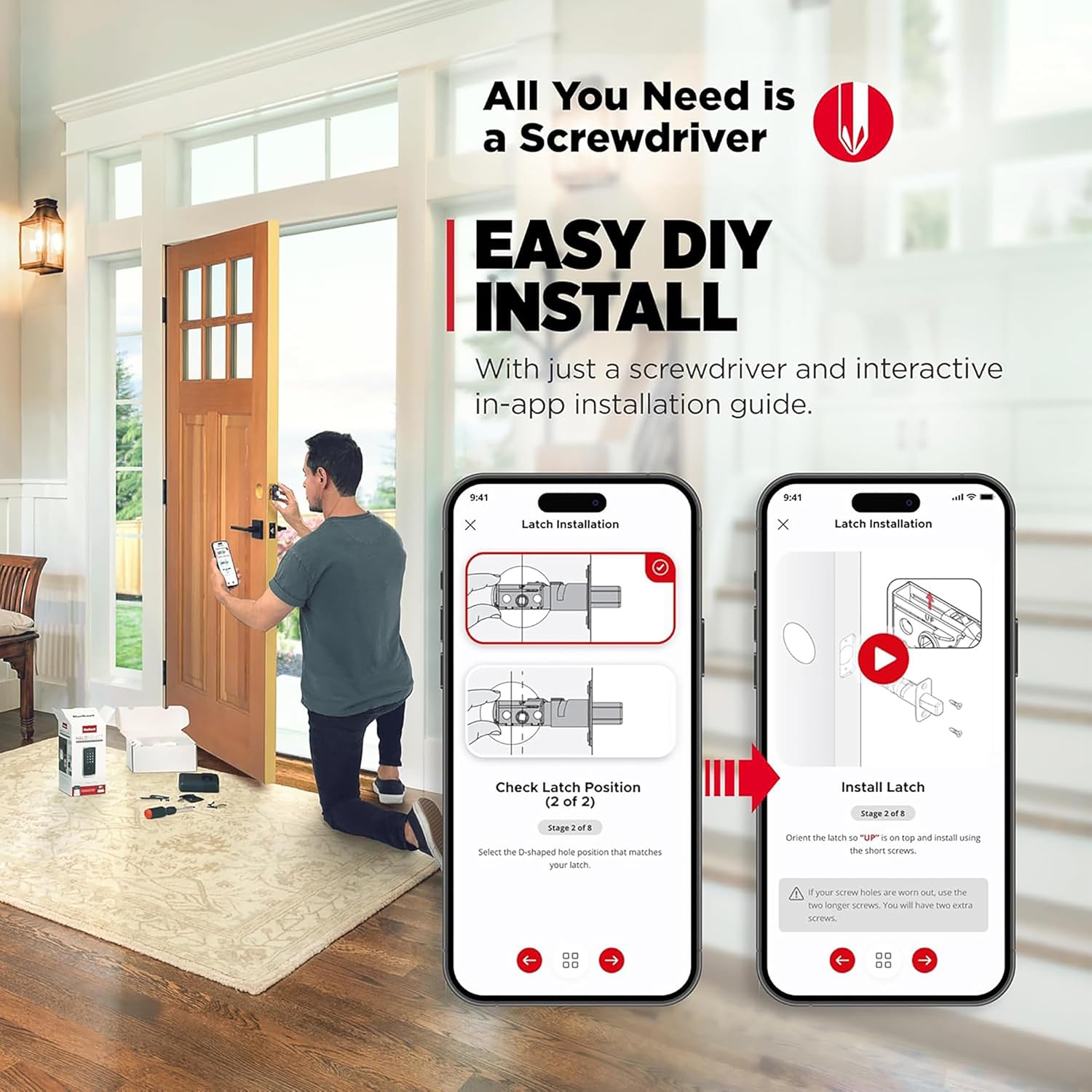
Image: A user installing the Kwikset Aura Reach Smart Lock, guided by an interactive app on a smartphone.
Bluetooth Pairing and App Setup
The Kwikset app is essential for managing your Aura Reach Smart Lock. Follow these steps to pair your lock and set up the app:
- Download the Kwikset App: Search for "Kwikset" in your device's app store and download the official application.
- Create an Account: If you are a new user, create a Kwikset account and set up your home profile.
- Activate Pairing Mode: Move into Bluetooth range of the lock. Press and hold the designated "Button A" on the interior assembly for 3 seconds. Release when the lock beeps and the Status LED flashes blue.
- Pair with Phone: In the Kwikset app, follow the on-screen prompts to search for and pair with your Aura Reach lock.
- Configure Settings: Once paired, you can use the app to:
- Manage access codes (up to 250 user codes).
- Adjust lock settings.
- Share access with guests.
- View activity history (who unlocked/locked and when).
- Enable or disable features like Auto-Lock and Tamper Alarm.

Image: The Kwikset Aura Reach Smart Lock exterior keypad alongside a smartphone displaying the Kwikset app, illustrating Bluetooth connectivity for lock management.

Image: The Kwikset app interface demonstrating the ability to manage up to 250 unique access codes for various users.
Operating the Lock
Keyless Entry:
To unlock the door using the keypad:
- The keypad will illuminate with Proximity Wakeup as you approach.
- Enter your 4-8 digit user code.
- Press the Checkmark (✓) button. The deadbolt will retract, and the door will unlock.
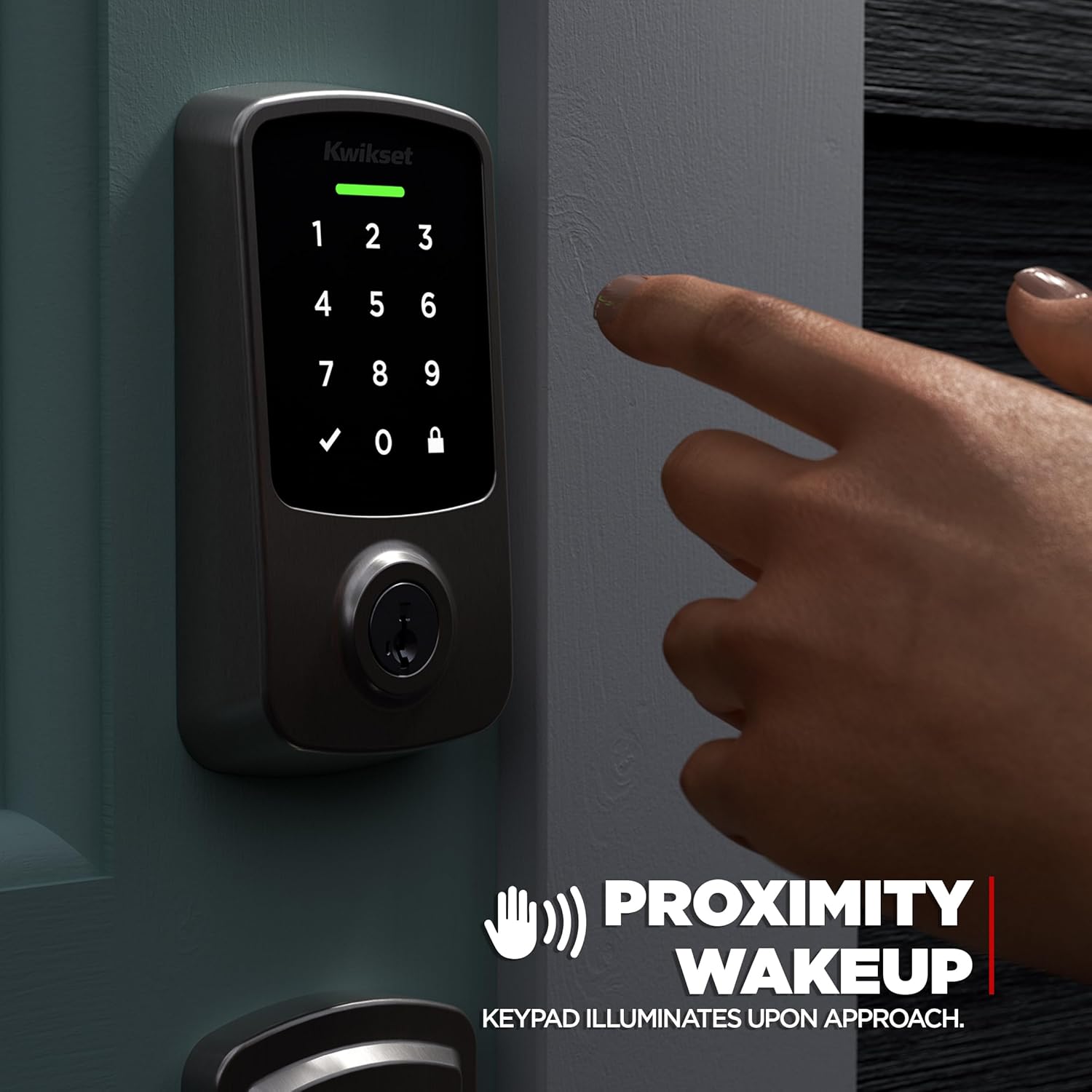
Image: A hand reaching towards the Kwikset Aura Reach keypad, which illuminates automatically due to the Proximity Wakeup feature.
One-Touch Locking:
To lock the door from the exterior:
- Press the Lock (🔒) button on the keypad. The deadbolt will extend, and the door will lock.

Image: A finger pressing the dedicated lock button on the Kwikset Aura Reach keypad for quick, one-touch locking.
Auto-Lock Feature:
The lock can be configured via the Kwikset app to automatically lock after a set period (e.g., 30 seconds, 1, 3, 5, or 10 minutes) once it has been unlocked. This feature provides added security and peace of mind.
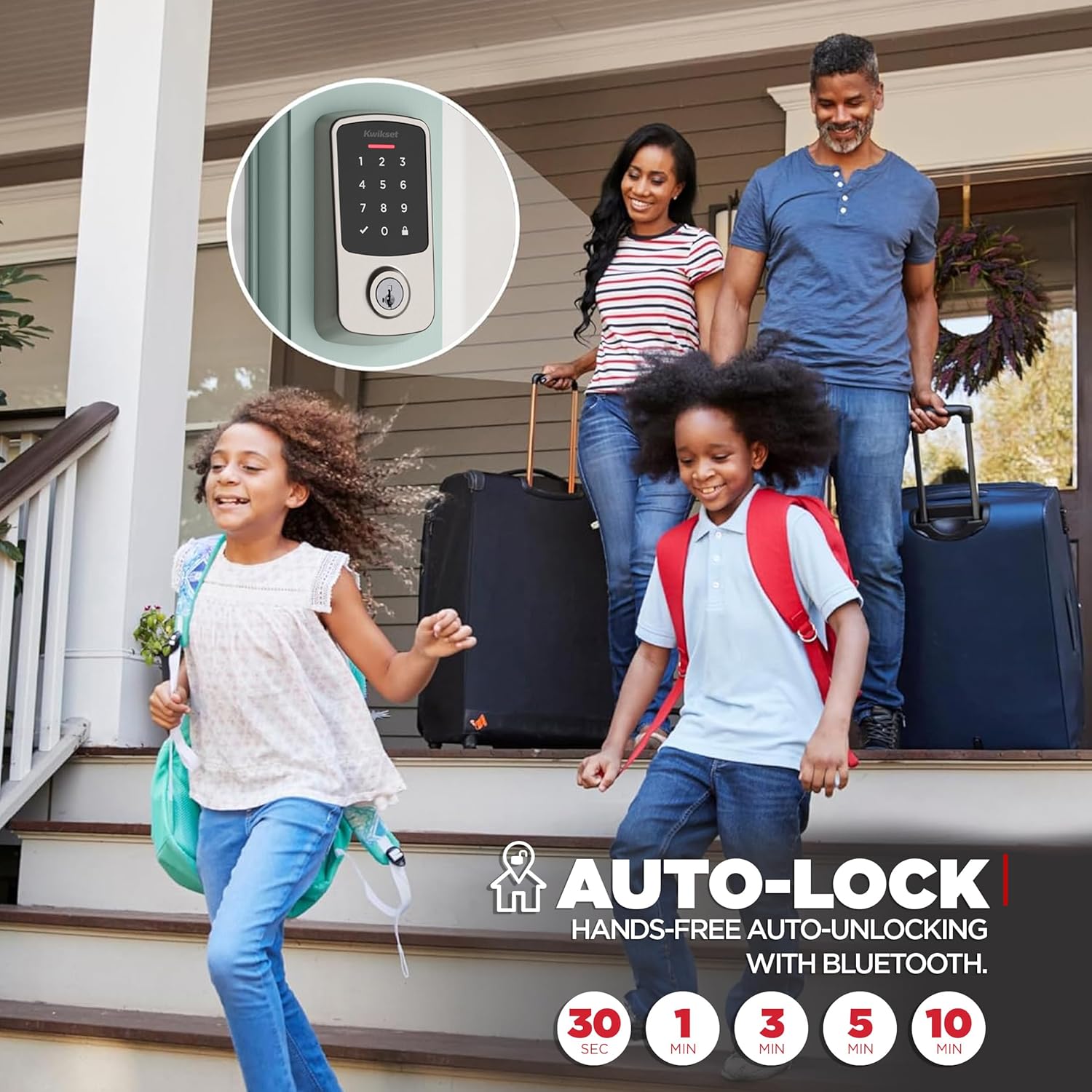
Image: A family leaving their home, illustrating the convenience of the Kwikset Aura Reach's auto-lock feature.
Geofence Auto-Unlock:
When enabled through the Kwikset app, the lock can automatically unlock as you approach your home, using Bluetooth and geofence technology. Ensure your phone's location services and Bluetooth are active for this feature to function.
Smart Home Integration:
The Aura Reach Smart Lock is Matter-enabled with Thread, allowing it to integrate with various smart home ecosystems such as Apple Home, Amazon Alexa, and Google Home. This enables voice control and the creation of smart home automations.

Image: The Kwikset Aura Reach Smart Lock shown in a home environment, demonstrating its compatibility with smart home platforms like Amazon Alexa, Apple Home, and Google Home.

Image: An informational graphic detailing the benefits of Matter with Thread connectivity, including local control, mesh networking, and improved battery life.
Maintenance
Battery Replacement:
The Kwikset Aura Reach Smart Lock is powered by four AA batteries. The Kwikset app will display the current battery level, and the lock will provide a low battery indicator when replacement is needed. To replace batteries:
- Remove the interior cover of the lock.
- Carefully remove the old batteries.
- Insert four new AA batteries, ensuring correct polarity.
- Replace the interior cover.

Image: The interior side of the Kwikset Aura Reach Smart Lock, showing the battery compartment with Duracell batteries installed.
Cleaning:
Clean the exterior keypad with a soft, damp cloth. Avoid using abrasive cleaners or solvents, as these can damage the finish and electronic components.
Security Features
Tamper Alarm:
The lock features a tamper alarm that can be configured to alert you via in-app notifications if invalid codes are entered multiple times. This feature is active within Bluetooth signal range.
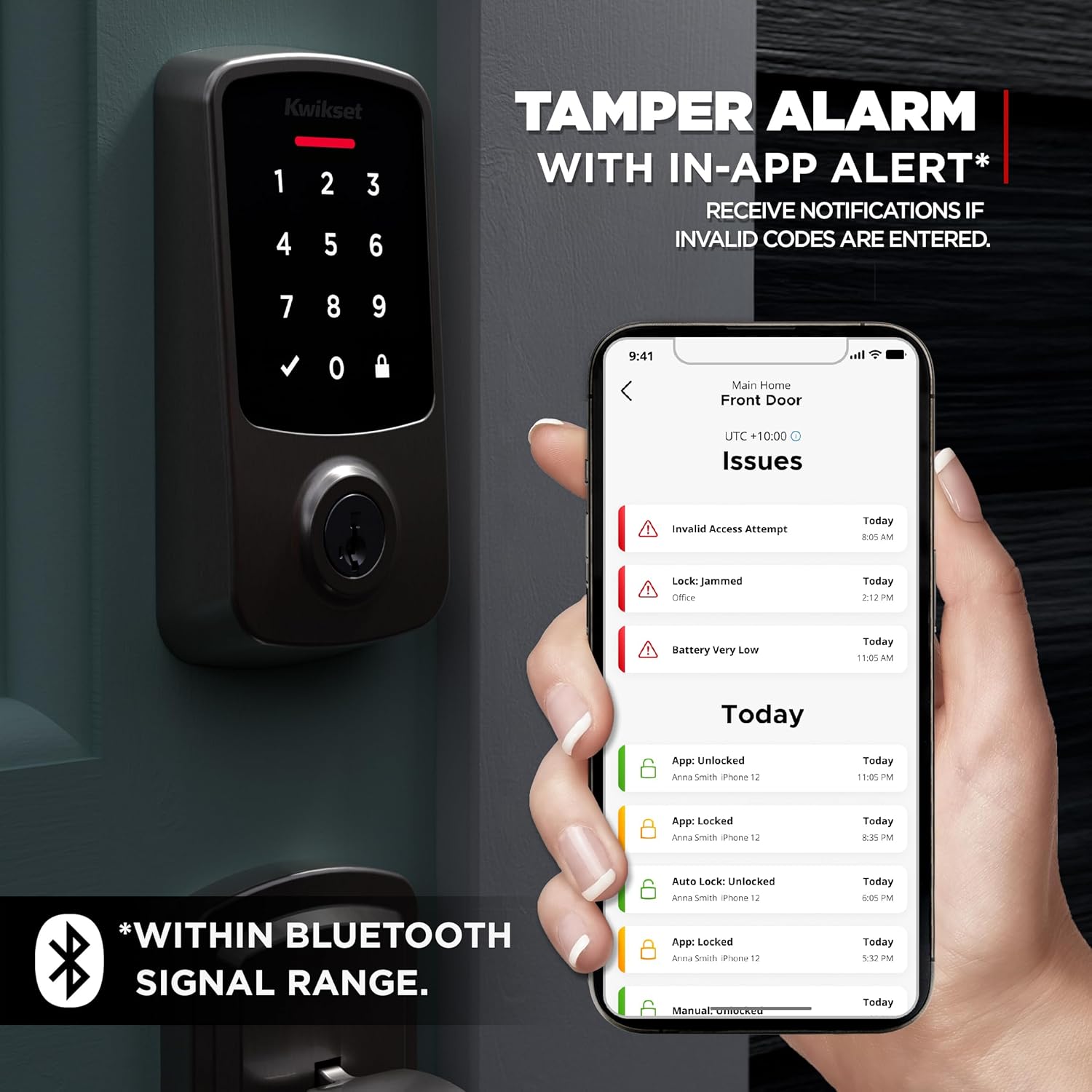
Image: The Kwikset Aura Reach Smart Lock with a smartphone displaying an in-app notification for a tamper alarm, indicating invalid code attempts.
SmartKey Security:
Kwikset's SmartKey Security allows you to re-key your lock yourself in seconds, providing convenience and enhanced security against advanced break-in techniques. This feature is useful if you want to match the lock to an existing Kwikset key.

Image: A close-up view of the Kwikset Aura Reach keyhole, highlighting the SmartKey Security feature and illustrating the re-keying process.
Troubleshooting
If you encounter issues with your Kwikset Aura Reach Smart Lock, consider the following common solutions:
- Lock Not Responding: Check the battery level in the Kwikset app or replace the batteries. Ensure the interior assembly is properly seated and connected.
- Keypad Not Illuminating: Verify batteries are fresh and correctly installed. The Proximity Wakeup feature requires sufficient battery power.
- Auto-Unlock Not Working: Ensure Bluetooth and location services are enabled on your smartphone. Check the geofence settings in the Kwikset app. Confirm the app has necessary permissions.
- Lock Mechanism Issues: Ensure the door frame and strike plate are properly aligned and free of obstructions. The deadbolt should extend and retract smoothly without resistance. If the lock feels loose or does not engage properly, re-check the installation steps.
- App Connectivity Problems: Confirm your phone is within Bluetooth range or connected to the same Wi-Fi network as your Matter hub. Restart the Kwikset app or your smartphone.
- Forgotten User Code: User codes can be reset or managed through the Kwikset app.
For more detailed troubleshooting or persistent issues, refer to the comprehensive support resources available on the official Kwikset website.
Specifications
| Feature | Detail |
|---|---|
| Brand | Kwikset |
| Model Number | 994000-003 |
| Lock Type | Deadbolt |
| Connectivity | Bluetooth, Matter (Thread) |
| Control Method | App, Voice (via compatible smart home hubs) |
| Compatible Controllers | Amazon Alexa, Apple HomeKit, Google Assistant, SmartThings |
| Special Features | Alarm, Auto-Lock, Battery Indicator, One-Touch Lock, Passcode Unlock, Proximity Wakeup |
| Material | Metal |
| Color | Satin Nickel |
| Item Dimensions (L x W x H) | 0.97 x 2.81 x 5.81 inches |
| Item Weight | 3.52 Pounds |
| Recommended Uses | Residential |
| Certifications | BHMA Certified |
Warranty and Support
Kwikset has a long-standing reputation for quality and security, backed by over 75 years of experience in the lock industry. For detailed warranty information, product registration, and technical support, please visit the official Kwikset website or contact their customer service. Keeping your product registered can help facilitate support and warranty claims.
Online Resources: For the most up-to-date information, troubleshooting guides, and FAQs, please visit the Kwikset support page.
Customer Service: Contact Kwikset customer support for personalized assistance with installation, operation, or any product-related inquiries.


