
1. Introduction
This manual provides detailed instructions for the SoundPEATS Premium Wireless Earbuds, which include both the H3 and Clip1 models. Please read this manual thoroughly before using the product to ensure proper operation and to maintain the device's longevity. Keep this manual for future reference.
2. Package Contents
- SoundPEATS H3 Wireless Earbuds (L/R)
- SoundPEATS Clip1 Wireless Earbuds (L/R)
- Charging Case for H3 Earbuds
- USB-C Charging Cable
- Eartips (various sizes for H3)
- User Manual
3. Product Overview
3.1 SoundPEATS H3 Earbuds
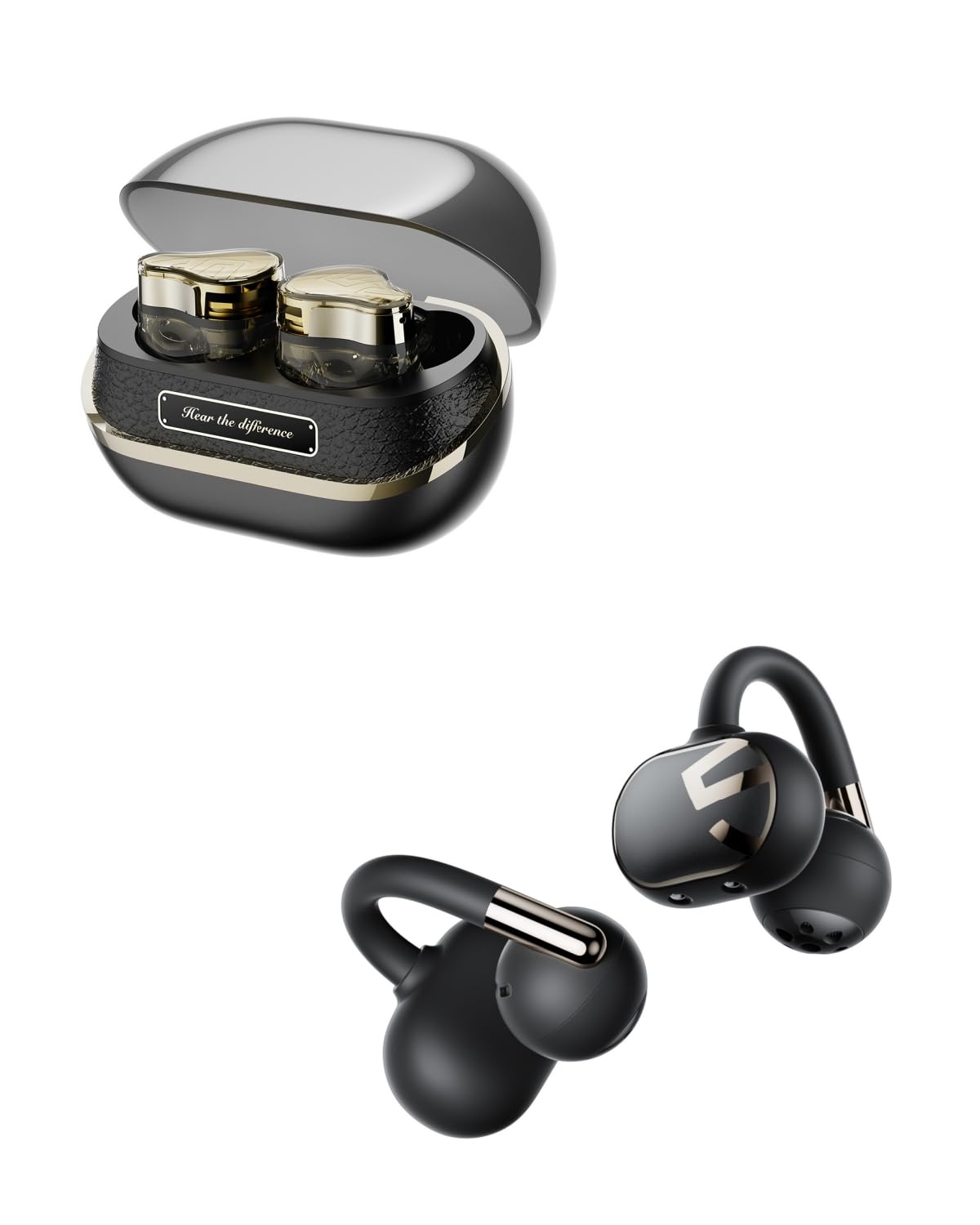
This image displays the SoundPEATS H3 Premium Wireless Earbuds nestled within their charging case, ready for use or storage.

A detailed view of a single SoundPEATS H3 earbud, highlighting its ergonomic design and transparent casing.
The SoundPEATS H3 earbuds feature a sophisticated design with advanced audio components. They are designed for in-ear wear and come with a dedicated charging case.
3.2 SoundPEATS Clip1 Earbuds

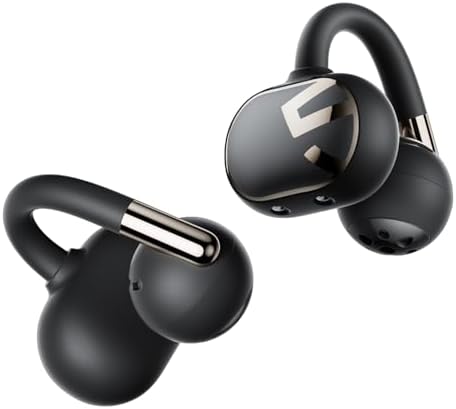
This image shows the SoundPEATS Clip1 wireless earbuds, featuring an ear-hook design for secure fit during activity.
The SoundPEATS Clip1 earbuds are designed with an ear-hook for a secure and stable fit, particularly suitable for active use. They offer a different form factor compared to the H3 model.
4. Charging
4.1 Charging the H3 Earbuds and Case
- Place the H3 earbuds into their charging case, ensuring proper alignment with the charging contacts. The indicator lights on the earbuds will show charging status.
- To charge the case, connect the USB-C charging cable to the charging port on the case and to a USB power adapter (not included).
- The indicator lights on the charging case will illuminate to show the charging progress. Once fully charged, the lights will remain solid or turn off, depending on the model.
4.2 Charging the Clip1 Earbuds
Specific charging instructions for the Clip1 earbuds are typically provided with the product. Generally, they will charge via a USB-C cable connected directly to each earbud or a compact charging dock.
5. Wearing the Earbuds
5.1 Wearing H3 Earbuds
- Select the eartips that provide the best seal and comfort for your ears.
- Insert the earbuds into your ear canals and gently twist them to find a secure and comfortable fit.
5.2 Wearing Clip1 Earbuds
- Place the earbud into your ear, then hook the ear-hook over the top of your ear.
- Adjust the earbud and ear-hook until it feels secure and comfortable.
6. Operating Instructions - SoundPEATS H3
6.1 Power On/Off
- Power On: Open the charging case, and the earbuds will power on automatically.
- Power Off: Place the earbuds back into the charging case and close the lid. They will power off automatically.
6.2 Bluetooth Pairing
- Open the charging case, and the earbuds will enter pairing mode. The indicator light on one earbud will flash white and red.
- Enable Bluetooth on your device and select "SoundPEATS H3" from the list of available devices.
- Once connected, a voice prompt will confirm successful pairing.
6.3 Music Control
- Play/Pause: Double-tap the touch area on either earbud.
- Next Track: Triple-tap the touch area on the right earbud.
- Previous Track: Triple-tap the touch area on the left earbud.
- Volume Up: Tap and hold the right earbud.
- Volume Down: Tap and hold the left earbud.
6.4 Call Control
- Answer/End Call: Double-tap the touch area on either earbud.
- Reject Call: Tap and hold the touch area on either earbud for 1.5 seconds.
- Switch Between Calls: Triple-tap the touch area on either earbud during a call.
6.5 Active Noise Cancellation (ANC)

This image depicts a user wearing SoundPEATS H3 earbuds in a busy environment, illustrating the 55dB ANC depth and 4000Hz ultra-wide noise cancelling feature, supported by 6 microphones and AI ENC for wind noise reduction.
The H3 earbuds feature Active Noise Cancellation (ANC) to reduce ambient noise. They offer up to 55dB ANC depth and 4000Hz ultra-wide noise cancelling, utilizing 6 microphones and AI ENC for effective wind noise reduction.
- Toggle ANC/Transparency Mode: Tap the left earbud once to cycle through ANC On, Transparency Mode, and ANC Off.
6.6 Reset (H3)
If the earbuds fail to pair or experience other connection issues, perform a reset:
- Place both earbuds back into the charging case and ensure they are charging.
- Press and hold the button on the charging case for 10 seconds until the indicator light flashes red and white three times.
- Close the case, then open it again to re-enter pairing mode.
7. Operating Instructions - SoundPEATS Clip1
7.1 Power On/Off
- Power On: The Clip1 earbuds typically power on automatically when removed from their charging dock or by pressing and holding the multi-function button.
- Power Off: Place the earbuds back into their charging dock or press and hold the multi-function button for several seconds.
7.2 Bluetooth Pairing
- Ensure the Clip1 earbuds are powered on and in pairing mode (indicated by a flashing LED).
- Enable Bluetooth on your device and select "SoundPEATS Clip1" from the list of available devices.
- A voice prompt will confirm successful pairing.
7.3 Music Control
- Play/Pause: Double-tap the touch area on either earbud.
- Next Track: Triple-tap the touch area on the right earbud.
- Previous Track: Triple-tap the touch area on the left earbud.
- Volume Up: Tap and hold the right earbud.
- Volume Down: Tap and hold the left earbud.
7.4 Call Control
- Answer/End Call: Double-tap the touch area on either earbud.
- Reject Call: Tap and hold the touch area on either earbud for 1.5 seconds.
7.5 Dynamic EQ and Dolby Audio

This image illustrates the immersive sound experience of SoundPEATS Clip1 earbuds, featuring Dolby Audio and DynamicEQ algorithm for enhanced audio quality and powerful 12mm dual speakers.
The Clip1 earbuds incorporate Dolby Audio technology and a DynamicEQ algorithm to provide an immersive sound experience. They feature powerful 12mm dual speakers for enhanced audio quality.
7.6 Water Resistance (IPX5)

An image of a person running while wearing SoundPEATS Clip1 earbuds, highlighting their IPX5 water resistance and SWR (SoundPEATS Wind-Noise Reduction) technology, suitable for outdoor activities.
The Clip1 earbuds are rated IPX5 for water resistance, making them suitable for workouts and outdoor activities where they may be exposed to sweat or light rain. They also feature SoundPEATS Wind-Noise Reduction (SWR) technology.
7.7 Reset (Clip1)
If the Clip1 earbuds encounter pairing or functional issues, a reset may resolve them. Refer to the specific product documentation for the exact reset procedure, which typically involves placing them in the charging dock and holding a button for a specified duration.
8. Maintenance
- Clean the earbuds and charging case regularly with a soft, dry cloth.
- Avoid using abrasive cleaners or solvents.
- Keep the charging contacts clean and dry to ensure proper charging.
- Store the earbuds in their charging case when not in use to protect them and conserve battery life.
- Avoid exposing the earbuds to extreme temperatures, humidity, or liquids (beyond their IPX rating for Clip1).
9. Troubleshooting
- Earbuds not pairing: Ensure both earbuds are charged. Try resetting the earbuds as described in their respective sections. Delete "SoundPEATS H3" or "SoundPEATS Clip1" from your device's Bluetooth list and attempt to pair again.
- Only one earbud working: Place both earbuds back into the charging case, close the lid, and then take them out again. If the issue persists, perform a reset.
- Earbuds not charging: Clean the charging contacts on both the earbuds and the case. Ensure the charging cable is securely connected and the power source is functional.
- Low volume: Adjust the volume on both your device and the earbuds. Ensure the eartips (for H3) provide a good seal.
- Connection drops: Ensure there are no significant obstacles between the earbuds and your device. Move closer to your device. Avoid environments with strong Wi-Fi or other wireless interference.
10. Specifications
10.1 SoundPEATS H3 Specifications
This diagram illustrates the internal 3-driver hybrid acoustic system of the SoundPEATS H3 earbuds, featuring a 12mm custom polymer diaphragm dynamic driver for bass/mid-bass and Bellsing Dual BA drivers for mid-high/high frequencies.
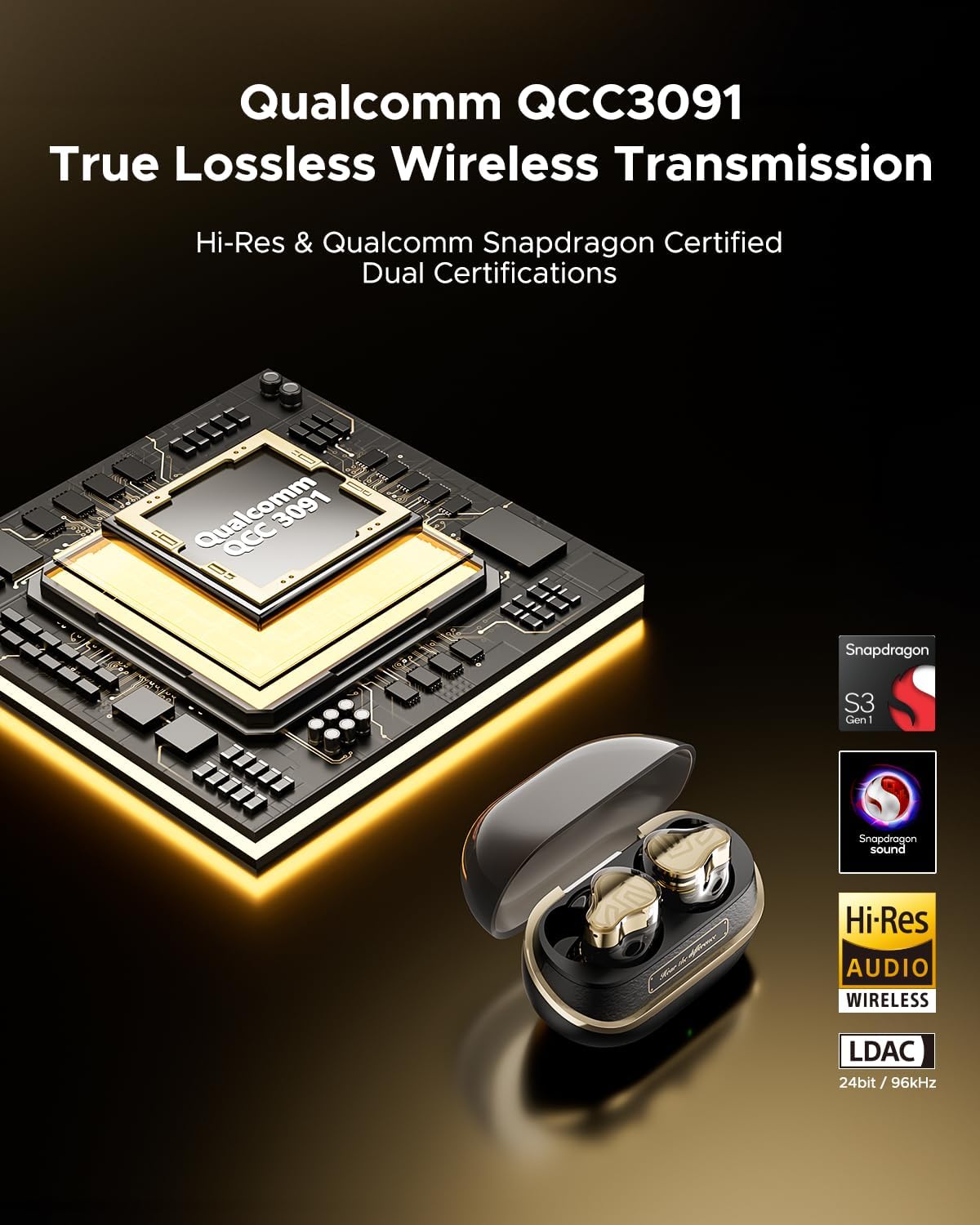
An image highlighting the Qualcomm QCC3091 chip, which powers the SoundPEATS H3 earbuds, along with Hi-Res Audio Wireless and Snapdragon Sound certifications, indicating true lossless wireless transmission capabilities.
- Model: H3
- Chipset: Qualcomm QCC3091
- Audio Technology: Hi-Res Audio Wireless, Snapdragon Sound, LDAC (24bit/96kHz)
- Driver System: 3-Driver Hybrid System (12mm Custom Polymer Diaphragm Dynamic Driver + Bellsing Dual BA)
- Active Noise Cancellation (ANC): Up to 55dB depth, 4000Hz ultra-wide noise cancelling
- Microphones: 6 Mics with AI ENC for wind noise reduction
10.2 SoundPEATS Clip1 Specifications

An image demonstrating the SoundPEATS Clip1 earbuds' support for LDAC Ultra HD transmission at up to 990 kbps, offering 3.5 times faster data transfer than traditional AAC, ensuring high-resolution audio.
- Model: Clip1
- Audio Technology: Dolby Audio, DynamicEQ
- Driver: 12mm Dual Speakers
- Water Resistance: IPX5
- Noise Reduction: SoundPEATS Wind-Noise Reduction (SWR)
- Wireless Transmission: LDAC (up to 990 kbps)
11. Warranty and Support
SoundPEATS products are covered by a limited warranty from the date of original purchase. For specific warranty terms and conditions, please refer to the warranty card included with your product or visit the official SoundPEATS website.
If you encounter any issues or have questions regarding your SoundPEATS Premium Wireless Earbuds, please contact SoundPEATS customer support through their official website or the contact information provided in your product packaging.


