
Hotdot HW-06
Hotdot HW-06 Rechargeable Hand Warmers User Manual
Model: HW-06 | Brand: Hotdot
Introduction
Thank you for choosing the Hotdot HW-06 Rechargeable Hand Warmers. This manual provides essential information for the safe and effective use of your new device. Please read it thoroughly before operation and retain it for future reference.

Image: Hotdot HW-06 Rechargeable Hand Warmers (2-pack) in black, with one showing a temperature display and the other a battery percentage display, against a background of a gift box.
What's Included
Your Hotdot HW-06 Rechargeable Hand Warmer package includes:
- 2 x Hotdot HW-06 Rechargeable Hand Warmers
- 1 x Charging Cable (Dual USB-C)
- 1 x User Manual (this document)
- 1 x Greeting Card (Thermochromic)
- 1 x Gift Box

Image: Contents of the Hotdot Hand Warmer package laid out, including two black hand warmers, a charging cable, a user manual, a thermochromic greeting card, and a decorative gift box.
Product Features
The Hotdot HW-06 Hand Warmers are designed for comfort and efficiency:
- NTC Smart Temperature Control: Equipped with advanced NTC technology for rapid heating within 1 second and effective overheating prevention. Provides stable warmth for up to 20 hours.
- Visible Temperature and Battery Screen: Features an LED screen displaying real-time temperature and battery level. Offers three adjustable temperature settings: 104°F, 113°F, 122°F, and 131°F.
- Stylish & Portable Design: Ergonomically designed with a smooth surface for easy grip. Lightweight and compact, ideal for carrying in gloves or pockets during various winter activities.
- Multiple Security Guarantees: Constructed with premium materials and advanced manufacturing processes, incorporating safety features such as overcharge protection, explosion-proofing, and leak-proofing. FCC certified for international safety standards.
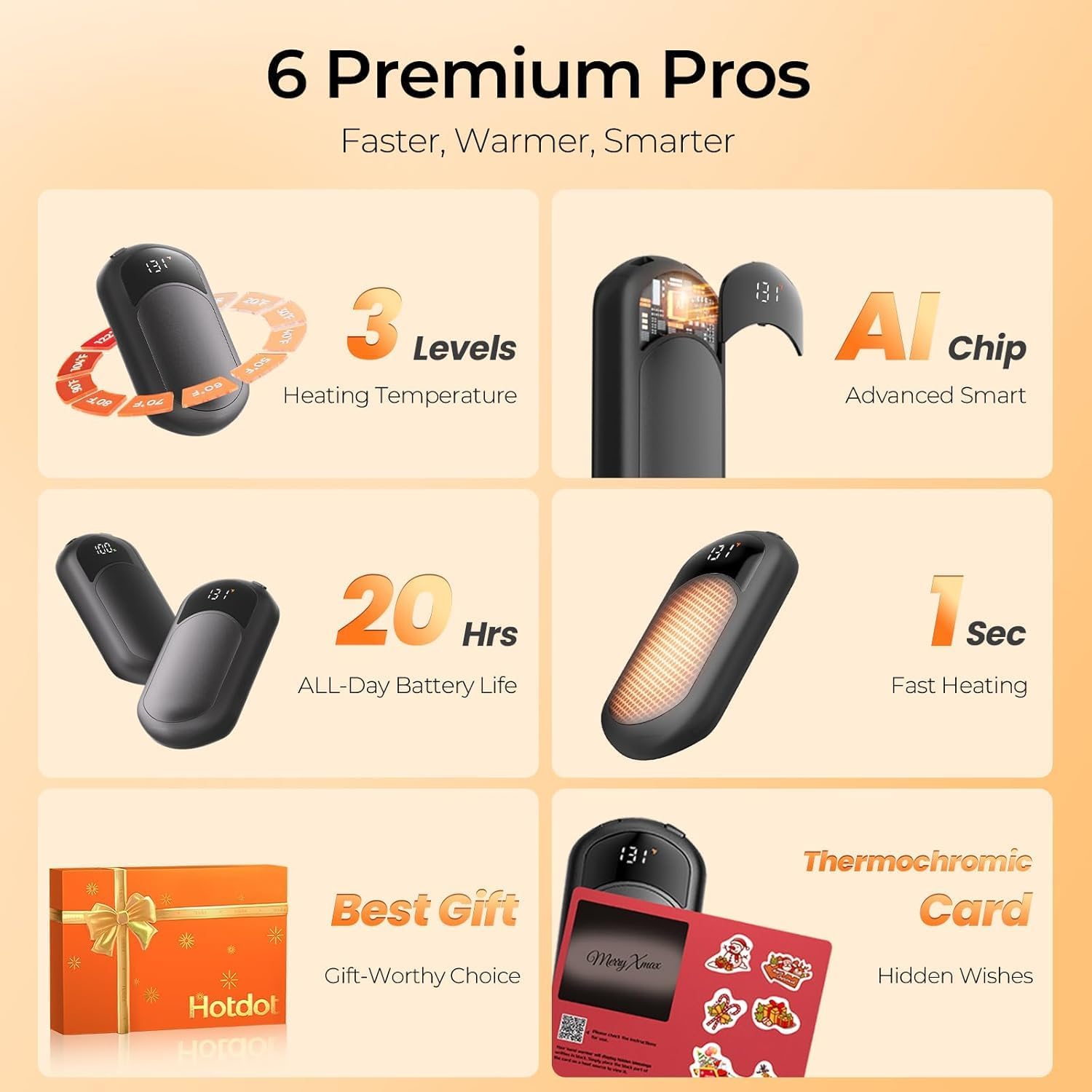
Image: Infographic detailing key features like 3 heating levels, AI smart chip, 20-hour battery life, and 1-second fast heating.
Setup and Initial Charging
Before first use, fully charge your Hotdot Hand Warmers.
- Locate the included dual USB-C charging cable.
- Connect both hand warmers to the dual USB-C ends of the cable.
- Plug the USB-A end of the cable into a compatible USB power adapter (not included) or a computer USB port.
- The LED display on each hand warmer will show the battery percentage increasing during charging. A full charge takes approximately 3.5 hours.
- Once fully charged, the display will indicate 100%. Disconnect the hand warmers from the charging cable.
Note: The hand warmers can be charged simultaneously using the provided dual charging cable.
Video: Demonstrates the charging process and basic operation of the Hotdot Rechargeable Hand Warmers.
Operating Instructions
Power On/Off
- To power on, press and hold the power button (located on the top edge) for approximately 3 seconds until the LED display illuminates.
- To power off, press and hold the power button for approximately 3 seconds until the LED display turns off.
Adjusting Temperature Settings
The Hotdot Hand Warmers offer three heat levels. Once powered on, short press the power button to cycle through the temperature settings:
- Level 1: 104°F (40°C)
- Level 2: 113°F (45°C)
- Level 3: 122°F (50°C)
- Level 4: 131°F (55°C)
The LED display will show the current temperature setting. The device heats up rapidly to the selected temperature.

Image: Visual representation of the three heat settings available on the hand warmers.
Understanding the LED Display
The LED screen provides real-time information:
- Temperature Display: Shows the current heating temperature in Fahrenheit (°F) or Celsius (°C).
- Battery Percentage: Indicates the remaining battery life.
- Temperature Unit Toggle: Double-click the power button to switch between Fahrenheit (°F) and Celsius (°C) display.
Video: Demonstrates the LED display showing real-time battery and temperature, and how to toggle between Fahrenheit and Celsius.
Safety Information
Please observe the following safety precautions to prevent injury or damage to the device:
- Do not expose the device to extreme temperatures (above 131°F/55°C or below 0°F/-18°C) or direct sunlight for prolonged periods.
- Avoid dropping, disassembling, or modifying the device.
- Keep away from water and other liquids. Do not use if wet.
- Do not use while sleeping or on sensitive skin without proper insulation to prevent burns.
- Keep out of reach of children and pets.
- Use only the provided charging cable or a certified equivalent.
- If the device shows signs of damage, overheating, or unusual behavior, discontinue use immediately.
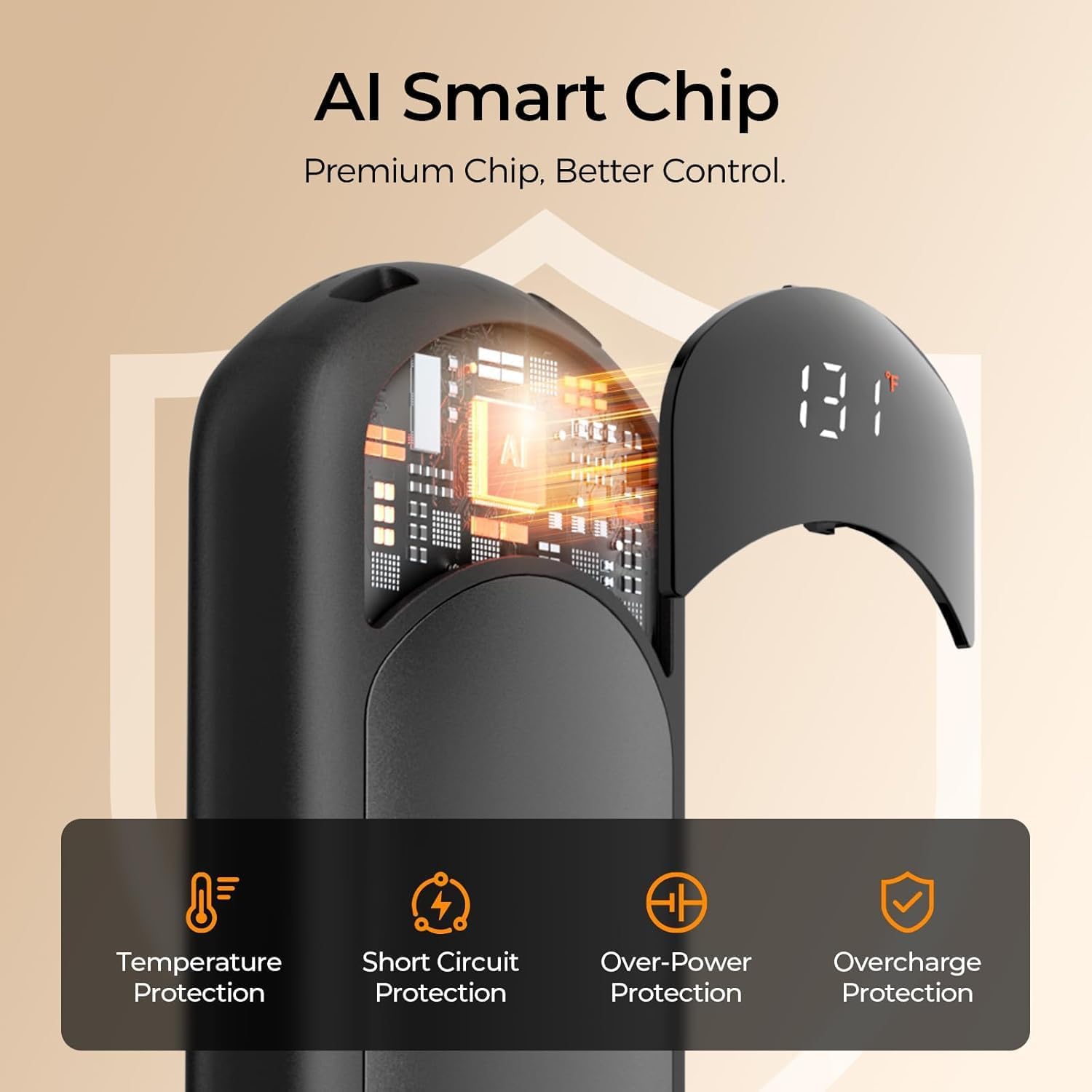
Image: Diagram illustrating the internal AI Smart Chip and its integrated safety features.
Maintenance and Storage
- Cleaning: Wipe the surface with a soft, dry cloth. Do not use abrasive cleaners or immerse in water.
- Storage: Store the hand warmers in a cool, dry place when not in use. Avoid extreme temperatures and direct sunlight.
- Battery Care: To prolong battery life, charge the device at least once every three months if not used regularly.
Troubleshooting
| Problem | Possible Cause | Solution |
|---|---|---|
| Device not turning on. | Low battery or incorrect power-on procedure. | Charge the device fully. Ensure you press and hold the power button for 3 seconds. |
| Device not heating up. | Not powered on or low battery. | Ensure the device is powered on and has sufficient battery. Check temperature setting. |
| Inconsistent battery drain between two units. | Variations in usage patterns or individual battery characteristics. | This can be normal. Charge both units regularly to ensure they are ready for use. |
| Temperature display is incorrect. | Incorrect temperature unit selected. | Double-click the power button to toggle between Fahrenheit (°F) and Celsius (°C). |
Specifications
| Model Name | HW-06 |
| Brand | Hotdot |
| Color | Round Black |
| Material | Aluminum, Plastic |
| Battery Type | Lithium-Polymer |
| Battery Capacity | 3200 Milliamp Hours |
| Charging Time | Approximately 3.5 Hours |
| Temperature Settings | 104°F (40°C), 113°F (45°C), 122°F (50°C), 131°F (55°C) |
| Power Source | Battery Powered |
| Dimensions (LxWxH) | 3.54 x 1.96 x 0.65 inches (per unit) |
| Weight | 0.16 Kilograms (total package weight, individual unit weight not specified) |
| UPC | 732122384224 |
Warranty and Support
The Hotdot HW-06 Rechargeable Hand Warmers come with a Lifetime Warranty.
For any questions, concerns, or warranty claims, please contact Hotdot customer support through the retailer's platform or the official Hotdot website.
Ask a question about this manual
Ask about setup, troubleshooting, compatibility, parts, safety, or missing instructions. Manuals+ will review the question and use this page’s manual context to help answer it.