
1. Introduction
This manual provides essential information for the safe and efficient operation of your Bonvoisin 4kW 220V Variable Frequency Drive (VFD) Inverter. This device is designed to convert single-phase or three-phase 220V input into a stable three-phase output, offering precise speed control and high starting torque for various industrial motor applications.
The Bonvoisin 4 kW frequency converter supports both single-phase and three-phase 220V power input and provides a clean and stable three-phase output. It ensures high starting torque even at low frequency (0.5 Hz), allowing for smooth, high-precision, and wide-range speed regulation. It meets the most demanding power control needs for applications such as CNC machine tools and compressors.
2. Safety Information
Always prioritize safety during installation, operation, and maintenance. Failure to follow safety guidelines can result in personal injury or equipment damage.
2.1 General Safety Precautions
- Ensure the power supply is disconnected before any installation or maintenance work.
- Only qualified personnel should perform electrical connections and repairs.
- Do not operate the inverter with damaged cables or components.
- Keep the inverter away from water, moisture, and flammable materials.
- Ensure proper grounding to prevent electrical shock.
2.2 Integrated Protection Features
The Bonvoisin 4kW VFD Inverter includes multiple integrated protection functions to ensure safe and reliable operation:
- Overcurrent Protection
- Overload Protection
- Overvoltage Protection
- Undervoltage Protection
- Overheating Protection
- Short Circuit Protection
- Grounding Protection
- Low Load Drop Protection
- Low Voltage Protection

Image: Overview of the inverter's comprehensive safety protection features.
3. Product Features
- Intelligent Control & Display: Equipped with a user-friendly keyboard and a high-definition digital display, this inverter allows intuitive and clear parameter configuration. The removable panel supports remote installation and control, making it ideal for complex application scenarios.
- Excellent Heat Dissipation & Robust Design: Featuring an efficient dual cooling fan system and an independent heat dissipation channel, combined with an increased thickness heat sink, it rapidly dissipates heat maintaining stable performance under prolonged high-load operation. The industrial-grade self-extinguishing ABS casing offers impact resistance, high-temperature tolerance, and superior safety.
- Wide Compatibility & Convenience: Suitable for a variety of three-phase motor applications such as fans, water pumps, compressors, CNC machinery, and conveyor belts. The Bonvoisin inverter includes a 1-meter panel connection cable as standard for more convenient control and operation.
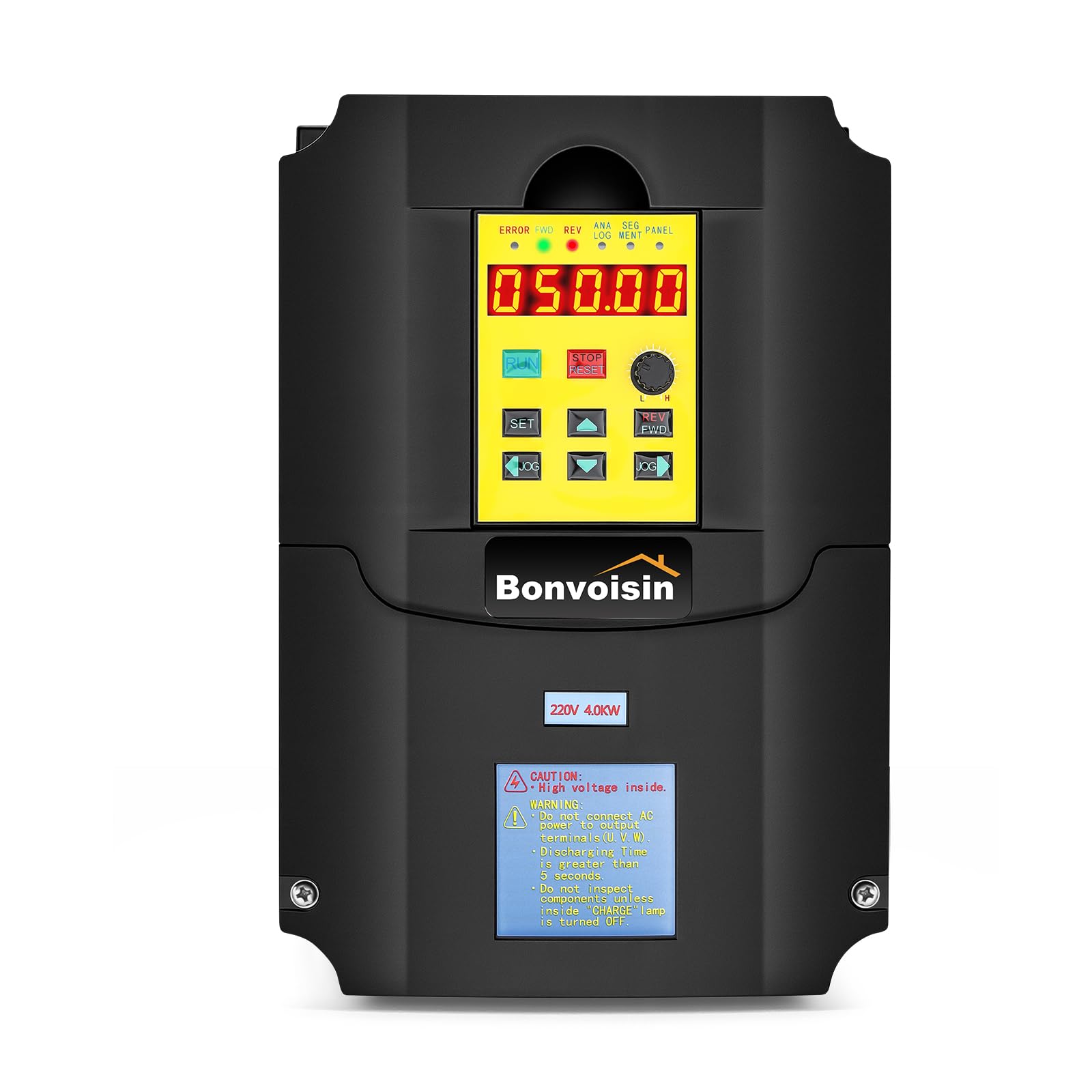
Image: The Bonvoisin 4kW VFD Inverter, front view.

Image: The Bonvoisin 4000W Frequency Converter, showing its dimensions (21.9 cm height, 17.8 cm width, 14.9 cm depth).

Image: Visual representation of the inverter's excellent heat dissipation system and durable ABS plastic casing.
4. Setup and Installation
4.1 Power Selection Guide
Proper power selection is crucial for optimal performance and longevity of the inverter and motor:
- The rated power of the converter must be equal to or greater than the motor's power. This 4 kW converter is suitable for motors with a power not exceeding 4 kW.
- For applications requiring high torque (such as car lifts or compressors), select a converter with 2 to 3 times the motor's power to ensure reliable operation.
4.2 Wiring Diagrams
Ensure all wiring is performed by a qualified electrician according to local electrical codes and the diagrams below.
4.2.1 Three-Phase Input Wiring

Image: Wiring diagram illustrating connections for a three-phase 220V power supply to the inverter and a three-phase motor.
4.2.2 Single-Phase Input Wiring

Image: Wiring diagram illustrating connections for a single-phase 220V power supply to the inverter and a three-phase motor.
4.3 Removable Control Panel
The inverter features a removable control panel with a 1-meter extension cable for convenient remote operation and installation in complex setups.

Image: The inverter with its detachable control panel connected via a 100cm remote extension cable.
5. Operating Instructions
5.1 Control Panel Guide
The user-friendly control panel allows for intuitive parameter configuration and operation. Refer to the diagram below for key functions:

Image: Detailed guide to the inverter's control panel, showing digital tube display, indicators, and function keys.
- Digital Tube: Displays inverter runtime frequency.
- ERROR Indicator: Fault indicator.
- FWD Indicator: Clockwise rotation indicator.
- REV Indicator: Anticlockwise rotation indicator.
- ANALOG Indicator: Analog input frequency indicator.
- SEGMENT Indicator: Segment input frequency indicator.
- PANEL Indicator: Panel input frequency indicator.
- RUN Key: Starts operation with a single press.
- SET Key: Enters menu mode for parameter settings.
- STOP/RESET Key: Stops operation, resets, or returns to the parent menu.
- Speed Knob: Adjusts the output frequency/speed.
- REV/FWD Key: Changes the converter's direction.
- Up/Down Keys: Modify menu content, move point in panel, or change item/modify parameter in the menu.
5.2 Basic Operation
- After successful installation and power connection, ensure all safety checks are complete.
- Use the SET key to access the menu and configure necessary parameters such as maximum frequency, acceleration/deceleration times, and motor parameters.
- Adjust the desired output frequency using the Speed Knob.
- Press the RUN key to start the motor.
- Use the REV/FWD key to change the motor's rotation direction if needed.
- Press the STOP/RESET key to stop the motor.
6. Maintenance
Regular maintenance ensures the longevity and reliable performance of your VFD inverter.
- Cleaning: Periodically clean the inverter's exterior and ventilation openings to prevent dust accumulation, which can hinder heat dissipation. Use a soft, dry cloth. Do not use liquid cleaners.
- Ventilation: Ensure that the cooling fans are free from obstructions and operating correctly. Adequate airflow is critical for preventing overheating.
- Connections: Regularly check all electrical connections for tightness and signs of corrosion. Loose connections can lead to poor performance or damage.
- Environment: Operate the inverter within its specified environmental conditions (temperature, humidity) to avoid premature wear.
7. Troubleshooting
If you encounter issues with your Bonvoisin VFD Inverter, refer to the following general troubleshooting steps. For detailed error codes and solutions, please consult the comprehensive manual provided with the product.
- No Power: Check the main power supply, circuit breakers, and all input wiring connections.
- Motor Not Starting: Verify that the RUN command is active, check motor wiring, and ensure no fault codes are displayed on the panel.
- Overload Fault: Reduce the motor load, check for mechanical issues with the motor or driven equipment, and ensure the inverter's power rating is appropriate for the application (refer to Section 4.1).
- Overheating Fault: Check for proper ventilation, clean cooling fins and fans, and ensure ambient temperature is within limits.
- Abnormal Noise: Inspect motor bearings, check for loose connections, or consult the detailed manual for specific diagnostic steps.
8. Specifications
| Brand | Bonvoisin |
| Model Number | BVS-4KW |
| Model Name | BVS |
| Wattage | 4 KW |
| Input Voltage | 220 Volt (AC) |
| Output Voltage | 220 Volt (AC) |
| Power Source | Mains Powered |
| Output Waveform | Pure Sine Wave |
| Screen Type | LED |
| Recommended Uses | Industrial (e.g., fans, water pumps, compressors, CNC machinery, conveyor belts) |
| Country of Origin | China |
8.1 Package Contents
The product package typically includes:
- Bonvoisin 4kW 220V VFD Inverter
- 1-meter Panel Connection Cable
- Instruction Manual (this document)
- Reminder Card
9. Warranty and Support
9.1 Product Warranty
This Bonvoisin VFD Inverter comes with a one-year warranty from the date of purchase. The warranty covers manufacturing defects and malfunctions under normal operating conditions. Please retain your proof of purchase for warranty claims.
9.2 Customer Support
For technical assistance, troubleshooting beyond this manual, or warranty inquiries, please contact Bonvoisin customer support through the retailer where the product was purchased or visit the official Bonvoisin website for contact information.
10. Applicable Scenarios
The Bonvoisin VFD Inverter is widely used in various industrial applications requiring precise motor speed control and high efficiency.

Image: Examples of industrial equipment compatible with the VFD inverter, such as motors, water pumps, fans, mixers, air compressors, and conveyor belts.
NOTE: Oversizing for specific applications: For equipment such as car lifts, air compressors, and other devices with high starting torque/load, the frequency converter's power should be 2-3 times (or more) higher than the motor's rated power.