
Introduction
Thank you for choosing the Winnes Wireless Video Doorbell. This device provides enhanced home security by allowing you to see and communicate with visitors without the need for complex app installations or Wi-Fi connections. It operates using 2.4 GHz Bluetooth wireless connectivity, offering a straightforward and secure solution for monitoring your entryway.
This manual provides detailed instructions for the setup, operation, and maintenance of your video doorbell system. Please read it carefully before use to ensure proper functionality and longevity of the product.

Image: The Winnes Wireless Video Doorbell system, highlighting its key features including outdoor waterproofing, high-definition wide-angle view, two-way intercom, and extended range.
Product Overview
Components
- Outdoor Doorbell Unit: Equipped with an 8 MP HD camera, 170° ultra-wide-angle lens, night vision, and a 1000 mAh built-in rechargeable battery. It is IP67 waterproof for outdoor installation.
- Indoor Monitor: Features a 4.3-inch screen for viewing visitors and two-way communication. It has a 400 mAh built-in battery but requires a constant power connection for continuous operation.
- Charging Cable: USB-C cable for recharging the units.
- Mounting Accessories: Includes screws, wall anchors, and adhesive options for installation.
Key Features
- 1080P HD Camera: Provides clear video and image quality.
- 4.3-inch Display Screen: Allows comfortable viewing of visitors.
- 170° Ultra-Wide Angle: Offers broad visibility, covering areas above, below, left, and right of the doorbell.
- IP67 Waterproof Rating: Ensures durability and protection against outdoor elements for the doorbell unit.
- Night Vision: Integrated LED fill light provides clear visibility in low-light conditions.
- Two-Way Audio: Enables direct communication with visitors.
- Local Storage: Built-in memory for approximately 50 photos. Supports TF cards (8 GB to 32 GB, not included) for automatic video recording.
- Wireless & App-Free: No subscription, app downloads, or Wi-Fi connection required, enhancing security and simplicity.

Image: The outdoor doorbell unit demonstrating its IP67 waterproof capability under rain, ensuring reliable operation in various weather conditions.

Image: A visual comparison illustrating the doorbell camera's clear daytime view versus its effective night vision with LED fill light, ensuring visibility in darkness.
Setup
1. Charging the Units
- Outdoor Doorbell Unit: The doorbell unit has a built-in 1000 mAh battery. Charge it fully using the provided USB-C cable before initial use. It needs to be charged periodically. A full charge supports approximately 800 to 900 calls.
- Indoor Monitor: The indoor monitor has a built-in 400 mAh battery. For continuous operation, the monitor requires a constant power connection via the USB-C cable. It can be powered by a standard USB port or a mobile phone charger.

Image: The indoor monitor connected to a USB power source for charging, and the outdoor doorbell unit, emphasizing the ease of use and wireless setup.
2. Installation Recommendations
- Indoor Monitor: Place the monitor indoors, ideally in an entrance area or living room, where it can maintain a constant power connection.
- Outdoor Doorbell Unit: Install the doorbell unit outdoors at your desired entry point.
3. Signal Test
Before permanently mounting the doorbell, perform a signal test. Place the doorbell unit at the intended outdoor location and the monitor at its indoor location. Press the doorbell button to ensure a stable connection and clear video/audio transmission. If the signal works well within this range, proceed with permanent installation.
4. Mounting
Use the provided screws, wall anchors, or adhesive options to securely mount the outdoor doorbell unit. Ensure it is positioned at an appropriate height for visitors to easily reach and for the camera to capture faces clearly.
Operating Instructions
1. Powering On/Off
- Indoor Monitor: Use the power button located on the side of the monitor to turn it on or off.
- Outdoor Doorbell Unit: The doorbell unit is typically always on when charged.
2. Answering a Call
When a visitor presses the doorbell button, the indoor monitor will light up and display a real-time image of the visitor. You can then proceed to communicate.

Image: The indoor monitor showing a visitor at the door, enabling visual confirmation before interaction.
3. Two-Way Communication
To speak with your visitor, press and hold the talk button on the indoor monitor. Release the button to listen for their response. If you do not press the button, you will only hear the doorbell sound, and your voice from the display will not be transmitted to the doorbell.
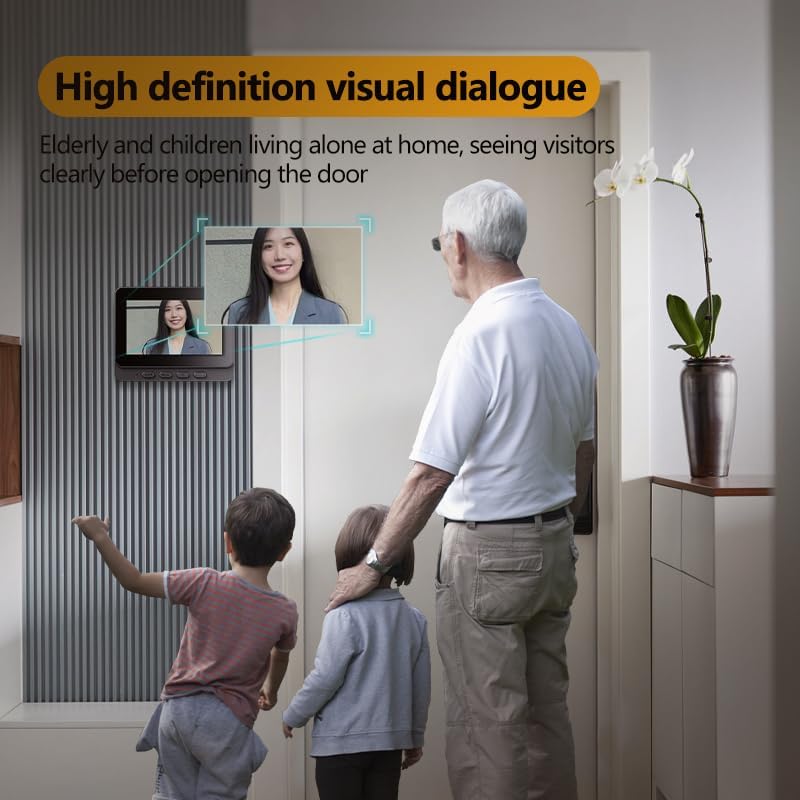
Image: A family using the indoor monitor to view a visitor, highlighting the clear visual and audio communication feature.
4. Recording and Storage
- Built-in Memory: The doorbell has built-in memory to store approximately 50 photos.
- TF Card Support: For video recording, insert a TF card (8 GB to 32 GB, not included) into the designated slot on the indoor monitor.
- Automatic Capture:
- If no TF card is installed, the doorbell automatically takes a photo when pressed.
- If a TF card is installed, the doorbell automatically records a video when pressed.
- Memory Management: When the memory (either built-in or TF card) is full, the oldest photos or videos will be automatically overwritten to save the latest recordings.
Maintenance
- Battery Charging: Regularly charge the outdoor doorbell unit to ensure continuous operation. The indoor monitor should remain connected to power for optimal performance.
- Cleaning: Use a soft, dry cloth to clean the camera lens and screen. Avoid abrasive cleaners or solvents.
- Waterproofing: The outdoor unit is IP67 waterproof. However, avoid submerging it in water or exposing it to high-pressure water jets.
- Storage: If storing the device for an extended period, ensure both units are fully charged and stored in a cool, dry place.
Troubleshooting
- No Signal/Poor Connection:
- Ensure both units are powered on and charged.
- Check the distance between the doorbell and monitor. While it has an extra-long range, thick walls or interference can affect signal quality.
- Perform a signal test as described in the Setup section.
- Poor Image Quality:
- Clean the camera lens on the outdoor unit.
- Ensure adequate lighting for the camera, especially at night (night vision should activate automatically).
- Short Battery Life (Doorbell):
- Ensure the doorbell unit is fully charged.
- Frequent activations or extreme temperatures can reduce battery life.
- Recording Issues:
- Ensure a compatible TF card (8-32 GB) is correctly inserted if you intend to record video.
- Check if the TF card is full; older recordings will be overwritten.
Specifications

Image: Detailed view of the indoor monitor's dimensions and port locations, including the power button, Type-C charging port, and TF card slot.
| Feature | Detail |
|---|---|
| Brand | Winnes |
| Model Number | 24A08016 |
| Wireless Communication Technology | Bluetooth (2.4 GHz) |
| Effective Video Resolution | 1080p |
| Material | Acrylonitrile Butadiene Styrene (ABS) |
| Outdoor Doorbell Unit Dimensions (L x W x H) | 2.5 x 2.5 x 7.6 cm |
| Indoor Monitor Dimensions (L x W x H) | 11.7 x 1.6 x 9.3 cm |
| Total Product Weight | 450 grams |
| Water Resistance Level | IP67 Waterproof |
| Outdoor Doorbell Battery | 1000 mAh Built-in Lithium-ion |
| Indoor Monitor Battery | 400 mAh Built-in Lithium-ion |
| Special Features | Two-way Audio, Local Recording, Night Vision |
| Indoor/Outdoor Use | Outdoor (doorbell), Indoor (monitor) |
| Mounting Type | Wall Mount |
| Included Components | Doorbell Unit, Indoor Monitor, Charging Cable, Mounting Accessories, Instruction Manual |
Warranty Information
No specific warranty information is provided with the product details. Please refer to your purchase documentation or contact the seller for warranty terms and conditions.
Support
If you have any questions or require assistance with your Winnes Wireless Video Doorbell, please do not hesitate to contact customer service. We are committed to providing prompt support.
Contact: WhatsApp: +8615200963282


