1. Product Overview
The ZAQE 128GB MP3 Player is a portable multimedia device designed for music playback, video viewing, voice recording, FM radio, e-book reading, and more. It features a 2.4-inch full touchscreen and Bluetooth 5.3 connectivity for wireless audio.
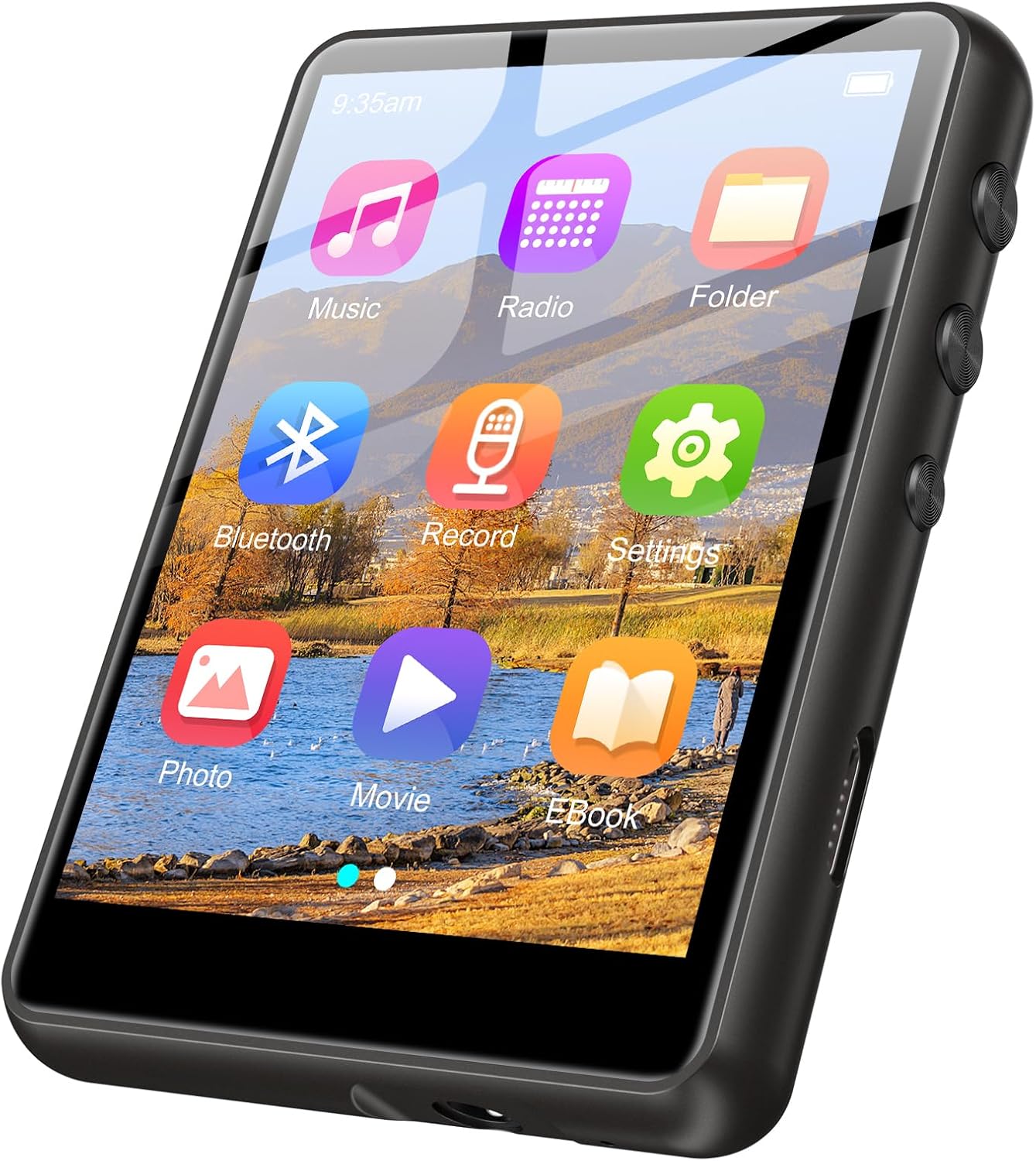
Image: ZAQE MP3 Player front view with main menu icons. This image displays the device's main interface, showing icons for Music, Radio, Folder, Bluetooth, Record, Settings, Photo, Movie, and EBook.
Included Components:
- ZAQE 128GB MP3 Player
- Type-C Cable
- Wired Headphones
- User Manual
- Silicone Protective Case (if applicable)

Image: Included components of the ZAQE MP3 Player. This image shows the MP3 player, 3.5mm audio cable, user manual, earphones, Type-C cable, and a silicone protective case.
2. Setup
2.1 Charging the Device
Before first use, fully charge the MP3 player. Connect the provided Type-C cable to the device's charging port and the other end to a USB power adapter (not included) or a computer's USB port.
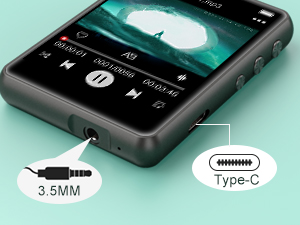
Image: Close-up of the MP3 player showing the 3.5mm audio jack and Type-C charging port. This highlights the connectivity options for charging and audio output.
2.2 Power On/Off
- To power on: Press and hold the power button until the screen illuminates.
- To power off: Press and hold the power button, then select 'Power Off' on the screen.
2.3 Transferring Music and Files
Connect the MP3 player to your computer using the Type-C cable. The device will appear as a removable disk. Drag and drop your music, video, or e-book files into the appropriate folders on the device. The 128GB internal memory provides ample space for a large collection of files.

Image: Banner image illustrating the 128GB storage capacity of the MP3 player, capable of storing over a thousand songs, with playback modes.
3. Operating Instructions
3.1 Navigation
The device features a 2.4-inch full touchscreen. Tap icons to select functions and swipe to navigate through menus.
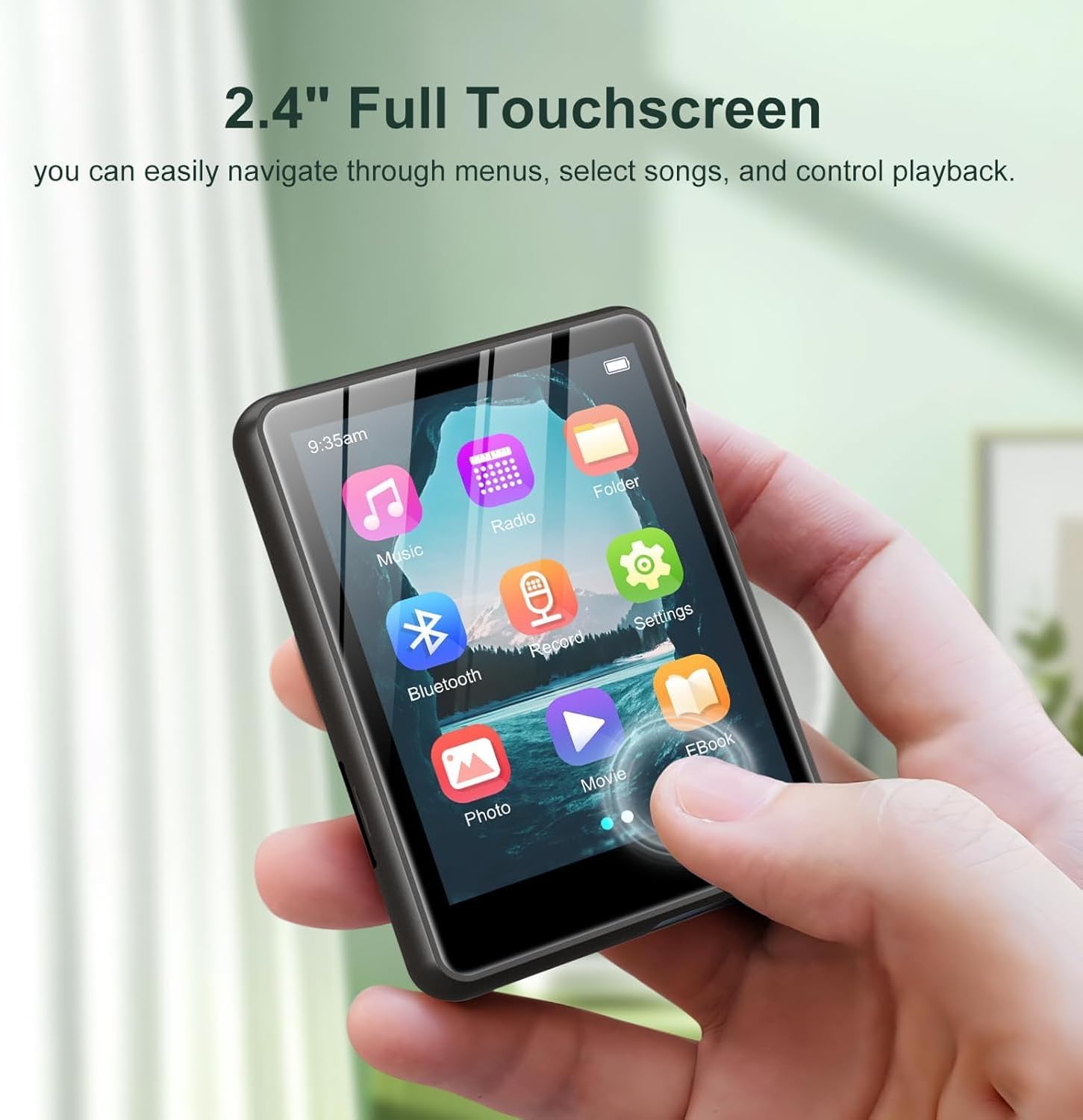
Image: A hand interacting with the 2.4-inch full touchscreen of the ZAQE MP3 Player. This demonstrates the ease of navigation using the touch interface.
3.2 Music Playback
- From the main menu, tap 'Music'.
- Browse your music library by artist, album, genre, or folder.
- Tap a song to begin playback.
- Supported formats include MP3, WAV, FLAC, AAC, WMA, and APE.

Image: ZAQE MP3 Player displaying music playback, surrounded by icons of supported audio formats. This highlights the device's Hi-Fi sound quality and broad format compatibility.
3.3 Bluetooth Connectivity
To connect to Bluetooth headphones or speakers:
- From the main menu, tap 'Bluetooth'.
- Turn on Bluetooth on the MP3 player.
- Ensure your Bluetooth audio device is in pairing mode.
- Select your device from the list to pair.

Image: ZAQE MP3 Player displaying music playback, with wireless earbuds and a Bluetooth speaker. This illustrates the advanced Bluetooth 5.4 connectivity for seamless audio streaming.
3.4 FM Radio
- Tap 'Radio' from the main menu.
- Connect wired headphones as they act as the antenna.
- Use the on-screen controls to scan for stations or tune manually.

Image: Collage of images showing various scenarios where FM radio can be enjoyed, with a radio icon overlay. This highlights the versatility of the FM radio function.
3.5 Voice Recorder
- Tap 'Record' from the main menu.
- Tap the record button to start and stop recording.
- Recordings are saved and can be accessed through the 'Record' menu.
3.6 E-book Reader
- Tap 'EBook' from the main menu.
- Select a text file to open and read.
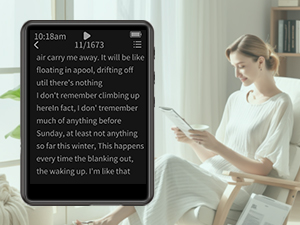
Image: Image showing the MP3 player displaying an e-book, with a person reading in the background. This illustrates the e-book reading capability of the device.
3.7 Video Playback
- Tap 'Movie' from the main menu.
- Select a video file to play.
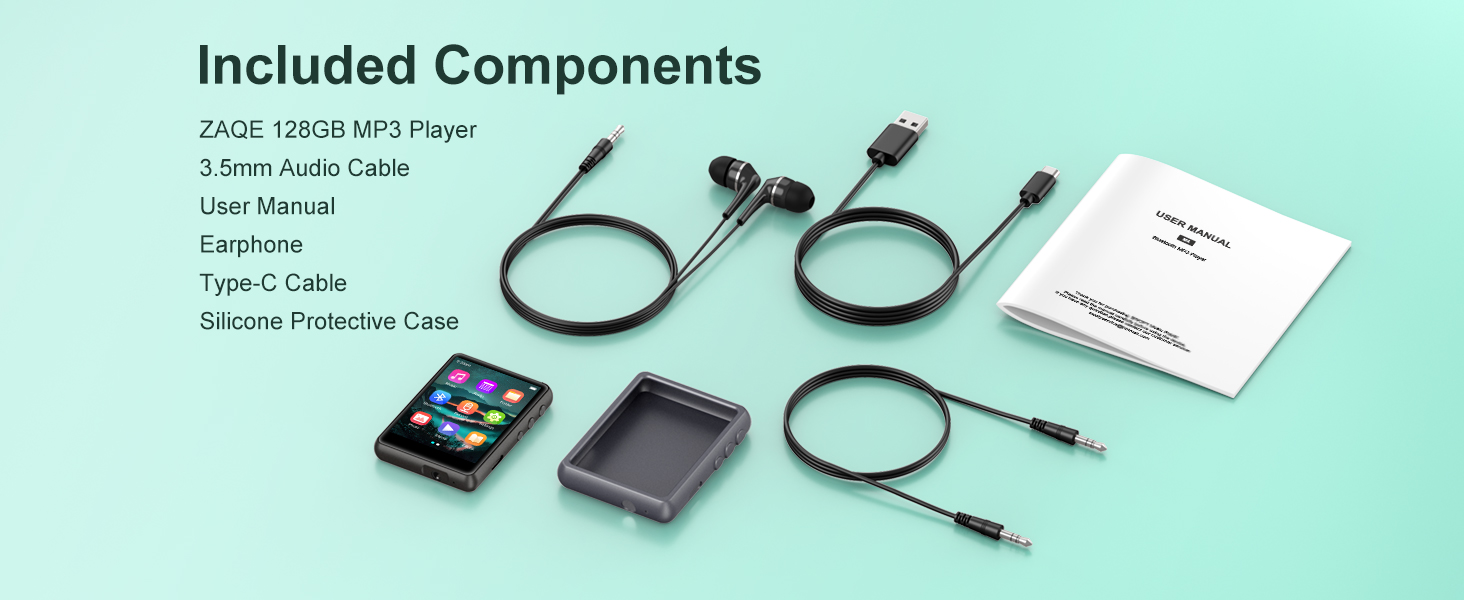
Image: Banner image showing the MP3 player displaying a video on its 2.4-inch color touchscreen. This highlights the device's video playback feature.
3.8 Pedometer
The device includes a pedometer function to track your steps. Access it through the main menu or settings to activate and monitor your activity.
3.9 Alarm Clock
Set alarms through the 'Settings' or 'Alarm' menu. You can configure multiple alarms with custom times and sounds.

Image: Image depicting a person sleeping peacefully, representing the alarm clock function of the MP3 player. This illustrates the utility of the alarm feature.
3.10 Built-in Speaker
The MP3 player features a built-in speaker, allowing you to listen to audio without headphones. Adjust the volume using the side buttons or on-screen controls.

Image: A person relaxing while listening to music from the ZAQE MP3 Player's built-in speaker. This highlights the convenience of the integrated speaker for shared listening or personal enjoyment without headphones.
4. Maintenance
4.1 Cleaning
Wipe the device with a soft, dry cloth. Avoid using liquid cleaners or abrasive materials that could damage the screen or casing.
4.2 Battery Care
- Avoid fully discharging the battery frequently.
- Store the device in a cool, dry place when not in use for extended periods.
- Do not expose the device to extreme temperatures.
4.3 Storage
When not in use, store the MP3 player in its protective case to prevent scratches and damage.
5. Troubleshooting
5.1 Device Not Turning On
- Ensure the battery is charged. Connect the device to a power source for at least 30 minutes.
- Try performing a soft reset by pressing and holding the power button for 10-15 seconds.
5.2 Music Not Playing
- Verify that the audio files are in a supported format (MP3, WAV, FLAC, AAC, WMA, APE).
- Check if the volume is turned up.
- Ensure headphones are properly connected or Bluetooth is paired correctly.
5.3 Bluetooth Connection Issues
- Ensure both the MP3 player and the Bluetooth device have sufficient battery.
- Place the devices within close proximity (typically within 10 meters).
- Turn Bluetooth off and on again on both devices.
- Delete previous pairings and attempt to re-pair.
5.4 Device Not Recognized by Computer
- Try a different USB port on your computer.
- Use the original Type-C cable provided.
- Restart both the MP3 player and your computer.
6. Specifications
| Internal Memory | 128GB |
| Screen Size | 2.4 inches |
| Connectivity | Bluetooth 5.3 |
| Supported Audio Formats | MP3, WAV, FLAC, AAC, WMA, APE |
| Item Weight | 6.4 ounces |
| Package Dimensions | 5.83 x 5.83 x 0.75 inches |
| Battery | 1 Nonstandard Battery (included) |
7. Warranty and Support
7.1 Warranty Information
This ZAQE MP3 Player comes with a warranty of up to 24 months from the date of purchase. Please retain your proof of purchase for warranty claims.
7.2 Customer Support
For any questions, technical assistance, or warranty inquiries, please contact ZAQE customer support. Contact details can typically be found on the product packaging or the official ZAQE website. We are committed to providing satisfactory assistance.


