
1. Important Safety Instructions
Please read this manual thoroughly before operating the Trisomy SD-380GM Foldable Treadmill. Retain this manual for future reference. Failure to follow these instructions may result in injury or damage to the product.
- Always place the treadmill on a flat, stable surface.
- Ensure adequate clearance around the treadmill (at least 2 feet on sides and 6 feet behind).
- The maximum user weight capacity is 350 lbs. Do not exceed this limit.
- Always attach the safety key clip to your clothing before starting your workout. The treadmill will stop automatically if the safety key is dislodged.
- Keep children and pets away from the treadmill during operation.
- Do not operate the treadmill if it is damaged or malfunctioning.
- Unplug the treadmill from the power outlet when not in use or before cleaning/maintenance.
- Wear appropriate athletic footwear.
2. Package Contents
Verify that all components are present in the package:
- Trisomy SD-380GM Foldable Treadmill (95% pre-assembled)
- User Manual
- Quick Installation Guide
- Remote Control
- Safety Key
- Phone/Tablet Holder
- L-shaped Wrench
- Power Cord
- Lubricant
- Magnetic Sticker

Image: All components included in the Trisomy SD-380GM treadmill package.
3. Setup Guide
The Trisomy SD-380GM treadmill arrives 95% pre-assembled, requiring minimal setup to begin your workout.
- Unboxing: Carefully remove the treadmill and all accessories from the packaging.
- Handlebar Setup: Lift the handlebar into the upright position. Secure it by tightening the two knobs on each side of the handlebar base. Ensure they are firmly tightened to prevent wobbling during use.
- Phone/Tablet Holder: Attach the phone/tablet holder to the designated slot on the handlebar.
- Safety Key: Connect the safety key to the treadmill's console. Clip the other end of the safety key to your clothing.
- Power Connection: Plug the power cord into the treadmill's power port and then into a grounded electrical outlet.

Image: The Trisomy SD-380GM treadmill fully assembled and ready for use.
Setup Demonstration Video
Video: A demonstration of the Trisomy Walking Pad, including setup and initial operation. This video highlights the ease of assembly and the product's features.
4. Operating Instructions
Familiarize yourself with the treadmill's controls and functions for a safe and effective workout.
4.1 Power On/Off
- Ensure the treadmill is plugged in and the safety key is attached.
- Use the power button on the remote control or the main control panel to turn the treadmill on.
- To turn off, press the power button again or remove the safety key.
4.2 Adjusting Speed
The treadmill offers a speed range from 0.6 MPH to 6 MPH.
- Remote Control: Use the '+' and '-' buttons on the remote to increase or decrease speed.
- Control Panel: The handlebar features integrated speed controls.
- Fitness App: Connect the treadmill to the dedicated fitness app for advanced speed control and workout customization.
4.3 Incline Adjustment
The Trisomy SD-380GM features a manual 10% incline for varied workout intensity.
- To adjust the incline, ensure the treadmill is off and unplugged.
- Locate the incline adjustment mechanism at the rear of the treadmill.
- Manually raise or lower the support to achieve the desired incline level. Ensure it is securely locked in place before use.
4.4 Safety Key
The safety key is a critical safety feature. Always attach it to your clothing. If you accidentally step off the treadmill or lose balance, the safety key will detach, immediately stopping the running belt and preventing potential injury.
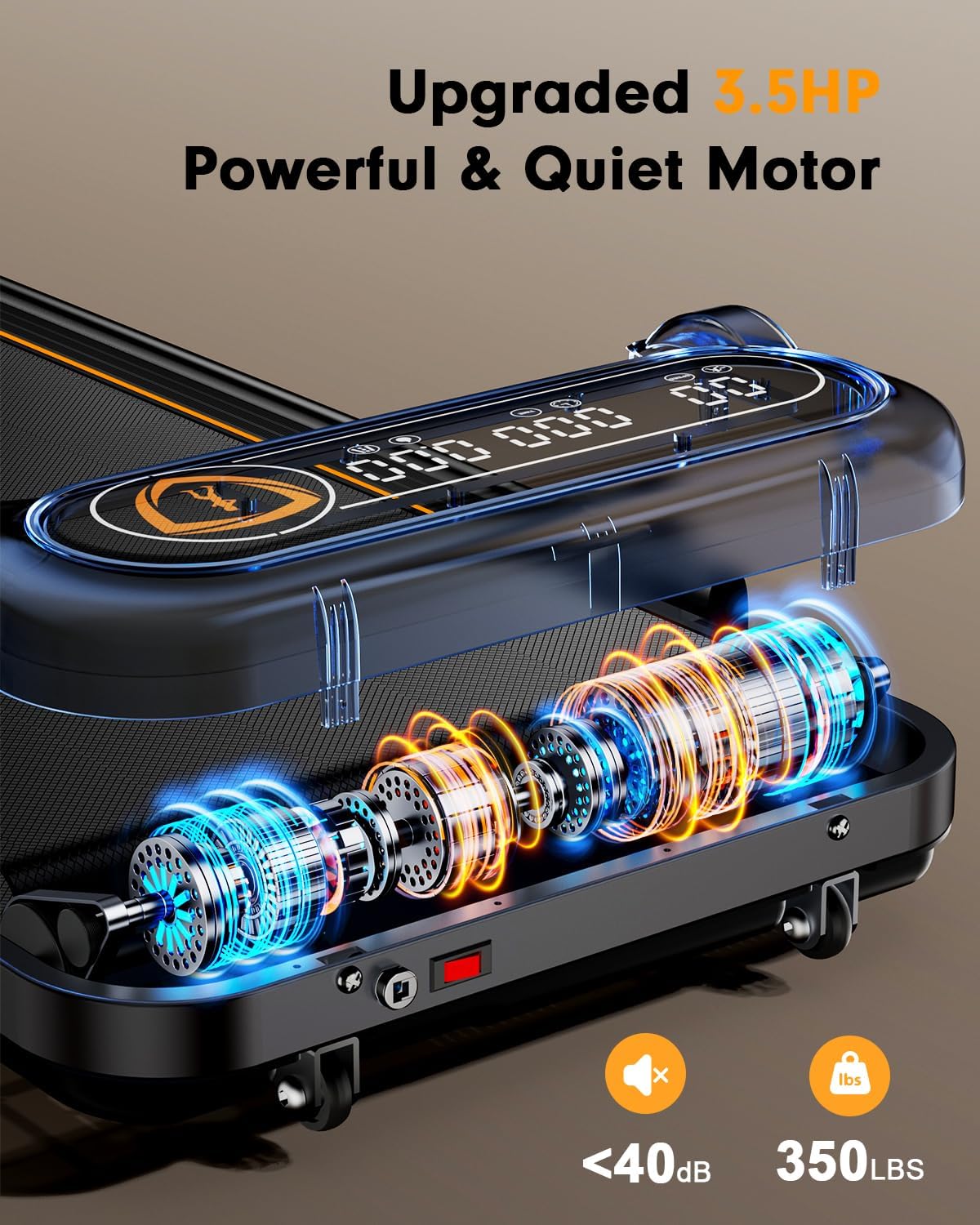
Image: Close-up of the transparent LED display and integrated control panel on the handlebar.
5. Key Features
The Trisomy SD-380GM treadmill is designed with several features to enhance your fitness experience.
- Ultra-Clear Transparent LED Display: Provides real-time feedback on speed, calories, time, and distance. The transparent casing reduces glare for comfortable viewing.
- 3.5HP Quiet Motor: Operates at under 40 dB, allowing for quiet workouts without disturbing others. Supports speeds up to 6 MPH and users up to 350 lbs.
- 10% Manual Incline: Offers an adjustable incline to increase workout intensity and calorie burn.
- 4-in-1 Functionality: Functions as a walking pad, folding treadmill, under-desk treadmill, and hill climber. The handle can be folded down for under-desk use (0.6-4 MPH) or raised for running and climbing (0.6-6 MPH).
- Space-Saving & Portable Design: Weighs only 47 lbs (21KG) and folds to 4.43 inches tall for easy storage under furniture or against walls. Equipped with smooth wheels for effortless movement.
- Enhanced Shock Absorption: Features a 6-layer anti-slip running belt and 4 shock cushions, reducing impact by 30% compared to standard treadmills. This protects knees, ankles, and hips.
- Smart Control: Compatible with a fitness app to track metrics, customize workouts, and connect socially. Speed can also be adjusted via the included remote control.

Image: Visual representation of the 10% incline feature, illustrating its benefit for calorie expenditure.

Image: The treadmill demonstrating its versatility with the handle bar folded for under-desk walking and raised for jogging or running.

Image: An internal view highlighting the upgraded 3.5HP motor, emphasizing its power and quiet operation.

Image: Cross-section view of the 6-layer anti-slip running belt and shock absorption technology, designed for joint protection.

Image: The treadmill shown in various stages of folding and storage, emphasizing its compact and portable design.

Image: The treadmill's compatibility with various sports apps for enhanced workout tracking and experience.
6. Maintenance
Regular maintenance ensures the longevity and optimal performance of your treadmill.
6.1 Running Belt Adjustment
If the running belt drifts to one side, it may need adjustment:
- If the belt drifts right, tighten the right screw slightly or loosen the left.
- If the belt drifts left, tighten the left screw slightly or loosen the right.
- The treadmill features a self-centering function that corrects slight belt misalignment via no-load, low-speed operation.

Image: Instructions for adjusting the running belt to ensure proper alignment.
6.2 Lubrication
Lubricate the running belt regularly to ensure smooth operation and extend treadmill life. Refer to the Quick Installation Guide for specific lubrication intervals and instructions.

Image: Visual guide on applying lubricating oil to the treadmill belt.
6.3 General Cleaning
Wipe down the treadmill with a damp cloth after each use to remove sweat and dust. Avoid using abrasive cleaners.
7. Troubleshooting
If you encounter issues with your Trisomy SD-380GM treadmill, refer to the following common solutions:
- Treadmill does not power on: Check if the power cord is securely plugged into both the treadmill and the wall outlet. Ensure the safety key is correctly inserted. Verify the power switch is in the 'ON' position.
- Running belt stops unexpectedly: Ensure the safety key is properly attached to your clothing and the console. If it detaches, the treadmill will stop as a safety measure.
- Unusual noise during operation: Check for any loose parts or foreign objects on or under the running belt. Ensure the running belt is properly lubricated and adjusted.
- Inaccurate display readings: Recalibrate the treadmill if possible (refer to the full user manual for specific instructions). Ensure the app is correctly synced if using smart control.
For more detailed troubleshooting or persistent issues, please consult the comprehensive user manual or contact Trisomy customer support.
8. Specifications
| Feature | Specification |
|---|---|
| Brand | Trisomy |
| Model Name | SD-380GM |
| Color | Black |
| Product Dimensions (LxWxH) | 46"D x 23.4"W x 39"H |
| Material | Alloy Steel |
| Maximum Speed | 6 Miles per Hour |
| Maximum Horsepower | 3.5 Horsepower |
| Maximum Weight Recommendation | 350 Pounds |
| Special Features | Compact Design, Foldable, Manual Incline, Portable, Shock Absorbent |
| Included Components | Power Cord, Remote Control, Safety Key, User Manual |
9. Warranty and Support
9.1 Warranty Information
The Trisomy SD-380GM Foldable Treadmill comes with a 1-year warranty from the date of purchase. This warranty covers manufacturing defects and malfunctions under normal use. Please retain your proof of purchase for warranty claims.
9.2 Customer Support
For any questions, technical assistance, or warranty claims, please contact Trisomy customer support through the official channels provided at the time of purchase or on the product packaging. Our dedicated team is available to assist you promptly.