
1. Introduction
Thank you for choosing the AKCISOT 12-Inch Silent Wall Clock. This clock combines a classic analog time display with a modern LCD screen, providing perpetual calendar and temperature information. Its non-ticking silent sweep movement ensures a peaceful environment, making it suitable for various rooms including bedrooms, offices, kitchens, and living areas. This manual will guide you through the setup, operation, and maintenance of your new wall clock.
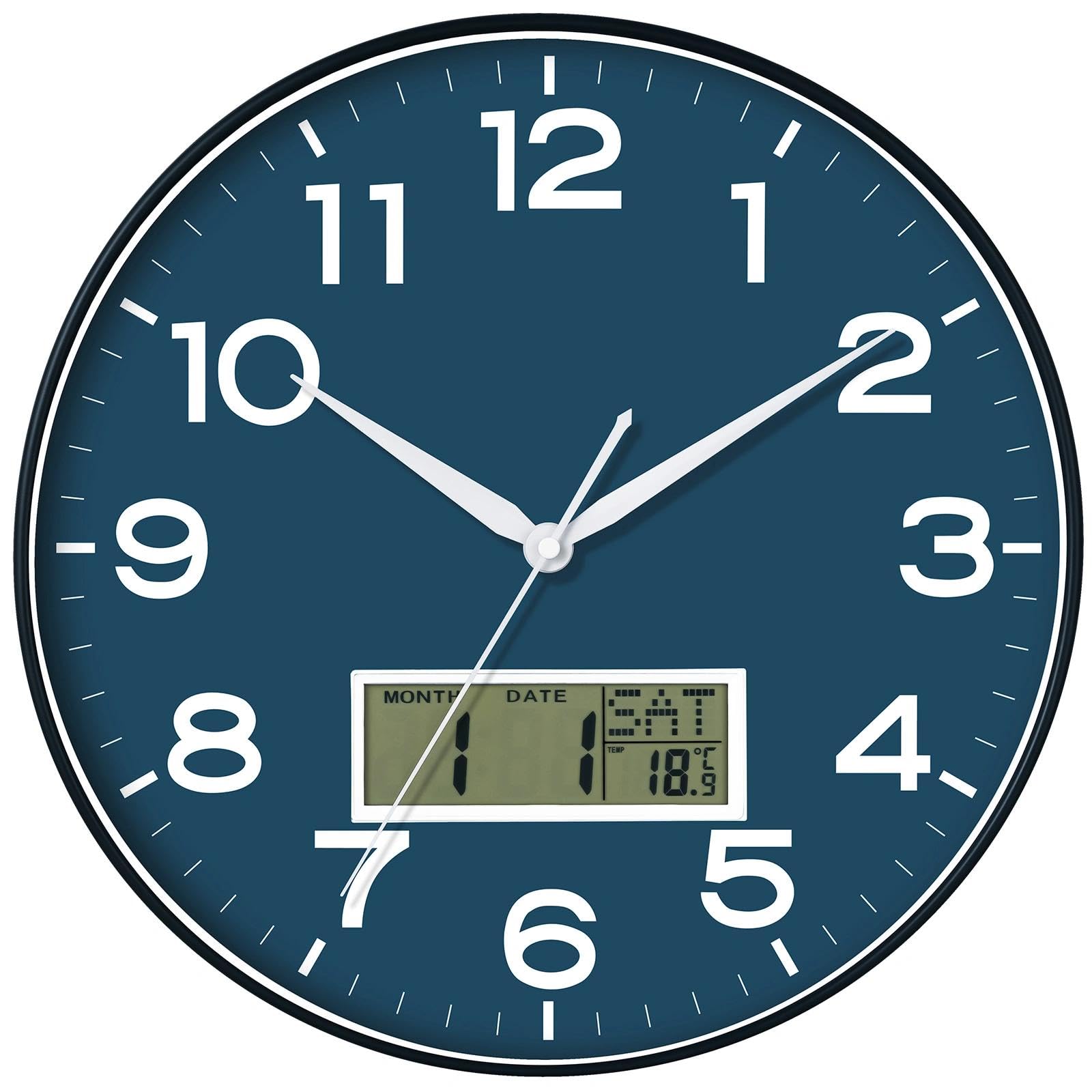
Figure 1: Front view of the AKCISOT 12-Inch Silent Wall Clock.
2. Setup
2.1. Battery Installation
The AKCISOT Wall Clock requires 1.5V AA and 1.5V AAA batteries (not included) for operation. Ensure correct polarity when inserting batteries.
- Locate the battery compartments on the back of the clock. There is one compartment for the analog movement (AA battery) and another for the LCD display (AAA battery).
- Insert one 1.5V AA battery into the analog movement compartment, matching the (+) and (-) terminals.
- Insert one 1.5V AAA battery into the LCD display compartment, matching the (+) and (-) terminals.

Figure 2: Rear view of the clock with battery compartments and setting buttons for month, date, year, and temperature.
2.2. Setting the Time
To set the analog time:
- Locate the time adjustment knob on the back of the clock, usually near the AA battery compartment.
- Rotate the knob in either direction until the hour and minute hands display the correct time.
2.3. Setting the LCD Display (Perpetual Calendar & Temperature)
The LCD display features buttons for setting the month, date, year, and temperature unit. Refer to Figure 2 for button locations.
- Month Setting: Press the 'SET' button repeatedly until the month display flashes. Use the 'UP' or 'DOWN' buttons to adjust the month. Press 'SET' again to confirm.
- Date Setting: After setting the month, the date display will flash. Use 'UP' or 'DOWN' to adjust the date. Press 'SET' to confirm.
- Year Setting: After setting the date, the year display will flash. Use 'UP' or 'DOWN' to adjust the year. Press 'SET' to confirm.
- Temperature Unit Setting: To switch between Celsius (°C) and Fahrenheit (°F), press the 'UP' button while the temperature is displayed.
- Reset: The 'RESET' button can be used to clear all settings and return to factory defaults.
2.4. Mounting the Clock
The clock is designed for easy wall mounting.
- Choose a suitable location on a wall.
- Insert a nail or screw into the wall, leaving a small portion protruding.
- Align the hanging slot on the back of the clock with the nail/screw and carefully hang the clock.
3. Operation
3.1. Analog Time Display
The clock features a silent sweep movement, ensuring no ticking sounds. The large, bold numerals provide clear visibility from a distance.

Figure 3: Key features of the AKCISOT Wall Clock, including easy-to-read display and LCD.
3.2. LCD Perpetual Calendar and Temperature Display
The integrated LCD display automatically updates the date and year, functioning as a perpetual calendar. It also continuously displays the ambient temperature. Ensure the AAA battery is correctly installed for the LCD to function.
4. Maintenance
4.1. Cleaning
To clean the clock, gently wipe the surface with a soft, dry cloth. Avoid using abrasive cleaners or solvents, as these may damage the finish or the LCD screen.
4.2. Battery Replacement
Replace the AA battery for the analog movement and the AAA battery for the LCD display when the clock stops or the display fades. Always use fresh, high-quality batteries of the specified voltage (1.5V).
4.3. General Care
Avoid exposing the clock to extreme temperatures, direct sunlight for prolonged periods, or high humidity, as these conditions can affect its accuracy and lifespan. Do not disassemble the clock, as this may void any potential warranty.
5. Troubleshooting
- Clock not working: Check if the AA battery is inserted correctly with the correct polarity. Replace with a fresh battery if necessary.
- LCD display not working/fading: Check if the AAA battery is inserted correctly with the correct polarity. Replace with a fresh battery if necessary.
- Incorrect time: Adjust the time using the knob on the back of the clock.
- Inaccurate temperature/date: Ensure the AAA battery is fresh and correctly installed. Re-set the date and year using the 'SET', 'UP', and 'DOWN' buttons as described in Section 2.3.
6. Specifications
| Feature | Detail |
|---|---|
| Brand | AKCISOT |
| Model Number | AKCISOT693 |
| Color | S_lcd Blue |
| Display Type | Analog with LCD |
| Style | Modern |
| Special Feature | Silent Clock, Perpetual Calendar, Temperature Display |
| Product Dimensions | 12"W x 1.8"H |
| Power Source | Battery Powered (1x AA, 1x AAA) |
| Batteries Included | No |
| Mounting Type | Wall Mount |
| Material Type | Plastic |
| Indoor/Outdoor Usage | Indoor, Outdoor |
7. Warranty
This product comes with No Warranty as per manufacturer specifications. Please retain your purchase receipt for any potential return or exchange inquiries with your retailer.
8. Support
For further assistance or inquiries regarding your AKCISOT Wall Clock, please contact the manufacturer directly through their official website or the retailer from whom you purchased the product.