
Product Overview
The PHIGOLF Phigolf2 Flex is an interactive home golf game simulator designed for both indoor and outdoor use. It features a motion sensor and a swing stick, offering a realistic golf experience with access to over 38,000 courses worldwide. Compatible with Android, iOS, and E6 Connect apps, it provides comprehensive swing analysis and various game modes for all skill levels.
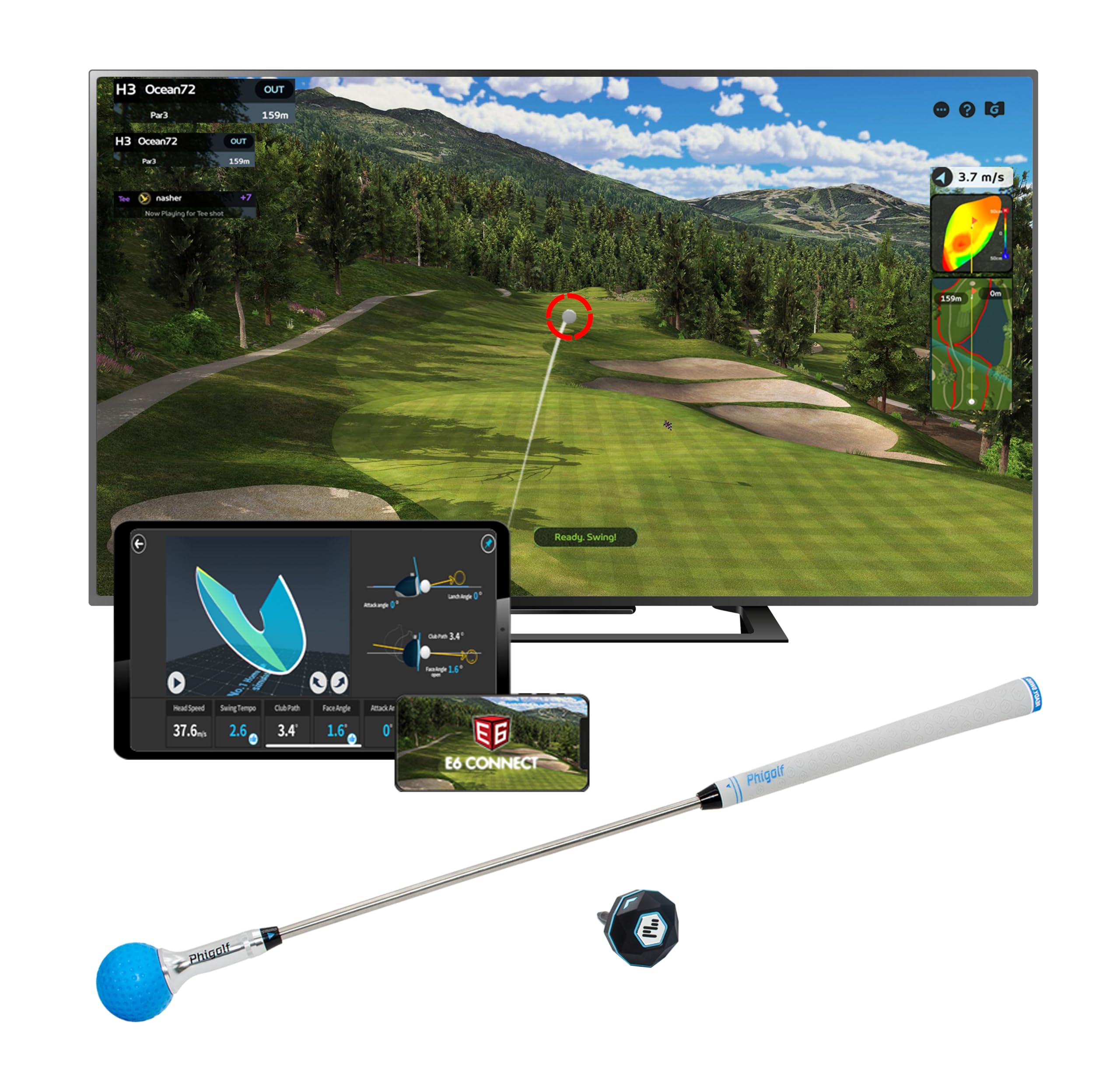
Image: PHIGOLF Phigolf2 Flex Home Golf Simulator, showing the main components including the swing stick and sensor.
What's in the Box
- 1 x Phigolf2 Flex Motion Sensor
- 1 x Phigolf2 Flex Swing Stick (upgraded 27.6-inch, 500g steel shaft with replaceable grip)
- USB-C Charging Cable (for sensor)
- User Manual (this document)

Image: The Phigolf2 Flex sensor and swing stick, key components of the simulator package.
Setup Instructions
- Charge the Sensor: Ensure your Phigolf2 Flex sensor is fully charged using the provided USB-C cable.
- Download the App: Download the official "Phigolf" app from your device's app store (compatible with Android and iOS).
- Bluetooth Pairing: Open the Phigolf app and follow the on-screen instructions to pair the lightweight 9.8g USB-C sensor via Bluetooth to your smartphone or tablet.
- Prepare the Swing Stick: Fully extend the swing stick before use.
- Attach the Sensor: Insert the smart sensor into the end hole of the swing stick or your personal golf club.
- Positioning: For optimal performance, ensure adequate space for swinging. If using your own clubs with real balls outdoors, set up a net for safe practice sessions.
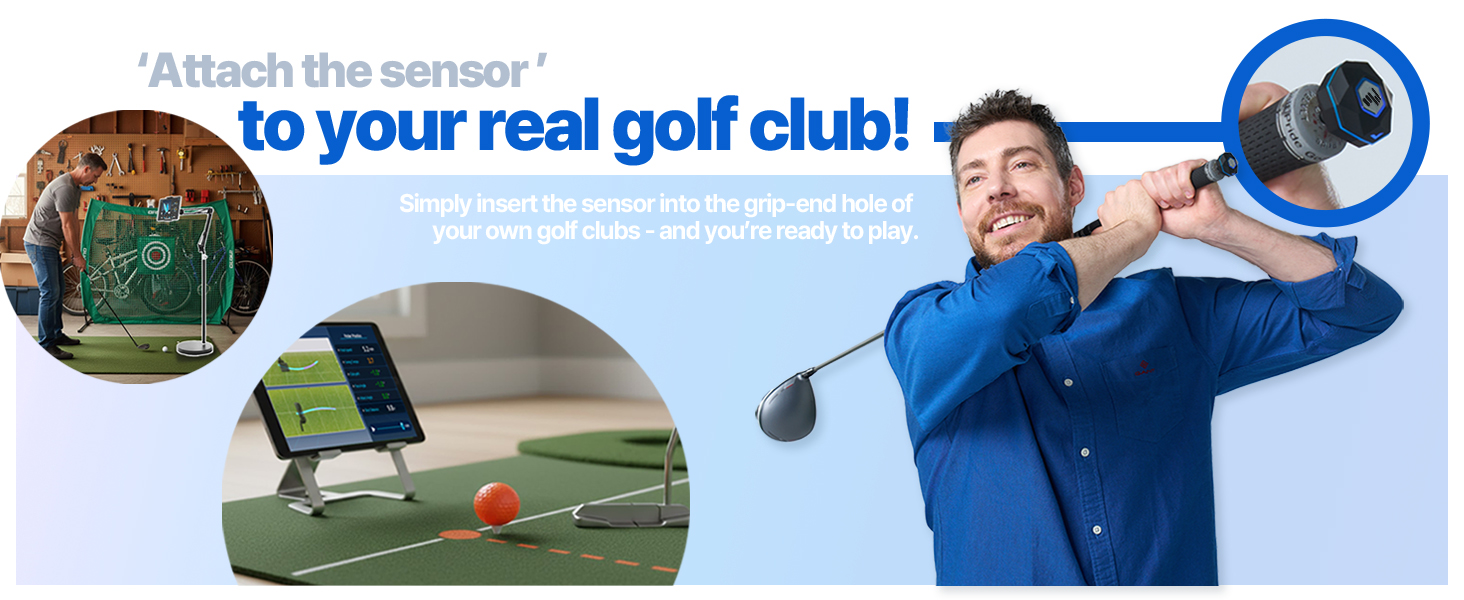
Image: A visual guide demonstrating the setup process, including app download, sensor connection, and attachment to the swing stick.
Video: Official demonstration of the Phigolf2 Flex Golf Simulator with Retractable Swing Stick, showing its features and ease of use.
Operating Instructions
- Launch the App: Open the Phigolf app on your paired device.
- Select Game Mode: Choose from various game modes such as Full Course, Speed Golf, Putting, Nearest, Approach, Longest, Local Game, Online Game, or Training.
- Start Playing: Once a mode is selected, follow the in-app instructions to begin your golf session. The sensor will track your swing and provide real-time feedback.
- Swing Analysis: The app provides six swing-to-putt analytics, including head speed, swing tempo, club path, face angle, attack angle, and shot distance. Review these metrics to improve your game.
- Multiplayer: Enjoy multiplayer matches with up to 4 players for interactive fun.

Image: The PHIGOLF app interface displaying various golf game modes, including Driving Range, Speed Golf, and Tournament.

Image: The PHIGOLF app showing detailed swing analysis data, including head speed, swing tempo, and club path.
Features and Benefits
- Premium Portable & Space-Saving: Take Phigolf2 Flex anywhere – it fits easily in your suitcase, making it perfect for travel. No net or ball required for indoor use.
- Access 38,000+ Golf Courses Worldwide: Experience world-famous courses from the comfort of your home. Includes 9 classic and 8 HD courses in the Phigolf app.
- Easy Setup & Fun for All Skill Levels: Simple and enjoyable to use for beginners and pros alike.
- Use Your Own Clubs: Insert the Phigolf sensor into your personal clubs for an authentic experience.
- Upgraded Swing Stick: The 27.6-inch, 500g steel shaft swing stick features a replaceable grip, mimicking the feel of a real golf club.
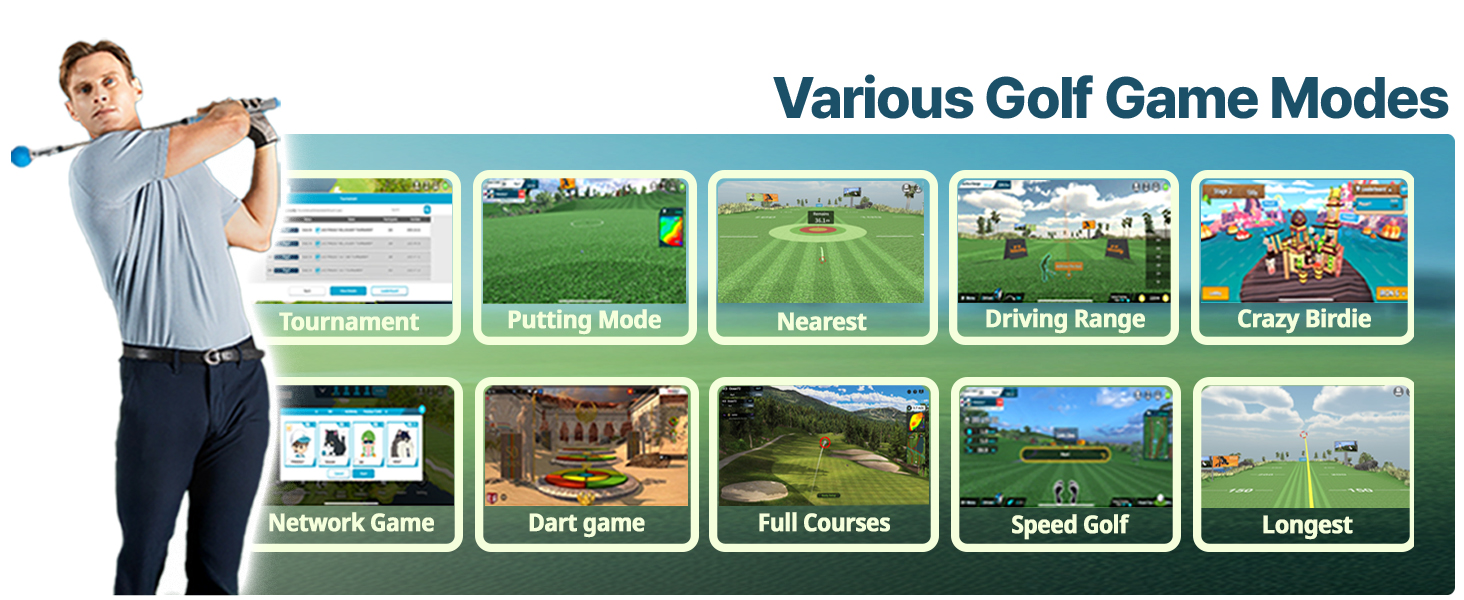
Image: People enjoying the PHIGOLF simulator in diverse environments, highlighting its "Anytime, Anywhere" portability.
Maintenance
To ensure the longevity and optimal performance of your PHIGOLF Phigolf2 Flex, follow these maintenance guidelines:
- Sensor Care: Keep the sensor clean and dry. Avoid exposing it to extreme temperatures or moisture. Recharge regularly to maintain battery health.
- Swing Stick Care: Inspect the swing stick and grip periodically for wear and tear. Replace the grip if it becomes worn.
- App Updates: Regularly check for and install updates for the Phigolf app to ensure you have the latest features and bug fixes.
- Storage: Store the simulator components in a cool, dry place when not in use.
Troubleshooting
If you encounter any issues with your PHIGOLF Phigolf2 Flex, please refer to the following general troubleshooting tips. For more detailed assistance, consult the tutorials within the Phigolf app.
- Connection Issues: Ensure Bluetooth is enabled on your device and the sensor is charged. Try restarting both the app and the sensor.
- Inaccurate Readings: Verify the sensor is securely attached to the swing stick or club. Ensure proper calibration within the app if available.
- App Performance: Close other applications running in the background. Ensure your device meets the minimum system requirements for the Phigolf app.
- Swing Stick Feel: If the swing stick feels unnatural, ensure it is fully extended. Consider using your personal clubs with the sensor for a more familiar feel.
Specifications
| Attribute | Detail |
|---|---|
| Item Package Dimensions (L x W x H) | 24.8 x 3.5 x 3.5 inches |
| Package Weight | 0.84 Kilograms |
| Item Dimensions (L x W x H) | 3 x 5 x 25 inches |
| Item Weight | 0.59 Kilograms |
| Brand Name | PHIGOLF |
| Model Name | Phigolf |
| Color | Phigolf2 Flex |
| Material | Aluminum |
| Suggested Users | unisex-adult |
| Manufacturer | Phigolf |
| Part Number | Phigolf2 Flex |
| Included Components | Sensor |
| Date First Available | June 30, 2025 |
Warranty and Support
Warranty Description: The PHIGOLF Phigolf2 Flex comes with a 1 Year Manufacturer Warranty.
For technical support, troubleshooting, or warranty claims, please refer to the contact information provided in your product packaging or visit the official PHIGOLF website.


