
ELYKEN HVD011
ELYKEN Makeup Vanity with Lighted Mirror and Charging Station
Model: HVD011
Important Safety Information
Please read and understand all safety instructions before assembly and use of this product. Failure to follow these instructions may result in injury or damage to the product.
- Always unplug electrical components before assembly or maintenance.
- Be cautious of sharp edges and pinch points during assembly.
- Do not exceed the weight limit of the vanity.
- Always follow manufacturer instructions for safe use and maintenance.
- Secure the vanity to a wall using the provided anti-tip kit to prevent tipping, especially in households with children or pets.

Image: Anti-tip strap installation for wall securing.
Product Overview
The ELYKEN Makeup Vanity (Model HVD011) is a versatile furniture piece designed for personal grooming and storage. It features an integrated LED-lighted mirror, a built-in charging station, and multiple storage options including drawers, open shelves, and a customizable leg storage unit.

Image: Fully assembled ELYKEN Makeup Vanity.
Key Features:
- Oversized LED Mirror with 3 color modes (warm, neutral, cool) and dimmable brightness.
- Integrated Charging Station with 2 AC outlets and 2 USB ports.
- Configurable design: Can be assembled in L-shaped or straight-line modes.
- Ample Storage: Includes multiple drawers, open shelves, and a rotatable leg storage unit.
- Durable construction from engineered wood.
- Jewelry hooks for organized storage of accessories.

Image: Detail of integrated jewelry hooks.
Package Contents
The ELYKEN Makeup Vanity is shipped in two separate boxes. Please ensure all parts are present before beginning assembly. Refer to the assembly manual included in the packaging for a detailed list of components and hardware.

Image: Packaging illustration indicating two boxes.
Setup and Assembly
Assembly of the ELYKEN Makeup Vanity requires self-assembly. It is recommended to have two people for certain steps. An electric screwdriver can expedite the process. Follow the step-by-step instructions provided in the physical assembly manual included with your product.
Configuration Options:
The vanity offers flexible configuration to suit your space and needs:
- L-shaped Mode: The dresser unit is positioned perpendicular to the main vanity desk.
- Straight-line Mode: The dresser unit is aligned parallel to the main vanity desk.

Image: Two configuration modes: L-shaped and straight-line.
Leg Storage Installation:
The storage shelves beneath the vanity legs can be rotated to face inward or outward, providing adaptable storage solutions.

Image: Leg storage unit with inward-facing and outward-facing options.
Drawer Assembly:
Ensure correct orientation of drawer panels during assembly. Refer to the specific part numbers in the assembly manual to avoid misalignment. The vanity features robust drawer slides for smooth operation.

Image: Detail of drawer slides.
Operating Instructions
LED Lighted Mirror:
The integrated mirror features LED lighting with three color modes and adjustable brightness.
- Changing Light Color: Tap the touch sensor on the mirror to cycle through Warm White (3000K), Neutral White (4500K), and Cool White (6000K) light settings.
- Adjusting Brightness: Press and hold the touch sensor to dim or brighten the light.
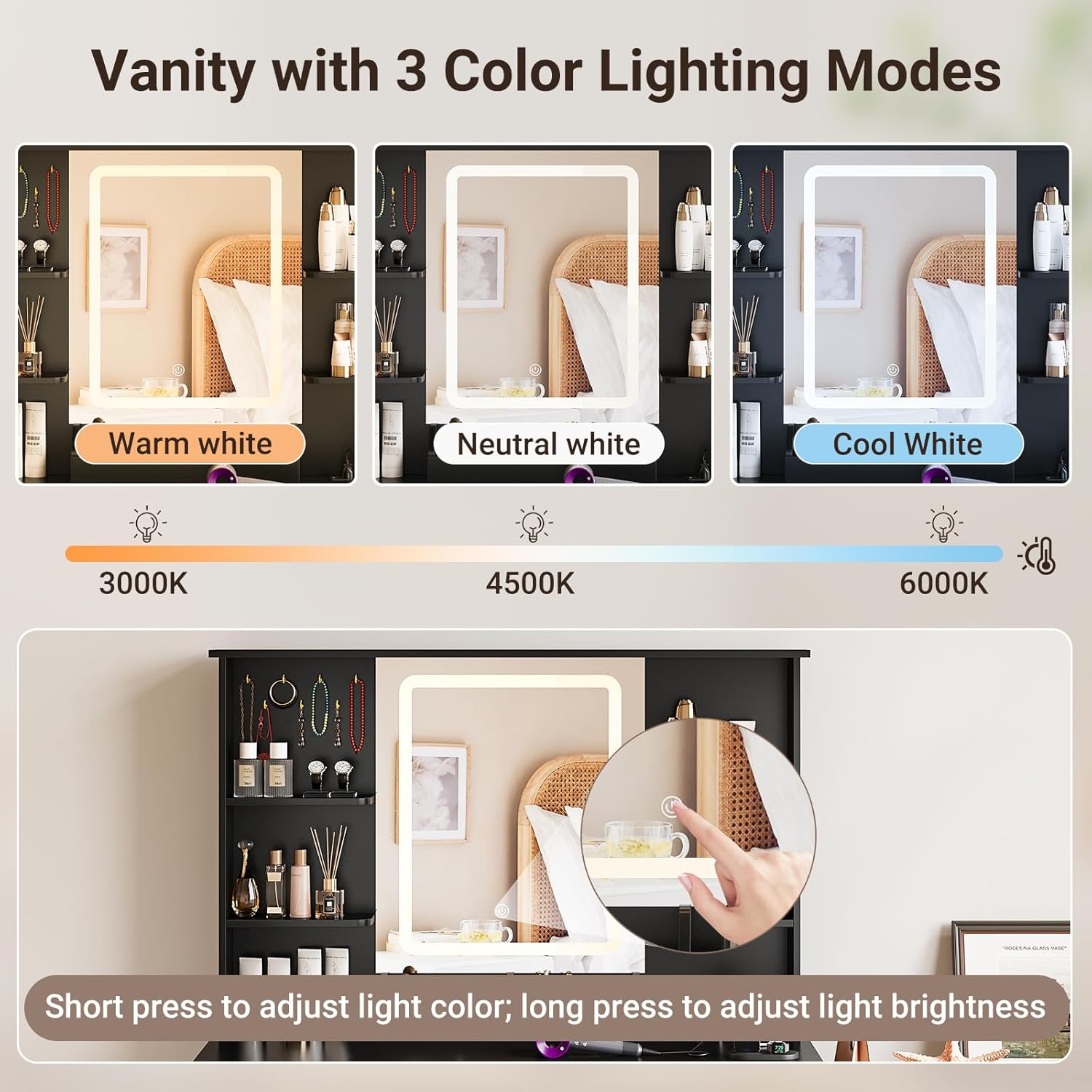
Image: LED mirror light color and brightness controls.
Built-in Charging Station:
The vanity includes a power strip with electrical outlets and USB ports for convenient charging of devices and powering small appliances.
- AC Outlets: 2 standard three-prong 125V/12A outlets.
- USB Ports: 2 USB 5V/2A ports.
- Usage: Plug in hair dryers, curling irons, phones, tablets, or other electronic devices. Avoid overloading the outlets.
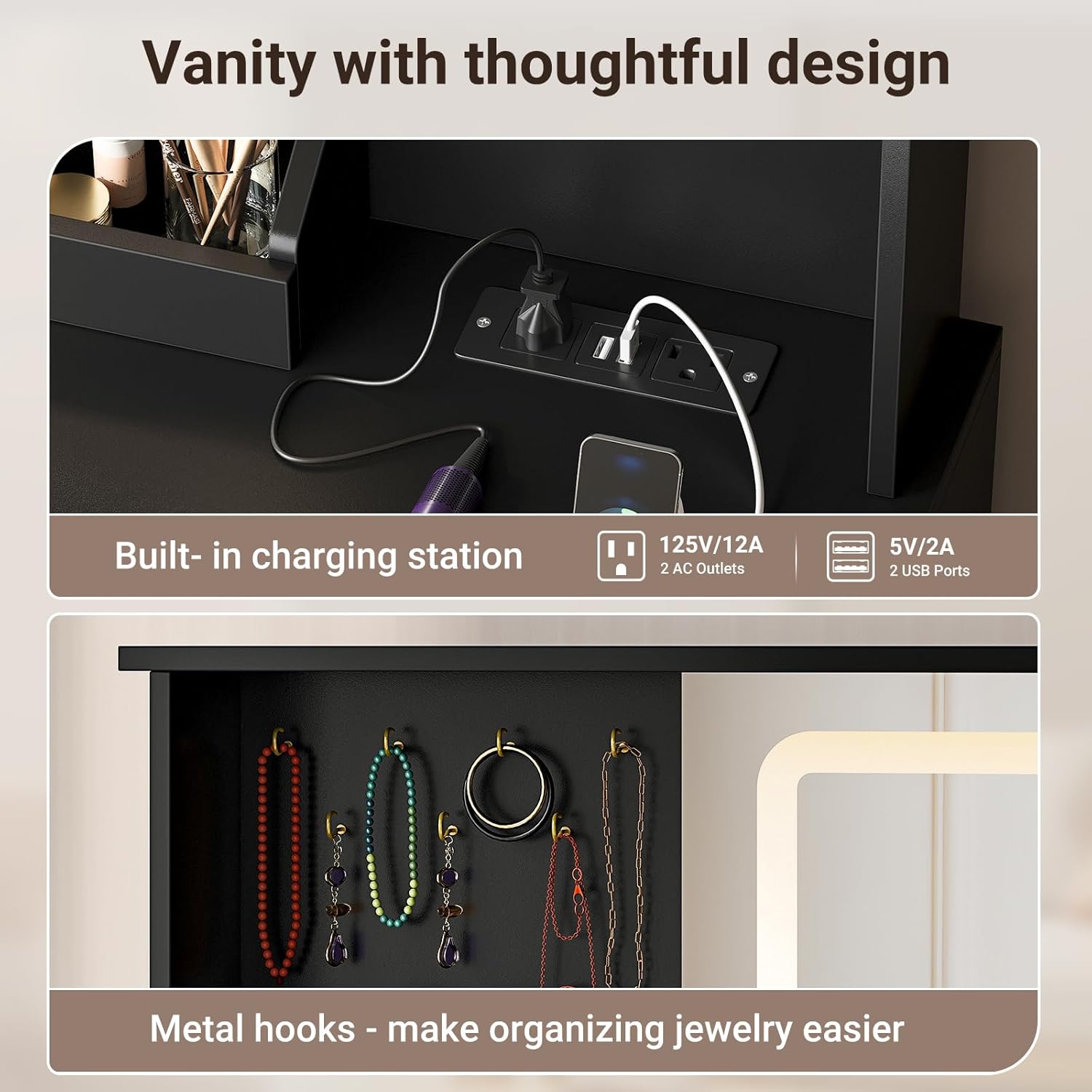
Image: Built-in charging station with AC and USB ports.
Maintenance
- Cleaning: Wipe surfaces with a soft, damp cloth. Avoid abrasive cleaners or harsh chemicals that may damage the finish.
- Mirror Care: Clean the mirror with a glass cleaner and a lint-free cloth. Do not spray cleaner directly onto the mirror to prevent liquid from entering the electrical components.
- Electrical Components: Ensure all electrical connections are secure. If any part of the charging station or LED mirror is damaged, discontinue use and contact customer support.
- Drawer Slides: Periodically check drawer slides for smooth operation. Lubricate with a silicone-based spray if necessary.
Troubleshooting
- Problem: LED mirror lights are not turning on or are dim.
Solution:
- Ensure the vanity is properly plugged into a working power outlet.
- Check if the power cord for the mirror is securely connected.
- Tap the touch sensor to turn on the lights.
- Press and hold the touch sensor to adjust brightness.
- If the issue persists, contact customer support.
- Problem: Charging station outlets or USB ports are not working.
Solution:
- Verify the vanity is plugged into a live electrical outlet.
- Ensure the device you are trying to charge is functioning correctly.
- Avoid overloading the charging station with too many high-power devices simultaneously.
- If the issue continues, try a different outlet or contact customer support.
- Problem: Drawers do not close smoothly or are misaligned.
Solution:
- Check for any obstructions in the drawer slides.
- Ensure the drawer contents are not preventing it from closing.
- Verify that the drawer slides were installed correctly during assembly. Refer to the assembly manual for proper alignment.
- If a drawer panel is misaligned, it may need to be re-attached according to the assembly instructions.
Specifications
| Feature | Detail |
|---|---|
| Model Number | HVD011 |
| Dimensions (Overall, L-shaped) | Approximately 81" (L) x 15.75" (D) x 56.3" (H) |
| Dressing Table Dimensions | 39.4" (L) x 15.7" (D) x 56" (H) |
| Dresser Dimensions | 41.7" (L) x 23.6" (H) x 15.8" (D) |
| Material | Engineered Wood |
| Color | Black |
| Number of Drawers | 8 (6 on dresser unit, 2 on vanity desk) |
| LED Mirror Light Colors | Warm White (3000K), Neutral White (4500K), Cool White (6000K) |
| Charging Station | 2 AC Outlets (125V/12A), 2 USB Ports (5V/2A) |
| Assembly Required | Yes, self-assembly |
Image: Product dimensions and component sizes.
Warranty and Support
ELYKEN provides customer support for its products. For warranty information, replacement parts, or technical assistance, please contact ELYKEN customer service directly. You can often find contact details on the manufacturer's website or through your purchase platform.
Visit the official ELYKEN store for more information: ELYKEN Store on Amazon
Video Resources
No official product videos from the seller were found in the provided data. Please refer to the written instructions and diagrams for assembly and operation.
Ask a question about this manual
Ask about setup, troubleshooting, compatibility, parts, safety, or missing instructions. Manuals+ will review the question and use this page’s manual context to help answer it.