
Introduction
The XenonLab VisionAir HAP606 Air Purifier is designed to provide clean and healthy air for large rooms, covering up to 1800 sq ft. It features a precise PM2.5 and AQI monitoring system, a high-efficiency 3-stage HEPA filtration, and a whisper-quiet 20dB sleep mode. This manual will guide you through the setup, operation, and maintenance of your air purifier to ensure optimal performance.
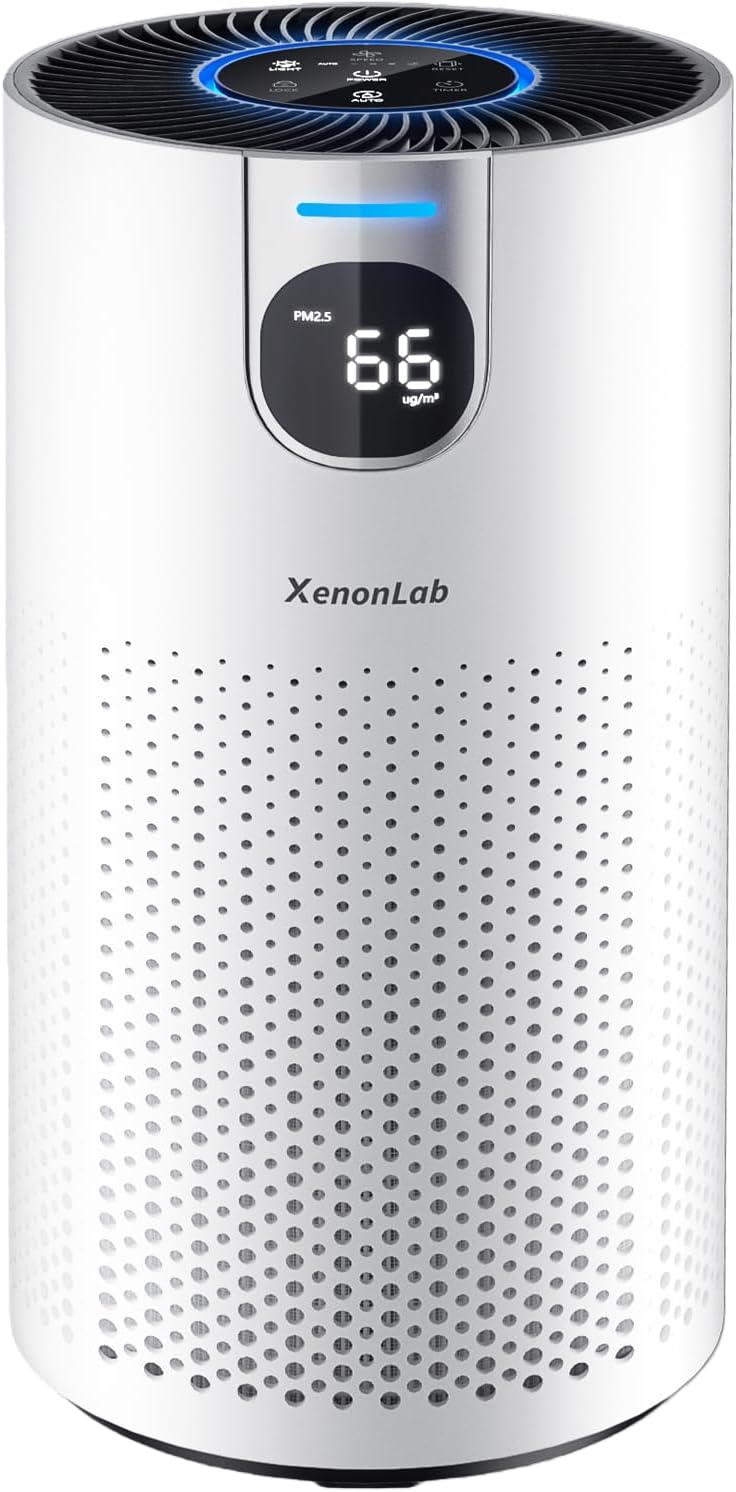
Image: The XenonLab VisionAir HAP606 Air Purifier, a sleek white cylindrical device with a digital display.
Setup
- Unpack the Purifier: Carefully remove the air purifier from its packaging.
- Access the Filter Compartment: Turn the unit upside down. Locate the filter cover at the bottom. Twist the cover counter-clockwise to unlock and remove it.
- Remove Filter Packaging: Take out the 3-stage filter and remove all plastic packaging. The filter is crucial for air purification and must be unwrapped before use.
- Insert the Filter: Place the unwrapped filter back into the purifier, ensuring it sits correctly.
- Secure the Cover: Replace the filter cover and twist it clockwise to lock it into place.
- Position the Purifier: Place the air purifier on a flat, stable surface, ensuring adequate space around it for optimal airflow.
- Connect Power: Plug the power cord into the air purifier and then into a standard electrical outlet.

Image: A user demonstrating the removal of the filter from the bottom of the air purifier.
Operating Instructions
The XenonLab VisionAir HAP606 features an intuitive touchscreen display for easy control.
Power On/Off
- Press the Power button (
 ) to turn the unit on or off.
Air Quality Indicator (AQI)
The purifier features a real-time PM2.5 digital display and a color-coded AQI light, indicating the current air quality:
- Green Light: Excellent air quality (PM2.5: 0-65 µg/m³)
- Blue Light: Good air quality (PM2.5: 66-150 µg/m³)
- Orange Light: Moderate air quality (PM2.5: 151-300 µg/m³)
- Red Light: Poor air quality (PM2.5: >300 µg/m³)

Image: The air purifier's display showing PM2.5 levels and corresponding color-coded air quality indicators.
Fan Speed Adjustment
- Press the Speed button () to cycle through 4 fan speeds: Gentle Breeze, Standard Flow, Turbo Boost, and Auto.
Auto Mode
- Press the Auto button () to enable automatic fan speed adjustment based on real-time air quality.
Sleep Mode
- Activate Sleep Mode for ultra-quiet operation (as low as 20dB) and dimmed display lights, ideal for bedrooms.

Image: The air purifier operating quietly in a bedroom, illustrating its sleep mode feature.
Timer Function
- Press the Timer button () to set an operating duration from 1 to 24 hours. The unit will automatically turn off after the set time.
Child Lock
- Press and hold the Lock button () for 3 seconds to activate or deactivate the child lock, preventing accidental changes to settings.

Image: A child interacting with the air purifier, highlighting the child lock feature.
Maintenance
Filter Replacement
The air purifier is equipped with a filter replacement reminder. When the filter needs to be changed, a red light will illuminate on the display.
- Turn Off and Unplug: Always turn off and unplug the air purifier before performing any maintenance.
- Remove Used Filter: Turn the unit upside down, twist the bottom cover counter-clockwise, and pull out the old filter.
- Insert New Filter: Place a new XenonLab VisionAir HAP606 replacement filter (3-stage HEPA filter) into the unit.
- Secure Cover: Replace the bottom cover and twist clockwise to lock.
- Reset Filter Indicator: Plug in the purifier. Press and hold the Reset button () for 3-5 seconds until the indicator light turns off or changes color, signaling the reset is complete.

Image: Visual guide demonstrating the process of removing and replacing the air filter.
Troubleshooting
| Problem | Possible Cause | Solution |
|---|---|---|
| Unit does not turn on | Not plugged in; Power outage; Filter cover not secured. | Check power connection; Restore power; Ensure filter cover is locked. |
| Poor airflow or purification | Clogged filter; Incorrect fan speed setting. | Replace filter; Increase fan speed or activate Auto mode. |
| Unusual noise | Obstruction in fan; Unit not on a stable surface. | Check for foreign objects; Place on a flat, stable surface. |
| Filter indicator light remains on after replacement | Filter reset not performed correctly. | Press and hold the Reset button for 3-5 seconds. |
Specifications
- Model Number: HAP606
- Product Dimensions: 7.2 x 7.2 x 13.9 inches
- Item Weight: 3.79 Pounds
- Power Source: Corded Electric
- Control Method: Touch Control
- Filter Type: 3-Stage Filter (Pre-filter, H13 HEPA, Activated Carbon)
- Floor Area Coverage: Up to 1800 Square Feet (circulates air 4 times per hour in 450 sq ft)
- Noise Level: 20 Decibels (Sleep Mode)
- Particle Retention Size: 0.3 µm (99.97% capture efficiency)
- Wattage: 20 watts
- Contaminant Filtration Capability: Cigarette smoke, dust, odors, pet dander, pollen, wildfire smoke
- Special Features: 20dB Sleep Mode, 360° Air Intake, 360° Air Outlet, Real-Time AQI & PM2.5 Display, Child Lock, Timer, Auto Mode
- Certifications: ETL, FCC, EPA, CARB
Warranty and Support
XenonLab provides comprehensive support for your air purifier:
- 30-Day Money-Back Guarantee: If you are not satisfied with your purchase, you may return it within 30 days for a full refund.
- 2-Year Warranty: The product is covered by a 2-year warranty against manufacturing defects.
- Lifetime Tech Support: Access to lifetime technical support for any product-related inquiries.
- Customer Service: Responses to inquiries via Amazon are typically provided within 2 business days.
Product Videos
XenonLab VisionAir HAP606 Air Purifier Smoke Test
Video: A demonstration of the XenonLab VisionAir HAP606 Air Purifier's effectiveness in removing smoke and dust from an enclosed space, showcasing its rapid purification capabilities.
VisionAir HAP606 Air Purifier for Home Large Room, White
Video: An overview of the VisionAir HAP606 Air Purifier, highlighting its features and suitability for large rooms, including its intuitive touchscreen display and 360-degree airflow.
