
Introduction
Thank you for choosing the HOOBRO File Cabinet WH33WJ01. This under-desk small filing cabinet is designed for efficient organization of your documents and office supplies. Featuring a rolling design with a lid, it offers flexible storage and easy mobility for various home and office settings. This manual provides essential information for safe assembly, proper operation, and maintenance of your new file cabinet.
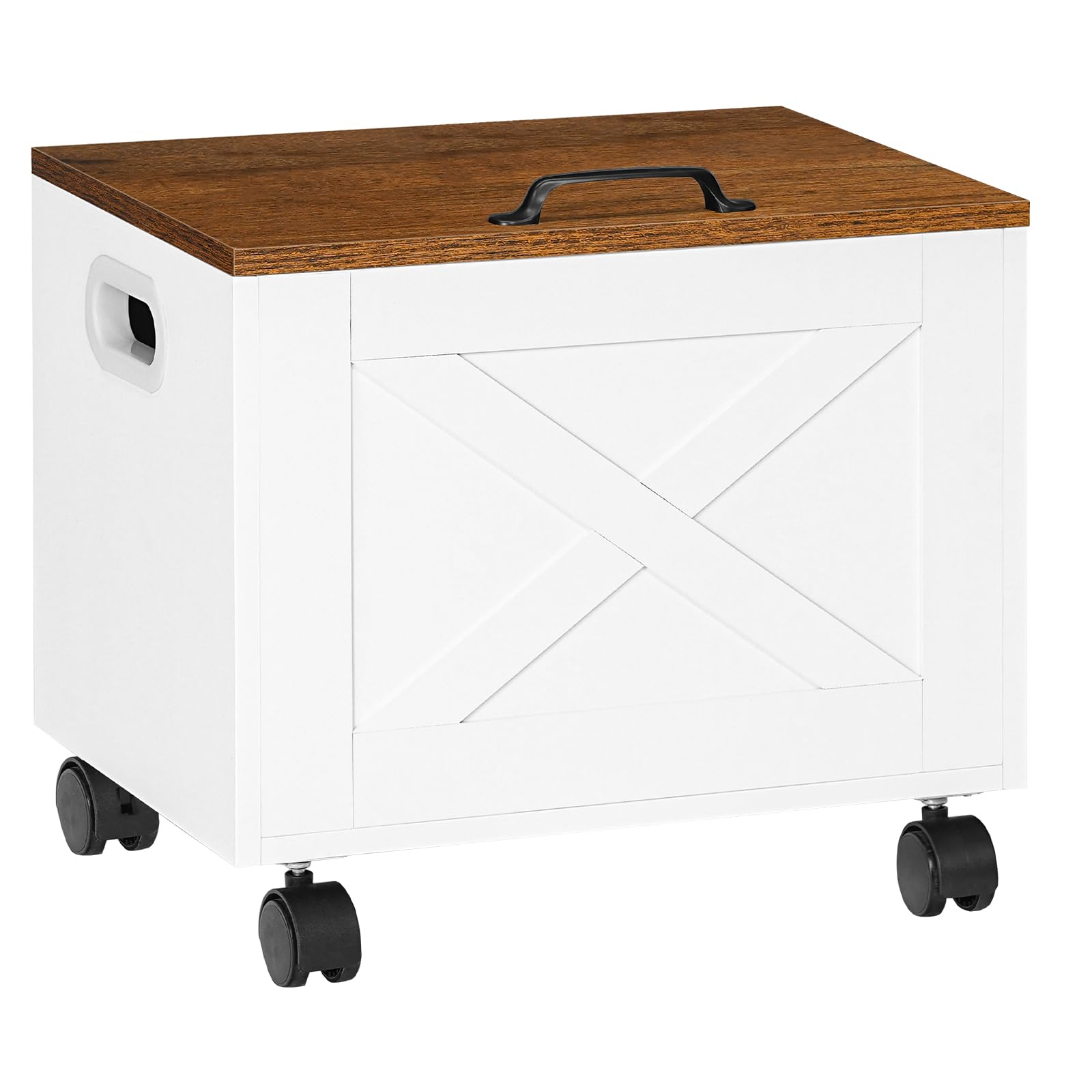
Image: The HOOBRO File Cabinet WH33WJ01 positioned under a desk, with its lid open to reveal organized files.
Safety Information
- Keep all small parts and packaging materials away from children and pets to prevent choking hazards.
- Assemble the unit on a clean, flat, and soft surface to avoid scratching the product or your floor.
- Do not overtighten screws during assembly, as this may damage the material.
- Ensure all connections are secure before using the file cabinet.
- Do not stand or sit on the file cabinet.
- Distribute weight evenly inside the cabinet to maintain stability.
Package Contents
Before beginning assembly, verify that all components listed below are present and undamaged. Each panel and hardware component is typically numbered for easy identification.
- Cabinet Panels (Sides, Front, Back, Bottom)
- Lid Panel
- Adjustable Hanging File Rod
- Casters (4 units, 2 with locking mechanism)
- Hinges for Lid
- Lid Handle
- Screws, Dowels, and other Fasteners
- Allen Wrench (Hex Key)
- Instruction Manual
Tools Required (Not Included): Phillips Head Screwdriver
Setup and Assembly Instructions
Follow these steps carefully to assemble your HOOBRO File Cabinet. Refer to the included illustrated instructions for detailed diagrams.
- Unpack and Identify Components: Lay out all panels and hardware. Match them with the numbered parts in the instruction manual.
- Assemble the Cabinet Body: Connect the side panels to the front and back panels using the provided screws and dowels. Ensure all connections are snug but do not overtighten.
- Attach the Bottom Panel: Secure the bottom panel to the assembled cabinet body. This step is crucial for structural integrity and stability.
- Install Casters: Attach the four swivel casters to the bottom of the cabinet. Two of these casters are lockable; position them on the same side for easier access. Use a Phillips head screwdriver for this step.
- Attach the Lid Hinges: Secure the hinges to the back edge of the cabinet body and then to the lid panel. Ensure the lid opens and closes smoothly.
- Install Lid Handle: Attach the lid handle to the top of the lid panel.
- Insert Adjustable File Rod: Place the adjustable hanging file rod inside the cabinet. It can be positioned to accommodate either Letter or A4 sized documents.
Assembly Tip: Some screws, especially in tight corners, may be easier to install with a manual Phillips screwdriver rather than an electric drill for better control and to prevent stripping or damage. Always check the packaging thoroughly for all components, including smaller parts like rails, which can sometimes be overlooked. The cabinet gains significant stability once fully assembled and all screws are tightened.
Operating Instructions
Adjusting the File Bar for Document Sizes
The HOOBRO File Cabinet is designed to hold both Letter-sized and A4-sized documents. The internal hanging file rod is adjustable to fit these different dimensions.
- For Letter Size documents, position the hanging rod in the designated slots for a narrower width.
- For A4 Size documents, adjust the hanging rod to the wider set of slots.

Image: Visual guide demonstrating how to adjust the internal file bar to accommodate both Letter and A4 document sizes.
Using the Rolling Casters
The cabinet is equipped with four swivel casters for easy movement. Two of these casters include a locking mechanism for secure placement.
- To move the cabinet, ensure both lockable casters are in the unlocked position.
- To secure the cabinet in place, push down the lever on each of the two lockable casters until they click into the locked position.

Image: Detail of the lockable caster wheel, illustrating the unlock and lock positions.
Lid Operation and Features
The cabinet features a flip-up lid for convenient access to your files. The lid is designed with a handle for easy opening and includes a backstop to prevent it from dropping harshly.
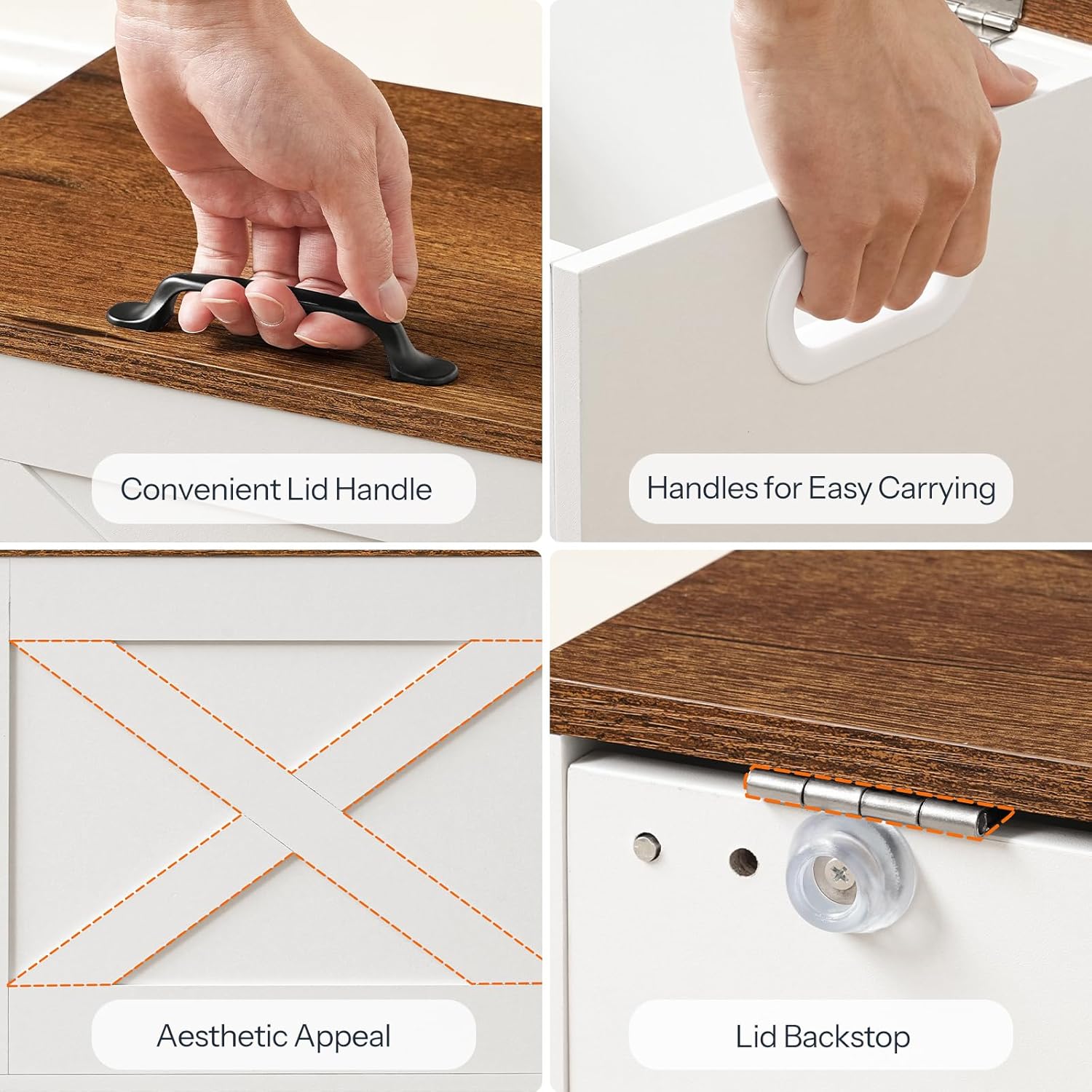
Image: Close-up views of the lid handle, integrated side handles, decorative X-panel, and the lid's protective backstop.
Maintenance
To ensure the longevity and appearance of your HOOBRO File Cabinet, follow these simple maintenance guidelines:
- Cleaning: Wipe the surfaces with a soft, damp cloth. Avoid using harsh chemicals or abrasive cleaners, as these can damage the finish.
- Spills: Clean up spills immediately to prevent staining or damage to the particleboard.
- Inspection: Periodically check all screws and connections to ensure they remain tight. Retighten if necessary.
- Environment: Avoid placing the cabinet in direct sunlight or near heat sources, which can cause fading or warping.
Troubleshooting
- Difficulty during Assembly: If you encounter difficulty with screws in tight spaces, use a manual Phillips screwdriver instead of an electric drill for better control and to prevent stripping.
- Missing Parts: Carefully check all packaging materials, including inside boxes or wrapped components, as small parts like hanging rails can sometimes be hidden. If parts are still missing, contact HOOBRO customer support.
- Cabinet Instability: Ensure all screws are fully tightened and all panels are correctly aligned according to the assembly instructions. The cabinet's stability significantly improves once all components are securely fastened.
- Casters Not Rolling Smoothly: Check for any debris caught in the caster wheels. Ensure the locking mechanisms are fully disengaged when attempting to roll the cabinet.
Specifications
| Model Number: | WH33WJ01 |
| Brand: | HOOBRO |
| Item Weight: | 4.99 kg |
| Material: | Quality Particleboard |
| Compatibility: | Letter-sized and A4 documents |
| Features: | 4 Swivel Casters (2 lockable), Flip-up Lid, Adjustable Hanging Rod |
| Dimensions: | Refer to the product dimensions image below for detailed measurements. |

Image: Detailed product dimensions for the HOOBRO File Cabinet WH33WJ01.
Warranty and Support
Specific warranty information and direct customer support contact details are not provided in the product data. For warranty claims, missing parts, or further assistance, please refer to the purchase documentation or contact the seller directly through the platform where the product was purchased. You may also visit the official HOOBRO website for general support information.