
Introduction
This manual provides detailed instructions for the safe and efficient operation, setup, and maintenance of your Silonn 2.4" Sphere Ice Maker, Model SLICM57B. Please read this manual thoroughly before using the appliance and retain it for future reference.
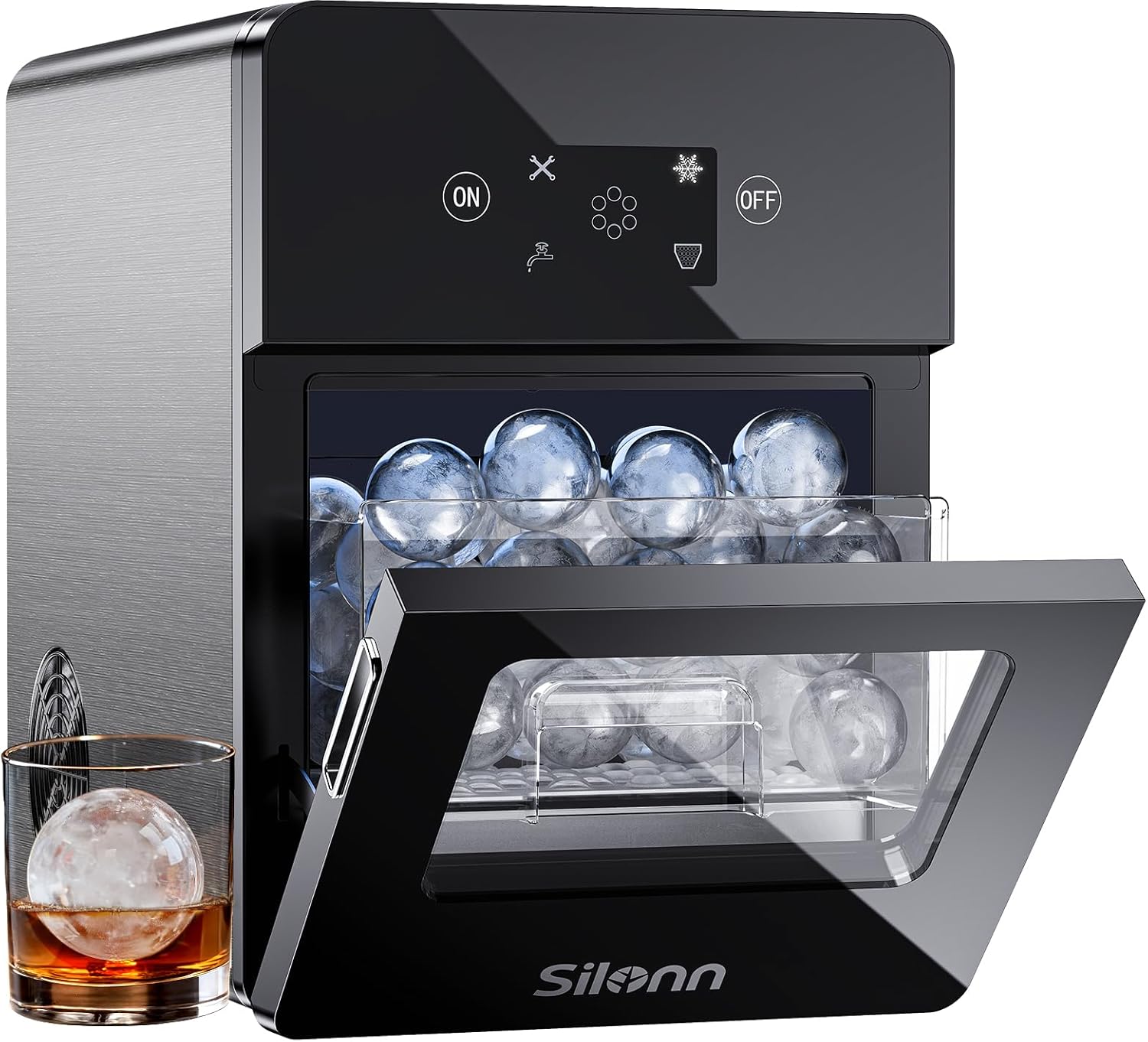
Figure 1: Silonn 2.4" Sphere Ice Maker, Rock Black
Safety Information
WARNING: Risk of electric shock. Disconnect power before servicing unit.
CAUTION: Risk of fire or explosion. Flammable refrigerant used. To be repaired only by trained service personnel. Do not puncture refrigerant tubing. Manual/Owner's Guide must be followed before attempting to install or service this product. All safety precautions must be followed.
Product Overview
Key Features
- RapidSphere Technology: Produces 2.4-inch solid-core ice spheres, with a capacity of 3 pieces in approximately 40 minutes, totaling up to 100 pieces per day.
- CrystalSphere Technology: Creates clear, slow-melting ice spheres that minimize dilution in beverages.
- User-Friendly LED Control Panel: Features an intuitive display for easy operation, indicating ice-making status, water shortage, and full ice basket.
- Dual Water Filling Options: Supports both manual water filling and automatic water filling via an included hose kit.
- Automatic Self-Cleaning: Simplifies maintenance with a one-touch self-cleaning function.
Dimensions
- Product Dimensions: 17.72"D x 12.52"W x 17.5"H
- Item Weight: 41.4 pounds

Figure 2: Silonn Sphere Ice Maker with approximate dimensions.
Setup
1. Unpacking
Carefully remove the ice maker from its packaging. Inspect for any damage during transit. Remove all packing materials, including any protective films or tapes.
2. Placement
Place the ice maker on a stable, level surface. Ensure adequate ventilation around the unit. Avoid placing it near heat sources or in direct sunlight.
3. Connecting Water Supply
Your Silonn ice maker offers two methods for water supply:
- Manual Filling: Open the front door and pour water directly into the reservoir. Ensure the water level does not exceed the 'MAX' line.
- Automatic Filling: Connect the included plastic water pipes to the 'water inlet' on the back of the unit and to a potable water source. Ensure the connection is secure to prevent leaks.
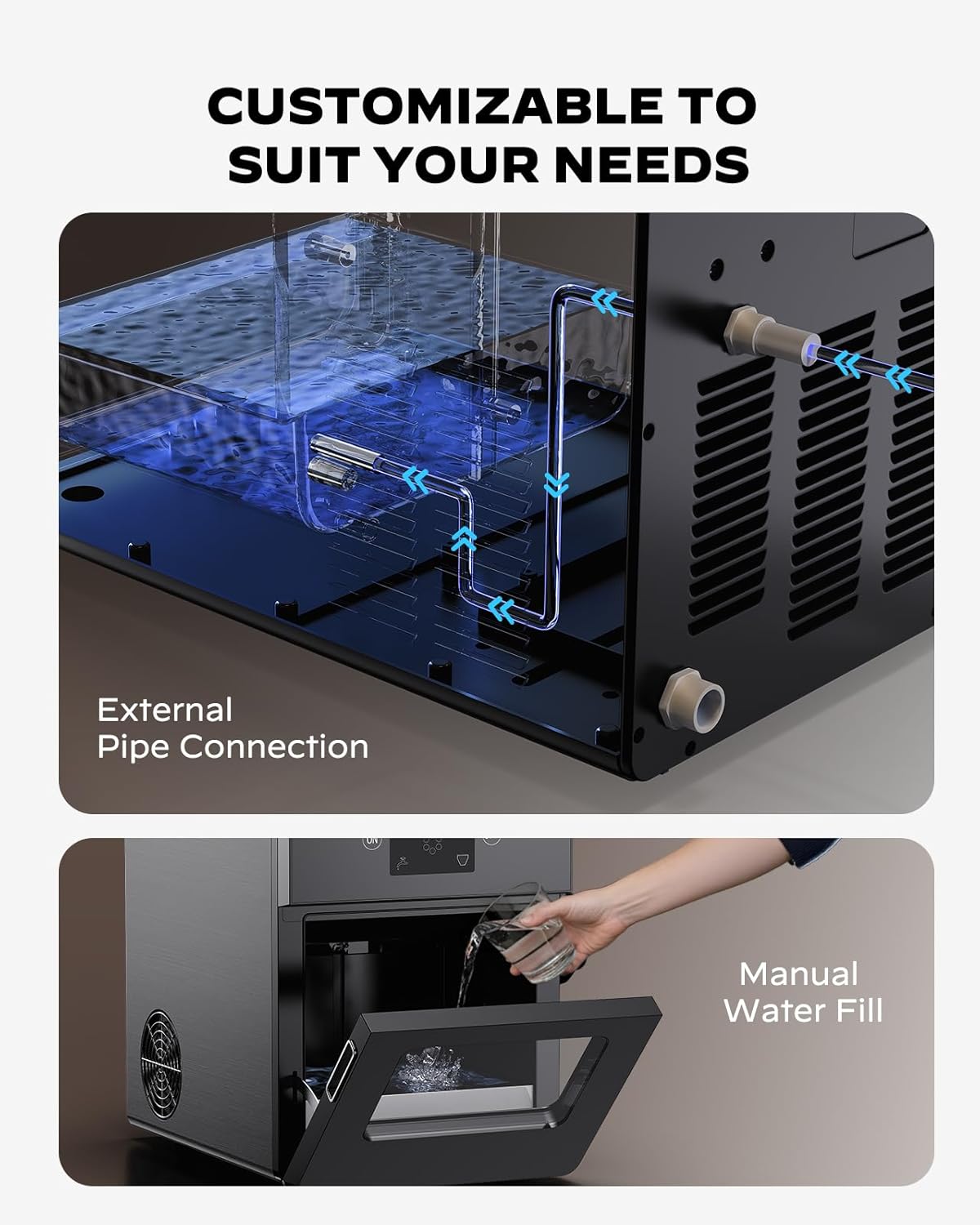
Figure 3: Water filling options: manual pour and external pipe connection.
4. Initial Cleaning
Before first use, it is recommended to perform a cleaning cycle. Refer to the 'Maintenance' section for instructions on activating the self-cleaning function.
Operation
1. Power On/Off
Press the ON button on the LED control panel to start the ice maker. Press the OFF button to turn it off.

Figure 4: LED Control Panel with ON/OFF buttons and indicators.
2. Ice Making Process
Once powered on and water is supplied, the unit will begin producing ice spheres. The LED display will show the ice-making status. Indicators will illuminate for 'Water shortage' if the reservoir needs refilling or 'Ice full' when the ice basket is at capacity.
The ice maker produces 3 ice spheres in approximately 40 minutes.
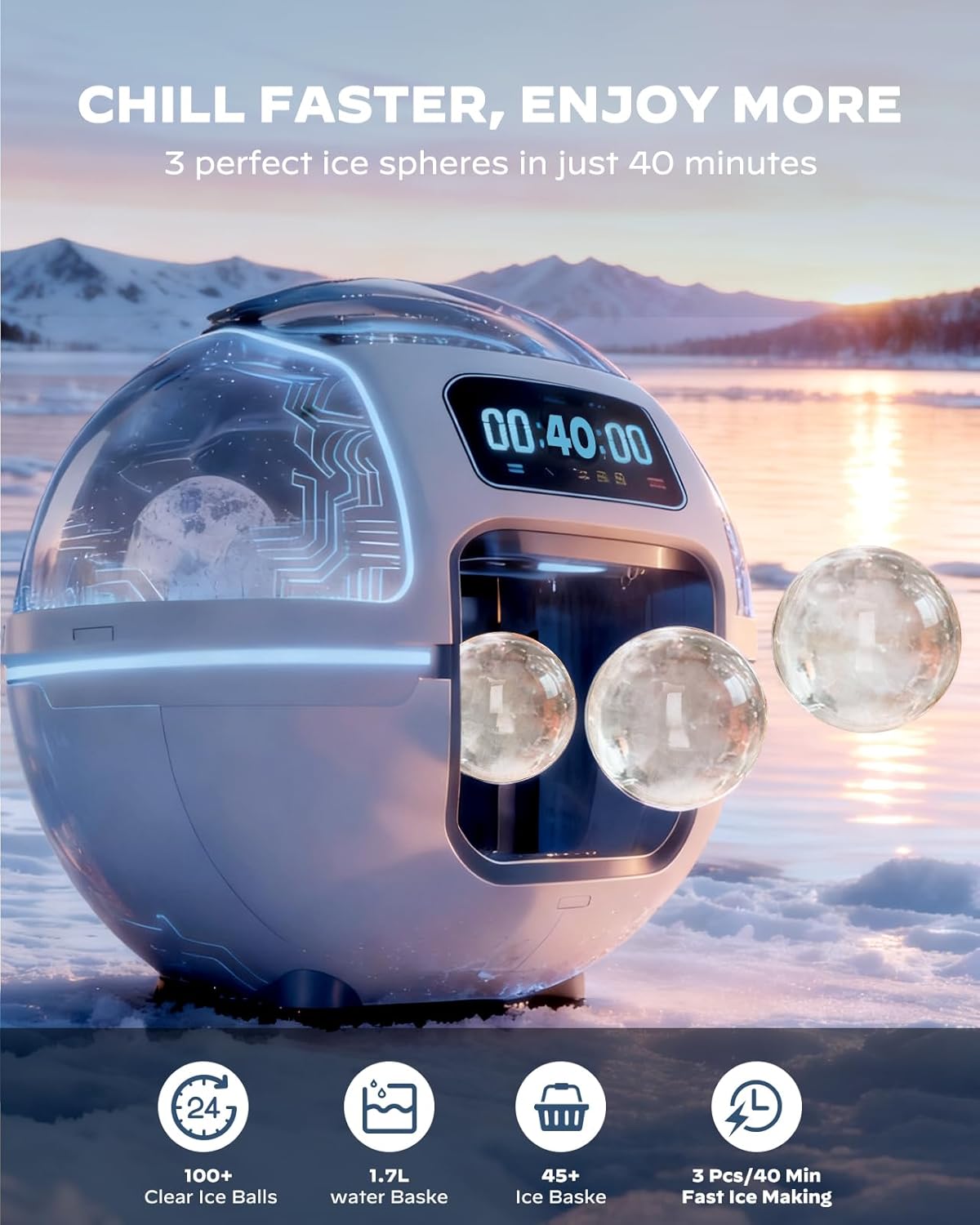
Figure 5: Ice maker in operation, showing ice spheres being produced.
3. Retrieving Ice
Open the front door to access the ice basket. Use the provided ice tongs to remove the ice spheres. The ice basket is designed to be easily pulled out for convenience.

Figure 6: Silonn's clear ice spheres are designed for slow melting.
4. Understanding Ice Quality
For the clearest ice spheres, it is recommended to use purified or filtered water. Higher water quality contributes to clearer ice.
Maintenance
1. Self-Cleaning Function
To activate the self-cleaning mode, press and hold the ON button for 3 seconds. The unit will automatically flush its internal system with water to clean pipes and prevent mineral buildup.
2. Manual Cleaning
For thorough cleaning, disconnect the power. Remove the ice basket. Locate the water outlet plug at the bottom of the unit (if not using an automatic drain line) and remove it to drain any remaining water. Clean the interior surfaces with a soft cloth and mild detergent. Rinse thoroughly and ensure all components are dry before reassembly.
3. Draining Water
If the unit is not connected to an automatic drain line, periodically drain the water from the reservoir to ensure fresh water is used for ice production. The water outlet is located on the back of the unit.
Troubleshooting
- "Water shortage" indicator: Refill the water reservoir manually or ensure the automatic water supply is connected and functioning.
- "Ice full" indicator: Remove ice from the basket to allow for continued ice production.
- Ice not forming or cloudy ice: Ensure the unit is properly ventilated. Use purified or filtered water. Check that the ambient temperature is within the recommended operating range.
- Unusual noises: Some operational noise is normal during the ice-making cycle. If unusual or loud noises occur, ensure the unit is on a stable surface and there are no obstructions.
Specifications
| Specification | Detail |
|---|---|
| Brand | Silonn |
| Model Name | SLICM58B-US |
| Product Dimensions | 17.72"D x 12.52"W x 17.5"H |
| Capacity | 22 Pounds (ice production per day) |
| Wattage | 180 watts |
| Voltage | 110 Volts |
| Refrigerant | R290a |
| Item Weight | 41.4 pounds |
| Included Components | Plastic water pipes |
Product Video
Video 1: Demonstration of the Silonn Sphere Ice Maker's easy operation, from filling water to retrieving crystal clear ice balls.
Warranty and Support
For warranty information or technical support, please refer to the contact details provided with your product packaging or visit the official Silonn website. Keep your purchase receipt for warranty claims.
