
1. Introduction
This manual provides detailed instructions for the installation, operation, and maintenance of your Loniko G5-1-WH Smart Toilet. Please read this manual thoroughly before installation and use to ensure proper function and safety. Keep this manual for future reference.
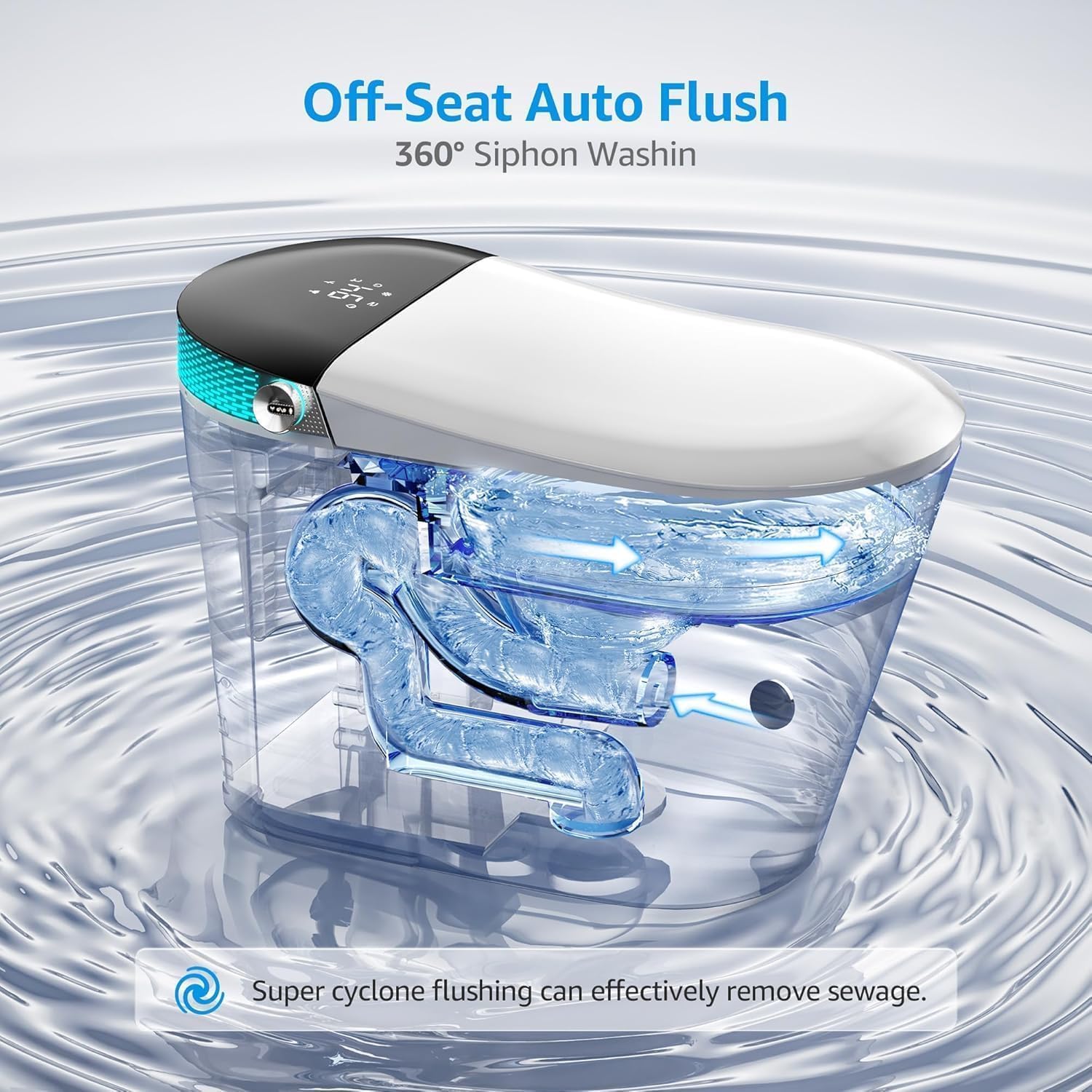
The Loniko G5-1-WH Smart Toilet integrates advanced features such as an auto-opening/closing lid, auto-flushing, a heated seat, warm water bidet, air dryer, LED display, and remote control for enhanced comfort and hygiene.
2. Safety Information
WARNING: Failure to follow these safety instructions could result in fire, electric shock, injury, or property damage.
- Ensure all electrical connections are performed by a qualified electrician and comply with local codes.
- Ensure all plumbing connections are performed by a qualified plumber and comply with local codes.
- Do not immerse the product in water or spray water directly onto electrical components.
- Unplug the unit from the power outlet before cleaning or performing any maintenance.
- Do not allow children or individuals with reduced physical, sensory, or mental capabilities to operate the toilet without supervision.
- Use only genuine Loniko replacement parts.
- Do not attempt to repair the unit yourself. Contact qualified service personnel.
3. Package Contents
Verify that all components are present before beginning installation:
- Loniko G5-1-WH Smart Toilet Unit
- Remote Control
- Screws (for installation)
- Angle Valves
- Wax Ring
- Flange
- Widen Baby Seating (optional accessory)
- Aroma Tablet
- Instruction Manual (this document)
- Battery (for remote control)

4. Setup and Installation
Professional installation by a licensed plumber and electrician is highly recommended to ensure proper function and adherence to local building codes.
4.1 Pre-Installation Checklist
- Confirm water supply pressure is within recommended range (typically 20-80 psi).
- Ensure a dedicated GFCI-protected electrical outlet (120V, 60Hz) is available near the installation area.
- Verify floor is level and capable of supporting the toilet's weight.
- Turn off the main water supply to the bathroom.
4.2 Installation Steps (Overview)
- Prepare the Area: Remove the old toilet (if applicable) and clean the flange area.
- Install Wax Ring and Flange: Place the new wax ring and flange according to manufacturer instructions.
- Position the Toilet: Carefully align the toilet over the flange and press down firmly.
- Secure the Toilet: Use the provided screws to secure the toilet to the floor. Do not overtighten.
- Connect Water Supply: Connect the water supply line to the toilet's inlet valve. Ensure all connections are tight to prevent leaks.
- Connect Electrical Power: Plug the toilet into the GFCI-protected electrical outlet.
- Test Functions: Turn on the water supply and check for leaks. Test all toilet functions (flushing, bidet, heated seat, etc.).

5. Operating Instructions
Your Loniko G5-1-WH Smart Toilet offers a range of automated and customizable features. Familiarize yourself with the remote control and foot sensor for optimal use.
5.1 Auto-Opening and Closing Lid
The toilet lid automatically opens when a user approaches and closes after the user leaves. This feature can be enabled or disabled via the remote control.

5.2 Auto Flushing
The toilet features an automatic flushing system that activates after use. A dedicated foot sensor for flushing is also available for hands-free operation.

5.3 Heated Seat
The seat temperature can be adjusted to one of four settings for personalized comfort using the remote control.

5.4 Warm Water Bidet
The bidet offers front and rear targeted cleaning, oscillating massage modes, and four adjustable warm water temperatures. Activate and adjust settings via the remote control.

5.5 Air Dryer
After bidet use, a warm air dryer provides gentle drying. Temperature and intensity can be adjusted using the remote control.
5.6 LED Display and Night Light
The integrated LED display shows current settings. A soft LED night light illuminates the bowl for nighttime use, which can be toggled on/off via the remote.

5.7 Remote Control and Knob Operation
All primary functions can be controlled using the wireless remote control. A side knob also provides quick access to essential bidet functions (Female Cleaning, Hip Cleaning) with a single press.

5.8 Aromatherapy System
The integrated aromatherapy system releases fresh scents to maintain a pleasant bathroom environment. Insert the provided aroma tablet into the designated compartment.
5.9 Baby Seating
An optional widened baby seating attachment is available for use with baby washing modes, providing comfort and safety for younger users.

5.10 Official Product Video
Watch the official product video for a visual overview of the Loniko G5-1-WH Smart Toilet's features and operation.
6. Maintenance
6.1 Cleaning the Toilet
- Always unplug the toilet before cleaning.
- Use a soft cloth and mild, non-abrasive cleaner.
- Do not use harsh chemicals, bleach, or abrasive pads, as these can damage surfaces.
- Wipe down the exterior surfaces regularly.
- For the bowl, use standard toilet bowl cleaner, but avoid contact with the bidet nozzle.
6.2 Self-Cleaning Nozzle
The bidet nozzle performs an automatic self-cleaning cycle before and after each use. Periodically inspect the nozzle for any buildup and gently clean with a soft brush if necessary.
6.3 Aromatherapy Tablet Replacement
Replace the aroma tablet when the scent diminishes. Refer to the diagram in the package contents section for the location of the aroma tablet compartment.
7. Troubleshooting
| Problem | Possible Cause | Solution |
|---|---|---|
| Toilet not flushing. | No power; water supply off; sensor obstruction. | Check power connection and GFCI. Ensure water supply valve is open. Clear any obstructions from sensors. |
| Bidet not spraying water. | Water supply off; nozzle clogged; user not seated properly. | Check water supply. Clean nozzle. Ensure proper seating for sensor activation. |
| Heated seat not warming. | Feature disabled; temperature setting too low; power issue. | Check remote settings. Adjust temperature. Verify power connection. |
| Lid not opening/closing automatically. | Feature disabled; sensor obstruction; remote control battery low. | Enable feature via remote. Clear sensor path. Replace remote batteries. |
| Unpleasant odor. | Aromatherapy tablet depleted; general cleaning needed. | Replace aromatherapy tablet. Perform thorough cleaning of the toilet. |
If the problem persists after attempting these solutions, please contact Loniko customer support.
8. Specifications
| Feature | Detail |
|---|---|
| Model Number | G5-1-WH |
| Brand | Loniko |
| Product Dimensions | 27.5 x 15.74 x 18.3 inches |
| Item Weight | 104 pounds |
| Water Flush Rate | 1.28 GPF (Gallons Per Flush) |
| Heated Seat Settings | 4 adjustable temperature settings |
| Bidet Water Temperature | 4 adjustable temperature settings |
| Power Supply | 120V, 60Hz (GFCI protected outlet recommended) |
| Waterproof Rating | IPX4 |
| Certifications | cUPC, cETLus Listed (Intertek) |


9. Warranty and Support
For warranty information and customer support, please refer to the warranty card included with your product or visit the official Loniko website. Keep your purchase receipt as proof of purchase.
If you encounter any issues not covered in the troubleshooting section, or require further assistance, please contact Loniko customer service.