
Introduction
The MaxMango V08 Pro is a high-performance digital camera designed for capturing stunning photos and videos in challenging environments. With its robust waterproof, dustproof, and shockproof construction, it is an ideal companion for underwater adventures, outdoor sports, and everyday use. This manual provides essential information on setting up, operating, maintaining, and troubleshooting your camera to ensure optimal performance.

Image: The MaxMango V08 Pro camera, showcasing its dual screens and rugged design.
1. Setup
1.1 Unboxing and Package Contents
Before using your MaxMango V08 Pro camera, please verify that all items are present in the package:
- 1x MaxMango V08 Pro 8K Underwater Camera
- 1x 64GB TF Card (Micro SD)
- 1x Lanyard
- 1x Type-C Charging Cable
- 1x User Manual
- 1x Cleaning Cloth
- 1x Storage Bag

Image: All included accessories and the camera, ready for use.
1.2 Battery Installation and Charging
The camera uses a 1800mAh Lithium-Ion battery. Ensure the battery is fully charged before first use.
- Locate the battery compartment on the camera.
- Open the compartment cover. Ensure it is dry and free of debris before opening.
- Insert the battery according to the polarity indicators.
- Close the battery compartment cover securely until it clicks into place.
- To charge, connect the camera to a power source using the provided Type-C charging cable. The charging indicator will illuminate.
- A full charge typically provides approximately 90 minutes of continuous recording.

Image: Illustration of the removable 1800mAh battery for easy replacement and extended use.
1.3 Memory Card Installation
The camera supports Micro SD (TF) cards up to 64GB. A 64GB card is included in the package.
- Locate the memory card slot, usually near the battery compartment.
- Insert the Micro SD card with the gold contacts facing the correct direction (refer to the diagram near the slot).
- Push the card gently until it clicks into place. To remove, push it again until it springs out.
1.4 Waterproof Preparation
Before any underwater use, it is critical to ensure the camera's waterproof integrity:
- Inspect all seals and covers (battery, memory card, USB port) for any dirt, hair, or damage.
- Ensure all covers are closed tightly and securely latched. Any gap can compromise waterproofing.
- The camera is waterproof up to 15 meters (49 feet). Do not exceed this depth.
2. Operating Instructions
2.1 Power On/Off
Press and hold the Power button (usually located on the top or side) for a few seconds to turn the camera on or off.
2.2 Navigation and Controls
The MaxMango V08 Pro features a functional touch screen and dual screens for versatile control and viewing.
- Touch Screen: Tap or swipe on the main screen to quickly change parameters, access functions, and review media.
- Dual Screen: The front and rear screens facilitate easy selfies and vlogging, allowing you to frame your shots effectively.

Image: A hand using the intuitive touch screen interface for quick control.
2.3 Photo and Video Capture
The camera offers high-resolution photo and video capabilities:
- Photo Mode: Capture still images at an impressive 90MP resolution. Features include autofocus and digital image stabilization.
- Video Mode: Record videos in stunning 8K Ultra HD resolution. Videos are saved in MP4 format.
- Zoom: The camera features an 18X optical zoom to bring distant subjects closer, both above and below the surface.

Image: Underwater scene demonstrating the camera's ability to capture vivid 8K videos and 90MP photos.

Image: Visual representation of the 18X zoom function, showing clarity at various magnification levels.
2.4 Low Light Performance
The V08 Pro is optimized to capture clearer details in low-light underwater scenes, providing brighter images with less noise and more vibrant colors.
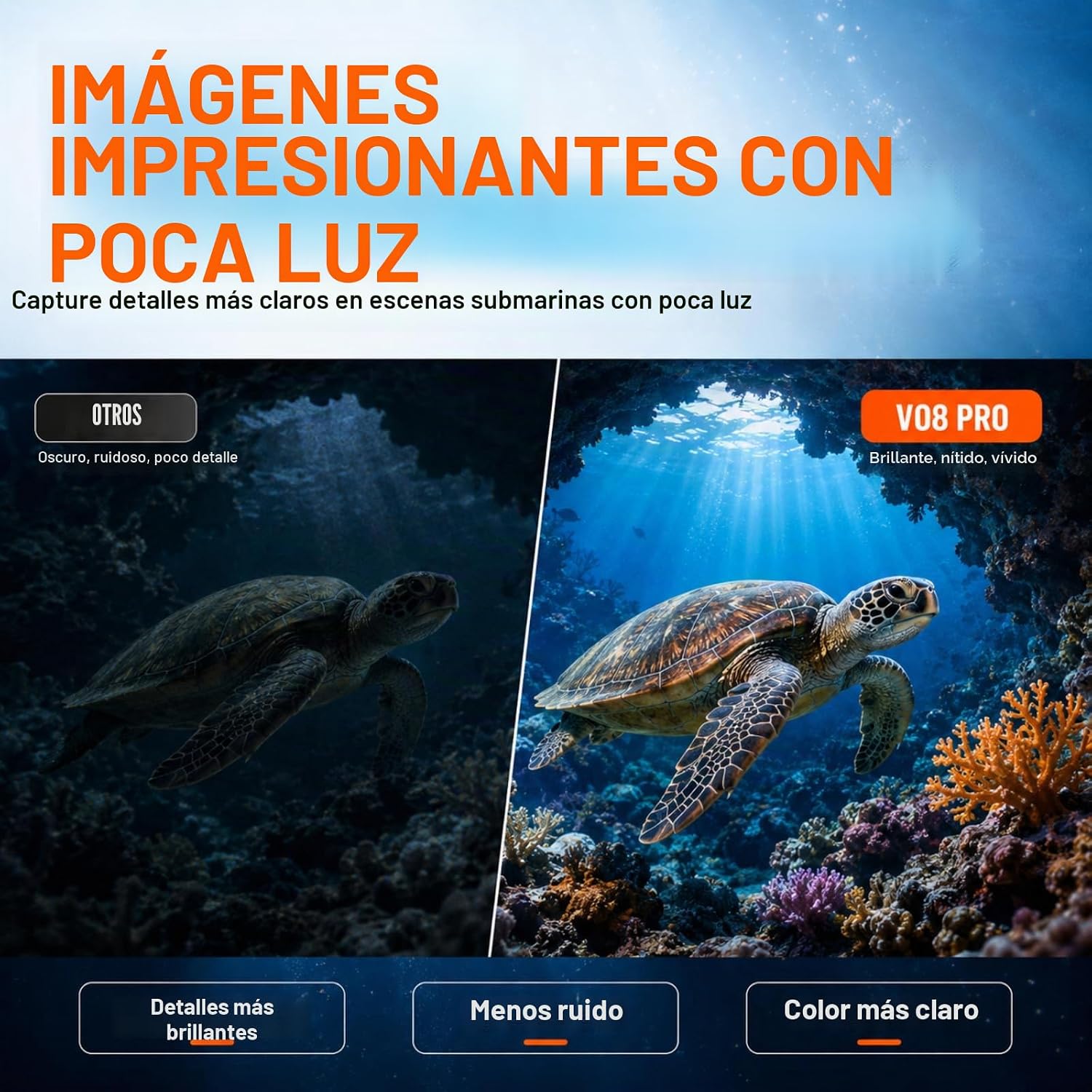
Image: A side-by-side comparison illustrating the superior low-light performance of the V08 Pro.
2.5 Wi-Fi Connectivity
The integrated Wi-Fi allows for quick transfer of your 8K videos and 90MP photos to your smartphone (iOS and Android) within a 5-meter range. This enables instant editing and sharing on social media.
- Download the MaxMango app on your smartphone.
- Activate Wi-Fi on your camera through the settings menu.
- Connect your smartphone to the camera's Wi-Fi network (SSID and password displayed on the camera screen).
- Use the app to browse, transfer, and share your media.

Image: The camera's Wi-Fi interface and a smartphone displaying transferred content.
2.6 SOS Function
In case of an emergency, press and hold the SOS button to activate a visible light signal. This feature is designed to assist rescue services in locating you.
3. Maintenance
3.1 Cleaning
- After each use, especially in saltwater, rinse the camera with fresh water.
- Use the provided cleaning cloth to gently wipe the lens and screens.
- Ensure all ports and seals are clean and free of sand or debris.
3.2 Battery Care
- Store the battery in a cool, dry place when not in use.
- Avoid fully discharging the battery frequently to prolong its lifespan.
- If the camera will not be used for an extended period, remove the battery.
3.3 Storage
Store the camera in a dry, cool place, away from direct sunlight and extreme temperatures. Use the provided storage bag for protection.
4. Troubleshooting
4.1 Common Issues
- Camera not powering on: Ensure the battery is charged and correctly inserted.
- Water leakage: Immediately remove the camera from water. Check all seals and covers for proper closure and damage. Do not use underwater again until the issue is resolved.
- Camera unresponsive: Remove and reinsert the battery to perform a soft reset.
- Poor image/video quality: Ensure the lens is clean and free of smudges. Check lighting conditions.
- Wi-Fi connection issues: Ensure the camera and smartphone are within 5 meters. Restart both devices and try reconnecting.
For more detailed troubleshooting, please refer to the comprehensive user manual included in your package or visit the MaxMango support website.
5. Specifications
| Feature | Detail |
|---|---|
| Brand | MaxMango |
| Model Name | V08 Pro |
| Waterproof Depth | 15 meters (49 feet) |
| Video Resolution | 8K Ultra HD |
| Photo Resolution | 90 MP |
| Display | 2.88-inch Touch Screen, Dual Screen (front and rear) |
| Connectivity | Wi-Fi, USB Type-C |
| Battery | 1800mAh Lithium Ion |
| Battery Life (average) | 90 minutes (video recording) |
| Storage | Micro SD (TF) up to 64GB (64GB card included) |
| Image Stabilization | Digital |
| Special Features | Dustproof, Shockproof, SOS signal, 18X Optical Zoom |
| Operating Temperature | Reliable down to -10°C |
| Dimensions (D x W x H) | 7cm x 10.5cm x 13.9cm (approx.) |
| Weight | 251 Grams |

Image: The camera's rugged construction, emphasizing its waterproof, dustproof, and shockproof capabilities.
6. Warranty and Support
For information regarding warranty coverage, please refer to the warranty card included with your product or visit the official MaxMango website. For technical support, product registration, or further assistance, please contact MaxMango customer service through their official channels.
You can find more information and support on the MaxMango Brand Store.
7. Use Cases
The MaxMango V08 Pro is built for a variety of adventures, ensuring your memories are captured in any environment:
- Underwater Activities: Ideal for snorkeling, diving (up to 15m), and exploring coral reefs.
- Outdoor Sports: Perfect for hiking, cycling, surfing, climbing, and skiing due to its rugged and cold-resistant design.
- Everyday Adventures: Durable enough for daily use, protecting your memories in any condition.

Image: Various activities where the MaxMango V08 Pro excels, from underwater exploration to land-based adventures.
8. Video Resources
No official product videos were available for embedding based on the provided data. Please check the MaxMango official website or product page for any available video tutorials or demonstrations.